Search and AI Changes: August 31–September 6, 2026
Ten material search and AI changes from August 31–September 6, organized by the decisions publishers, SEOs and advertisers need to make.
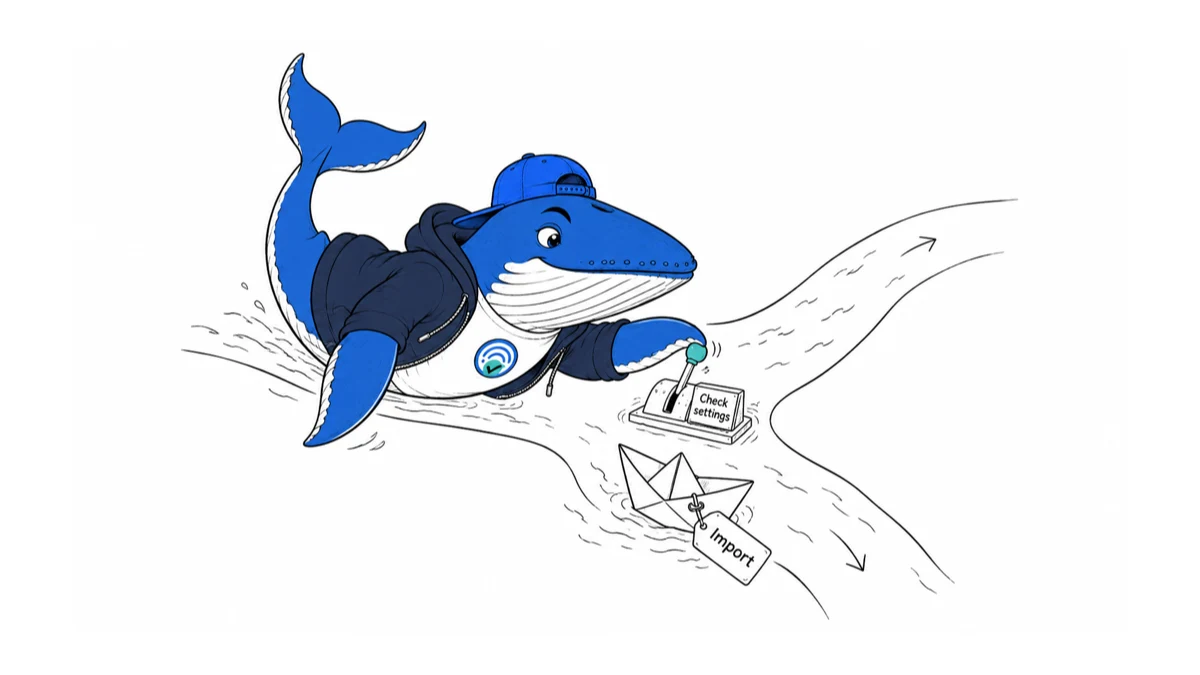
Direct answer: This briefing consolidates 10 related search and AI changes into one decision-focused report. It preserves the underlying facts, source links, checks and downloads without making readers open 10 short articles.
The common thread is migration risk. Defaults, reporting definitions, bot controls, pricing displays and model behavior can all change without invalidating the underlying business goal. Treat every platform change as a contract change: record the old state, name what the system now controls, and keep a rollback or comparison path.
What changed this week
| Change | What it affects | Best next check |
|---|---|---|
| Microsoft AI Max defaults: check new campaigns and Google imports | Audit AI Max settings before launching or syncing Microsoft Search campaigns. Download a settings record for landing pages, imports and performance reviews. | Save campaign settings before launch and compare them again after an import. |
| Two GEO defense papers test different failures in AI answers | Two September 2026 papers study GEO defenses. Compare factual distortion with source-selection manipulation, and download our evidence-review worksheet. | Their attack-success numbers cannot be ranked directly across different definitions and test systems. |
| AdSense impression counting changes in 2027: how to prepare | Google will change banner impression counting from February 17, 2027. See how to compare counts and RPM without confusing measurement with earnings. | A smaller impression denominator can increase impression RPM without increasing earnings. |
| Google AI Mode shopping prices: compare offers, not just products | A Productrise study finds different shopping prices and sellers. Use our offer-comparison worksheet to separate real price gaps from mismatched products. | A matching product ID does not establish equivalent condition, delivery, or bundle terms. |
| Kagi Can Hide Paywalled Search Results: What Publishers Should Measure | Kagi added a preference to remove paywalled links from results. Publishers need a matched on/off test before blaming crawling, indexing, ranking, or the filter. | A user preference adds a display gate after ordinary crawl and ranking checks. |
| Google Clarifies Search Favicon Formats: 7 File Types Publishers Can Use | Google now names seven supported Search favicon formats. Use this audit to separate file eligibility, crawl access, hostname scope, URL stability, and actual display. | Google lists BMP, GIF, ICO, PNG, JPEG, PPM and TIFF. |
| OpenAI 429 vs 503 Errors: Retry Without Skewing Your Data | OpenAI now distinguishes 429 slow_down from 503 server_is_overloaded. Honor Retry-After, cap backoff, and preserve failed queries in AI visibility study denominators. | Visibility studies must report completion and deferred or failed rows. |
| Cloudflare Will Set Different AI Bot Defaults for Search, Agent and Training | Cloudflare says new domains will get purpose-based AI bot defaults on September 15. Audit existing settings now, then verify Search, Agent, Training, and mixed-purpose behavior after rollout. | Cloudflare documents a separate action for each traffic purpose. |
| Claude Fable 5.1 Migration: Two Changes Can Break Agent Workflows | Claude Fable 5.1 rejects forced tool choice and its thinking blocks cannot be read by older Claude models. Test tool, transcript, refusal, retention, and cost paths before migrating. | Parse stop_reason separately from transport success. |
| How to Choose an AI SEO Agency Without Paying for Vanity Metrics | Compare agencies on raw exports, definitions, evidence quality, ownership, security and a paid pilot; not a proprietary visibility score. | Ask what each metric counts and what stays in the denominator. |
Originally reported 2026-09-05
Microsoft AI Max defaults: check new campaigns and Google imports
Why it matters: Audit AI Max settings before launching or syncing Microsoft Search campaigns. Download a settings record for landing pages, imports and performance reviews.
Next check: Save campaign settings before launch and compare them again after an import.
Before launching a Microsoft Search campaign or scheduling its next Google import, record what AI Max is allowed to change. A settings audit makes later performance comparisons interpretable.
The default and import change
In its August 27 announcement, Microsoft says AI Max is available to all advertisers and enabled by default for new Search campaigns, with an option to turn it off. Google imports can carry AI Max settings across; scheduled imports can inherit them again on later syncs. Existing automatically generated responsive-search-ad assets do not, by themselves, enroll a campaign in the full suite.
The bundle covers search term matching, text customization and final URL expansion. Those are paid-campaign features, not instructions for improving organic Bing rankings. We checked Microsoft’s announcement on September 5; we have not tested AI Max in an advertising account.
Save the starting state before deciding
Our recommendation is a short state record, not a blanket instruction to enable or disable automation. Save the campaign’s current settings, the person approving the test, the intended landing pages and the conversion goal. A screenshot is useful evidence, but a written decision explains why the settings were chosen.
| Your workflow | Record before proceeding | Review point |
|---|---|---|
| Create a campaign | Requested settings and allowed destinations | Immediately before launch |
| Review an existing campaign | Current settings and previous change date | Before comparing performance windows |
| Import or synchronize | Source settings, destination settings and sync owner | Immediately after the sync |
A synthetic example: a team approves a campaign after inspecting its settings, then another colleague changes the source campaign before the next scheduled import. The useful question at the next review is which state actually served during the measured period. An approval from before the sync is not evidence of the later state.
Inspect the landing pages before testing reach
Choose a small set of destinations to examine manually. Does each page describe an offer the business can deliver? Are prices and availability current? Can a visitor distinguish a product page from an expired promotion or an informational article?
Record acceptable and unacceptable destination types, then compare the pages that receive campaign traffic with that record. This is a proposed review procedure; it does not imply every unwanted route can be prevented by a particular control. Check the options available in your account before promising an exclusion.
Microsoft documents an “AI optimized” reporting label, an asset report and a search-term landing-page report. Use the reports to inspect what happened, while keeping your own approval record for what was intended.
Make the comparison readable
Pick the primary outcome before looking at the results: for example, qualified enquiries under one consistent qualification rule. Save spend, conversion definition, date window and any concurrent offer change. A higher conversion count is difficult to interpret if the team also added a lower-value conversion action during the test.
Prefer a controlled experiment when your account supports an appropriate design. If you can only compare before and after, label it observational. Note changed budgets, promotions, seasonality and tracking rather than assigning every difference to AI Max. Do not stop a comparison solely because the first few days look unusually good or bad; define its review window and spending boundary in advance.
For larger reporting workflows, our measurement comparison guide explains why metrics with different definitions should not be combined. For assistant-generated campaign summaries, use the separate Microsoft Advertising MCP report checks.
Download the settings record
Download the AI Max settings audit CSV. Use one row per campaign review or import event. Fill in the three feature states, source and destination notes, sync time, approved landing pages, outcome definition, review date and owner decision. Replace all EXAMPLE-REMOVE rows; they describe fictional scenarios, not our account results.
Keep campaign identifiers and confidential exports in your own restricted workspace; the template needs only an alias and a private evidence reference. If a sync produces a state the owner did not approve, pause the rollout decision and resolve the source of that state before changing several controls at once.
What this does not establish
This article does not establish an expected uplift for your business. Its contribution is a reproducible settings and evaluation record, not an independent product review. We will update the instructions when Microsoft changes default or import behavior, or when account-level testing supplies evidence that can be disclosed and reproduced.
Originally reported 2026-09-05
Two GEO defense papers test different failures in AI answers
Why it matters: Two September 2026 papers study GEO defenses. Compare factual distortion with source-selection manipulation, and download our evidence-review worksheet.
Next check: Their attack-success numbers cannot be ranked directly across different definitions and test systems.
Two papers submitted on September 2, 2026 investigate defenses against malicious generative engine optimization. Their results should not be placed on one leaderboard: preventing a false answer and preventing distorted source selection are different evaluation jobs.
Counter-GEO-Bench tests information distortion
Counter-GEO-Bench, by Bing Zheng, Zongyao Zhao, and Wenming Yang, pairs 247 human-verified queries with information-preserving and information-distorting rewrites. Across three open-weight victim models, the authors report that their C-GEO Guard baseline reduces attack success by 47.6% relative. The tested off-the-shelf defenses achieve at most a 5.7% relative reduction.
The arXiv record states acceptance to EMNLP 2026’s main conference. Its limitations section still matters: the work does not test end-to-end commercial search products or proprietary APIs, and the evaluation uses a limited English query set and a single attacker-controlled document. Adaptive attacks remain untested.
These findings support a specific concern about fluent misinformation in retrieved material. They do not measure the rate of misinformation in public ChatGPT or Google answers.
GEO Defender tests manipulation beyond false facts
When Optimization Becomes Manipulation studies attacks that can preserve factual content while changing which sources a generative search system selects or cites. The proposed GEO Defender combines a reranking defense with a generation-stage defense.
The authors report attack success falling from 50.32% to 6.20% across their evaluation, with 94.12% benign-evidence preservation. Their experiments cover five language models and seven attack strategies. The paper’s current version is a research report, not evidence that a commercial engine has deployed the defense.
The percentage-point difference between 50.32% and 6.20% is 44.12. It is not directly comparable with Counter-GEO-Bench’s relative reduction: the papers define different threats, systems, and evaluation conditions.
A truthful sentence can still support an unfair answer
Imagine a fictional comparison of two delivery services. Both sources accurately state their own opening hours, but the final answer uses only one provider’s claims and ignores a more relevant limitation in the other source. Every quoted sentence might be true while the comparison remains unbalanced.
Now imagine an answer that repeats an invented delivery guarantee from a retrieved page. That is a factual-support failure. Correcting source diversity alone would not necessarily remove the false guarantee.
These examples are SearchEngineAnswer’s illustrations, not cases drawn from either benchmark. They show why “the answer has citations” is an incomplete quality test. A citation can be attached to an unsupported statement, and a supported statement can come from an unrepresentative selection.
Use two review tracks
| Track | Reviewer question | Evidence needed |
|---|---|---|
| Claim support | Does the cited passage support this exact statement and its conditions? | Answer span, source passage, date, missing qualification |
| Source selection | Was relevant evidence overlooked or a promotional source given undue weight? | Available source set, selected sources, omitted evidence |
| Benign preservation | Did the defense remove useful, legitimate material? | Unmodified control and reviewer reason |
Run the tracks independently. If reviewers cannot inspect the retrieved candidate set, mark source-selection quality as only partially observable. The public answer alone cannot reveal everything the system had available.
Download the review sheet
Download the GEO defense review sheet (CSV). Its synthetic rows are labeled EXAMPLE-REMOVE. It records claim support, source-set visibility, omitted evidence, and the treatment of legitimate material separately. It contains no attack payloads or private benchmark data.
Before evaluating a product, agree what counts as a failed claim and what counts as an unjustified source preference. Have a second reviewer check disputed rows against the same evidence. Keep “unknown” available as a result; forcing a verdict without the retrieved context manufactures certainty.
For a controlled internal system, compare the same questions and source collection with the defense on and off. Freeze document versions and retain the unmodified control. Report failed examples as well as aggregate results, and do not silently remove questions where the defense produces no useful answer.
What publishers should take from the papers
Our earlier Citation Wars analysis asks whether competitive optimization can damage content quality. These new papers address a different question: how an answer system might defend its evidence pipeline. Neither licenses publishers to manipulate source selection or invent claims.
For editorial work, retain qualifications, link supporting evidence, and make comparisons inspectable. Pair a citation count with the actual use of a source in the answer. More citations alone cannot establish accuracy, balanced coverage, or useful referral traffic.
We reviewed the September 2 versions on September 4, 2026. We have not replicated either benchmark. The comparison framework and worked review sheet are our contribution; the reported experimental results belong to the respective authors.
Originally reported 2026-09-05
AdSense impression counting changes in 2027: how to prepare
Why it matters: Google will change banner impression counting from February 17, 2027. See how to compare counts and RPM without confusing measurement with earnings.
Next check: A smaller impression denominator can increase impression RPM without increasing earnings.
Google says AdSense and Ad Manager will begin changing banner-display impression counting on February 17, 2027. Publishers should prepare a measurement baseline before interpreting a future drop in impressions or rise in impression RPM as a business change.
What changes in February 2027
Google’s begin-to-render notice moves the counting point from the start of an ad download to successful loading and the start of rendering. The affected inventory is banner display on desktop web, mobile web, and connected TV. Native, app, and video inventory already uses or complies with begin-to-render measurement.
Google says the transition is automatic and impressions may decrease because counting happens later. It recommends Ad Manager comparisons using Ad server impressions and Ad server begin to render impressions, with a historical start date after August 12, 2026. Additional aggregate BTR metrics are described as forthcoming, not all available today.
This is an announced future change. SearchEngineAnswer has not measured its effect on publisher revenue.
A higher RPM can come from a smaller denominator
Here is an illustrative example, not a forecast. A publisher earns $100 from 50,000 counted ad impressions. Impression RPM is $100 divided by 50,000, multiplied by 1,000: $2.00.
If the same $100 is divided by 40,000 impressions under a different counting rule, impression RPM becomes $2.50. That is a 25% increase in the ratio without an extra dollar of earnings. The impression count is 20% lower. The percentage changes differ because their denominators differ.
Write the formula beside the chart. Do not substitute page views for ad impressions: page RPM answers a different question. A report that labels both simply “RPM” invites the wrong conclusion during a measurement transition.
Keep counting, viewability, and earnings separate
| Question | Evidence to retain | Avoid inferring |
|---|---|---|
| Was an impression counted? | Named metric and counting method | That a person saw it |
| Was it viewable? | Dedicated viewability measure and definition | That it generated a sale |
| Did earnings change? | Comparable earnings, traffic, inventory, and period | That a higher ratio means more money |
Beginning to render does not by itself establish that the placement was visible to the reader. Equally, an ad-server browser event is not a substitute for the platform’s finalized reporting. Keep those records linked, but do not merge them into one success count.
Prepare a baseline without changing the site
Choose a stable reporting window and document timezone, currency, inventory scope, and filters. Export the available comparable metrics. Keep desktop and mobile rows separate initially so a change in device mix cannot masquerade as a change in rendering.
Download the impression-counting baseline worksheet (CSV). The two worked rows are synthetic and marked EXAMPLE-REMOVE. They demonstrate denominator arithmetic only. Replace them with reports from your own account; leave unavailable metrics blank rather than estimating them.
Save the original export separately from the calculation sheet. Record the report-generation time as well as the dates covered. That makes later reconciliations possible if reporting values are revised.
Investigate the gap before changing ad loading
When a difference appears, first ask whether the two columns cover the same inventory and period. Then isolate which placements, devices, or creatives account for most of the absolute difference. A 50% gap on a tiny placement can matter less commercially than a 5% gap on the largest one.
For a suspect placement, capture a normal page load and check whether the reader can continue using the page comfortably. Record failed requests, missing creative content, and visible instability. Treat an early departure as an observation, not proof that the creative caused it.
Avoid making the page heavier merely to make a counting metric look better. Test one loading change at a time on a controlled page and compare user experience as well as reporting. A change that increases counted inventory while frustrating readers is not automatically an improvement.
Do not mix this with September’s bfcache change
The separate Google Publisher Tag bfcache refresh announcement concerns what happens when a reader returns to a cached page. It has a different effective date and mechanism. One concerns a refresh trigger; the other concerns the counting point.
Annotate each event separately in your reporting calendar. Keep traffic, ad requests, counted impressions, viewability, and earnings in distinct columns. Use our site-audit sequence when ad changes also affect page stability or loading.
Source checked September 4, 2026. The worksheet and arithmetic are SearchEngineAnswer’s explanatory contribution, not a publisher benchmark or a revenue forecast.
Originally reported 2026-09-05
Google AI Mode shopping prices: compare offers, not just products
Why it matters: A Productrise study finds different shopping prices and sellers. Use our offer-comparison worksheet to separate real price gaps from mismatched products.
Next check: A matching product ID does not establish equivalent condition, delivery, or bundle terms.
A September 1 Productrise study found different prices and sellers for products appearing in both Google AI Mode and traditional shopping results. Before treating that as a price penalty, retailers need to check whether the two results represent the same offer, not just the same product.
What the shopping study measured
Productrise’s study covered August 9–31, 2026, using more than two million listings from over 100,000 search results and AI Mode responses in the US and UK. It matched Google product IDs for the same query and day, then compared first-listed offers. Traditional search sampling used the Popular products carousel; AI Mode sampling included tracked product cards.
Among matched products, the first seller differed in 49.6% of cases and the price differed in 38.1%. Within the price-different subset, AI Mode was higher 68.4% of the time. Productrise reported a 21.6% average premium across matched pairs, but condition differences and outliers complicate that average.
This is a commercial tracking vendor’s observational sample, not a random sample of all shopping searches. It does not establish purchases, clicks, or Google’s ranking mechanism. SearchEngineAnswer has not independently reproduced the dataset.
Product identity is only the first check
Consider a hypothetical kettle with the same model number in two results. One leads to a used unit for $80; the other leads to a new unit for $100. The displayed difference is 25%, calculated against $80. Calling it a 25% markup on an equivalent offer would hide the condition difference.
Now consider two new units at $100 and $105. If the first seller charges $15 shipping and the second includes delivery, the displayed item-price comparison and the delivered-price comparison point in opposite directions. These are illustrative arithmetic examples, not observations from Google’s results.
For a retailer, those distinctions determine the next action. A wrong condition deserves a data correction. A valid competing offer deserves a commercial review. Neither justifies changing every product price because of an aggregate headline.
Classify the discrepancy before escalating it
| Finding | Comparison status | Next check |
|---|---|---|
| Same model, used versus new | Not equivalent | Condition and landing-page accuracy |
| Same variant, different delivery fees | Item prices only | Delivered total for one destination |
| Different bundle or pack size | Not equivalent | Units, accessories, and variant identifiers |
| Equivalent offer, same currency and time | Eligible comparison | Seller selection and repeated observations |
Build a small, reviewable offer record
Start with products for which your team can verify stock, variants, and delivery terms. Record the exact query, country, time, surface, product identifier, seller, condition, currency, displayed price, and destination URL. Open the destination and record whether the advertised variant is actually available.
Save both result captures together. Mark shipping or tax as unknown when it cannot be verified without an address or checkout. Do not fill unknown fields with zero. A zero shipping charge is a claim about the offer; a blank field is a limit of the observation.
Download the offer-comparison worksheet (CSV). Its example pairs are explicitly labeled EXAMPLE-REMOVE. Replace them with dated observations. The worksheet separates item-price differences from delivered totals and includes a reason to reject an invalid match.
Separate visibility from the checkout outcome
Repeat the same product-query pairs before deciding that a seller change is persistent. Count comparable pairs separately from all captured pairs. If ten of twenty captured pairs have unresolved variant or delivery differences, your equivalent-offer analysis has ten observations, not twenty.
Track product presence, seller presence, displayed price, landing-page consistency, and attributed orders separately. A screenshot can establish what appeared at that moment. It cannot tell you which seller the shopper ultimately chose.
Our Google AI Mode checkout explainer covers a later part of that journey. The visibility and referral-traffic framework explains why appearances should not be reported as visits or sales.
What to change now
Use the worksheet to create an exception list: wrong condition, wrong variant, stale price, unavailable offer, incomplete delivery information, or a valid alternative seller. Assign each exception to the person who can resolve it. Preserve a before-and-after capture when a correction is made.
The useful conclusion is narrower than “AI Mode prefers expensive products.” Retailers now have a reason to inspect which offer represents their product on each surface. Our contribution is that offer-level review process; it is not a new measurement of Google’s behavior.
Originally reported 2026-09-04
Kagi Can Hide Paywalled Search Results: What Publishers Should Measure
Why it matters: Kagi added a preference to remove paywalled links from results. Publishers need a matched on/off test before blaming crawling, indexing, ranking, or the filter.
Next check: A user preference adds a display gate after ordinary crawl and ranking checks.
Kagi added a setting that can automatically remove paywalled links from a user’s search results. The August 21, 2026 changelog entry is short, but its measurement consequence is important: a paid article can be absent because of a user preference, not because the engine failed to crawl or rank it.
What Kagi announced
Kagi’s public changelog says it added a setting to automatically remove paywalled links from search results on August 21, 2026. The entry establishes the existence of a user-controlled filter. It does not publish a complete classifier specification, a list of affected publishers, adoption data, or a promise that every paywall will be detected.
That limited claim is the right starting point. “Can be hidden by a setting” is not the same as “Kagi has removed paywalled journalism.” Publishers should verify the preference state before attributing a missing result to indexation or ranking.
Add filter eligibility to the search funnel
A conventional diagnostic asks whether a URL was discovered, crawled, indexed, ranked, displayed, and clicked. Kagi’s preference adds another gate between ranking eligibility and display: was the result removed for this user because the paywall filter was on?
This matters because the corrective action changes by stage. Crawl and index problems call for technical work. Weak ranking calls for relevance or authority work. A preference-based removal calls for audience and product analysis; changing canonicals or resubmitting a sitemap will not override a user’s choice.
A matched on/off test publishers can run
- Choose 20 to 30 queries where your paid article and at least one open alternative are plausibly relevant.
- Record the URL, query, market, language, device, signed-in account, test time, and paywall type.
- Run each query with the paywall filter off, then on, changing no other setting.
- Save result position, result presence, title, snippet, host, and whether a paywall label or other marker appears.
- Repeat a sample in fresh sessions to distinguish stable filtering from ordinary result variation.
- Classify each pair as unchanged, paid result removed, different URL from the same publisher substituted, or inconclusive.
Do not automate at a rate that violates service terms. A small, reviewed comparison is more useful than a large scrape with uncertain settings.
Segment paywalls before interpreting results
Use separate labels for hard paywalls, metered access, registration walls, subscriber-only pages, and pages with a complete open article plus a paid offer. Detection and user expectations may differ. Also record whether structured data such as isAccessibleForFree and hasPart accurately describes the visible page, but do not assume those fields alone control Kagi’s classifier.
If an open explainer and a subscriber investigation serve different intents, compare them separately. Turning every paid page into a thin free summary can create duplication and weaken the product. The goal is to understand display paths, not to disguise access conditions.
What publishers should do with the results
First, quantify the exposed query set rather than extrapolating from one screenshot. Then decide whether an open service page, newsletter landing page, public abstract, or separate explainer genuinely helps the reader. Make its value complete enough to stand alone and link transparently to the paid work.
Track Kagi referrals, conversions, subscriptions, and assisted discovery separately from Google or AI-answer traffic. A low referral count does not prove the filter caused the decline. Use the same denominator discipline described in our AI visibility versus referral-traffic test and retain the preference state with every observation.
What not to conclude
- A missing paid URL does not prove deindexing.
- A visible URL with the filter off does not prove all users see it.
- A substituted free page does not prove Kagi selected it because it was free.
- A correct paywall label does not establish the classifier’s full input set.
- A handful of queries cannot establish platform-wide publisher impact.
These boundaries keep a useful product change from turning into an unsupported traffic narrative.
Source, method, and limit
Primary source: Kagi’s product changelog, checked September 4, 2026.
Information gain: the article adds filter eligibility to the diagnostic funnel and provides a matched on/off protocol with paywall-type segmentation.
Limit: Kagi has not published enough detail in the cited entry to infer classifier logic, adoption, accuracy, or traffic impact. Those questions require documented product detail or observed data.
Originally reported 2026-09-04
Google Clarifies Search Favicon Formats: 7 File Types Publishers Can Use
Why it matters: Google now names seven supported Search favicon formats. Use this audit to separate file eligibility, crawl access, hostname scope, URL stability, and actual display.
Next check: Google lists BMP, GIF, ICO, PNG, JPEG, PPM and TIFF.
Direct answer: Google Search supports BMP, GIF, ICO, PNG, JPEG, PPM, and TIFF favicon files. Google listed those seven formats explicitly on August 28, 2026, but also said the supported formats did not change.
This is a documentation clarification, not a new ranking factor or a favicon rollout. The useful response is to audit the file, homepage declaration, crawl access, dimensions, hostname, and URL stability that Google actually documents.
What Google clarified
Google’s Search documentation update log says the earlier favicon page pointed to an external format reference that changed over time. The new wording places the supported formats inside Google’s own documentation, removing that ambiguity.
The same update log states that Search’s supported file formats have not changed. A publisher should therefore describe this as clearer documentation. Claims that Google “added” TIFF, PPM, or another listed format would go beyond the source.
| Format | Practical publishing note |
|---|---|
| ICO | Common browser favicon container; verify the file returned at the declared URL. |
| PNG, JPEG, GIF | Widely supported web-image choices; preserve a square source and a stable URL. |
| BMP, PPM, TIFF | Documented as supported, but usually less convenient than PNG or ICO for routine web delivery. |
The format is only one eligibility condition
Google’s favicon guide requires a square image at least 8 by 8 pixels and recommends a size larger than 48 by 48 pixels. It also says Googlebot-Image must be able to crawl the image and Googlebot must be able to crawl the homepage.
Search supports one favicon per hostname. A domain and subdomain can use different favicons, but a subdirectory cannot declare a separate Search favicon for itself. That distinction matters for publishers that place sections under paths such as /news/ rather than dedicated hosts.
Google recommends keeping the favicon URL stable. Even a technically valid replacement is harder to process consistently if a build system creates a new hashed URL on every deployment.
Run this seven-part favicon audit
- Resolve the homepage. Confirm the canonical hostname that Search should associate with the icon.
- Inspect the rendered head. Find the relevant
link rel="icon"declaration and record its resolved URL. - Fetch the image directly. Check for a successful response, an image content type, and no login, challenge, or redirect loop.
- Check both crawler paths. Review robots rules for the homepage and favicon path rather than assuming browser visibility proves crawl access.
- Measure the source. Verify a 1:1 aspect ratio and use a source comfortably above Google’s recommended 48-pixel threshold.
- Keep the URL stable. Replace the file at a controlled versioned location only when the brand mark meaningfully changes.
- Record the observation date. Search appearance can lag a deployment, and Google does not guarantee that an eligible favicon will appear.
This sequence separates four states that are often collapsed: declared in HTML, retrievable over HTTP, eligible under the documented guidelines, and actually shown in a search result. One state does not prove the next.
Common failures that a format change will not fix
Converting an icon from ICO to PNG will not repair a blocked image path, a blocked homepage, a rectangular source, or a declaration that points to a missing asset. It also will not create a separate favicon for a subdirectory.
A generic browser globe does not prove that Google rejected the file format. The cause could be processing delay, a conflicting declaration, a crawl problem, a hostname mismatch, or Google’s discretionary presentation. Start with the observable checks before changing the artwork.
For broader image selection questions, see how Google chooses Search and Discover thumbnails. A favicon and an article thumbnail are separate assets with different markup and presentation rules.
What to do after a favicon change
Deploy the homepage declaration and image together, clear the relevant caches, and verify the public response from a logged-out request. Save the previous file and declaration so the change is reversible.
Then wait for normal recrawling and record what appears. Google’s guide says favicon display is not guaranteed even when every guideline is met, so do not promise a deadline or treat a missing icon as evidence of a ranking problem. Include favicon verification in a wider technical SEO launch check instead of diagnosing it in isolation.
Source, method, and limit
Primary sources: Google’s favicon eligibility guide and Search documentation update log, checked September 4, 2026.
Information gain: this article turns the clarified format list into a seven-part audit that records declaration, retrieval, crawlability, geometry, hostname scope, URL stability, and observed display separately.
Limit: the audit diagnoses documented eligibility and delivery. It cannot force Google to show a favicon or establish why a particular result omitted one.
Originally reported 2026-09-03
OpenAI 429 vs 503 Errors: Retry Without Skewing Your Data
Why it matters: OpenAI now distinguishes 429 slow_down from 503 server_is_overloaded. Honor Retry-After, cap backoff, and preserve failed queries in AI visibility study denominators.
Next check: Visibility studies must report completion and deferred or failed rows.
Direct answer: OpenAI now documents two distinct temporary-capacity responses: HTTP 429 with error code slow_down for rapidly growing traffic, and HTTP 503 with server_is_overloaded for temporary model overload. Both can include Retry-After. Honor that value when present; otherwise use capped exponential backoff with jitter. Keep the two states separate in monitoring so a burst from your client is not reported as model unavailability.
This change improves diagnosis only if applications log both the HTTP status and the API error code. A dashboard that groups every retry as “rate limited” loses the information the new contract provides.
429 and 503 answer different questions
The September 2, 2026 API changelog says rapidly growing traffic may receive HTTP 429 with slow_down. A temporary model overload may receive HTTP 503 with server_is_overloaded. OpenAI says either response may include Retry-After and recommends honoring it; without the header, clients should use exponential backoff.
| Response | Documented condition | Immediate action | Do not conclude |
|---|---|---|---|
429 slow_down | Traffic is growing rapidly | Honor Retry-After or back off | The selected model is globally unavailable |
503 server_is_overloaded | Temporary model overload | Honor Retry-After or back off | Your project exceeded a permanent quota |
| 400 request error | Invalid request or parameters | Fix the request | Retrying unchanged will help |
| 401 authentication error | Credential or authorization problem | Stop and repair credentials | Capacity recovery will fix it |
Build the retry policy in this order
- Parse the HTTP status, structured error code, request ID, and
Retry-After. - If the response is not in an approved transient class, stop and route it to the appropriate failure handler.
- If
Retry-Afteris valid, wait for that duration unless it exceeds the job’s total time budget. - Otherwise calculate exponential backoff with randomized jitter.
- Cap the attempt count, per-wait delay, and total elapsed time.
- For write-like or externally visible tools, use an idempotency strategy before retrying.
if retry_after_is_valid:
    delay = retry_after
else:
    delay = min(max_delay, base_delay * 2 ** attempt) + jitter

if attempts_exhausted or elapsed + delay > job_budget:
    stop_or_defer()
else:
    retry_after(delay)
This pseudocode is a design pattern, not an official SDK sample. Use your runtime’s current OpenAI SDK and header parser.
Jitter prevents clients from retrying together
Pure exponential backoff can synchronize a fleet: many workers fail together, calculate the same delay, and return together. Random jitter spreads the retries. Use a documented strategy such as full jitter or equal jitter and test it with a fake clock.
Do not sleep inside a request thread if the architecture can reschedule work. A durable queue can preserve the task, earliest retry time, attempt count, and idempotency key without tying up capacity. Interactive requests should have a short user-facing budget; long research batches can defer instead of making the user wait through repeated attempts.
Log a decision ledger, not just an error count
Download the OpenAI API retry decision ledger (CSV). Its rows are marked EXAMPLE-REMOVE and contain no production results. Redact credentials, prompts, personal data, and raw output before sharing a real ledger.
Capture event time, endpoint, model, status, error code, retry header, attempt, chosen delay, decision, outcome, and latency. Store the request ID in a restricted operational log. The key derived metrics are not merely “errors per hour”:
- first-attempt success rate;
- recovered-after-retry rate by status and code;
- requests abandoned by attempt cap or elapsed-time cap;
- added latency among successful requests;
- duplicate side effects prevented or detected;
- measurement rows lost, deferred, or completed.
Protect AI visibility measurements from retry bias
A visibility study can become biased when failed prompts disappear from the denominator. If one model or query class overloads more often, analyzing only successful answers can make it look more reliable or more visible than it was.
Pre-register the query set and keep every scheduled row. Mark outcomes as completed, recovered, deferred, permanently failed, or excluded with reason. Report the completion rate next to citation and recommendation rates. Our AI visibility and referral test uses the same denominator discipline.
For cost governance, the OpenAI API cost-by-key ledger can be joined on a hashed job ID. Do not assume a failed or retried request was free; use billing telemetry where available and otherwise mark the cost unknown.
Alert on impact and classification
Use separate time series for 429 slow_down, 503 server_is_overloaded, other 429 codes, and other 5xx errors. Alert on sustained user impact, depleted retry budgets, queue age, or completion-rate loss; not on one transient response.
A sudden 429 slow_down increase after a client deployment points first to traffic shaping and concurrency. A 503 overload increase isolated to one model suggests a different investigation. These are operational hypotheses, not proof; the request logs and OpenAI status information provide the evidence.
Never create an infinite retry loop. It converts a brief constraint into added load, higher latency, and a misleading success metric.
Review the policy after traffic-shaping, concurrency, queue, SDK, or model-routing changes because each can alter the retry pattern without any change to the underlying content workload.
Source, method, and update note
Primary source: OpenAI’s API changelog, September 2 entry, checked September 3, 2026.
Method: SearchEngineAnswer translated the documented status and error-code distinction into a retry and monitoring workflow. We did not run a load test and report no incident rate or recovery-rate benchmark.
Recheck trigger: Update if OpenAI changes the error codes, retry guidance, response headers, status semantics, or SDK behavior.
Originally reported 2026-09-03
Cloudflare Will Set Different AI Bot Defaults for Search, Agent and Training
Why it matters: Cloudflare says new domains will get purpose-based AI bot defaults on September 15. Audit existing settings now, then verify Search, Agent, Training, and mixed-purpose behavior after rollout.
Next check: Cloudflare documents a separate action for each traffic purpose.
Direct answer: Cloudflare says that on September 15, 2026, new domains will receive purpose-based AI bot defaults: Search traffic allowed, while Agent and Training traffic will be blocked on pages with ads. Existing domains should not assume they will inherit those defaults. Audit the three purposes separately now, preserve the current configuration, and wait until after rollout to publish observed-behavior claims.
This is a documented future configuration change, not a SearchEngineAnswer field result. As of September 3, the defensible language is “Cloudflare says” and “expected default,” not “Cloudflare now blocks.”
What Cloudflare says will change
Cloudflare’s documentation separates automated traffic into Search, Agent, and Training purposes. Each purpose can be configured as Allow, Block pages with ads, or Block all. The controls are available under Security Settings in the AI bot policies configuration.
For domains added on or after September 15, Cloudflare documents these defaults: Search allowed; Agent blocked on pages with ads; Training blocked on pages with ads. Customers can opt out before the date. The legacy “Block AI Bots” control is scheduled for deprecation on September 15 as the purpose-based settings take over.
| Purpose | Expected default | Publisher question |
|---|---|---|
| Search | Allow | Do we want discovery traffic from bots Cloudflare classifies as Search? |
| Agent | Block pages with ads | Should user-directed retrieval differ on ad-free and ad-supported pages? |
| Training | Block pages with ads | Does the business policy require a stricter block-all setting? |
Existing domains need an explicit read
The announcement describes defaults for new domains. It does not establish that an existing domain’s current policy will be rewritten to match. Open the domain’s AI bot policy screen and record all three settings rather than copying the new-domain table into an audit.
Also capture whether the domain used the legacy Block AI Bots switch, when it was added to Cloudflare, and whether a person or API last changed the policy. A screenshot is useful, but export or transcribe the values into a dated ledger so they can be compared after the rollout.
For content-use declarations at the crawl endpoint, see our Cloudflare /crawl Content Signals guide. That endpoint contract and the bot-management defaults are related publisher controls, but they are not the same enforcement surface.
Test mixed-purpose bots as their own case
Cloudflare says bots classified as both Search and Training are blocked under configurations that block AI training, including the legacy Block AI Bots control. This mixed-purpose rule is important because “Search is allowed” does not necessarily override a Training restriction.
Do not generalize the classification from a vendor name. Record the specific bot, Cloudflare’s observed category, request path, page ad state, rule matched, and action. If the purpose is unknown or classification changes, mark the row inconclusive until evidence is available.
The broader AI crawler decision guide helps align access choices with business goals, while the ChatGPT robots controls guide covers a product-specific layer outside Cloudflare’s classification.
Run the pre- and post-rollout audit
Download the Cloudflare AI bot pre/post audit (CSV). Its rows are marked EXAMPLE-REMOVE. The September 16 rows are test fixtures, not observations.
- Before September 15, save the domain creation date and each purpose setting.
- Record whether representative pages contain ads and how ad presence is detected.
- Preserve the legacy-control state and any custom WAF or bot rules that can affect the same request.
- After rollout, create a controlled new domain or zone only if your account and policy allow it.
- Observe Search, Agent, Training, mixed-purpose, and unknown classifications separately.
- Save request time, bot identity, classification, matched rule, action, and response evidence.
- Compare expected defaults with observed configuration before testing network behavior.
A failed request does not by itself prove the AI bot policy caused the failure. DNS, origin availability, authentication, robots rules, rate limits, WAF rules, and custom firewall logic can produce similar symptoms.
Choose policy by purpose, not by fear
Search retrieval may create discovery or citation opportunities. Agent access may serve a user who asks a tool to fetch your page. Training may create a different value exchange. A single “AI bot” toggle hides those distinctions.
Assign an owner and written intention to each purpose. If ad-funded pages require a different policy, define how the site labels those pages and test the label. If training is never authorized, use the explicit block-all control instead of relying on the ads condition.
Do not promise that allowing Search will cause indexing, citation, ranking, or referral traffic. Access is only the first state in the chain.
What can be published before and after September 15
Before rollout, publish the documented defaults, your current configuration, and the planned test. Label future rows “expected” or “not observed.” After rollout, add an observed result only when the domain cohort, configuration, request evidence, and confounding rules are preserved.
If observed behavior differs from the documentation, report the mismatch and conditions rather than declaring the documentation wrong. Account rollout timing, domain age, configuration inheritance, or classification can explain a difference.
Source, method, and update note
Primary source: Cloudflare’s Block AI bots documentation, checked September 3, 2026.
Method: SearchEngineAnswer converted the documented future defaults into a pre/post audit. We have not observed the September 15 rollout and report no live block rate.
Recheck trigger: Verify after September 15, then update only with reproducible observations. Recheck sooner if Cloudflare changes the date, defaults, purpose definitions, mixed-purpose handling, or legacy-control deprecation.
Originally reported 2026-09-03
Claude Fable 5.1 Migration: Two Changes Can Break Agent Workflows
Why it matters: Claude Fable 5.1 rejects forced tool choice and its thinking blocks cannot be read by older Claude models. Test tool, transcript, refusal, retention, and cost paths before migrating.
Next check: Parse stop_reason separately from transport success.
Direct answer: Claude Fable 5.1 introduces two migration traps that can break an otherwise valid agent workflow. Forced tool_choice values; any or a named tool; return HTTP 400, and thinking blocks created by 5.1 cannot be passed to older Claude models. Use auto with strict schemas, keep conversation history append-only, and test fallback routes before changing the production model ID.
Anthropic released claude-fable-5-1 on September 1, 2026. It has a one-million-token context window, up to 128,000 output tokens, and adaptive thinking that is always on. Those capabilities increase the value of a migration, but they also make transcript and tool contracts part of the release surface.
Breaking point one: forced tool choice
Anthropic documents that Fable 5.1 does not support forced tool selection. A request using tool_choice: {"type":"any"} or explicitly naming a tool returns an invalid_request_error with HTTP 400. auto and none remain supported.
This is easy to miss in an agent framework that silently injects forced choice after application code builds the request. Search serialized payloads, SDK middleware, routing layers, and stored prompt templates; not just the visible call site.
// Migration pattern: let the model choose, constrain the shape.
tool_choice: { type: "auto" }
// Pair with strict tool schemas or structured outputs where appropriate.
That pattern does not guarantee a tool call. If the workflow requires a specific deterministic operation, validate the model’s decision and handle a no-tool response explicitly. Do not retry the same invalid forced-choice payload.
Breaking point two: thinking-block compatibility
Fable 5.1 can read thinking blocks created by earlier Claude models. The reverse route is not compatible: earlier models cannot read Fable 5.1 thinking blocks. That makes a simple “try 5.1, then replay the full response to an older fallback” unsafe.
Anthropic says incompatible thinking blocks can be dropped when the relevant beta behavior is not enabled. With the beta header, transformations are recorded in input_transformations. Either way, the application should treat the route as a versioned transcript conversion, not as a transparent retry.
| Source turn | Next model | Documented compatibility | Safe release action |
|---|---|---|---|
| Earlier Claude model | Fable 5.1 | 5.1 can read earlier thinking blocks | Test the exact SDK and stored transcript |
| Fable 5.1 | Earlier Claude model | Earlier model cannot read 5.1 thinking blocks | Use a deliberate transcript transformation or clean fallback context |
| Fable 5.1 | Fable 5.1 | Compatible when history is preserved | Keep prior messages append-only |
Keep conversation history append-only
Editing or deleting an earlier turn can invalidate the relationship between thinking blocks and the conversation that produced them. Redaction, summarization, memory compaction, and “helpful” message normalization therefore need tests.
Store an immutable raw transcript for replay and create a separate derived context when policy requires transformation. Record which messages were dropped, summarized, or redacted. A hash of the ordered input messages gives operations teams a way to detect a hidden mutation without storing more sensitive content in logs.
For workflows that browse, our Claude domain-allowlist guide separates access controls from source quality. The same principle applies here: a valid transcript is necessary, but it does not establish that a tool result is authoritative.
Run an eight-fixture migration gate
Download the Claude Fable 5.1 migration matrix (CSV). The included rows are marked EXAMPLE-REMOVE and describe tests to run; they are not production results.
- Confirm forced named-tool and
anyrequests fail before a tool can execute. - Test
autowith one prompt that should call a tool and one that should not. - Validate strict schemas with valid and invalid arguments.
- Replay an earlier-model transcript into 5.1.
- Exercise the 5.1-to-older fallback path using a controlled transformation.
- Edit a historical turn and confirm your guard rejects or rebuilds the context.
- Verify that HTTP 200 responses with
stop_reason: refusaldo not enter the normal success path. - Test maximum elapsed time and cost controls on long-context jobs.
Treat refusal, retention, and price as separate controls
Anthropic documents that a refusal may arrive with HTTP 200 and stop_reason: refusal. A status-only health check can therefore record success while the application received no usable completion. Count transport success, model completion, refusal, tool success, and business success separately.
The documented price is $10 per million input tokens and $50 per million output tokens, with cache reads at $0.25 per million and cache writes at $12.50 for five minutes or $20 for one hour. Recalculate budgets from actual input, output, and cache telemetry; do not assume the larger context window should be filled.
Anthropic also documents 30-day retention and says Zero Data Retention is not the default unless expressly authorized. Verify the contract and product configuration for your account before sending sensitive data. Capability, cost, and retention are three independent release gates.
Roll out with a one-way canary
Begin with stateless or single-turn work. Then canary multi-turn conversations that stay on 5.1. Add cross-model fallback only after the transformation path passes. This order makes the incompatible direction visible instead of discovering it during an incident.
Pin the model ID, SDK version, tool schema version, transcript policy, and fallback model in the release record. The Claude search-result-blocks guide offers a compatible evidence pattern for tool-derived content.
Source, method, and update note
Primary sources: Anthropic’s Fable 5.1 migration notes and release notes, checked September 3, 2026.
Method: SearchEngineAnswer converted documented incompatibilities into an unrun migration matrix. We did not benchmark the model or execute production tools.
Recheck trigger: Update if Anthropic changes tool-choice support, thinking compatibility, retention, context limits, pricing, or refusal semantics.
Originally reported 2026-09-03
How to Choose an AI SEO Agency Without Paying for Vanity Metrics
Why it matters: Compare agencies on raw exports, definitions, evidence quality, ownership, security and a paid pilot; not a proprietary visibility score.
Next check: Ask what each metric counts and what stays in the denominator.
Choose an AI SEO agency by the quality of its evidence, exports, measurement definitions and exit plan; not by a proprietary visibility score. A useful partner can explain what is documented, what it observed, how it validates citations, and what you will own if the relationship ends.
Define the business decision before the pitch
Write the target audience, markets, priority products and qualified outcomes. Decide whether the first problem is crawl access, content usefulness, platform observation, analytics or editorial operations. Ask agencies to respond to that scope. A broad promise to “dominate AI search” is not a diagnosis.
Give every bidder the same small page and prompt sample so comparisons reflect method rather than presentation.
Ask for measurement definitions
Request definitions for mention, citation, cited page, visibility, sentiment, referral and conversion. Ask what counts in the denominator, how failed prompts are handled, whether prompts are fixed, and how country, account state and personalization are recorded.
Compare the answer with our AI visibility measurement crosswalk. If the agency cannot export the rows behind a score, the score is not auditable.
Inspect the evidence workflow
Ask how sources are selected, how claim support is checked, and how product changes trigger updates. Google states in its AI optimization guidance that standard SEO remains relevant and there are no special AI-only technical requirements. A proposal centered on secret schema or guaranteed citations conflicts with that baseline.
Request one anonymized deliverable showing raw observations, source links, uncertainty and a decision; not just a slide with percentages.
Separate platform access from outcomes
An agency may correctly configure OAI-SearchBot, PerplexityBot or a CDN policy. That proves a control was applied; it does not prove citation, traffic or revenue. The plan should show how crawl evidence connects to index eligibility, observed citations, referrals and qualified actions while keeping each layer distinct.
Our AI SEO audit checklist provides a neutral sequence for evaluating the proposed work.
Put ownership and exit terms in the contract
- You receive raw prompt observations and source URLs.
- You own dashboards, analytics configurations, content and images.
- Definitions and calculation methods are documented.
- Credentials use least privilege and are revoked at exit.
- Automated publication requires approval and rollback.
- The handoff includes current tests, limitations and pending risks.
Avoid contracts where historical data disappears with the subscription or the agency owns the only account containing the work.
Run a paid pilot with pass/fail gates
Use four to six weeks and a bounded page set. Capture the baseline, fix one known constraint, improve a few pages, run a fixed prompt sample and deliver raw exports. Judge the pilot on analytical clarity, implementation quality, communication and useful outcomes; not whether every metric rises in a short period.
| Good signal | Red flag |
|---|---|
| Shows unknowns and limits | Promises guaranteed inclusion |
| Provides raw rows | Provides score screenshots only |
| Links claims to primary sources | Cites agency blogs for platform rules |
| Documents rollback | Publishes at scale before review |
Make the final comparison reproducible
Score each agency on evidence quality, measurement transparency, technical competence, editorial usefulness, security, ownership, communication and cost. Record the proof for every score. Revisit the matrix after references and the pilot rather than letting charisma override missing controls.
Download the AI SEO agency selection scorecard. Replace the examples with evidence from each proposal and keep the “raw export available” and “exit ownership” columns visible during negotiation.
Use the AI SEO guide and task hub as a neutral scope checklist when an agency bundles crawling, content, citation sampling, analytics, and attribution into one promise.
What I would do first
Choose the one change that can alter a measurement, crawl path, conversion or publishing control you already use. Save the current state, run one bounded comparison and document the result before changing the next variable. Items that do not touch an active workflow can stay on the watchlist.
Keep learning
Continue this topic
Next in this topic
ChatGPT Voice Can Switch Models for Search: What to Audit
Earlier in this topic
Microsoft’s holiday AI shopping survey measures plans, not purchases
AEO & AI Search
Ask a question or join the discussion