Claude Managed Agents Controls: Domain Rules and Per-Call Permissions
Audit Claude Managed Agents domain controls and the new auto permission policy as separate access, per-call, execution and evidence decisions.
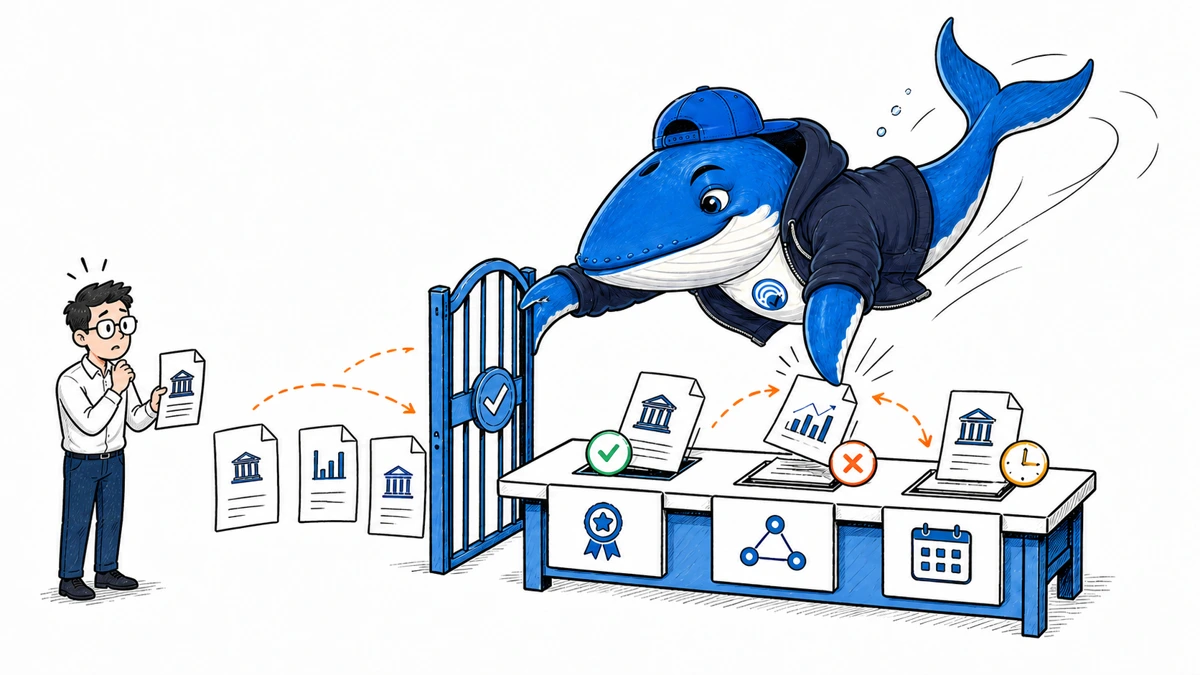
Claude Managed Agents now has two separate policy decisions to audit. Domain rules constrain where web_search and web_fetch can go. Permission policies decide whether an individual built-in agent or MCP tool call runs, pauses for approval, or is denied.
Neither control certifies the quality of a source or the correctness of a tool result. A useful release record must preserve access, the per-call permission decision, the actual side effect, and the evidence review as different fields.
What Anthropic added
Anthropic’s August 19, 2026 Claude Platform release notes say Managed Agents configurations can place allowed_domains or blocked_domains on the web_search and web_fetch entries in the agent_toolset_20260401 configs array. The same update documents max_content_tokens for web_fetch and user_location for web_search.
Each configuration entry is identified by name and can include a type. That matters during migration because a policy attached to the wrong tool entry is not a source-control result. It is a configuration error.
{
  "type": "agent_toolset_20260401",
  "configs": [
    {
      "name": "web_search",
      "allowed_domains": ["docs.example.com"]
    },
    {
      "name": "web_fetch",
      "allowed_domains": ["docs.example.com"],
      "max_content_tokens": 12000
    }
  ]
}
This conceptual configuration shows the control shape described in the release notes. Verify the current Managed Agents documentation and SDK type before production use.
The auto policy adds a call-level decision
Anthropic’s September 10 release added the auto permission policy for Claude Managed Agents. For each enabled built-in agent or MCP tool call, the server can allow the call, deny it, or pause the session for approval. No toolset uses auto by default.
| Outcome | What happens | Release evidence to keep |
|---|---|---|
allow | The tool runs without a human review step. | Resolved policy, tool, safe input hash, execution state, side effect, and result. |
ask | The session pauses until the blocking event receives an allow or deny response. | Event ID, reviewer, decision, time, denial message when used, and resumed state. |
deny | The call does not run. Under auto, the client cannot override that denial. | Reason code, error tool result, follow-up behavior, and whether the agent selected another tool. |
Each agent.tool_use and agent.mcp_tool_use event carries evaluated_permission. Most also include an evaluation object naming the policy. Under auto, an ask or deny outcome can include a reason_code. Custom-tool events do not carry these fields because Managed Agents permission policies do not govern custom tools.
auto is not a human checkpoint
If the server decides a call is safe, the call can run before a person sees it. Use always_ask for tools whose side effects require human approval. Anthropic also warns that untrusted end-user text relayed as a user.message can be read as the operator’s intent, so tools exposed to that input need an explicit permission design.
The ant beta:sessions connect command can follow a live session and answer calls waiting for approval. It does not turn already allowed calls into pre-execution reviews.
Separate four boundaries
| Boundary | Question | Evidence |
|---|---|---|
| Access | Could the configured tool reach this host or final redirect target? | Configuration, request trace, tool result, and error |
| Authority | Is the source a suitable authority for this topic and claim? | Publisher identity, primary-source status, expertise, and provenance |
| Claim support | Does the cited passage actually support the sentence? | Saved passage, claim-source map, and contradiction check |
| Freshness | Was the information current for the decision date? | Publication/update date, version, effective date, and recheck |
An official documentation domain can contain old pages, forum content, marketing claims, or a statement that does not answer the current question. Conversely, a blocked community domain may contain a valuable failure report. Access policy should reflect risk and task scope; editorial judgment still has to evaluate evidence.
Test the domain boundary before relying on it
Build fixtures for the exact cases your policy needs to govern. Do not assume a bare domain rule automatically answers subdomain, redirect, CDN, or cross-host asset behavior.
- Record the tool name, toolset version, policy mode, and exact configured domain.
- Test the bare host, a relevant subdomain, and an unrelated sibling domain.
- Test one same-host redirect and one redirect to a different host you control.
- For
web_fetch, recordmax_content_tokensand whether the needed passage was truncated. - For
web_search, preserve the query and anyuser_locationsetting. - Classify access separately from the authority, support, and freshness review.
Download the Claude Managed Agents domain-boundary ledger (CSV). It includes eight EXAMPLE-REMOVE rows covering subdomains, redirects, allowlists, blocklists, truncation, stale sources, and unsupported claims. Replace the examples with authorized test hosts and redact tokens, internal domains, private paths, and sensitive payloads.
Redirects and subdomains need observed evidence
A URL can begin on an allowed domain and finish on a CDN, document host, authentication service, or unrelated destination. Save the complete chain and final host. If the agent follows a redirect that crosses the intended boundary, the control needs a configuration or architecture review. If it refuses the redirect, the source workflow may need the final approved host on the allowlist.
Subdomains deserve the same treatment. Test the exact syntax and behavior documented for the version you run. Do not publish a broad claim such as “all subdomains are covered” from one successful fetch.
Treat domain policy as versioned release configuration
Keep the domain set beside the application configuration, not in an undocumented console edit. Every change should name the task, tool, domain, reason, approver, test fixture, expected behavior, and rollback. Review additions more carefully than removals: a new allowed host expands what the agent can retrieve, while an accidental removal can make evidence disappear and produce a falsely confident answer from the remaining sources.
Add a negative test for every high-risk boundary. A permitted documentation host should pass; a deliberately unlisted host should fail; a cross-host redirect should produce the documented outcome; and a truncated fetch should be classified as incomplete rather than silently summarized. Run those tests after toolset or SDK upgrades.
| Gate | Pass condition |
|---|---|
| Configuration identity | Tool name, type, and toolset version match the intended deployment |
| Positive fixture | Approved host is reachable with the required passage intact |
| Negative fixture | Disallowed host produces the expected refusal |
| Redirect fixture | Final-host behavior is recorded and matches policy |
| Editorial gate | Allowed results still pass authority, support, freshness, and conflict review |
Add a source-quality gate after access
For every material answer or report, attach each claim to the source passage that supports it. Prefer the closest primary source. Record the page title, publisher, URL, version or date, retrieval time, supported claim, relevant passage, and limitation. Check for newer documents and contradictory evidence before finalizing the answer.
| Check | Pass condition | Failure action |
|---|---|---|
| Identity | Publisher and document type are known | Do not cite an unattributed page as authority |
| Proximity | Primary or first-party source exists for the claim | Search for the original rather than citing a summary |
| Support | The passage entails the claim at the stated confidence | Narrow or remove the claim |
| Freshness | Date and version fit the current decision | Recheck release notes or current documentation |
| Conflict | Material contradictions are resolved or disclosed | Present the conflict instead of selecting silently |
When to use an allowlist or blocklist
An allowlist fits a narrow, repeatable workflow where the authoritative source set is known: current product documentation, an approved policy library, or a bounded research corpus. A blocklist fits a broader discovery task with known unsafe, irrelevant, or prohibited hosts. Neither is automatically “more accurate.” The right choice depends on what missing evidence costs and what unintended access risks.
For high-stakes decisions, pair either policy with human review and an explicit escalation path for missing or contradictory sources. For research, preserve a discovery lane outside the final evidence lane so the agent can find candidates without silently promoting them to authorities.
The retrieval-augmented research protocol provides a deeper claim-source workflow, and the Claude Managed Agents budget and advisor guide covers separate session-level controls.
What the documentation does not prove
The current Claude Platform release notes and permission-policy documentation were checked September 13, 2026. The example records in this article describe the documented event contract, not a claim that SearchEngineAnswer executed a production Managed Agents session.
Recheck toolset versions, domain syntax, redirect behavior, permission defaults, reason codes, and client behavior in the exact deployment you operate. An allowed call remains a policy outcome, not a correctness or safety certificate.
Keep learning
Continue this topic
Next in this topic
SEO Automation With n8n: Build a Human-Reviewed Publishing Workflow
Earlier in this topic
ChatGPT Ads Context Hints: Test Conversation Matching
Tools & Workflows
Ask a question or join the discussion