Google Publisher Tag and Back-Button Returns: A September 8 Test Plan
Google says GPT will refresh actively viewed ad slots after a bfcache return beginning September 8. This test plan separates the documented default, the opt-out, and the behavior a publisher can actually observe.
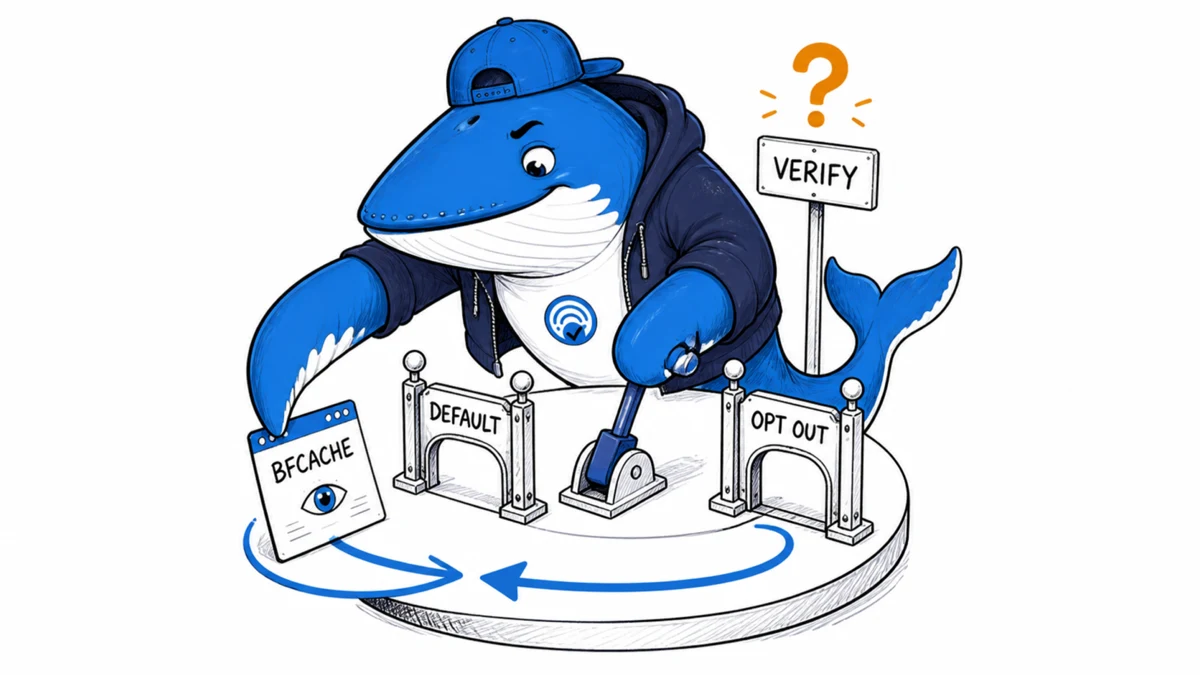
Direct answer: Google says that beginning September 8, 2026, Google Publisher Tag (GPT) will automatically refresh actively viewed ad slots when a browser restores a page from its back/forward cache. The API reference already documents an opt-out: googletag.setConfig({ autoRefresh: { backForwardCache: false } });.
That is the documented contract, not yet a SearchEngineAnswer observation. A useful rollout test must prove that the return used bfcache, record which slots had become viewable, and compare the default with the opt-out. It should not turn an extra ad request into a revenue claim.
What Google announced for September 8
Google’s GPT release notes say the change starts September 8, 2026. The same notice appears in the Google Ad Manager release notes. Both descriptions are narrow: a user returns to a page through back/forward-cache navigation, and GPT refreshes ad slots that were actively viewed.
The announcement does not say every back-button return uses bfcache, every slot refreshes, or every publisher earns more revenue. Google’s benefit statement says the refresh can help publishers recapture impressions and grow revenue. That remains a product claim until a publisher defines the report, comparison period, denominator, and confounders needed to measure it.
The current GPT API reference documents backForwardCache as an optional boolean whose default is true. Setting it to false disables automatic refresh on a bfcache restore. Setting autoRefresh to null clears the configuration and returns to the default.
A back-button return is not automatically a bfcache restore
Back/forward cache, usually shortened to bfcache, stores a page snapshot in memory so the browser can restore it quickly. It is separate from HTTP cache, an ordinary reload, and a fresh navigation. The browser can decline to keep a page in bfcache, so pressing Back describes the user’s action rather than the page’s restoration mechanism.
The Chrome team’s bfcache guide gives the cleanest page-level signal: the pageshow event fires with event.persisted === true when the document has been restored from bfcache. Chrome DevTools also provides a Back/forward cache test and lists blockers when a page cannot be restored.
| Observed state | Evidence | What it can establish |
|---|---|---|
| bfcache restore | pageshow.persisted === true or a successful DevTools bfcache result | The browser restored the prior document snapshot |
| Back navigation with a reload | pageshow.persisted === false and a new document/network lifecycle | The user returned, but not through bfcache |
| Manual reload | A deliberate reload and a new navigation record | A control for ordinary page and ad loading, not bfcache behavior |
Viewed and not-viewed slots need separate test rows
Google’s wording limits the announced behavior to actively viewed slots. Do not collapse that into “GPT refreshes all ads on Back.” The release note does not define the phrase in enough detail to infer the treatment of a slot that was loaded below the fold, briefly visible, empty, collapsed, or removed before navigation.
GPT exposes events that help preserve the distinction. Google’s ad event listener documentation includes impressionViewable, slotRequested, slotRenderEnded, slotResponseReceived, and slotVisibilityChanged. A test can record these events by slot ID before leaving the page and again after returning.
An event is still only one layer of evidence. A slotRequested event supports the claim that GPT requested that slot. A slotRenderEnded event supports the claim that creative code was injected. Neither proves a billable impression, completed reporting, increased revenue, or a better visitor experience.
Use a matched four-cell test
The downloadable GPT bfcache observation ledger is organized around two variables: whether the slot had become viewable and whether the page kept the documented default or disabled the behavior. Its example rows are marked EXAMPLE-REMOVE; replace them with dated observations.
| Cell | Slot before exit | Configuration | Question |
|---|---|---|---|
| A | Viewable event recorded | Documented default | Does the slot request and render again after a confirmed bfcache restore? |
| B | No viewable event recorded | Documented default | Does the not-viewed comparison remain unchanged? |
| C | Viewable event recorded | backForwardCache: false | Does the opt-out suppress the post-restore request? |
| D | No viewable event recorded | backForwardCache: false | Does the comparison remain unchanged? |
Add one manual-reload control. It shows that the ad can request and render under an ordinary new page lifecycle, but it must not be counted as evidence for the bfcache trigger.
Run the return sequence without changing two variables at once
- Freeze the environment. Record date and time, browser and version, operating system, device class, page URL, GPT configuration, consent state, ad-blocking state, slot IDs, and the GPT script URL.
- Confirm bfcache eligibility. Use Chrome DevTools on the test page. If the page is not eligible, preserve the reported reason rather than forcing the result into the bfcache column.
- Capture the initial lifecycle. Record
pageshow.persisted, the initial slot requests and renders, and which slot produced animpressionViewableevent. - Create the viewed/not-viewed contrast. Keep one slot in the viewport long enough to produce the event. Leave the comparison slot outside the viewport.
- Navigate to an ordinary internal page. Use a normal link. Do not insert history entries, redirect the visitor, or use an interstitial as the navigation mechanism.
- Return with the browser Back control. First prove that
pageshow.persistedistrue. Then compare each slot’s new request and render events with the saved counts. - Repeat with the opt-out. Change only
backForwardCachetofalse. Keep the browser, page, slots, navigation, and visibility sequence matched. - Run the reload control. Label it as reload evidence. Do not mix it into the bfcache rows.
SearchEngineAnswer’s local fixture includes two pages and a small event ledger for this sequence. It uses Google’s public sample ad unit, so it can check the documented mechanism without using a publisher’s production inventory. It cannot reproduce a publisher’s demand, consent, account rules, reporting, or revenue.
Keep browser, GPT, and reporting evidence in separate columns
A compact staging-only logger can store the browser restore signal and GPT events without pretending they are the same measurement:
window.addEventListener("pageshow", (event) => {
  record("pageshow", { persisted: event.persisted });
});

googletag.cmd.push(() => {
  const service = googletag.pubads();
  service.addEventListener("impressionViewable", (event) => {
    record("impressionViewable", {
      slot: event.slot.getSlotElementId(),
    });
  });
  service.addEventListener("slotRequested", (event) => {
    record("slotRequested", {
      slot: event.slot.getSlotElementId(),
    });
  });
  service.addEventListener("slotRenderEnded", (event) => {
    record("slotRenderEnded", {
      slot: event.slot.getSlotElementId(),
      isEmpty: event.isEmpty,
      slotContentChanged: event.slotContentChanged,
    });
  });
});
Use the browser row to establish restoration, GPT rows to establish slot activity, and Ad Manager reports to assess reporting or business outcomes. If those layers disagree, preserve the disagreement. Do not resolve it by choosing the metric that tells the cleaner story.
The opt-out decision is wider than one extra request
The documented default may fit a publisher that wants GPT to refresh an eligible viewed slot when a reader returns. The opt-out may fit a publisher that needs stricter control over ad changes, has contractual or declaration questions, wants to avoid duplicate refresh logic, or finds that a returning reader’s experience is worse.
Audit existing code before deciding. A publisher may already have a pageshow listener, a header-bidding refresh path, a visibility timer, or a consent-state check that reacts to restoration. Google’s refresh guidance and Ad Manager declaration documentation also keep implementation and inventory declarations as separate responsibilities. The September 8 default should not be assumed to repair either layer.
| Decision area | Keep the default when | Test the opt-out when |
|---|---|---|
| Existing code | No second restore-triggered refresh path duplicates the request | A site or wrapper already refreshes on pageshow |
| User experience | The returning page remains stable and the ad change is acceptable | The slot flashes, shifts layout, loses a useful creative, or distracts from resumed reading |
| Measurement | Browser restore, GPT events, and reporting can be reconciled | Teams cannot distinguish restored sessions, refreshes, or duplicate logic |
| Governance | Declarations and partner terms match the observed behavior | Classification, consent, or contractual treatment is unresolved |
Do not confuse a slot refresh with back-button hijacking
Google Search’s back-button hijacking policy announcement concerns sites that manipulate history or otherwise stop a person from immediately returning to the page they came from. A normal bfcache return preserves that navigation. Refreshing one ad slot after restoration does not by itself show that the user was redirected, trapped, or prevented from going back.
The distinction matters during debugging. Review any library or advertising code that inserts history entries, replaces the expected destination, launches an unsolicited interstitial, or blocks the normal return. Test that behavior separately from the GPT slot event. The Google /goto result-link guide uses the same discipline: user-visible navigation, redirect hops, and the publisher’s final URL are different layers.
What we will verify after the rollout
Publication note: This article was prepared before the announced September 8 rollout and does not claim that SearchEngineAnswer has observed the new default. After the effective date, the test record will identify the browser, version, operating system, test URL, timestamp, configuration, slot states, bfcache proof, GPT event deltas, control result, and limitations.
If the announced pattern is not observable, the update will say that plainly and keep the result limited to the tested environment. The headline will change to an observed-result formulation only after the default, viewed-slot boundary, and opt-out control produce conclusive evidence.
Sources, method, and limits
Sources: Google’s GPT and Ad Manager release notes, the GPT API reference and event documentation, Google’s refresh and inventory-declaration guidance, Chrome’s bfcache documentation, and Google Search’s back-button hijacking policy announcement. Each is linked beside the claim it supports.
Method: We separated announced behavior, API configuration, browser restoration, GPT slot events, and commercial reporting. The prepared test crosses slot viewability with default/opt-out state and adds a manual-reload control.
Limits: No post-September 8 rollout result is included in this pre-rollout edition. Google’s sample inventory cannot establish another publisher’s fill rate, revenue, consent outcome, buyer treatment, or policy compliance. One browser test will remain a dated observation, not proof of universal rollout.
Use the evidence-led publishing workflow to keep the result wording inside those boundaries, and apply the priority-first site audit when third-party scripts or layout shifts create a wider release risk. SearchEngineAnswer’s editorial policy explains how dated observations and corrections are handled.
September 4 update: keep the 2027 counting change separate
Google has also documented a banner-display impression-counting transition beginning February 17, 2027. That future change moves the counting point toward begin-to-render; it is not the September 8 bfcache refresh trigger described here. The AdSense and Ad Manager measurement explainer adds a baseline worksheet and an arithmetic example showing how impression RPM can rise with unchanged earnings. Annotate the two changes separately, and do not report either announced benefit as observed revenue growth.
Keep learning
Continue this topic
Next in this topic
Google Clarifies Search Favicon Formats: 7 File Types Publishers Can Use
Earlier in this topic
Learn AI SEO: A Free 30-Day Evidence-First Practice Plan
SEO
Ask a question or join the discussion