Google Preferred Sources: Button, Deep Link and Measurement Guide
Implement Preferred Sources, distinguish it from Search Profiles, and manage the new multi-brand, article-card and 10,000-follower profile rules.
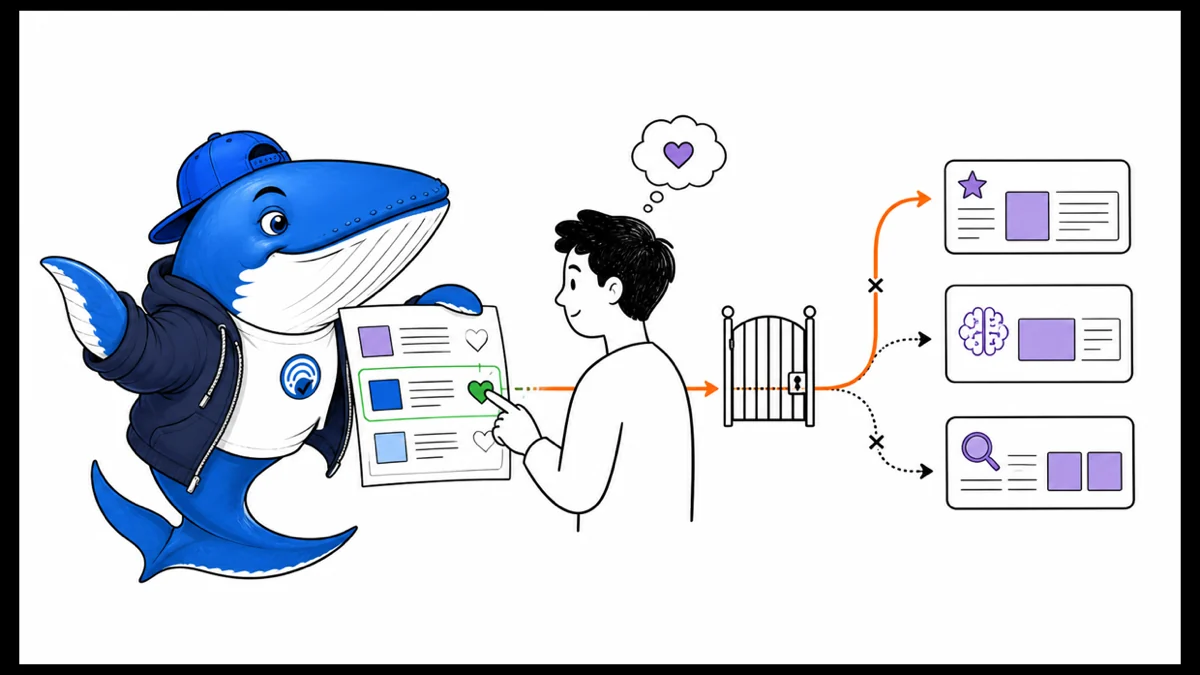
Google now documents how publishers can help readers select a site as a Preferred Source. For a user who makes that choice, the publisher can become more likely to appear in Top Stories and can receive a preferred badge in eligible AI Mode and AI Overviews experiences.
That is useful audience infrastructure, but it is not a universal ranking switch. The selection belongs to an individual user, eligible sites are domains or subdomains rather than subdirectories, and Google does not promise an appearance for every query. The right implementation is a truthful preference call to action with a bounded measurement plan.
What a Preferred Sources selection changes
Google’s publisher guide says a selected source is more likely to appear in Top Stories for that user and can be highlighted with a preferred badge in AI Mode and AI Overviews where those features are available. The feature is available for Top Stories globally in supported Search languages; AI surfaces depend on their own availability.
The preference does not reserve a result, replace normal eligibility, or apply to every person searching. A page still needs to be discoverable, relevant, technically eligible, and suitable for the result surface. Treat the selection as a user-level preference signal, not an owned ranking.
Google allows domain-level and subdomain-level sources in the preference tool. A publication at news.example.com can be eligible as a source; example.com/news cannot be selected as a separate subdirectory source. Check the actual tool before promoting the button.
Implement the deep link without overpromising
Google documents the format https://google.com/preferences/source?q=example.com. Use the publisher’s eligible host as the query value, test the destination while signed in and signed out, and keep the CTA next to other follow options such as RSS or a newsletter.
| Element | Good implementation | Avoid |
|---|---|---|
| Label | Add us as a preferred source on Google | Guarantee our stories in Google |
| Destination | Google’s source-preference tool with the eligible host | A redirect chain or untested subdirectory |
| Context | Explain that the setting belongs to the reader | Implying a sitewide ranking benefit |
| Placement | Near follow, newsletter, or publisher-trust controls | An obstructive modal before the reader sees content |
Do not hide the destination behind misleading button copy. A reader should know that the click opens a Google preference setting and that selection can influence what that reader sees.
Measure the preference funnel at the layer you control
A publisher can measure CTA impressions, outbound clicks, placement, device, and page context. Unless Google exposes a confirmed-source event to that publisher, an outbound click is not proof that the user completed the selection. Keep those states separate.
- Save a release annotation for the CTA.
- Track eligible CTA impressions and outbound clicks.
- Separate site, page template, device, and placement.
- Do not label clicks as completed preferences.
- Observe Top Stories, Search, Discover, and AI reporting within their documented limits.
- Compare reader retention and newsletter or RSS adoption independently.
Google Search Console does not expose a dedicated Preferred Sources performance dimension in the publisher guide. Search observations remain aggregate and can be affected by news demand, publication volume, crawl state, and many other changes. The AI visibility measurement crosswalk helps keep appearances, referrals, and outcomes from collapsing into one score.
When the CTA is worth adding
Add it when the site is eligible, publishes recurring material that readers may want to follow, and can explain the setting honestly. Skip or delay it when the domain is absent from the preference tool, the CTA would compete with a more valuable reader action, or the team intends to report the click as a ranking win.
Preferred Sources is one follow mechanism among several. RSS, email, browser bookmarks, and direct visits remain publisher-controlled routes. A balanced footer or author box can present them together without turning the page into a wall of acquisition prompts. SearchEngineAnswer’s editorial policy keeps the difference between documented capability and measured outcome visible.
What Google’s 600,000-source figure tells us
Google said on August 20 that people had selected more than 600,000 unique sources in Preferred Sources. That is evidence that readers are using the control across a wide range of publishers. It is not a publisher success rate because Google did not provide the number of users, selections per source, resulting impressions, or traffic.
For a publisher, the useful comparison is therefore local: did readers see the call to action, did they open the Google preference tool, and did later search or referral patterns change? Keep those events separate. The public total cannot tell one site how many readers completed a preference.
| Known | Unknown | Publisher action |
|---|---|---|
| More than 600,000 unique sources were selected | How many people selected them | Measure CTA impressions and outbound opens |
| The feature is used beyond a small publisher list | How selections are distributed by source | Compare placements without claiming completions |
| Google reports the aggregate | Traffic or ranking impact for a specific site | Annotate the launch and observe Search Console separately |
Source: Google’s August 20 Search personalization announcement. The number is vendor-reported and has no published denominator.
SearchEngineAnswer implementation check
On September 12, 2026, I inspected the call to action rendered in this article’s table of contents. It used the documented deep link for searchengineanswer.com, opened Google’s preferences page in a new tab, included rel="noopener", remained keyboard-focusable, and was visible in the rendered page.
The page did not load Google’s publisher JavaScript and did not render the standard google-add-preferred-source-btn widget. That means this site currently uses the supported fallback, not the interactive two-line widget. I did not complete the Google-side selection because doing so would alter an account preference. This check verifies the publisher-controlled handoff only.
The September Search Profile update changes publisher operations
On September 16, Google added three Search Profile capabilities that are easy to confuse with Preferred Sources. A single login can now claim and manage profiles for multiple publication brands. Article cards use optimized thumbnails and allow longer headlines. Google also lowered the United States eligibility threshold to at least 10,000 followers on YouTube, Instagram, X or TikTok.
None of those changes turns a Search Profile into a Preferred Sources selection. They affect identity management, profile presentation and access to the profile product. The Preferred Sources action still asks an individual reader to favor a domain or subdomain in supported news and AI experiences.
A useful rollout order for a multi-brand publisher:
- Inventory the legal publisher, public brand, canonical domain and responsible profile owner for each title.
- Confirm that the qualifying social account belongs to the same brand being claimed and meets the United States threshold.
- Review each article thumbnail at profile-card size; do not assume a wide hero crop will remain legible.
- Compare the longer profile headline with the on-page H1 and SEO title so the article is recognizable without becoming a second promise.
- Track profile follows separately from Preferred Sources button opens and separately again from Search impressions.
This is primarily a governance problem. Multi-brand access reduces account juggling, but it also increases the cost of attaching the wrong social identity, profile handle or website to a publication. Keep an owner and a last-reviewed date beside every claimed profile.
Search Profile and Preferred Sources solve different jobs
A Search Profile collects a person’s or publication’s identity and work, then gives people a way to follow it across supported Google surfaces. Preferred Sources lets a reader favor a domain or subdomain for Top Stories and supported AI experiences. One should not be presented as proof that the other is active.
| Action | Destination | What it changes | What to measure |
|---|---|---|---|
| Follow a Search Profile | profile.google.com/@handle | Follows an eligible person or publication across supported Google surfaces. Google says profile creation does not directly affect Search ranking. | Profile views and follows when Google exposes them |
| Add a Preferred Source | Google Preferred Sources preference flow | Favors the selected domain or subdomain in Top Stories and supported AI experiences. | Publisher-side CTA views and opens; Google-side completion is not exposed by the link |
When both controls appear together, Google recommends giving the Search Profile action higher visual emphasis. For that paired Search Profile control, do not use the multicolor Super G. Keep the web badge target at least 44 by 44 CSS pixels and provide a clear accessible label.
The full eligibility and identity audit is in the Google Search Profile publisher guide.
Primary documentation
- Google: Guide to Preferred Sources for publishers
- Google Search Help: Customize Top Stories with Preferred Sources
- Google: September 16 Search Profile product update
- Google: Search Profile badge documentation
- Google Search Help: Search Profile eligibility and controls
- Google: Original and high-quality content in Search
Keep learning
Continue this topic
Next in this topic
Google Site Moves: Domain-Variant Migration Matrix
Earlier in this topic
How Google Chooses Image Thumbnails for Search and Discover
SEO
Ask a question or join the discussion