Search and AI Changes: August 3–9, 2026
Ten search and AI developments from August 3–9, with verification steps for publishers, merchants and technical SEO teams.
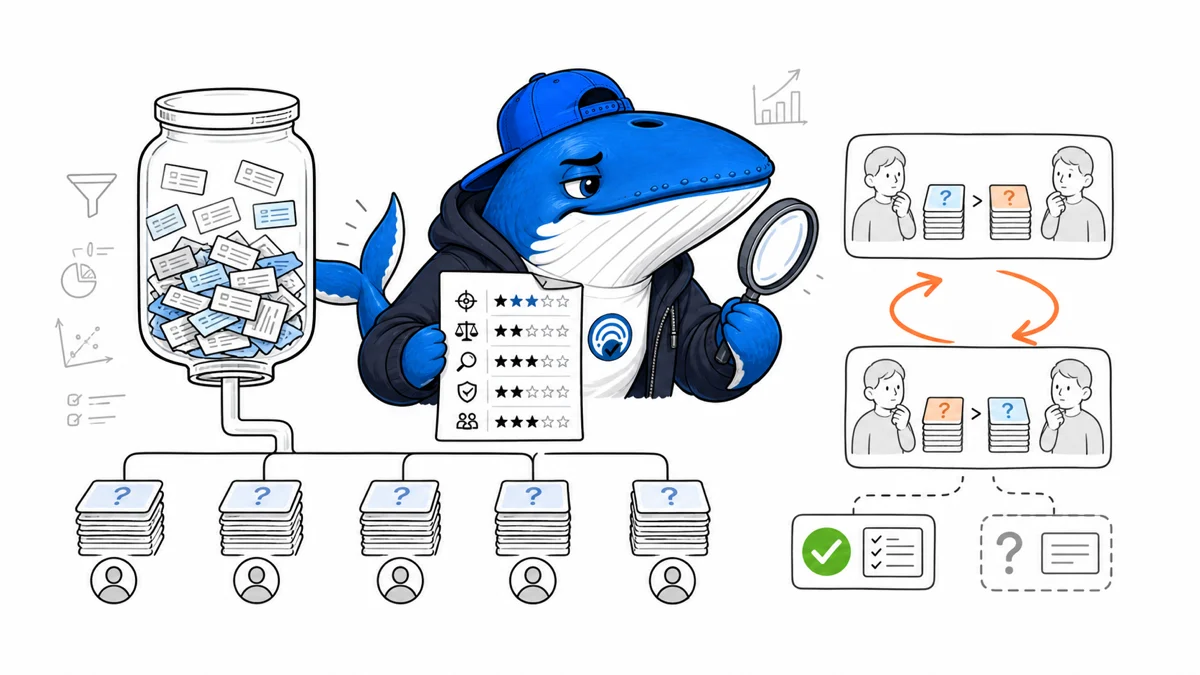
Direct answer: This briefing consolidates 10 related search and AI changes into one decision-focused report. It preserves the underlying facts, source links, checks and downloads without making readers open 10 short articles.
This week mixed visible search features with publisher controls. The editorial opportunity is not merely to report that a feature exists. It is to separate what a publisher can control, what can only be observed, and what still needs a repeatable test.
What changed this week
| Change | What it affects | Best next check |
|---|---|---|
| How to Read Brave's 1,500-Query AI Search Benchmark | Audit Brave's 1,500-query AI answer comparison by examining query sampling, interface parity, LLM judges, pairwise order, ownership, and replication. | Claude Opus and Sonnet 4.5 compared answers with reversed order to reduce position bias. |
| DuckDuckGo Expanded Result Previews: What Publishers Can Verify | DuckDuckGo announced playable video previews and expanded text summaries. Here is what publishers can verify without inventing selection or markup rules. | DuckDuckGo announced playable video previews and expanded text summaries in Q2 2026. |
| ChatGPT Restaurant Results and Reserve Buttons: A Verification Guide | Verify restaurant entity matching, location context, third-party provider inventory, Reserve-button handoff, and booking support boundaries in ChatGPT Search. | No cross-market restaurant sample is claimed in this documentation-led guide. |
| ChatGPT Shopping Labels and Review Summaries: What Merchants Can Control | Separate merchant-controlled product facts from ChatGPT-generated titles, feature labels, review summaries, and merchant ordering. | ChatGPT may summarize public reviews, which OpenAI does not verify. |
| Google Spam Reports Can Lead to Manual Actions: Read the Current Policy Carefully | Google may use spam reports for manual actions and may share submission text with the affected site owner. Report observable behavior without personal data. | Google says it may use a spam report to take manual action against violations. |
| Control Google AI Previews with nosnippet, max-snippet, and data-nosnippet | Map Google's nosnippet, max-snippet, and data-nosnippet controls to their documented effects across Search, AI Overviews, and AI Mode. | Preview controls do not make publicly served information private. |
| Perplexity Agent API Citations: A Migration Checklist | Normalize numbered and source-typed Agent API citations into one internal source contract before migrating from legacy Sonar or MCP-backed workflows. | Keep source type, index, URL, title, claim span, and the raw marker. |
| How Google Chooses Image Thumbnails for Search and Discover | Use consistent preferred-image metadata, crawlable 1200-pixel sources, and crop-safe composition to improve image eligibility without assuming Google must select your asset. | Discover recommends compelling images at least 1,200 pixels wide when large previews are allowed. |
| FAQ Rich Results Ended: What Publishers Should Remove, Keep and Re-measure | Google ended FAQ rich results. Audit obsolete markup and dependencies, preserve useful reader answers, and annotate the display change before comparing performance. | Visible questions can remain when they resolve a distinct reader decision. |
| How to Evaluate an SEO or GEO Tool Without Accepting Its Score as Google Data | Evaluate SEO and GEO scores by their inputs, collection method, freshness, weighting, coverage, validation, and the decision they actually change. | Test direct observations against known normal cases and failure cases. |
Originally reported 2026-08-09
How to Read Brave's 1,500-Query AI Search Benchmark
Why it matters: Audit Brave's 1,500-query AI answer comparison by examining query sampling, interface parity, LLM judges, pairwise order, ownership, and replication.
Next check: Claude Opus and Sonnet 4.5 compared answers with reversed order to reduce position bias.
Published August 9, 2026: Brave’s 2026 Search API announcement includes a company-run comparison of AI answer systems using 1,500 sampled real-world queries, responses gathered through Brave and Bright Data, and pairwise judging by Claude Opus 4.5 and Claude Sonnet 4.5. The method is more informative than a leaderboard alone, but it remains a vendor-owned benchmark.
SearchEngineAnswer did not reproduce the test. This article audits the disclosed method and provides a scorecard readers can use before repeating Brave’s performance claims.
What Brave disclosed
Brave says the evaluation used 1,500 queries randomly sampled from real-world usage. It collected answers from Ask Brave, Grok, Google AI Mode, ChatGPT, and Perplexity. Except for Ask Brave, responses were captured through Bright Data to approximate an anonymous user’s experience.
The answers were compared pairwise. Claude Opus 4.5 and Claude Sonnet 4.5 acted as judges in a majority-vote arrangement, and each pair was evaluated in both positions to reduce position bias. Brave updated the article on June 25, 2026 with a later round of scores.
Those details support a methodological reading. They do not make the result independent, permanent, or directly transferable to every user, language, market, prompt type, and account state.
Use a benchmark audit scorecard
| Dimension | What is disclosed | What remains to verify |
|---|---|---|
| Query sample | 1,500 randomly sampled real-world queries | Distribution, language, deduplication, release access |
| Systems | Five named answer experiences | Account state, region, version, settings |
| Collection | Ask Brave directly; others via Bright Data | Parity of interfaces and failure handling |
| Judging | Claude Opus and Sonnet 4.5, majority vote | Judge prompt, tie policy, calibration, human validation |
| Bias control | Pairwise order reversed | Other biases and contamination |
| Ownership | Published by Brave | Independent replication |
A strong benchmark can still be vendor-owned. Ownership is not an automatic disqualification; it is a reason to inspect incentives, missing materials, and whether the evaluation favors the vendor’s product design.
Inspect interface parity
Bright Data can help capture an anonymous experience, but the collection path may differ from a provider’s direct interface. Verify whether each system received the same prompt, locale, date, device type, personalization state, and opportunity to browse. Record timeouts, refusals, rate limits, and responses that could not be collected.
Ask Brave was collected through Brave’s own system while competitors were collected through an external service. That does not prove the comparison is invalid. It creates a parity question that a replication should test explicitly.
Search experiences change quickly. A benchmark conducted on November 30, 2025 and updated with later scores should label which product versions and collection dates belong to each table.
Treat LLM judges as measurement instruments
Pairwise judging avoids forcing one absolute score, and reversing answer order addresses one known bias. It does not eliminate judge preference for style, verbosity, citation format, model family, or familiar phrasing. Publish the judge prompt, rubrics, temperature or deterministic settings, tie handling, and raw votes where licensing permits.
Calibrate the LLM judges against a blinded human sample. Report agreement and disagreement, not only the final win rate. If human reviewers value factual support while the model rewards fluency, the benchmark may optimize the wrong outcome.
Keep factual accuracy, source support, completeness, latency, cost, and user preference as separate measures. A single “best answer” vote can hide a system that is persuasive but wrong or accurate but slow.
How to cite the result honestly
Attribute the result to Brave and include the sample, collection date, systems, and judge design. Prefer “Brave reported that…” over “Brave proved…” and link the method beside the claim. Note that the article was later updated.
A defensible summary is: Brave published a 1,500-query, LLM-judged comparison in which its system performed strongly under the company’s disclosed setup. Independent reproduction and broader market coverage remain open questions.
Use the evidence-boundary approach from the patent guide: the existence of a method and result supports a specific attributed statement, not every interpretation built on top of it.
Originally reported 2026-08-09
DuckDuckGo Expanded Result Previews: What Publishers Can Verify
Why it matters: DuckDuckGo announced playable video previews and expanded text summaries. Here is what publishers can verify without inventing selection or markup rules.
Next check: DuckDuckGo announced playable video previews and expanded text summaries in Q2 2026.
Published August 9, 2026: DuckDuckGo says its Q2 2026 Search updates added more informative previews, including playable video previews and expanded text summaries. The announcement describes the user-facing result, but it does not publish a dedicated publisher markup, selection formula, or guaranteed eligibility path.
This article separates the confirmed product change from the checks publishers can run. SearchEngineAnswer has not completed a controlled query sample measuring which pages receive expanded previews, so no inclusion rate or causal optimization claim is made.
What DuckDuckGo announced
DuckDuckGo’s public update page says Search results now give users more information before they click. The examples named in the announcement are playable video previews and expanded text summaries. That is enough to confirm a presentation change, but not enough to identify a new schema requirement or ranking factor.
The page groups the change with Q2 2026 product updates. It does not say that every video result is playable, that every text result receives a longer summary, or that one field controls the preview. Publishers should avoid turning a short release note into implementation folklore.
| Question | Current evidence | Safe conclusion |
|---|---|---|
| Do playable video previews exist? | DuckDuckGo Q2 update | Yes, in some results |
| Do expanded text summaries exist? | DuckDuckGo Q2 update | Yes, in some results |
| Is special schema required? | Not stated in the announcement | Do not invent a requirement |
| Is inclusion guaranteed? | No guarantee stated | Treat selection as variable |
| Which source field is used? | Not specified | Audit visible evidence |
Prepare text pages for a longer preview
Write the direct answer near the relevant heading and keep its subject, boundary, evidence, and limitation together. An expanded summary creates more room, but it also exposes vague introductions, unsupported claims, and qualifications placed far from the sentence they constrain.
Use a descriptive title, concise meta description, visible publication or update date, clear authorship, stable canonical URL, and crawlable main content. These are defensible page-quality practices even when the engine chooses a different passage for the preview.
Do not duplicate the same summary in the title, description, opening paragraph, and every heading. Repetition reduces information density and does not establish which field DuckDuckGo will select.
Prepare video pages for preview
Give the video a stable watch page with a unique title, useful surrounding text, accurate thumbnail, duration, upload date, and a playable source that is not hidden behind an avoidable interstitial. Use appropriate video structured data where it accurately represents the visible page, but do not claim DuckDuckGo’s release note requires it.
Check consent and regional variants. A preview may fail when the public page shows a poster but the player source requires a session, when robots controls block the media, or when an embed is unavailable in the result’s market.
Captions and transcripts improve accessibility and give search systems text that describes the actual video. They must match the media; generated transcripts should be reviewed for names, numbers, and technical terms.
Run a bounded preview study
- Choose a fixed query set that includes your brand, informational pages, and video pages.
- Record country, browser, privacy settings, device, date, and signed-in state.
- Capture the result title, displayed URL, summary length, highlighted terms, media preview, and destination.
- Map displayed text to the title, meta description, visible passage, transcript, or another source.
- Repeat on a schedule without changing the pages during the first observation window.
- Only then make one bounded content or technical change and define the recheck date.
A study can report prevalence in its own sample. It cannot claim a universal DuckDuckGo rule unless the engine publishes that rule. Preserve absent previews as data instead of discarding them.
What publishers can do now
Audit whether the preview represents the page accurately, whether media playback works, and whether the destination satisfies the promise made in the result. Fix mismatched titles, stale summaries, blocked media, missing transcripts, and wrong canonicals at their source.
Keep the announcement in perspective. More informative previews may improve a searcher’s decision before clicking, but the release does not promise more impressions, clicks, or traffic. Measure those outcomes separately and record the query environment.
Use the citation-ready passage test for the core answer: it improves the integrity of any extracted passage without pretending to control the engine’s presentation.
Primary announcement
Originally reported 2026-08-09
ChatGPT Restaurant Results and Reserve Buttons: A Verification Guide
Why it matters: Verify restaurant entity matching, location context, third-party provider inventory, Reserve-button handoff, and booking support boundaries in ChatGPT Search.
Next check: No cross-market restaurant sample is claimed in this documentation-led guide.
Published August 9, 2026: ChatGPT Search can show clickable restaurant names, place pages, available reservation times, and a Reserve button for restaurants matched to supported third-party providers. OpenAI says the button may not appear for every restaurant and that availability can change.
This is a documented verification guide, not an original coverage test. SearchEngineAnswer did not sample restaurants or providers across markets for this article. The goal is to help restaurants and local-search teams separate entity matching, provider availability, location context, and the final booking handoff.
Map the reservation flow
| Stage | What OpenAI documents | Primary check |
|---|---|---|
| Restaurant result | Name may be clickable | Correct entity and location |
| Place page | More information about the restaurant | Name, address, phone, hours, cuisine |
| Reserve button | Appears when matched to a supported provider listing | Provider account and entity link |
| Availability | May show times for party size, date, and time | Compare with provider inventory |
| Booking | Opens a third-party reservation flow | Confirm all details before submitting |
| Change or cancellation | Handled through provider confirmation or account | Do not expect ChatGPT to store the booking |
OpenAI says ChatGPT does not save the reservation after it is placed. Confirmation, cancellation, and modification are handled through the third-party provider. That handoff should be visible in support documentation and measurement.
Verify the restaurant entity first
A missing button is not automatically an SEO problem. OpenAI says Reserve appears only when ChatGPT can match a restaurant to a listing from a supported provider. Start by aligning the name, address, phone, website, booking URL, and location across the restaurant site, provider profile, business listings, and major public sources.
Multi-location brands need location-specific pages and provider records. A city-level brand page can be insufficient when the booking inventory belongs to one address. Avoid reusing one phone number, booking URL, or structured-data entity across locations when those details are not actually shared.
Keep opening hours, temporary closures, cuisine, and reservation policies current. These facts help users even when no Reserve button appears, and inconsistency can make entity resolution harder to diagnose.
Test location and prompt context
ChatGPT Search may use general location inferred from an IP address and optional precise device location. OpenAI says precise location is off by default and can be enabled in settings. Memory can also influence rewritten search queries, such as adding a remembered dietary preference or city.
A useful test record therefore includes the prompt, general market, whether precise location was enabled, date, party size, requested time, and disclosed Memory context. Compare logged-out and signed-in states only when that difference answers a defined question.
Do not treat one missing button as global absence. Provider support, location, inventory, account state, prompt wording, and product rollout can vary. The claim should match the sampled conditions.
Diagnose the failure at the right layer
- Wrong restaurant: compare entity identifiers and location facts.
- No place page: verify discoverability and consistent public information.
- No Reserve button: confirm a supported provider listing and correct match.
- No times: check provider inventory for the requested date, time, and party size.
- Wrong prefilled details: inspect the original prompt and adjust before booking.
- Flow opens the wrong app or page: document the handoff and contact the relevant support channel.
- Booking changes: use the provider confirmation; ChatGPT does not manage existing reservations.
Capture screenshots only when they do not expose personal details. Keep booking confirmation numbers, email addresses, names, and payment data out of public issue reports.
Measure without inventing a local ranking
Track whether the correct entity appears, whether its page is accurate, whether a provider button is present, whether times agree with the provider, and whether the handoff succeeds. Those are observable product states. They are not a stable local rank or proof that an optimization caused selection.
For an original coverage study, pre-register the cities, cuisines, providers, devices, prompts, account states, and time windows. Until that test exists, keep conclusions inside OpenAI’s documentation and individual recorded observations.
The ChatGPT search-call evidence analysis explains why the search query sent to a provider may differ from the user’s wording and why exact-prompt dashboards need cautious interpretation.
Primary documentation
Originally reported 2026-08-09
ChatGPT Shopping Labels and Review Summaries: What Merchants Can Control
Why it matters: Separate merchant-controlled product facts from ChatGPT-generated titles, feature labels, review summaries, and merchant ordering.
Next check: ChatGPT may summarize public reviews, which OpenAI does not verify.
Published August 9, 2026: ChatGPT can generate simplified product titles, descriptions, feature labels, and review summaries for shopping results. OpenAI says labels such as “Budget-friendly” or “Most popular” are generated from available information, are not guarantees, and may not reflect all market data. Reviews and ratings are not verified by OpenAI.
This guide maps which shopping fields a merchant can control, which are generated, and which depend on external providers. It is based on OpenAI’s current documentation; SearchEngineAnswer did not run a statistically controlled shopping-result test for this article.
Separate source data from generated presentation
| Displayed element | Likely source layer | Merchant action |
|---|---|---|
| Price and availability | Merchant or third-party metadata | Keep feeds and product pages current |
| Simplified title or description | Generated by ChatGPT from provider information | Supply unambiguous canonical facts |
| “Budget-friendly” or “Most popular” | Generated label | Do not treat as a verified award |
| Review summary | Model summary of public reviews | Monitor underlying review accuracy and themes |
| Rating or review count | Public or provider data | Do not claim OpenAI verified it |
| Merchant order | Generated from availability, price, quality, seller relationship, and other factors | Verify first-party metadata and commercial facts |
The distinction matters when support teams investigate an incorrect phrase. Editing the page title may not directly change a generated label; fixing an inaccurate price requires a different path from disputing a review summary.
What OpenAI documents about product selection
OpenAI says product results are selected independently by ChatGPT and are not ads or influenced by OpenAI partnerships. Ads are separate. A product may appear when ChatGPT considers it relevant to the user’s intent, query context, Memory, or custom instructions. The system may consider price, reviews, ease of use, structured metadata, third-party content, model responses, safety standards, and product policies.
Not every available product is shown. This means a single prompt capture cannot establish a permanent rank. Results can vary with wording, user context, location, available data, product state, and later system changes. Track prompt and context if you monitor visibility, but do not present that capture as a universal position.
For Shopify merchants, OpenAI says product data is integrated through Shopify Catalog and individual merchants do not need extra work for that integration. Other merchants can review OpenAI’s product-feed documentation and direct-feed access process.
Audit the fields you can control
- Choose one canonical product identifier and use it consistently across the product page, feed, variants, and merchant systems.
- Keep price, currency, availability, shipping terms, and seller identity current.
- Write factual titles and descriptions that distinguish the item without keyword repetition.
- Map variants accurately so reviews, images, sizes, and prices do not attach to the wrong product.
- Expose clear return, warranty, and support information where applicable.
- Record the last successful feed update and the public page state before reporting an error.
OpenAI warns there may be delay after merchants update pricing or shipping. A discrepancy therefore needs a timestamped source-of-truth check before it is labeled a model error.
Review generated labels as interpretations
A “Budget-friendly” label may reflect reviewers discussing value rather than the lowest available price. “Most popular” may be inferred from available signals rather than a complete market census. OpenAI explicitly says these labels are not guarantees or verified statements.
When a label appears inaccurate, capture the prompt, date, product card, merchant detail page, cited or linked sellers, and the current first-party facts. Then classify the issue:
- Source error: the merchant page or feed is wrong.
- Freshness lag: the source changed but the result has not caught up.
- Entity mismatch: the label or reviews attach to a different variant or product.
- Generated interpretation: source facts are correct but the summary overstates them.
- Coverage gap: the comparison omits relevant sellers or market data.
Use the product feedback controls OpenAI provides. Do not rewrite your product claims to imitate a generated badge that OpenAI does not verify.
Build a shopping observation record
For monitoring, save the exact user request, account context that can be disclosed, country, device, date, product shown, merchant order, price, labels, review summary, and destination URLs. Compare that record with the canonical merchant feed and page. Repeat only after defining what change would count as meaningful.
This is an observation method, not a ranking tracker. The ChatGPT product-feed guide explains why organic product results, direct feeds, Shopify catalogs, checkout, and ads must remain separate reporting layers.
Primary documentation
Originally reported 2026-08-09
Google Spam Reports Can Lead to Manual Actions: Read the Current Policy Carefully
Why it matters: Google may use spam reports for manual actions and may share submission text with the affected site owner. Report observable behavior without personal data.
Next check: Google says it may use a spam report to take manual action against violations.
Published August 9, 2026: Google now states that it may use a spam report to take manual action against violations. The same documentation warns that the submission text may be sent to the site owner to explain the context of an action, so reporters should not include personally identifying information.
This does not turn a report into an automatic penalty request. A report is evidence submitted for Google’s review. The practical task is to identify the correct form, cite observable policy-relevant behavior, remove personal data, and preserve enough context for the issue to be evaluated.
What Google’s current wording means
Google’s quality-issue page says reports help it understand how to improve spam-detection systems. For spammy, deceptive, or low-quality pages, it adds that Google may use a report to take manual action against violations. “May” is the important boundary: the reporter does not decide whether a violation exists or which response is appropriate.
The page also separates spam from malware and phishing. Those issues have different forms and response systems. Choosing the closest category reduces ambiguity and avoids turning a security incident into a general ranking complaint.
| Observed issue | Primary route | Useful evidence |
|---|---|---|
| Ranking manipulation or deceptive page | Search spam report | URLs, visible pattern, relevant spam policy |
| Malicious or unwanted software | Malware notification | Affected URL, browser or scanner evidence |
| Page impersonating another to steal data | Safe Browsing phishing report | Impersonated entity, deceptive URL, capture |
| Copyright or legal removal request | Relevant legal process | Rights and jurisdiction-specific information |
Write for review, not retaliation
A useful report names the page, identifies the observable technique, and maps it to a current policy. It avoids assumptions about the site’s owner, motives, revenue, or identity. Replace “this company is a scam” with a reproducible observation such as “these five doorway URLs show substantially similar pages and redirect visitors to the same destination.”
- List the smallest representative set of URLs.
- Describe what a reviewer can see or reproduce.
- Link the relevant Google spam-policy section.
- State the date, device, and location only when they affect the behavior.
- Remove names, email addresses, account details, and other personal information.
- Keep the raw evidence privately in case the public behavior changes.
Do not submit a competitor merely because it ranks above you. A disagreement with relevance or quality is not automatically evidence of a documented spam technique.
Assume the submission text may be disclosed
Google says it must send the submission text to the site owner to help explain the context of a manual action, if one is issued. It also says a submission containing personally identifying information may not be processed. Write every sentence on the assumption that the affected owner could read it.
That boundary protects both privacy and evidence quality. Do not include an employee’s name, a private email thread, customer information, an account number, or an IP address that can identify a person. If sensitive evidence is essential to a legal or security matter, use the process designed for that matter rather than placing it in a general spam report.
A URL can contain personal information in its path or query string. Review the full URL before submitting it, and provide a sanitized representative URL where possible without making the issue impossible to verify.
Separate a report from an outcome
Google does not promise individual feedback, a manual action, a ranking change, or a timeline. A later movement in Search cannot be attributed to the report without direct evidence. Automated systems, recrawling, site changes, competitors, and manual review can all overlap.
| Evidence layer | Can be recorded? | Interpretation limit |
|---|---|---|
| Report submitted | Yes, with date and reference | Does not prove acceptance |
| Manual action shown to owner | Yes, if owner provides evidence | May not reveal the reporter |
| Search visibility changed | Yes, as an observation | Does not prove the report caused it |
| Page removed or repaired | Yes, with dated captures | Owner or host may have acted independently |
Use the process as an internal quality check
The same evidence template can improve a site’s own review. Before accusing another page, ask whether your templates create doorway pages, scaled low-value sections, expired-domain abuse, hidden redirects, misleading functionality, or third-party content published without oversight. Google’s spam policies apply to techniques, not to who reports them.
Keep policy claims current. Google can revise definitions and examples, so link the exact policy section and record the review date. The back-button hijacking audit shows how to turn one deceptive-behavior concern into a reproducible technical review without assigning intent prematurely.
Primary documentation
Originally reported 2026-08-09
Control Google AI Previews with nosnippet, max-snippet, and data-nosnippet
Why it matters: Map Google's nosnippet, max-snippet, and data-nosnippet controls to their documented effects across Search, AI Overviews, and AI Mode.
Next check: Preview controls do not make publicly served information private.
Published August 9, 2026: Google’s nosnippet, max-snippet, and data-nosnippet controls now have an explicit AI-search consequence. Google documents that they apply across Search surfaces including AI Overviews and AI Mode, and can prevent or limit content from being used as a direct input there.
This is a control map, not a promise that unrestricted content will appear in an AI answer. Use it to choose the smallest restriction that matches a real publishing need, then verify that Google can crawl the directive and has had time to recrawl the page.
Choose the control by scope
| Control | Scope | Documented effect |
|---|---|---|
nosnippet | Whole page or resource | No text snippet or video preview; prevents direct input to AI Overviews and AI Mode |
max-snippet:N | Whole page | Limits the text preview and direct-input amount to a maximum character count |
max-snippet:0 | Whole page | Equivalent to nosnippet |
max-snippet:-1 | Whole page | No publisher-set length limit |
data-nosnippet | Selected span, div, or section | Excludes that text from snippets |
noindex solves a different problem: it tells Google not to show the page in search results. Do not use it when the actual requirement is to keep one paragraph or a limited amount of text out of previews.
Understand the AI Mode boundary
Google says nosnippet applies to web search, Images, Discover, AI Overviews, and AI Mode. It also prevents the page content from being used as a direct input for AI Overviews and AI Mode. max-snippet limits the amount that may be used as a direct input.
That wording should not be stretched into a complete data-use policy. It describes Google’s Search presentation controls and their direct-input effect. It does not say that adding max-snippet:-1 makes a page eligible for inclusion, guarantees a citation, or improves ranking. Eligibility, selection, and presentation remain separate outcomes.
It also does not override a separate permission route. Google’s documentation notes that max-snippet may not limit uses separately authorized through structured data or a license agreement. Audit those channels independently.
Implement data-nosnippet safely
Use the boolean attribute only on supported span, div, or section elements. The attribute’s value is ignored: data-nosnippet="false" still activates it. Close the HTML correctly, because an unclosed container can unintentionally exclude everything that follows.
Google may extract data-nosnippet before or after rendering. Its guidance advises against adding or removing the attribute from existing nodes with JavaScript. If a script creates the element, include the attribute when that element first enters the DOM.
<p>Public summary.
  <span data-nosnippet>Subscriber-only context.</span>
</p>
Do not hide a claim’s qualification while leaving the claim available. A snippet that can quote the conclusion but not its limit may become less accurate. Treat the selectable unit as an editorial passage, not merely a legal string.
Audit conflicts and delivery
- Check the final HTML and HTTP headers for every robots directive.
- Confirm that robots.txt allows Googlebot to crawl the page; a crawler cannot follow a directive it cannot retrieve.
- Resolve plugin, CDN, and application conflicts. Google applies the more restrictive rule when directives conflict.
- Validate the mobile-rendered DOM, not only the editor preview.
- Request recrawling where appropriate and allow time for Google to process the new state.
- Record the exact directive and date before interpreting presentation changes.
A common failure is a WordPress SEO plugin emitting max-snippet:-1 while an application header or CDN rule emits nosnippet. The effective result is the more restrictive combination. Capture both the response headers and document markup.
Use a decision record
For each restricted page, record the business reason, affected content, chosen directive, implementation owner, review date, and rollback condition. This prevents a temporary embargo, licensing requirement, or privacy concern from becoming a permanent sitewide restriction.
Test the visible page for humans after the change. Preview controls are not a substitute for access control: sensitive or private information should not be publicly served in the first place. Use authentication or remove the content when confidentiality is required.
Pair this record with the publisher-control outcome map so the team does not confuse crawler access, indexing, preview use, citations, referrals, and training permissions.
Primary documentation
Originally reported 2026-08-09
Perplexity Agent API Citations: A Migration Checklist
Why it matters: Normalize numbered and source-typed Agent API citations into one internal source contract before migrating from legacy Sonar or MCP-backed workflows.
Next check: Keep source type, index, URL, title, claim span, and the raw marker.
Published August 9, 2026: Perplexity’s Agent API research presets now emit inline citations with different forms. The fast preset uses numbered citations such as [1]; low, medium, and high use source-typed forms such as [web:1] for claims grounded in tool results or supplied source artifacts.
A migration that stores the rendered answer but assumes every marker is a plain integer can lose the source type, break link resolution, or misattribute tool evidence. The durable fix is to normalize citations at the API boundary and keep display formatting separate from the source ledger.
What changed in the Agent API
Perplexity’s July 2026 changelog says search-backed presets include inline citations. After a successful tool call, the low, medium, and high presets include at least one citation in the final answer. The changelog also says MCP Server 1.0 moved its model-backed tools from legacy Sonar models to Agent API presets while retaining tool names and response shapes.
Those two facts create different migration surfaces. Existing MCP clients may continue to receive familiar tool responses, while direct Agent API consumers must handle the preset’s citation grammar and source artifacts. Removed parameters such as strip_thinking and reasoning_effort are ignored by the updated MCP tools; they should still be removed from owned schemas rather than left as misleading configuration.
Define an internal source contract
| Field | Purpose | Example |
|---|---|---|
| provider | API that produced the citation | perplexity |
| source_type | Web, tool, supplied artifact, or unknown | web |
| source_index | Provider-local position | 1 |
| url | Resolved canonical source when available | https://example.com/source |
| title | Human-readable source label | Source title |
| claim_span | Answer text supported by the marker | Character or node range |
| raw_marker | Original provider notation | [web:1] |
Do not use the rendered marker as the database key. [1] and [web:1] can refer to different namespaces, and a future source type may introduce another form. Preserve the raw response and response version for debugging.
Build migration fixtures before switching traffic
- Capture representative legacy responses and Agent API responses.
- Include fast, low, medium, and high presets.
- Test zero tools, one successful tool, multiple tools, and tool failure.
- Include repeated source indices across different types.
- Resolve markers to source cards and reject missing references.
- Render accessible links without changing the stored contract.
- Compare citation count, source count, unresolved markers, and answer text.
A citation’s presence proves that the response associates a claim with a source artifact under that run. It does not prove source quality, factual correctness, or a stable consumer-search ranking. Apply the citation-ready passage test and open the cited source during evaluation.
Release and monitoring checks
Run the old and new paths in parallel for a bounded sample. Log parser failures, unresolved citations, source-type distribution, duplicated URLs, missing titles, and answer-to-source mismatches. Do not compare only average citation counts; a parser that duplicates markers can look like an improvement.
Version the adapter by provider and API contract. Keep application code dependent on the normalized object, not on Perplexity-specific bracket syntax. This also makes changes such as You.com’s removal of the authors field easier to contain within one adapter.
After the cutover, retain replayable fixtures and a rollback path. Changelog monitoring should have an owner because presets and schemas can change independently of the application release.
Primary documentation
Originally reported 2026-08-09
How Google Chooses Image Thumbnails for Search and Discover
Why it matters: Use consistent preferred-image metadata, crawlable 1200-pixel sources, and crop-safe composition to improve image eligibility without assuming Google must select your asset.
Next check: Discover recommends compelling images at least 1,200 pixels wide when large previews are allowed.
Published August 9, 2026: Google’s March 2026 documentation update explains that image metadata such as structured data and og:image can help Google identify a preferred image for Search and Discover. Google can still select another relevant image, and the image may be cropped for different surfaces.
The practical job has two parts: make the preferred source easy to identify, then design it so the essential subject survives common crops. Metadata is a preference signal, not a guarantee; crop safety is a production property, not an SEO tag.
Where Google can find the preferred image
Use a crawlable, indexable image that is visibly relevant to the page. Reference it consistently in the page’s applicable structured data and social metadata. Keep the URL stable, return an image content type, avoid blocking Googlebot-Image, and include the image near the content it represents.
For articles, use the image property in Article structured data. For products, use the relevant Product image. og:image can provide another preference signal. The visible HTML image remains important; a metadata-only asset that never appears in the content can create an avoidable relevance conflict.
Build a crop-safe master
| Crop | Keep | Move out of risk zones |
|---|---|---|
| 16:9 | Main subject, decisive action, and sufficient context | Tiny captions and decorative edge objects |
| 4:3 | Subject identity and central relationship | Important evidence at far left or right |
| 1:1 | Face or primary object plus the action that explains the story | Multi-step meaning that depends on the full width |
Start with a large source image; Google recommends images at least 1,200 pixels wide for Discover and permits large previews when the page allows them. Keep the decisive subject inside a central square-safe area. Use text in HTML rather than baking the headline into the artwork; generated thumbnails can crop or shrink it beyond legibility.
Metadata and delivery checklist
- One preferred master. Choose the image that best represents the page, not a generic logo.
- Consistent references. Align visible image, schema image, and
og:imagewhere the same asset is intended. - Stable absolute URL. Avoid short-lived signed URLs or redirect chains.
- Correct dimensions. Store width and height and reserve the aspect ratio to prevent layout shift.
- Useful alternative text. Describe the meaningful action or relationship; do not repeat the headline.
- Image sitemap when useful. Help discovery for images that normal crawling might otherwise miss.
- Preview permission. Do not restrict large previews if large Discover images are desired.
SearchEngineAnswer’s own article system uses 1200×675 masters, central crop-safe composition, descriptive alternative text, and uncropped card rendering. The evidence-led publishing guide treats image metadata as part of the release gate.
When Google chooses a different thumbnail
First confirm that the preferred asset was crawlable when Google fetched the page. Check status, robots controls, content type, dimensions, canonical page, visible relevance, schema, og:image, and whether several competing large images are present. Inspect the cached or rendered page state rather than only the CMS form.
Then check the surface and crop. Search and Discover can make different selections, and the same source may be cropped differently. A changed thumbnail does not by itself prove a penalty or metadata error. Record the URL, surface, query or feed context, date, device, selected asset, and page version before editing.
If the preferred image carries essential text near an edge, fix the artwork even when metadata is correct. For article-image QA and alt-text boundaries, use the SearchEngineAnswer visual-system case record.
Primary documentation
Originally reported 2026-08-09
FAQ Rich Results Ended: What Publishers Should Remove, Keep and Re-measure
Why it matters: Google ended FAQ rich results. Audit obsolete markup and dependencies, preserve useful reader answers, and annotate the display change before comparing performance.
Next check: Visible questions can remain when they resolve a distinct reader decision.
Published August 9, 2026: Google stopped showing FAQ rich results on May 7, 2026 and removed the feature’s documentation in June.
Publishers should stop treating FAQ markup as a Google Search enhancement. Remove implementation work that exists only to win the retired rich result, preserve genuinely useful answers for readers, and reset the measurement baseline so the expected display loss is not misdiagnosed as a site failure.
The end of the feature does not make every question-and-answer section useless. It changes the reason for keeping one.
What changed
Google’s Search documentation updates state that FAQ rich results stopped appearing on May 7, 2026. Google removed the FAQ structured-data documentation on June 15. The earlier result had already been restricted for most sites, but this update closes the remaining display path.
The documented change concerns Google’s FAQ rich result. It does not mean the visible text must be deleted, that questions can never help a reader, or that another product cannot interpret ordinary page content. It does mean a publisher should no longer promise a Google FAQ enhancement from FAQPage markup.
Remove, keep, and re-measure
| Action | Use it for | Example |
|---|---|---|
| Remove | Markup and tooling maintained only for the retired result | A plugin whose only job is injecting FAQPage JSON-LD |
| Keep | Visible answers that resolve real objections or edge cases | A concise eligibility question beside a tool |
| Rewrite | Repeated mini-FAQs that fragment a coherent article | Move the direct answer under the relevant section heading |
| Re-measure | Search appearance baselines and reports | Annotate May 7 before comparing CTR or pixels occupied |
Audit the implementation
- Inventory FAQ markup. Find templates, blocks, plugins, custom fields, and static JSON-LD that emit FAQPage.
- Separate content from markup. Mark which visible answers serve a reader and which exist only for a search feature.
- Remove dead dependencies. Retire dedicated scripts, styles, or database fields when no other feature needs them.
- Test generated schema. Confirm that removal does not damage Article, BreadcrumbList, Product, or other valid markup.
- Annotate the change. Record the Google retirement date and your deployment date in reporting.
- Watch for stale claims. Update editorial guidance, sales pages, and old posts that still promise FAQ rich results.
Do not delete a plugin or field simply because its name contains “FAQ.” It may also power accessible accordions, internal help, or another page type. Trace the output and dependency before removal.
How to write questions after the rich result
Keep a question when it resolves a distinct reader decision that is not already answered clearly. Put the direct answer first, state the boundary, and link to supporting documentation where the answer can change. If a question requires several paragraphs of reasoning, it probably deserves a normal section rather than a collapsed FAQ item.
Avoid generating dozens of near-duplicate questions to imitate search queries. That creates a repetitive page and makes maintenance harder. The evidence-led publishing guide recommends coherent sections, source proximity, and an original layer that changes what the reader can do.
Reset the baseline
Search-result appearance changed independently of your page. If the old FAQ result occupied more vertical space, click-through behavior may change even when position and content remain stable. Add May 7, 2026 to the reporting timeline, preserve representative before-and-after screenshots where available, and avoid attributing the entire difference to a content edit.
After removing obsolete markup, validate representative templates, inspect Search Console enhancement reports, and monitor crawl errors. Use the technical SEO launch checklist for the release gate.
Primary documentation
Originally reported 2026-08-09
How to Evaluate an SEO or GEO Tool Without Accepting Its Score as Google Data
Why it matters: Evaluate SEO and GEO scores by their inputs, collection method, freshness, weighting, coverage, validation, and the decision they actually change.
Next check: Test direct observations against known normal cases and failure cases.
Published August 9, 2026: This evaluation framework follows Google’s June 2026 guidance for using third-party SEO tools.
An SEO or GEO tool score is the output of that vendor’s model. It is not Google’s internal ranking data, a promise of AI citation, or proof that fixing the highest number will improve business results. The score can still be useful when the tool exposes its inputs, method, scope, and uncertainty.
The right question is not “Is this score accurate?” in the abstract. Ask: accurate for which decision, against which evidence, under which conditions?
What Google warns about
Google says third-party tools do not have access to its internal ranking systems or complete Search data. Tool providers make their own predictions and estimates, and Google does not guarantee their accuracy. Google recommends understanding how a tool collects and interprets data before using it for decisions.
That warning is especially relevant to composite “health,” “authority,” “AI visibility,” or “GEO” scores. A single number can combine crawl observations, estimated search demand, sampled results, prompt sets, links, or proprietary weights. Two tools can score the same page differently without either number being a Google metric.
The seven-question scorecard
| Question | Evidence to request | Failure sign |
|---|---|---|
| What is measured? | Fields, definitions, scope, and unit | A label with no operational definition |
| Where does data come from? | Crawl, API, panel, prompt set, or estimate | “Live data” without provenance |
| How fresh is it? | Collection date and refresh cadence | No timestamp |
| How is it weighted? | Formula or meaningful methodology | A precise score from secret inputs |
| What is missing? | Coverage, row limits, sampling, and exclusions | No limitations section |
| Can it be validated? | Exportable observations and reproducible checks | Only the final number is visible |
| Which decision changes? | Action, threshold, owner, and expected outcome | “Improve the score” is the whole plan |
Separate observations, estimates, and advice
- Observation: the crawler received a 404 response from this URL at this time.
- Estimate: this keyword may receive a modeled amount of demand.
- Classification: the tool assigned the page to a topic or intent.
- Recommendation: the vendor believes a change is worth making.
- Composite score: the vendor combined several inputs using its own weights.
These can coexist in one product, but they should not inherit the same confidence. Verify direct technical observations on the site. Compare estimates with first-party data where possible. Treat recommendations as hypotheses with mechanisms, tradeoffs, and stopping rules.
Run a bounded evaluation
- Choose one decision, such as finding broken canonicals or monitoring named-page citations.
- Create a small verified truth set that includes normal cases and failure cases.
- Run the tool with saved settings, date, property, plan limits, and export.
- Measure false positives, false negatives, missing coverage, and time saved.
- Compare the recommendation with the mechanism and your first-party evidence.
- Adopt, limit, or reject the tool for that decision; not for every possible use.
A tool that catches 95% of broken canonical tags may be valuable for that audit even if its overall site score is unhelpful. A citation monitor can be useful for observation while remaining unsuitable for causal claims. Match the evidence layer to the decision using the AI visibility crosswalk.
A safe reporting template
Write: “Tool X reported 74/100 on August 9 using its documented crawl and weighting model. The underlying export found 18 URLs with missing descriptions; our direct check confirmed 15. We will fix the confirmed template issue and re-crawl, but we will not treat the composite score as a Google metric.”
This preserves the tool’s useful observation, exposes the validation, and keeps the conclusion within the evidence. It also gives a future reviewer enough detail to reproduce the decision.
Primary documentation
What I would do first
Choose the one change that can alter a measurement, crawl path, conversion or publishing control you already use. Save the current state, run one bounded comparison and document the result before changing the next variable. Items that do not touch an active workflow can stay on the watchlist.
Keep learning
Ask a question or join the discussion