Search and AI Changes: August 10–16, 2026
Fifteen search and AI implementation changes from August 10–16, consolidated into one migration and verification briefing.
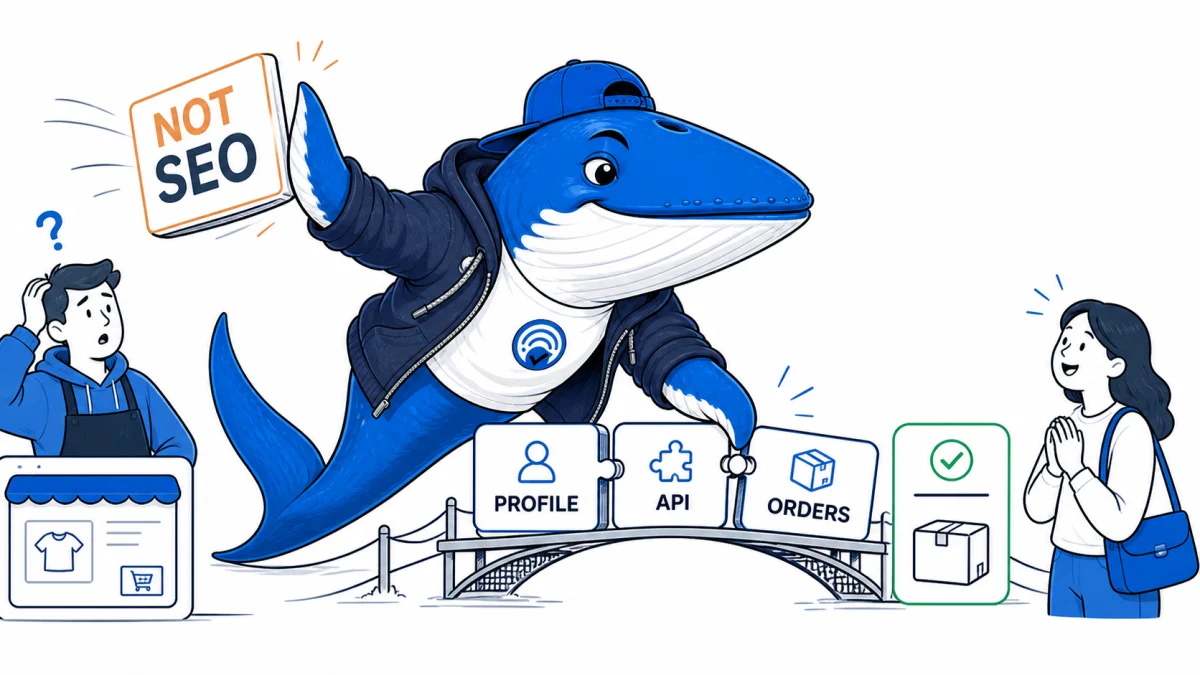
Direct answer: This briefing consolidates 15 related search and AI changes into one decision-focused report. It preserves the underlying facts, source links, checks and downloads without making readers open 15 short articles.
Most items in this briefing are not strategy changes. They are interface, identifier, crawler, model, schema or transport changes that can quietly break an existing workflow. The right unit of work is a migration test with a frozen fixture, not a fresh opinion article for every release note.
What changed this week
| Change | What it affects | Best next check |
|---|---|---|
| Google UCP Is Not SEO: Prepare for Checkout in AI Mode and Gemini | Universal Commerce Protocol is an early-access checkout integration for eligible AI Mode and Gemini experiences; not a ranking shortcut. | Separate health checks, checkout creation, orders, webhooks and fulfillment. |
| Google AI Impressions Are Not AI Traffic: Reconcile Search Console With GA4 | Map an AI impression, click, browser visit, analytics session and conversion as separate events, then reconcile them with a bounded measurement ledger. | Search Console and GA4 count different systems with different boundaries. |
| Robots.txt Is 200 but Unreachable to Google: A Network Diagnostic | Diagnose a crawler-facing robots.txt failure across DNS, IPv4 and IPv6, TLS, CDN, WAF, redirects, and origin logs instead of trusting one browser request. | Compare authoritative DNS, IPv4, IPv6, TLS, and regions. |
| Seasonal SEO After the Event: Keep, Update, Redirect, or Remove? | Choose what to do with an expired event, offer, deadline, or annual page using reader intent, replacement equivalence, historical value, accuracy, and recurring demand. | Save the owner, evidence, action, and next review trigger. |
| Claude Search-Result Blocks: Give First-Party RAG the Same Citation Contract as Web Search | Return first-party RAG evidence to Claude as search_result blocks with stable source IDs, accurate titles, citable chunks, validation, and stale-source handling. | Claude does not independently verify an internal source ID, title, canonical, or access policy. |
| Gemini File Search Visual Citations: Audit media_id and page_numbers | Audit Gemini File Search visual citations by preserving file hashes, page numbers, media IDs, answer claims, cited evidence, and manual verification. | The cited page or image still needs manual review against the answer claim. |
| Gemini 3.6 Flash Deprecates Sampling Controls: Update Grounded-Answer Test Harnesses | Migrate Gemini test harnesses after temperature, top_p, and top_k deprecation while preserving model, grounding, citation, latency, and usage evidence. | Google’s July 21 release notes name temperature, top_p, and top_k for the latest models. |
| Claude Web Search HTTP 200 Errors: Parsing and ZDR | Build a Claude web-search parser that separates results, empty searches, tool errors inside HTTP 200, request errors, and ZDR-sensitive caller modes. | Anthropic returns some web-search tool failures as structured content inside a successful API response. |
| Claude inference_geo: Separate Inference Location from Data at Rest | Claude inference_geo can control eligible inference processing, but it does not replace workspace data-residency settings. Verify both layers and provider-specific limits. | Anthropic documents per-request inference geography separately from workspace data residency. |
| Gemini Imagen Shutdown: Migrate Image Tools Before August 17 | Google is shutting three Imagen 4 API model IDs on August 17, 2026. Migrate production image workflows to Gemini image generation with a measured cutover and rollback. | Prompt acceptance does not prove equivalent composition, text handling, safety behavior, latency, or cost. |
| chat-latest Is a Moving Target: Freeze Model IDs for Reproducible Tests | OpenAI says chat-latest is regularly updated. Use a fixed model for regression tests and a complete run manifest when comparing current ChatGPT-aligned behavior. | OpenAI says the underlying chat-latest model snapshot will be regularly updated. |
| Article and ProfilePage Markup: Build One Verifiable Author Identity Chain | Connect visible bylines, Article author entities, ProfilePage markup, and external identity links without creating conflicting author records. | The byline, profile name, biography, and credentials must describe the same real person. |
| Cloudflare Redirects for AI Training: Test Canonicals Before Turning 301s On | Cloudflare can redirect verified AI training crawlers to a same-origin canonical URL. Test the first 256 KB, redirect order, logs, and rollback before enabling it. | Existing redirects run before the AI-training rule, so test the complete request chain. |
| Google-InspectionTool User-Agent Correction: Audit Exact-Match WAF Rules | Google corrected an erroneous semicolon in its Google-InspectionTool user-agent documentation. Audit copied exact-match WAF and parser rules. | The token serves testing tools and does not affect normal Google Search crawling. |
| Google-GeminiNotebook Replaced Google-NotebookLM: Update Log Parsers Without Losing History | Google renamed the NotebookLM crawler token. Update exact-match rules and analytics without splitting one crawler into two histories. | Audit WAF, robots, dashboards, alerts, and saved queries that match the old string. |
Originally reported 2026-08-16
Google UCP Is Not SEO: Prepare for Checkout in AI Mode and Gemini
Why it matters: Universal Commerce Protocol is an early-access checkout integration for eligible AI Mode and Gemini experiences; not a ranking shortcut.
Next check: Separate health checks, checkout creation, orders, webhooks and fulfillment.
Direct answer: Google’s Universal Commerce Protocol (UCP) is a checkout integration for AI Mode and Gemini, not a new ranking signal or an SEO markup shortcut. A participating merchant remains the merchant of record and exposes capabilities, checkout endpoints and order updates so an eligible Google experience can complete a purchase.
UCP can change what happens after a product is selected. It does not replace Merchant Center eligibility, product data quality, ordinary Search requirements or the need to earn visibility.
Where UCP fits in the commerce path
| Layer | Main job | UCP role |
|---|---|---|
| Discovery | Make products eligible and understandable | Not the ranking mechanism |
| Selection | Help the user choose a product | Provides declared commerce capabilities |
| Checkout | Price, inventory, identity, payment and confirmation | Core UCP integration surface |
| Order lifecycle | Status, fulfillment, cancellation and support | Endpoints and webhooks keep systems aligned |
Google describes the current program as early access with a waitlist and approval. Preparation includes Merchant Center, Google Pay, a public UCP profile, three core REST endpoints, guest or account-linking behavior, and order webhooks. That is an engineering and operations project.
The public profile is a capability contract
A merchant publishes an unauthenticated profile at /.well-known/ucp. The profile declares protocol version, endpoints, supported capabilities, payment information and public keys. It tells a UCP client how to interact with the merchant; it is not a promotional landing page.
Operate it like an API contract:
- return a fast, cache-aware, valid response over HTTPS;
- publish only capabilities the production endpoints actually support;
- version changes and keep compatibility during rollout;
- monitor the well-known URL separately from the storefront;
- rotate keys without creating an outage window;
- do not expose secrets, private configuration or customer data.
The core endpoints must agree with the merchant’s source of truth for price, availability, tax, shipping and order state. A polished profile cannot compensate for a checkout service that accepts stale inventory.
Build an observable UCP funnel
Google documents two useful request identifiers. UCP traffic includes an UCP-Agent: Profile header and a user agent beginning with Google/UCP; health checks use Google-UCP-Prober/1.0. Log those signals so commerce requests can be separated from human sessions and generic bots.
Measure operational stages rather than one “AI sales” number:
- profile health check;
- checkout session created;
- price and availability confirmed;
- payment handoff attempted;
- order accepted by the merchant;
- webhook delivered and acknowledged;
- order fulfilled, cancelled or refunded.
Each stage needs a stable request or order identifier. Do not put personal data in analytics labels, and do not count a UCP checkout start as revenue. If you also track AI referrals, keep the operational UCP event stream separate from the browser referral stream in GA4.
Merchant readiness checklist
- Merchant Center and product data are healthy before protocol work begins.
- The business accepts merchant-of-record responsibilities.
- Guest checkout and account linking have explicit identity rules.
- Price, tax, shipping and inventory are revalidated at checkout.
- Order creation is idempotent and duplicate-safe.
- Webhooks are authenticated, replay-safe and observable.
- Customer support can locate a UCP-originated order.
- Rollback disables the capability without breaking the main storefront.
UCP belongs beside your AEO strategy, not inside it as a ranking tactic. Use SEO and product feeds to compete for visibility; use UCP to make an eligible transaction reliable.
Primary documentation
Limit: UCP is in early access. This guide separates the documented protocol from SEO inference; it does not claim availability, ranking benefit or transaction performance.
September 4 update: distinguish the offer from the checkout path
Before evaluating a checkout journey, verify which seller, variant, condition, and price the result actually represents. A used item and a new item can share a product model while remaining different offers. Our new AI Mode shopping offer-comparison analysis explains Productrise’s September study and adds a downloadable worksheet for recording equivalent offers, shipping, and unresolved matches. This does not change the checkout availability described above or establish a conversion effect.
Originally reported 2026-08-14; evidence updated 2026-09-14
Google AI Impressions Are Not AI Traffic: Reconcile Search Console With GA4
Why it matters: Google now marks the report as worldwide, but an AI impression, click, browser arrival, GA4 session, and business outcome remain separate events.
Next check: Compare page and date trends while preserving the missing-feature, missing-site, unclicked-link, and unmeasured-arrival states.
Direct answer: a Google AI impression is not an AI referral session. Search Console can report visibility associated with Google’s generative AI experiences, while GA4 records a visit only when a browser reaches the measured site and the analytics implementation records it. Reconcile the reports as a visibility-to-visit path, not as matching totals.
Google says its generative AI report reached all websites worldwide on August 31, 2026. It reports AI Overviews and AI Mode impressions by page, country, device, and date, and excludes Search Labs. A property can still lack usable data because the report has too few eligible impressions or the site is excluded from the named features. Preserve the retrieval date and exact property state.
Map the events before comparing totals
| Layer | Evidence | Typical owner |
|---|---|---|
| AI visibility | Search Console generative AI impression | Google report |
| Search interaction | Click when the report exposes it | Google report |
| Browser arrival | Landing request, URL and referrer | Server, CDN or browser |
| Measured session | GA4 session and source dimensions | Site analytics configuration |
| Outcome | Key event, lead, sale or subscription | Analytics and business system |
The reports do not share one denominator. A page can receive an AI impression without a click. A click can reach a page but fail analytics consent or tagging. A session can be attributed under rules that do not reproduce the Search Console surface name. None of those mismatches proves that a report is wrong.
Why the totals will never reconcile exactly
There is no shared row that follows a person from an AI result into GA4. The Google report observes eligible links at the Search surface. Analytics starts only after a browser reaches the site and the measurement setup records the visit.
- No site impression: the property export cannot distinguish “no AI feature” from “AI feature without this site.”
- Site impression with no visit: the link may have counted under Google’s standard result-set rule without being clicked.
- Arrival with no GA4 session: consent, blockers, redirects, tag failure, or source-classification rules can remove or relabel the visit.
- Several page rows but one chart impression: property aggregation can count one site appearance while page grouping attributes eligible links to several canonical URLs.
This means the useful comparison is directional: which pages and dates gained visibility, which received observable arrivals, and where the gap changed. The Generative AI report guide documents the exact reveal, aggregation, and position rules.
Build a reconciliation ledger
Export both systems for complete dates and use the same site scope. Record Search Console property, report availability, page, country, device and date. In GA4, record hostname, landing page, session source, session medium, consent state, channel rules and relevant campaign parameters. Add server or CDN landing requests when the gap needs another observation layer.
- Start with page and date, the dimensions the two systems can most safely share.
- Compare trends and distribution, not one-to-one event identity.
- Segment countries and devices only after checking dimension coverage.
- Keep AI visibility, clicks, landing requests, measured sessions and outcomes in separate columns.
- Record reporting latency, filters, thresholding and known implementation changes.
The existing generative AI reporting guide explains the report boundary. The GA4 AI-referral workflow covers source grouping without turning referral labels into a citation report.
Use the right metric for the decision
Use AI impressions to study eligibility and visibility within the report’s stated surface. Use clicks or landing requests to study traffic. Use sessions and on-site events to study measured behavior. Use business records to study accepted leads, subscriptions or revenue. Keep citations separate unless a platform provides a citation report or you capture the answer itself.
A rising-impression, flat-session pattern can mean greater visibility without more clicks, a changed page mix, consent or tagging loss, attribution differences, or report aggregation. A falling-impression, stable-session pattern can reflect a smaller AI-visible sample while other traffic sources compensate. The chart shape narrows the investigation; it does not select one cause.
Run a bounded 30-day observation
- Freeze the current reporting configuration and page groups.
- Save weekly AI-impression exports and GA4 landing-page exports.
- Annotate releases, news cycles, consent changes and campaign activity.
- Review pages with visibility but no measured visit separately from pages with visits but no AI-report visibility.
- Choose one page-level improvement only after the gap has a plausible mechanism.
- Keep the next observation window unchanged and preserve null results.
This is an observation method, not a ranking test. Better source proximity, direct answers and original reporting can improve the page for readers and extraction, but the report does not guarantee more impressions, clicks or citations. Use the citation-ready passage test when the page itself needs editorial work.
Primary documentation
Originally reported 2026-08-13
Robots.txt Is 200 but Unreachable to Google: A Network Diagnostic
Why it matters: Diagnose a crawler-facing robots.txt failure across DNS, IPv4 and IPv6, TLS, CDN, WAF, redirects, and origin logs instead of trusting one browser request.
Next check: Compare authoritative DNS, IPv4, IPv6, TLS, and regions.
A robots.txt file returning HTTP 200 in your browser does not prove that Google can retrieve it. Your browser tests one network path, resolver, address family, region, TLS handshake, CDN edge, and security policy. Diagnose the incident layer by layer and preserve evidence from the crawler-facing path.
Google documents DNS, connection, timeout, reset, and other network failures as server errors. Its robots handling depends on the response Google actually receives. Search Console can expose a fetch problem, but the message alone does not identify whether DNS, IPv6, TLS, CDN, WAF, redirects, or the origin caused it.
First, reproduce more than the happy path
Record the exact URL, timestamp, Search Console property, reported status, and when the failure first appeared. Fetch the file without cookies or a logged-in session. Save final status, redirect chain, response headers, body, remote IP, protocol, TLS details, elapsed time, and resolver result.
Test from at least two independent networks or regions. Test IPv4 and IPv6 separately when both are published. A successful request from your laptop may hit a healthy nearby CDN edge while a different route reaches a broken origin, incomplete TLS chain, stale DNS answer, or security rule.
Follow the failure through six layers
| Layer | Evidence to save | Typical mismatch |
|---|---|---|
| Authoritative DNS | NS, A, AAAA, CNAME, TTL, DNSSEC state | One address family or name server returns stale or wrong data. |
| Network path | Remote IP, route, latency, timeout/reset | An edge, firewall, or origin is unreachable from part of the internet. |
| TLS | SNI, certificate chain, expiry, supported protocol | The browser repairs or caches a chain that another client cannot validate. |
| CDN | PoP/edge headers, cache state, origin status | One region has a different rule, stale object, or origin route. |
| WAF and rate limits | Matched rule, action, verified IP, request ID | User-agent matching or bot controls block a legitimate crawler path. |
| Application | Redirects, status, content type, body, server logs | The robots route depends on a plugin, cookie, host, or deployment state. |
Check DNS and dual-stack parity
Query the authoritative name servers and more than one public resolver. Compare A and AAAA records with the intended CDN or origin. If an AAAA record exists, do not assume IPv6 works because IPv4 works. Test the same host and path over each family, including TLS and the final body.
Inspect recent DNS changes, low or long TTLs, split-horizon configurations, DNSSEC validation, and inconsistent name-server answers. Google’s DNS and network error guidance recommends checking authoritative responses and availability rather than relying on one cached lookup.
Inspect TLS from the failing hostname
Validate the full chain for the exact hostname with SNI. Check certificate expiry, intermediate certificates, protocol negotiation, and whether IPv4 and IPv6 terminate on the same configuration. A web browser may have cached intermediates or present a friendly error path that hides what a clean client encounters.
If the CDN uses multiple certificate deployments, compare regions and edge addresses. Do not disable TLS verification as a “fix”; that removes the test instead of repairing the public endpoint.
Separate crawler verification from user-agent strings
A request claiming to be Googlebot is not necessarily Google. Google’s verification guidance describes reverse and forward DNS checks and published IP ranges. Use those methods before allowlisting or investigating a specific request.
At the same time, avoid security logic that depends only on exact user-agent text. Audit managed bot controls, custom firewall rules, country restrictions, rate limits, JavaScript challenges, browser-integrity checks, and emergency blocks. Save the rule ID and request ID for every denied or challenged request.
Verify robots-specific behavior
The file should be available at /robots.txt for the relevant host, return a plain and bounded response, and avoid avoidable redirects. Confirm the content type, encoding, size, and line endings. Compare www, apex, HTTP-to-HTTPS, and any international hosts separately; robots rules are scoped to the host and protocol where they are served.
Google’s robots.txt documentation explains how different status and network errors are handled. Do not block the robots file itself with authentication, a consent interstitial, a bot challenge, or a rule that requires browser JavaScript.
Correlate Search Console with origin and edge logs
- Define a narrow incident window in UTC.
- Export CDN, WAF, load balancer, and origin events for
/robots.txtand the sitemap. - Verify crawler identities before grouping them.
- Match request IDs across layers and retain failures, not only 200 responses.
- Look for address-family, edge, status, latency, and rule differences.
- Change one layer at a time, record the deployment, and repeat the same tests.
If no corresponding request reaches the edge, investigate DNS and routing. If it reaches the edge but not the origin, inspect CDN and WAF policy. If the origin returns 200 but the edge fails, compare cache, body, header, and connection behavior. A related SEA investigation, A URL Can Return HTTP 200 and Still Fail Before the Client Reads HTML, shows why status alone is not sufficient evidence.
Use a retest window, not repeated random changes
After a verified repair, test the public endpoint from independent locations, request validation in the relevant Google interface when available, and monitor crawl and server observations. Record the change, baseline, time window, and any confounders. A later successful fetch supports recovery; it does not prove which earlier change caused it unless the incident evidence isolates the layer.
Primary documentation
Originally reported 2026-08-13
Seasonal SEO After the Event: Keep, Update, Redirect, or Remove?
Why it matters: Choose what to do with an expired event, offer, deadline, or annual page using reader intent, replacement equivalence, historical value, accuracy, and recurring demand.
Next check: Save the owner, evidence, action, and next review trigger.
A seasonal page should not be redirected merely because its date has passed. Keep it when the reader job recurs or the page remains useful history; update it when the same URL can accurately serve the next cycle; redirect it only to a genuinely equivalent replacement; and return 404 or 410 when the resource is gone with no useful substitute.
The right action depends on what the URL represents, not on a fear that any deleted page will damage the site. Google documents permanent redirects as a way to send people and crawlers to a new location, while its crawling guidance treats 404 and 410 as valid responses for content that no longer exists. Neither choice guarantees preserved traffic or rankings. The test is whether the destination satisfies the old promise.
Start with the page job, not the year in the title
Write one sentence before changing anything: “A visitor reaches this URL to ____.” An annual conference page may help people find the next event, verify the previous agenda, retrieve slides, or confirm that registration has closed. Those are different jobs and may require different URLs.
Record the current status, canonical URL, internal links, important backlinks, recent search queries, conversions, legal retention needs, and whether the topic will return. Search Console observations can show demand around the URL, but they do not establish that one technical action will preserve performance.
Use five possible outcomes
| Action | Use it when | Do not use it when |
|---|---|---|
| Keep | The page remains accurate history, documentation, or a recurring entry point. | Dates, availability, or instructions now mislead the reader. |
| Update | The same job returns and the URL can honestly become the current evergreen or annual page. | The old edition must remain independently citable or archived. |
| Archive | The old page has historical value but should no longer look current. | The page has no remaining reader job. |
| Redirect | A replacement serves substantially the same intent and contains the expected information. | The destination is merely a category, homepage, or vaguely related new offer. |
| 404 or 410 | The resource is gone, has no replacement, and has no useful historical role. | A clear equivalent exists or the topic will return at the same stable URL. |
Keep or update recurring pages deliberately
For a yearly event, one stable hub can hold the current schedule while dated child pages preserve earlier editions. That separates “what happens next” from “what happened in 2025.” Update the stable hub, publish the new edition at a dated URL only when it needs an independent identity, and link the editions visibly.
An expired offer is different. If the exact product remains available without the promotion, the product page may be a useful destination. If the campaign promise, eligibility, and price have ended, redirecting to an unrelated sales page creates a poor handoff. State that the offer ended, point to a real replacement when one exists, or remove it.
Time-sensitive guidance needs an accuracy gate. A visa, tax, election, benefit, or compliance page can become actively harmful when eligibility or deadlines change. Add an “as of” date inside the affected passage, not only in the page metadata. If the old version must remain for accountability, label it as archived and link to the current rule.
Redirect only when equivalence survives the click
Google’s redirect guidance explains implementation choices, but the editorial test comes first. Open the proposed destination and ask whether a person expecting the old page would recognize it as the successor. A redirect to a broad category because it has authority is not equivalence.
Prefer a direct single-hop redirect. Update important internal links to the destination instead of relying indefinitely on the redirect. Preserve query parameters only when the destination uses them safely. Test HTTP status, final URL, canonical, hreflang where applicable, structured data, analytics, and the visible answer.
Use 404 or 410 without treating absence as failure
When no replacement exists, a correct not-found response is clearer than a soft 404, an empty template, or a redirect to the homepage. Google’s crawling-error guidance explicitly describes 404 and 410 for removed content. A custom not-found page may help people navigate, but its HTTP response should still communicate that the requested resource is absent.
Before removal, export material evidence: the former title, URL, last accurate date, inbound links worth contacting, and the reason for retirement. Remove the URL from sitemaps and update internal links. Do not block it in robots.txt if you need a crawler to receive the removal status.
A practical decision record
- Save the URL, page job, owner, and last verified date.
- Classify demand as recurring, historical, replaced, or ended.
- Record accuracy, backlinks, internal links, conversions, and retention requirements.
- Choose keep, update, archive, redirect, or remove.
- Name the replacement and explain equivalence if redirecting.
- Test the final response, canonical, sitemap, links, visible dates, and analytics.
- Set a review trigger for the next season or policy change.
The safe default is not “redirect everything.” It is to preserve a useful page job and communicate the resource’s real state. Use the evidence-led publishing guide when a seasonal update changes factual claims, and keep the decision record with the page so the next editor does not have to reconstruct its history.
Primary documentation
Originally reported 2026-08-11
Claude Search-Result Blocks: Give First-Party RAG the Same Citation Contract as Web Search
Why it matters: Return first-party RAG evidence to Claude as search_result blocks with stable source IDs, accurate titles, citable chunks, validation, and stale-source handling.
Next check: Claude does not independently verify an internal source ID, title, canonical, or access policy.
Direct answer: Anthropic’s search_result content block gives custom retrieval a native citation contract: each result needs a stable source, descriptive title, and an array of text blocks. The application can enable citations so Claude links answer passages back to those supplied results instead of receiving one unattributed context dump.
The application supplies and vouches for the metadata and content. A rendered citation proves that the response referenced a supplied result; it does not prove the result is authoritative, current, permitted for the user, or sufficient to support the claim.
Normalize retrieval before generation
Normalize every hit into a source ID, canonical destination, current title, chunk text, document version, chunk locator, retrieval time, rank, score type, and access decision. Keep retrieval metadata outside the visible title when it would confuse the reader, but preserve it in the run artifact.
Break long documents into coherent blocks rather than arbitrary character slices. The block index becomes part of the citation location, so one heading-plus-paragraph unit is usually easier to verify than a mixture of unrelated sections.
| Field | Application rule | Why it matters |
|---|---|---|
| source | Stable canonical URL or internal ID | Citation can be resolved later |
| title | Accurate and specific | Readers can identify the evidence |
| content | Logical text blocks | Citation ranges stay precise |
| policy | User and timestamp checked before return | Prevents stale or unauthorized evidence |
Validate the block contract
Reject a result with missing source, empty title, non-text content, invalid destination, or content that cannot be shown to the current user. Anthropic documents all-or-nothing citation settings across the supplied results in a request; mixing enabled and disabled states is an error.
Tool-result arrays containing search results cannot mix in unrelated block types. Represent an empty or failed internal search explicitly and let the application distinguish no result, permission denial, retrieval error, and downstream model behavior.
{\n "type": "search_result",\n "source": "kb://article-1234",\n "title": "Canonical product guide",\n "content": [{"type": "text", "text": "..."}],\n "citations": {"enabled": true}\n}Handle duplicates, staleness, and access
Deduplicate by canonical identity and content version, but preserve meaningful independent sources. A mirrored copy should not inflate evidence diversity. If two chunks disagree, return both with clear titles and versions rather than merging the contradiction into one synthetic passage.
Run authorization immediately before the result enters the request, not only at indexing time. Internal identifiers should not leak private paths or tenancy. On deletion or canonical change, keep a tombstone or resolution record so old evaluation artifacts remain understandable.
Audit the answer and citation together
For each important answer sentence, open the cited result, inspect the cited block range, and classify support as verified, qualified, unsupported, or ambiguous. Also record material retrieved evidence the answer ignored and uncited claims that appeared in the prose.
Test citation behavior with known fixtures, duplicate sources, stale canonicals, conflicting passages, empty results, access denial, and long blocks. A high citation count is not the goal; the goal is a resolvable evidence trail that survives skeptical review.
Use the citation-ready passage guide for claim-by-claim review and the source-bounded brief workflow before generation.
Primary documentation
Originally reported 2026-08-11
Gemini File Search Visual Citations: Audit media_id and page_numbers
Why it matters: Audit Gemini File Search visual citations by preserving file hashes, page numbers, media IDs, answer claims, cited evidence, and manual verification.
Next check: The cited page or image still needs manual review against the answer claim.
Direct answer: Gemini File Search can now embed and search images using gemini-embedding-2, and Google says grounding metadata includes media_id for visual citations plus page_numbers for source location. Those fields make an audit more precise, but they do not prove that the answer interpreted the visual or page correctly.
Treat a page or media locator as a retrieval pointer. Correctness still depends on stable file identity, the exact answer claim, the cited content, OCR or visual interpretation, and a reviewer’s support decision.
Build a file and citation ledger
Assign an immutable internal ID to every ingested file and save a cryptographic hash, original filename, MIME type, page count, page order, rotation, language, extraction method, embedding model, store, and ingestion timestamp. When a file changes, create a new version instead of silently reusing the old identity.
For each answer claim, preserve the raw grounding metadata, file ID, page_numbers, media_id, cited span where available, answer sentence, prompt, model, date, and reviewer. Keep the original page image or a reproducible pointer subject to rights and privacy constraints.
| Field | Record | Failure it reveals |
|---|---|---|
| File identity | Name, hash, version, ingest time | Citation points to a replaced file |
| Location | page_numbers and media_id | Missing or ambiguous locator |
| Claim | Exact answer sentence and boundary | Citation is only topically related |
| Review | Visible evidence and decision | Model misreads image, table, or OCR |
Test the locator edge cases
Build fixtures with repeated figures, scanned pages, rotated pages, diagrams with nearby captions, multi-column layouts, page-number labels that differ from PDF indices, and an image reused on several pages. Include documents where OCR disagrees with visible text and where the decisive evidence is graphical rather than written.
Retain missing locators as data. If a response cites the document but provides no page or media identifier, classify it separately instead of guessing the location. A correct guessed page would hide a metadata failure.
Verify support at the claim level
Open the exact page and media object. Ask whether it supports the nearby answer statement within the stated scope and whether a reasonable reviewer could reach the same interpretation. Separate verified, qualified, unsupported, inaccessible, and ambiguous outcomes.
A citation can point to the right page while the model reads a chart axis incorrectly, confuses a legend, ignores a footnote, or attributes a decorative image as evidence. Compare OCR output with the rendered page when text extraction matters, and preserve the discrepancy.
Maintain the evidence after file changes
Re-run citation fixtures after replacing files, changing the embedding model, rebuilding the store, or updating the answering model. Record additions and deletions; a locator that remained syntactically valid may now identify different content.
Publish the ledger schema and failure counts when reporting a test. Do not reduce the result to “citation accuracy” without showing the denominator, missing locators, ambiguous duplicates, and manual adjudication method.
Assign an owner and review trigger to each store. A document replacement, page insertion, OCR correction, permission change, or model migration can invalidate a previously verified locator even when the public filename stays the same.
Use the citation-ready passage test and the AI visibility measurement crosswalk for the reporting boundary.
Primary documentation
Originally reported 2026-08-11
Gemini 3.6 Flash Deprecates Sampling Controls: Update Grounded-Answer Test Harnesses
Why it matters: Migrate Gemini test harnesses after temperature, top_p, and top_k deprecation while preserving model, grounding, citation, latency, and usage evidence.
Next check: Google’s July 21 release notes name temperature, top_p, and top_k for the latest models.
Direct answer: Google’s July 21, 2026 Gemini API release notes mark temperature, top_p, and top_k as deprecated for the latest models. A harness that treats those settings as fixed experimental controls needs a new manifest before moving to Gemini 3.6 Flash or Gemini 3.5 Flash-Lite.
Do not attribute an answer change to one removed parameter when the model family, alias, serving stack, tools, grounding behavior, schema support, tokenization, or safety layer also changed. The migration can document differences; it cannot isolate a cause without a supported controlled experiment.
Inventory the hidden experiment
Search production code, notebooks, evaluation YAML, SDK wrappers, WordPress tools, browser BYOK applications, examples, and saved presets for the deprecated fields. Record whether the provider rejects, ignores, or accepts them during the migration window; do not silently drop them in one client while another still sends them.
Inventory model aliases as well as pinned IDs. A moving alias can resolve to a different model between runs. Save the request date, SDK version, endpoint, region, safety settings, thinking configuration, response schema, tools, grounding options, and retry policy.
| Layer | Save | Review question |
|---|---|---|
| Model | Requested and resolved IDs | Did more than sampling change? |
| Prompt | Exact messages and schema | Were instructions identical? |
| Grounding | Queries, sources, citations, spans | Did retrieval change? |
| Outcome | Latency, usage, errors, rubric | Did the task improve? |
Build a new run manifest
Create a versioned manifest for the replacement rather than editing the old baseline in place. Keep the old configuration, note that its fields are deprecated, and declare which comparisons remain meaningful. Include a checksum for long inputs and tool fixtures so an unnoticed source update does not masquerade as model drift.
Run paired tasks in randomized order when both configurations are available. Preserve refusals, malformed structured outputs, empty grounding, timeouts, and retries. These failures are part of the migration result, not clutter to delete before charting.
Compare grounded answers by layer
Score retrieval, citation support, answer correctness, scope, uncertainty, format compliance, latency, token use, and cost separately. If grounded search uses different queries or sources, explain the answer difference at that layer before speculating about generation behavior.
Use fixtures that test direct facts, multi-source synthesis, contradiction handling, no-result behavior, current events, and questions that should remain unanswered. A single attractive response cannot show that the new harness is safer or more reproducible.
Release with a reproducibility boundary
Release through a canary and preserve a rollback while the old model remains available. Alert when deprecated fields reappear and when the resolved model changes. Update BYOK tools so users are not told that unsupported controls still determine creativity or determinism.
A valid report names both configurations and the evidence cutoff. It can say that output differed under the two recorded environments. It should not say “temperature caused the change” after temperature ceased to be a supported control.
Archive one accepted and one rejected output from each fixture with the usage and grounding record. That makes a future regression review concrete without presenting a small visual sample as a statistical benchmark.
Use the model-alias reproducibility guide and the small experiment method for the paired record.
Primary documentation
Originally reported 2026-08-11
Claude Web Search HTTP 200 Errors: Parsing and ZDR
Why it matters: Build a Claude web-search parser that separates results, empty searches, tool errors inside HTTP 200, request errors, and ZDR-sensitive caller modes.
Next check: Anthropic returns some web-search tool failures as structured content inside a successful API response.
Direct answer: A Claude Messages API call can return HTTP 200 even when the web-search tool failed. Your integration must inspect each web_search_tool_result: a list contains results, an empty list means the search completed with no matches, and a single web_search_tool_result_error object means the tool failed. Request validation and disabled-tool errors remain request-level failures.
This contract applies to Anthropic’s API web-search tool, not every Claude consumer search surface. It also does not make third-party web requests private: ZDR eligibility at Anthropic and data handling by fetched sites are separate questions.
Model the response as four states
Do not branch on status code alone and do not treat every array-like field as a result set. Parse the block type, verify the tool_use_id, then classify the content shape. Preserve the tool version, query, caller, error code, number of results, stop reason, and request identifier in a safe run record.
The documented tool-error codes include rate limiting, invalid input, exhausted max_uses, long queries, oversized requests, and temporary unavailability. Keep unknown codes as an explicit state so a future platform addition cannot fall through to “success.”
| State | Evidence | Application action |
|---|---|---|
| Results | Content is a non-empty result list | Render sources and retain citations |
| Empty | Content is an empty list | Show no matches; do not retry blindly |
| Tool error | Content is one structured error object | Classify the code and apply bounded retry policy |
| Request error | HTTP 4xx or validation failure | Repair configuration or user input |
Handle retries, continuations, and billing
Retry only transient conditions and cap attempts with delay and jitter. A query that is too long or a domain list that makes the request too large needs correction, not repeated traffic. A successful empty result can be the correct answer; an automatic retry would change the observation and may increase cost.
Also handle pause_turn by replaying the paused assistant message unchanged, and preserve encrypted search content exactly in multi-turn conversations. Record usage.server_tool_use.web_search_requests instead of estimating calls from visible citations because one request can search more than once.
{\n "http_status": 200,\n "search_state": "tool_error",\n "error_code": "max_uses_exceeded",\n "retryable": false\n}Choose the tool version and privacy mode
Anthropic currently documents basic web_search_20250305, dynamic-filtering web_search_20260209, and web_search_20260318 with response-inclusion control. Pin the version when reproducibility matters and save allowed_callers with the fixture.
The dynamic-filtering versions use code execution and are not ZDR-eligible by default. Setting allowed_callers to direct bypasses that internal step and restores the documented ZDR eligibility boundary, while also changing the execution path. Treat privacy configuration and retrieval behavior as two fields, not one “secure search” label.
Ship a parser fixture before production
Build fixtures for a normal result, an empty list, every documented error code, a request-level 400, pause_turn, and an unknown future error. Assert that no error block reaches the citation renderer and that no empty search is shown as an outage.
Before release, compare direct and dynamic-filtering modes on non-sensitive inputs, document the model and tool versions, and decide which failures should stop the user’s task. Monitoring should expose the state distribution without copying user queries or retrieved content into a less protected log system.
Use the small-experiment method for run manifests and the evidence-led publishing guide for claim boundaries.
Primary documentation
Originally reported 2026-08-11
Claude inference_geo: Separate Inference Location from Data at Rest
Why it matters: Claude inference_geo can control eligible inference processing, but it does not replace workspace data-residency settings. Verify both layers and provider-specific limits.
Next check: Anthropic documents per-request inference geography separately from workspace data residency.
Direct answer: Anthropic’s inference_geo option controls the region used for eligible model inference; it does not by itself set the storage location for workspace or application data. Treat inference processing and data at rest as two distinct policy layers, then verify the product path, model support, response evidence, and price before claiming a residency outcome.
Anthropic currently documents global and us inference geography for Claude 4.6 and later models. The same documentation says United States-only inference has a pricing multiplier. These are current product facts, not permanent platform guarantees.
Draw the two-layer boundary
| Layer | Control | Evidence |
|---|---|---|
| Inference processing | Per-request or workspace inference geography | Request configuration and response usage |
| Data at rest | Workspace or provider residency setting | Organization configuration and contract |
| Transit and integrations | Application, logs, tools, and providers | Architecture and data-flow record |
A request can be processed in one geography while prompts, outputs, telemetry, backups, or application logs follow different storage and transfer rules. Write the claim at the layer supported by the evidence.
Verify model and product support
Check the exact model string, API path, SDK version, account type, and provider before setting the option. Anthropic’s direct API documentation is not automatically a statement about Amazon Bedrock, Google Vertex AI, or another hosted path. Managed Agents also have their own documented limitation for per-request inference geography.
- Save the intended processing geography and policy owner.
- Confirm the model is inside the supported family.
- Send a non-sensitive fixture through the real application path.
- Record the request, response,
usage.inference_geo, error state, and timestamp. - Test the fallback path and decide whether an unsupported or unavailable geography fails open or closed.
Do not infer the location from latency, IP observations, or account billing region when the product exposes a direct evidence field.
Include cost and failure behavior
Anthropic’s pricing documentation currently applies a 1.1× multiplier to United States-only inference. Model the full request mix rather than applying the multiplier to an average bill without checking which models and calls actually use the setting.
Define behavior when the requested geography is unavailable, unsupported, or rejected. For regulated or contractual workloads, silently retrying through a global route can be worse than returning a clear error. For lower-risk workloads, a documented fallback may be acceptable. The decision belongs to the data owner, not to an undocumented SDK default.
Log safe request identifiers and geography outcomes without copying sensitive prompt content into a monitoring system that has a different residency policy.
Publish a precise residency statement
A defensible statement names the product, model, control, layer, evidence, and date. For example: an eligible request was configured for United States inference and returned us in the usage record on a stated date. That does not prove where every related log, backup, tool call, or application record is stored.
Review the statement after model migrations, provider changes, workspace configuration changes, or new tools. Keep legal and contractual interpretations with qualified counsel and the governing agreement.
Use the evidence-led publishing guide to keep security decisions separate from editorial approval.
Primary documentation
Originally reported 2026-08-11
Gemini Imagen Shutdown: Migrate Image Tools Before August 17
Why it matters: Google is shutting three Imagen 4 API model IDs on August 17, 2026. Migrate production image workflows to Gemini image generation with a measured cutover and rollback.
Next check: Prompt acceptance does not prove equivalent composition, text handling, safety behavior, latency, or cost.
Direct answer: Google’s Gemini API deprecation table lists imagen-4.0-generate-001, imagen-4.0-ultra-generate-001, and imagen-4.0-fast-generate-001 for shutdown on August 17, 2026. A production workflow that still calls one of those model IDs needs a tested replacement before that date.
This is not a model-string swap. Google’s current image-generation documentation moves the recommended workflow toward Gemini image models through generate_content. That can change request construction, response handling, supported controls, output review, latency, cost, and safety behavior. Treat it as an application migration.
Inventory every image-generation path
Search application code, serverless functions, WordPress plugins, scheduled jobs, notebooks, internal tools, browser BYOK flows, deployment variables, and saved prompt templates for the retiring IDs. Record the owner, environment, caller, SDK version, endpoint, model string, authentication method, prompt source, output destination, and current fallback.
| Field | Why it matters | Evidence |
|---|---|---|
| Model and endpoint | Identifies the retiring call | Code reference and request log |
| Request controls | May not map one-to-one | Saved fixture and expected behavior |
| Output consumer | Defines file and metadata constraints | Upload, crop, moderation, or publishing path |
| Fallback | Controls outage behavior | Runbook and owner |
Do not limit the search to the main repository. The highest-risk caller is often an old automation that runs rarely and is not covered by the primary test suite.
Build a visual regression set
Select fixtures that represent the work the system actually performs: people, products, editorial illustrations, text inside images, aspect-ratio variants, reference-image inputs, sensitive prompts, long prompts, and prompts expected to fail. Preserve the exact request, model, date, response metadata, raw file, and human review notes.
- Run the old and replacement paths while the old model remains available.
- Check whether each required control is accepted, ignored, translated, or rejected.
- Compare dimensions, file type, transparency assumptions, text accuracy, subject fidelity, safety result, latency, and cost.
- Test downstream crops, compression, uploads, alternative text, and publication templates.
- Classify differences as acceptable, blocking, or requiring product approval.
A prettier sample does not prove migration readiness. A workflow passes when the replacement satisfies declared operational and editorial requirements across the fixture set.
Change the request and response contract deliberately
Follow the current Gemini image-generation examples for the supported model and SDK rather than copying an old Imagen request into a new model string. Validate response parts before assuming an image is present. Preserve text responses, blocked outputs, safety events, partial failures, and empty results as first-class states.
Pin the replacement model when reproducibility matters. A moving alias can be useful for current product behavior, but it is a poor regression instrument unless the resolved model and date are recorded. Keep the prompt transformation layer versioned as well; small automatic rewrites can create apparent model differences.
Never expose a shared server credential in a browser to imitate BYOK. A browser flow should store only the user’s own key locally, disclose where it is sent, and provide a clear removal path.
Release before the shutdown
Deploy a canary to a bounded share of real work. Monitor request success, blocked outputs, empty responses, latency, cost, downstream upload errors, crop failures, and human rejection reasons. Set a rollback trigger before the first production request and keep the old path available only within the documented shutdown window.
Complete the cutover early enough to observe recurring jobs. After verification, remove the retiring model IDs from code, secrets, configuration, documentation, and examples. Add an alert or test that fails when a retired ID reappears.
The evidence-led publishing guide provides the claim ledger and release review used here, while the technical launch checklist supplies the canary and rollback discipline.
Primary documentation
Originally reported 2026-08-11
chat-latest Is a Moving Target: Freeze Model IDs for Reproducible Tests
Why it matters: OpenAI says chat-latest is regularly updated. Use a fixed model for regression tests and a complete run manifest when comparing current ChatGPT-aligned behavior.
Next check: OpenAI says the underlying chat-latest model snapshot will be regularly updated.
Direct answer: Do not use chat-latest as the only model identifier in a reproducible evaluation. OpenAI describes it as a regularly updated snapshot aligned with the latest model available in ChatGPT for Plus and Pro users. That makes it useful for testing current chat behavior, but unsuitable as a frozen instrument unless every run records the returned model context and date.
This guide defines a protocol. It does not publish a benchmark result or claim that a moving alias is better or worse than a fixed production model.
Choose the model for the question
Use a moving alias when the question is, “How does the current ChatGPT-aligned model handle this task today?” Use a fixed model identifier when the question is, “Did our prompt, retrieval system or application change?” Those are different experiments.
| Test objective | Preferred identifier | Main limitation |
|---|---|---|
| Current experience watch | chat-latest | Underlying snapshot can change |
| Regression test | Fixed production model | May not match current ChatGPT |
| Migration comparison | Both, saved separately | More variables and cost |
| Published benchmark | Fixed ID plus complete manifest | Finding remains time-bounded |
OpenAI recommends GPT-5.6 Sol for production API use in the current changelog entry. Treat that recommendation as product documentation, not independent evidence that it fits every workload.
Freeze the rest of the run
Version the system and developer instructions, user prompt, input documents, retrieval corpus, tool definitions, search setting, temperature or other sampling controls, output schema, SDK, endpoint, region, account, evaluator and rubric. Save the time zone and exact request time.
For search or citation work, preserve whether search was invoked, the queries or tool calls exposed by the response, cited URLs, citation spans, other source links and the visible answer. A citation difference can come from retrieval or rendering rather than the base model alone.
Do not include private prompts, credentials or licensed source text in a public artifact. Hash or label sensitive inputs and describe the boundary needed to interpret the result.
Run a paired observation
- Create a small, fixed task set with expected evidence and failure criteria.
- Run the set against
chat-latestand the selected fixed model in the same observation window. - Repeat enough times to expose nondeterministic variation instead of reporting one convenient answer.
- Save raw responses before normalization or grading.
- Score factual support, task completion, citation match and format separately.
- Repeat on a later date with unchanged inputs and a new run identifier.
If the later chat-latest result changes while the fixed model remains stable, the pattern is consistent with a moving instrument. It still does not identify the exact platform change without model-resolution metadata or an OpenAI disclosure.
Report the boundary
A defensible report states that a named alias and fixed model returned specified outputs for a saved task set, account state and date. It does not say “ChatGPT always prefers” a source, brand or answer pattern.
Keep model quality, retrieval quality, citation choice, latency, cost and editorial usefulness as separate fields. A composite score can hide that a faster answer lost evidence or that a well-cited answer failed the requested task.
Use the tool-score evaluation guide for the rubric and the small experiment method for baselines, confounders and stopping rules.
Primary documentation
Originally reported 2026-08-10
Article and ProfilePage Markup: Build One Verifiable Author Identity Chain
Why it matters: Connect visible bylines, Article author entities, ProfilePage markup, and external identity links without creating conflicting author records.
Next check: The byline, profile name, biography, and credentials must describe the same real person.
Originally reported 2026-08-10
Cloudflare Redirects for AI Training: Test Canonicals Before Turning 301s On
Why it matters: Cloudflare can redirect verified AI training crawlers to a same-origin canonical URL. Test the first 256 KB, redirect order, logs, and rollback before enabling it.
Next check: Existing redirects run before the AI-training rule, so test the complete request chain.
Direct answer: Cloudflare’s Redirects for AI Training feature can return a 301 from an original HTML page to a different same-origin canonical URL, but only for verified crawlers that Cloudflare classifies as AI training bots. Cloudflare says normal browsers, search crawlers, and AI assistants continue to receive the original page.
That narrow scope does not remove migration risk. A missing, late, self-referencing, cross-origin, or unintended canonical can make the rule do nothing or send training crawlers somewhere the publisher did not mean to designate. Treat activation as a technical release with a baseline, canary, logs, and rollback.
What Cloudflare redirects
Cloudflare documents the feature for HTML responses on Pro, Business, and Enterprise zones. An eligible request is redirected only when Cloudflare verifies the crawler and classifies its purpose as AI training. The destination must be a different URL on the same origin. Self-referencing and cross-origin canonicals are ignored.
| Condition | Documented behavior | Release check |
|---|---|---|
| Requester | Verified AI training crawler | Preserve bot identity and classification |
| Content | HTML response | Test actual origin response type |
| Canonical | Different same-origin URL | Resolve and fetch the target |
| Result | HTTP 301 | Trace every redirect hop |
A redirect is an access-routing decision. It is not proof that the crawler will fetch the destination, that the destination will enter training, or that an AI product will cite either URL.
Audit the first 256 KB of uncompressed HTML
Cloudflare says it searches the first 256 KB of the uncompressed HTML document for the canonical link. Do not assume that a canonical visible in a browser DOM is available inside that window. Client-side injection, oversized inline data, tag-manager payloads, and late template output can place it outside the scanner’s reach.
- Fetch the origin response without browser rendering and save the decompressed bytes.
- Locate the canonical tag and record its byte offset.
- Confirm there is one canonical and that its URL resolves against the page URL as expected.
- Fetch the target without credentials and verify its status, content, robots controls, and canonical.
- Repeat on representative templates, localized pages, pagination, and large documents.
Use the canonical implementation guide for the ordinary indexing layer. The Cloudflare feature should not become a workaround for a broken canonical system.
Test redirect precedence and loops
Cloudflare states that other redirects are evaluated earlier. A request may therefore move through hostname normalization, HTTPS enforcement, locale routing, legacy URL migration, or application redirects before the AI-training rule is considered. Test the chain from the public URL, not from an assumed final page.
Create fixtures for an ordinary browser, a search crawler, an AI assistant crawler, an eligible training crawler, an unknown bot, and a spoofed user-agent. Confirm that only the verified eligible class receives the added 301. Trace the response at the edge and origin, record each hop, and stop the release if a loop, cross-environment hop, or unexpected canonical appears.
Do not authenticate a crawler from its user-agent string alone. Cloudflare’s verified classification and your raw edge evidence serve different purposes; retain both where the plan and privacy policy allow it.
Release with observability and rollback
Cloudflare exposes a redirects_for_ai_training_target field for the target selected by the feature. Save that field with timestamp, source URL, status, crawler identity, action, and request identifier. Compare the canary against the baseline before enabling the rule sitewide.
- Canary one low-risk template or hostname first.
- Monitor 301 volume, target distribution, errors, and loops.
- Retain the previous setting and a documented disable path.
- Review target content when canonicals or templates change.
- Do not interpret crawl changes as evidence of training or citation.
Pair the release with the technical SEO launch checklist and the search and AI bot access policy framework.
Primary documentation
Originally reported 2026-08-10
Google-InspectionTool User-Agent Correction: Audit Exact-Match WAF Rules
Why it matters: Google corrected an erroneous semicolon in its Google-InspectionTool user-agent documentation. Audit copied exact-match WAF and parser rules.
Next check: The token serves testing tools and does not affect normal Google Search crawling.
Confirmed July 14, 2026: Google’s crawling changelog says it corrected the documented user-agent string for Google-InspectionTool by removing an erroneous semicolon. The token is used by testing tools such as the Rich Results Test and URL Inspection.
If a team copied the earlier example into an exact-match WAF rule, allowlist, log parser, or alert, the stale punctuation can cause inspection requests to be misclassified. Audit the copied dependencies. Do not change ordinary Googlebot policy: Google says the inspection token does not affect Google Search.
Understand the scope
| Client | Documented job | Search impact |
|---|---|---|
Google-InspectionTool | Rich Results Test and URL Inspection fetches | Does not control normal Search crawling |
| Googlebot | Search crawling and rendering | Supports Search discovery and indexing |
| User-agent lookalike | Unknown until verified | Do not grant trust from text alone |
A failed inspection request can block debugging or create a misleading test result, but it does not mean Googlebot cannot crawl the page. Keep the two operational paths distinct in dashboards, firewall policy, and incident reports.
Find copied exact matches
- Search WAF expressions, CDN rules, reverse-proxy configuration, bot allowlists, and rate limits for
Google-InspectionTooland adjacent punctuation. - Search SIEM queries, log parsers, regular expressions, dashboards, and alerts.
- Review internal runbooks, crawler registries, tests, and infrastructure-as-code templates.
- Check whether a rule accidentally includes the punctuation outside or inside a quoted match.
- Record the owner, deployment, and rollback path for each change.
Do not broaden the expression more than necessary. A substring match can admit spoofed or unrelated clients. Keep the raw user-agent in logs and normalize only after the system has completed the appropriate verification step.
Test the corrected rule
- Replay a representative corrected string and confirm the expected action.
- Replay the stale semicolon variant and record whether it is rejected or treated as legacy input.
- Replay several lookalikes and confirm they do not inherit trusted status.
- Run URL Inspection or the Rich Results Test against a safe test URL and inspect the server or edge log.
- Confirm Googlebot rules and monitoring remain unchanged.
Test the full request path. A CDN can allow a request that an origin firewall blocks, or a parser can relabel it after the security action has already occurred. Preserve timestamps and request identifiers across layers.
Do not authenticate by user-agent alone
User-agent strings are client-supplied text. They can be copied by any requester. If the rule grants privileged access, higher rate limits, or bypasses a security control, use Google’s documented verification approach and an architecture appropriate to the risk.
Different Google crawler products can have different verification and behavior. Follow the current crawler documentation for the exact token. Do not infer ownership from a familiar substring or from a third-party bot list that has not been updated.
The technical SEO launch checklist provides a release sequence for WAF and rendering changes. The Google-GeminiNotebook migration guide covers a separate user-agent rename from the same documentation cycle.
Monitor after release
Track inspection requests by status, action, host, tool, and path group. Watch for false blocks, unexpected spikes, and changes in the documented token. Retain a small canary before rolling the rule to every hostname.
A successful fix restores inspection-tool access without changing Googlebot handling or granting trust to lookalikes. Document the precise punctuation correction so a later cleanup does not reintroduce the stale example.
Primary documentation
Originally reported 2026-08-10
Google-GeminiNotebook Replaced Google-NotebookLM: Update Log Parsers Without Losing History
Why it matters: Google renamed the NotebookLM crawler token. Update exact-match rules and analytics without splitting one crawler into two histories.
Next check: Audit WAF, robots, dashboards, alerts, and saved queries that match the old string.
Confirmed August 10, 2026: Google’s crawling documentation says the NotebookLM crawler product token changed from Google-NotebookLM to Google-GeminiNotebook on July 16, 2026. Google also says the old token remains supported during a transition period.
This is an identity migration, not evidence that a new crawler suddenly appeared. Publishers should update exact-match controls while preserving both strings in one historical reporting series. The goal is to prevent a documentation change from becoming a false traffic trend, a broken firewall rule, or an unexplained access-policy gap.
What Google changed
The documented product token is the recognizable name inside the HTTP user-agent string. Log pipelines frequently use that token to label traffic. Google’s changelog records the new name and explicitly notes transitional support for the prior token, but it does not publish an end date for that transition.
| Field | Before | Current handling |
|---|---|---|
| Product token | Google-NotebookLM | Google-GeminiNotebook |
| Transition | Old token may remain visible | Accept and normalize both |
| Reporting identity | Notebook crawler | Keep one continuous series |
| Removal date | Not published | Do not invent a cutoff |
Do not classify the new string as an AI-search referral, a ranking signal, or a new source of demand. A user-agent identifies an automated fetcher; it does not reveal why a document was selected, whether the fetched material influenced an answer, or whether a human later visited the site.
Find every exact-match dependency
- Search raw WAF rules, allowlists, deny lists, rate limits, and bot-management expressions for the old token.
- Search log-processing code, SQL views, regular expressions, ETL jobs, saved queries, and dashboard filters.
- Check monitoring alerts and anomaly baselines that treat an unknown token as suspicious.
- Review robots-policy documentation and internal crawler registries, even though robots.txt normally addresses user-agent groups rather than an analytics label.
- Record the rule owner and the date each dependency was updated.
Use case-insensitive matching only where the surrounding system and security model permit it. Avoid an overly broad substring such as Notebook; it can group unrelated clients. Prefer two exact known tokens mapped to one stable internal identifier.
Preserve one crawler history
Create a normalized field such as crawler_family=google_gemini_notebook. Keep the original user-agent in immutable raw logs, then map both documented tokens to the normalized family in the reporting layer. That preserves auditability while preventing a discontinuity in charts.
Backfill only the derived label, not the raw request. Version the normalization rule and save a before-and-after count by day, status code, host, path group, and response bytes. If the combined total changes materially, investigate crawl behavior separately; the rename alone cannot explain a real volume change.
For a wider access review, use the search and AI bot access policy framework. For release controls, pair this migration with the technical SEO launch checklist.
Validate the migration
- Replay representative old-token and new-token log lines through the parser.
- Confirm both produce the same crawler family and security action.
- Confirm malformed lookalikes remain unknown rather than trusted.
- Compare dashboard totals before and after deployment.
- Retain an alert for the first day on which the legacy token disappears, but do not remove compatibility immediately.
User-agent text can be spoofed. If a security decision depends on verified Google ownership, follow Google’s documented reverse-DNS or published-IP verification methods rather than trusting the string alone. Reporting normalization and crawler authentication are separate jobs.
Primary documentation
What I would do first
Choose the one change that can alter a measurement, crawl path, conversion or publishing control you already use. Save the current state, run one bounded comparison and document the result before changing the next variable. Items that do not touch an active workflow can stay on the watchlist.
Keep learning
Continue this topic
Next in this topic
Freeze Perplexity Fast for Reproducible Tests
Earlier in this topic
You.com Highlights vs Full-Page Extraction Test
Tools & Workflows
Ask a question or join the discussion