How to Measure Google Business Profile Post Actions
Use matched weekdays, one primary action, live-post checks, UTM discipline, and explicit confounders to compare Business Profile post and control windows without treating interaction counts as ranking proof.
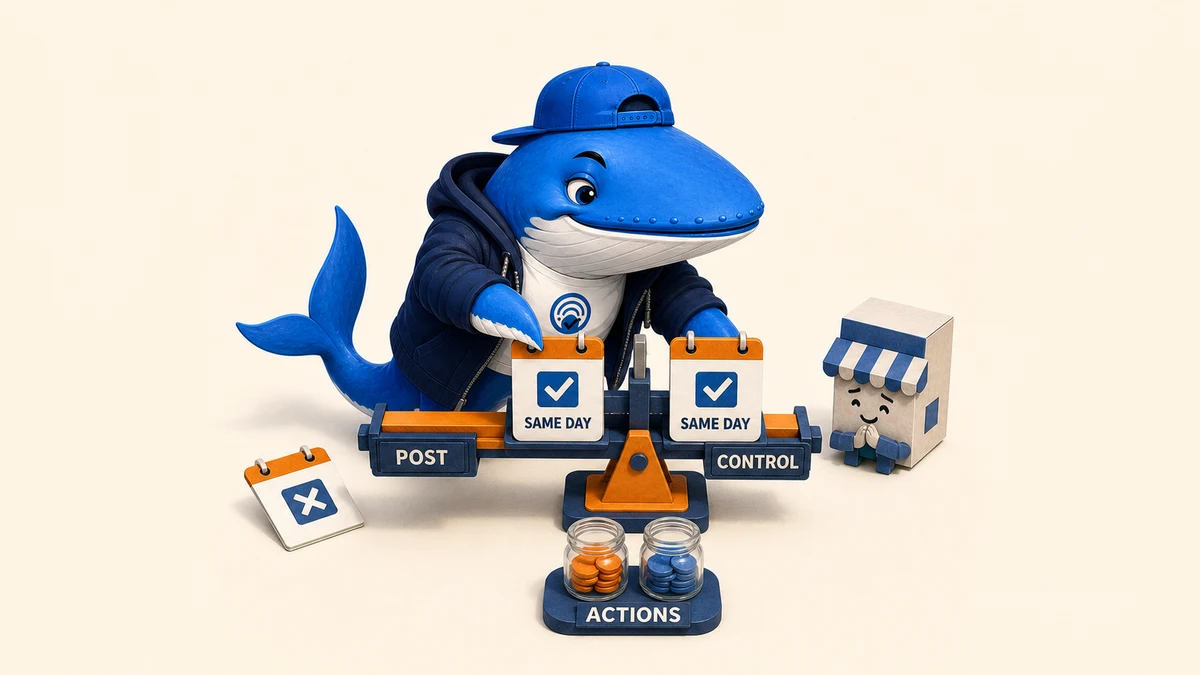
To measure whether Google Business Profile posts are associated with more profile actions, compare post and control windows on the same weekday, use one primary interaction, and exclude pairs with material confounders. The result is a profile-specific observation;not proof that posts caused the change or improved local rankings. The downloadable ledger and browser-local calculator below turn that boundary into a repeatable workflow.
What this guide does;and does not do: it replaces an unfinished experiment proposal with a usable measurement system. It reports no fabricated results, promises no uplift, and does not present Business Profile posts as a documented local-ranking factor.
The short answer
Choose one primary metric;website-link clicks, call-button clicks, or direction requests;and compare several post windows with matched control windows for the same location, weekday, and local time span. Verify that each post was actually Live. Record paid campaigns, holidays, hour changes, promotions, reviews, destination changes, and tracking changes before calculating paired differences.
Look for consistency across pairs, not one dramatic day. Report the counts, the difference for each pair, the median difference, exclusions, and limits. If a clean pattern appears, it supports a cautious operational decision for that profile. It does not establish a universal effect or a ranking benefit.
Choose one interaction before looking at the numbers
Google’s Business Profile performance documentation describes direction requests, clicks on the call button, and clicks on the website link. These are interaction counts. A call-button click is not necessarily a completed or qualified call; a website click is not a conversion; and a direction request is not a confirmed visit.
Select the interaction closest to the business question and name it before collection. Keep the other metrics as diagnostics. Switching the primary metric after seeing the data makes a weak pattern look stronger than it is.
| Business question | Primary interaction | Important limit |
|---|---|---|
| Do post windows coincide with more site interest? | Website-link clicks | A click is not a lead or sale. |
| Do post windows coincide with more phone intent? | Call-button clicks | A click is not a connected or qualified call. |
| Do post windows coincide with more visit-planning activity? | Direction requests | A request is not a store visit. |
Confirm the profile and reporting access
Google says performance data is available for verified profiles and requires an account associated with the profile. Record the location label, profile verification state, reporting account, local time zone, and export date. If a metric is not available for the profile, record it as unavailable rather than zero.
Keep one profile per analysis. Combining locations with different demand, operating hours, reviews, categories, or market conditions produces a total that is difficult to interpret.
Match weekdays and time windows
A Monday morning should be compared with another Monday morning, not a Saturday evening. Choose a fixed observation length;such as 24 or 48 hours;and use the same local start and end times for both members of every pair. Pair nearby dates when possible so seasonality and market conditions have less time to drift.
The control window should have no new post under the rule you declared. The post window should begin only after the selected post is Live. If the status remains Pending or becomes Not approved, exclude or reschedule the pair rather than treating it as a post window.
| Pair field | Post window | Control window | Match rule |
|---|---|---|---|
| Location | One profile | Same profile | Exact match |
| Weekday | Monday | Monday | Exact match |
| Local time span | 09:00–09:00 next day | 09:00–09:00 next day | Exact match |
| Condition | Selected post is Live | No new post under the protocol | Documented difference |
| Primary metric | Call-button clicks | Call-button clicks | Same definition |
Verify that the post was Live
Google’s post guidance says Business Profile posts can appear on Search and Maps and can have Live, Pending, or Not approved status. Save the post type, publication timestamp, status check, destination URL, and an internal reference or screenshot. Do not infer exposure from the fact that someone clicked Publish.
Post types can differ in purpose: an update, offer, and event are not interchangeable treatments. Keep the type constant within a short series or stratify the results instead of pooling unlike messages.
Use UTM parameters for website clicks only
A tagged destination helps separate post-linked website sessions from other visits. Google Analytics documents UTM campaign parameters such as utm_source, utm_medium, and utm_campaign. Use consistent, case-sensitive values and record the exact destination in the ledger.
UTMs do not identify call-button clicks or direction requests, and they do not make the overall profile-performance comparison causal. They add a second piece of evidence for website traffic. If the destination or campaign naming changes mid-test, exclude the affected pair or start a new series.
Declare confounders before calculating
Google notes that Business Profile performance can include activity from both organic results and Google Ads. A paid campaign that overlaps only one side of a pair can overwhelm the post signal. The same is true of holidays, events, weather disruptions, new offers, changed hours, review bursts, press coverage, site outages, or altered conversion tracking.
Record confounders for both windows before entering the action counts. An exclusion is not a failed experiment; it is protection against a misleading comparison.
| Check | Include when | Exclude or restart when |
|---|---|---|
| Paid media | Comparable campaign state and spend | A campaign starts, stops, or changes materially in one window |
| Hours and availability | Same operating pattern | Closures, special hours, or stock/service changes differ |
| Offer | Normal commercial conditions | A separate promotion changes demand |
| Reputation | No material review event | A review surge or public incident overlaps one window |
| Website and tracking | Same destination and instrumentation | URL, form, phone tracking, analytics, or site availability changes |
Download the matched-window ledger
Download the Google Business Profile post-actions ledger. It contains four clearly labeled example pairs. Delete every row marked EXAMPLE-REMOVE before using the file for a real observation.
Each row preserves condition, date, weekday, local window, post status, destination and UTM fields, profile interaction counts, the selected primary value, confounders, exclusion reason, and notes. Keep the unedited export or screenshot separately so another reviewer can trace the entered value back to its source.
Use the local pair calculator
Open the Business Profile post-pair calculator. Add one matched pair at a time, choose the primary interaction, enter the post and control values, and mark exclusions before calculating. The tool reports included pairs, total counts, per-pair differences, the median difference, and positive, zero, and negative pair counts.
The calculator runs entirely in the current browser tab. It has no analytics, network request, account connection, or server-side storage. Download the CSV before closing the tab if you need to keep the work.
Calculate paired differences, not an isolated percentage
For each included pair, subtract the control value from the post value. A result of +3 means the post window recorded three more instances of the selected interaction than its matched control; it does not mean the post generated three actions. When the control is zero, report the absolute difference rather than an infinite percentage increase.
For a small series, the median paired difference and the direction of each pair are easier to audit than a complex model. Totals can be shown, but they should not erase uneven pair behavior.
| Summary | Calculation | What it answers |
|---|---|---|
| Paired difference | Post value − control value | What changed within one matched pair? |
| Median difference | Middle paired difference after sorting | What was the typical pair-level difference? |
| Direction count | Positive, zero, and negative pairs | Was the direction consistent? |
| Included total | Sum by condition after exclusions | What volume was observed in the retained sample? |
If you use the API, preserve zero and missing states
The official Business Profile Performance API exposes daily metrics, while its reference lists BUSINESS_DIRECTION_REQUESTS, CALL_CLICKS, and WEBSITE_CLICKS. It requires the business.manage OAuth scope. Use the API only when the daily granularity matches the declared window.
The API’s dated-value documentation notes that value may be absent when the value is zero. Preserve that distinction during ingestion: map a documented absent-zero case deliberately, but never turn an unavailable metric, failed request, or missing date into zero.
Interpret a pattern without overstating it
A useful series might show a positive median difference with most clean pairs moving in the same direction. That can justify another round, a change in post cadence, or a more focused test of message type. A mixed series suggests the signal is unstable, the sample is small, the post types differ, or other demand factors dominate.
Use language such as “associated with more call-button clicks in six included matched windows.” Avoid “posts drove calls” unless a stronger design and downstream call evidence support that statement. Avoid extrapolating one location’s pattern to every category or market.
Do not turn interaction data into a ranking claim
Google’s local ranking guidance describes relevance, distance, and prominence or popularity as the main factors behind local results. It does not document publishing posts as a direct ranking factor. A change in profile interactions therefore cannot prove that posts improved rankings.
If the real question is visibility, design a separate rank or discovery observation with its own query set, locations, device, signed-in state, and dates. Keep ranking, profile interaction, website session, lead, and sale as separate stages.
A 12-step operating workflow
- Name one verified Business Profile and its local time zone.
- Choose one primary interaction before viewing the comparison.
- Declare the post type, observation length, and control rule.
- Match every post window to the same weekday and local time span.
- Record paid media, hours, promotions, holidays, reviews, and tracking state.
- Publish the post and verify that its status becomes Live.
- Preserve the post URL, destination, UTM values, and status evidence.
- Export or transcribe the same metric definition for both windows.
- Exclude materially confounded or incomplete pairs before calculation.
- Calculate paired differences, median difference, and direction counts.
- Report included pairs, exclusions, absolute counts, and limitations.
- Choose expand, repeat, revise, or stop without converting association into causality.
The publication quality gate
A measurement note is ready when another reviewer can identify the profile scope, primary metric, exact windows, time zone, post status, source export, matching rule, exclusion decisions, per-pair values, and calculation. It is not ready when post and control dates use different weekdays, the primary metric changes after inspection, paid campaigns are ignored, zero is confused with unavailable data, or interaction counts are described as confirmed customers.
If fewer than several clean pairs survive, publish the method or hold the conclusion. A transparent “insufficient clean observations” decision is more useful than a confident percentage built on one unusual day.
Connect the observation to the rest of local measurement
Use the Google Ads versus Google Maps attribution checklist when the next question is which channel produced a lead. Use the Business Profile completeness guide to establish profile basics, and the Business Profile change-control workflow when multiple people or tools can alter live profile data.
Method, sources, and update note
This guide was rebuilt on September 1, 2026, from an earlier protocol-only page. It adds a matched-window ledger, a browser-local pair calculator, a confounder gate, zero/missing handling, conservative interpretation rules, and an explicit separation between interactions, conversions, and rankings. Product behavior claims are limited to the linked official Google Business Profile, Google Analytics, Business Profile Performance API, and local-ranking documentation. The article contains no experiment-result claim.
Update trigger: recheck the workflow when Google changes post statuses or placement, Business Profile performance definitions, paid/organic inclusion, downloadable report fields, API metrics, or local-ranking documentation.
Measurement example
Treat every Google Business Profile post as a tagged campaign
A post action has value only when it can be connected to a business outcome and compared with a useful baseline.
- Exposure
- Post date, active period and eligible location.
- Action
- Website click, call, direction request or offer interaction.
- Landing result
- Engaged session, lead or purchase where measurement is available.
- Baseline
- Comparable non-post period or matched location.
My takeaway: I would stop publishing a post format that creates actions but no measurable downstream value, even if its platform engagement looks healthy.
Keep learning
Ask a question or join the discussion