Microsoft Clarity AI Visibility: Query Topics and Brand Terms Workflow
Use Microsoft Clarity Query Topics and versioned Brand Terms to build a bounded editorial review queue without mistaking classification changes for performance.
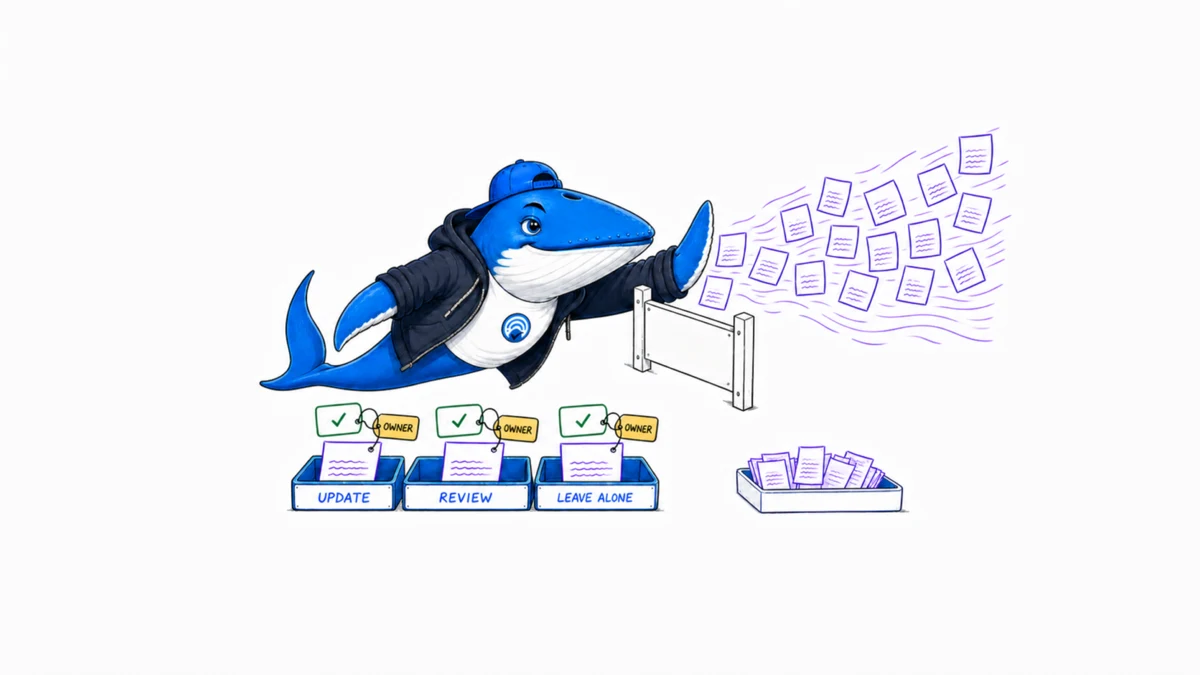
Direct answer: Microsoft Clarity Query Topics can reduce a long list of recorded AI citation queries into automatically generated themes. Use those themes to create a bounded editorial review queue, not an automatic content calendar. A topic, citation count or share of authority still needs page-level evidence, a reader problem, an owner and a stopping rule.
This workflow adds a 24-field editorial review queue. Its example rows show how to separate the dashboard observation, page diagnosis and final action without claiming that an edit caused a citation or referral.
Confirm the product boundary first
Microsoft announced Query Topics in Clarity on July 22, 2026. The official Query Topics release says it automatically groups related grounding queries based on citation activity associated with the project. Topic cards can expose citation count, share of authority, page distribution, filters and export support.
Query Topics remains beta. The grouping can change, and a generated label is not an objective taxonomy of the market. It also differs from Topic Insights, where a user defines a topic to explore visibility and opportunities. Keep the product surface and retrieval date in every exported queue.
| Surface | Starting point | Suitable editorial use |
|---|---|---|
| Query Topics | Automatically grouped queries associated with project citation activity | Review themes already present in the observed data |
| Topic Insights | A topic the user asks Clarity to evaluate | Directional opportunity research with product-stated limits |
| Cited pages | URLs referenced in supported AI experiences | Locate the page behind a topic observation |
| AI referral traffic | Sessions attributed to AI assistants | Observe visits separately from citations |
Preserve the metric definitions
The Microsoft Learn citation dashboard reference defines page citations as references to pages from the site during the selected period. It defines share of authority as the site’s citations divided by total citations from all domains in the relevant query set.
The share calculation has an important daily participation boundary: when the domain is cited for a query on a given day, citation instances for that query and day enter the calculation; when it is not cited, that day is excluded. Microsoft notes that this can produce a higher share than broader calculations. Copying the percentage without that rule makes cross-tool or cross-period comparisons unreliable.
| Metric | Useful question | Does not establish |
|---|---|---|
| Citation count | Which topics produced more recorded references? | Stable rank, trust or qualified traffic |
| Share of authority | How much of the defined citation set belongs to the domain? | Market share across every AI system |
| Page distribution | Which URLs carry the observed topic? | That those pages fully satisfy the reader job |
| Grounding query | What retrieval phrase was associated with the citation? | Search demand, original prompt or conversion intent |
Export a reproducible snapshot
Choose the project, date range and available filters before exporting. Record the export time, product surface and beta state. Preserve whether the view includes all queries, branded queries or non-branded queries. Microsoft added branded and non-branded query segmentation in August 2026, so a later export can differ because the filter changed rather than because content performance changed.
Save the raw private export separately from the editorial queue. The private file may contain query and URL detail that should not be shared publicly. The working queue should retain the minimum evidence needed for prioritization and redact account identifiers, unpublished paths, personal data and sensitive query text.
An export is a dated product observation. It is not a permanent ground truth, and it does not reproduce the AI answer, original user prompt or retrieval system outside the supported Clarity reporting contract.
Build the editorial review queue
Download the Clarity Query Topic editorial review queue. One row represents one topic-page review, not one market-wide topic. Remove the rows marked EXAMPLE-REMOVE and replace them with a privacy-safe snapshot from your project.
First preserve the dashboard observation: topic label, query segment, citation count, share of authority, page and retrieval date. Then add editorial facts that Clarity cannot supply: reader job, claim risk, source freshness, page ownership, overlap, next action and review date.
| Field group | Fields | Decision |
|---|---|---|
| Snapshot | Project alias, period, topic, segment, metrics | Can another editor identify the observed view? |
| Page review | URL alias, reader job, claim risk, freshness, overlap | Does a real editorial problem exist? |
| Action | Maintain, update, consolidate, investigate or leave alone | What bounded work is justified? |
| Governance | Owner, evidence link, limitation, due date, recheck date | Who closes and revisits the item? |
Prioritize risk before volume
A large topic is not automatically the first editorial task. A small topic around legal, medical, financial, security or fast-changing product claims may deserve review before an evergreen topic with more citations. Use a simple severity decision rather than a composite visibility score.
- Mark the reader consequence if the page is wrong or stale.
- Check whether the important claims still have current primary support.
- Identify whether citations concentrate on one fragile page or spread across several competing pages.
- Confirm that the page solves a distinct reader job instead of duplicating a stronger URL.
- Assign a review deadline based on risk and time sensitivity.
Keep citation magnitude as context. It can help sequence two equally risky items, but it should not bury a severe evidence failure merely because the topic is small.
Choose an action after reading the page
Open the cited page and inspect the passage that likely answers the query. Check whether the subject, condition, date, source and limitation can stand together without surrounding guesswork. Then choose one action.
| Finding | Action | Evidence to retain |
|---|---|---|
| Current and well supported | Maintain | Page version, source check and next review |
| Stale fact or missing boundary | Update | Changed claim and replacement primary source |
| Several pages solve the same job | Consolidate after link and traffic review | URL map and redirect decision |
| Unexpected topic association | Investigate | Queries, passages and competing explanations |
| Metric changed but no reader problem exists | Leave alone | Decision note and recheck date |
Do not create a new article solely because an automatically generated topic exists. First determine whether the current page is incomplete, whether another page should own the job, and whether reliable sources can support a useful answer.
Separate citation, referral and outcome
A recorded citation can produce no visit. An AI-referred session can lose or change its referrer. A visit can occur without a conversion, and a conversion can be influenced by several earlier interactions. Keep these observations in separate columns and reports.
Use the AI visibility measurement crosswalk to preserve the boundaries among crawl, citation, referral and business outcome. If a page edit is tested, record the implementation date, comparable period, other changes and stopping rule with the small SEO experiment method.
Do not write “the update increased AI citations” merely because the count rose afterward. Product coverage, query mix, competitors, seasonality and reporting changes remain plausible alternatives unless the design addresses them.
Run a 30-minute weekly triage
- Export the same saved view and record any filter or product-state change.
- Review new topics and material movements, not every small fluctuation.
- Open the pages behind the highest-risk unresolved items.
- Close rows with maintain or leave-alone decisions when no work is justified.
- Assign only the updates, consolidations and investigations an owner can finish.
- Record what changed, what stayed unknown and when the topic will be checked again.
Cap the active queue. Ten clearly owned reviews are more useful than hundreds of topic labels copied into a spreadsheet. The stopping rule is simple: if the topic does not expose a reader problem, evidence risk or ownership conflict, preserve the observation and do not manufacture work.
Version Brand Terms before comparing query segments
Microsoft added editable Brand Terms to Clarity AI Visibility on September 29, 2026. Under Settings, AI Visibility, an editor can add, edit or remove terms, group several terms under one Brand Name, and filter reporting by the group or by an individual term. Clarity prepopulates the initial list.
The official announcement recommends adding abbreviations, alternate spellings, localized names, translations and common typos. That improves the classification vocabulary, but it also creates a new reporting boundary: a later branded-versus-non-branded comparison may reflect a changed term set rather than changed audience behavior.
| Change | Likely reporting effect | Record before saving |
|---|---|---|
| Add an abbreviation | More queries may enter the branded segment | Term, reason, language and effective time |
| Add a translation | Localized brand references may be recognized | Market, reviewer and canonical Brand Name |
| Remove an ambiguous term | Some queries may leave the branded segment | Examples that showed the collision |
| Regroup terms | Brand-level filters can change without a query changing | Old group, new group and dashboard owner |
Download the Brand Terms change log. Its rows are examples marked EXAMPLE-REMOVE. Replace them with your own changes and keep the file private when terms expose unreleased products or sensitive brand aliases.
Clarity does not state in the announcement whether edits reclassify historical data, when a change becomes visible, or whether scope differs by market, device or plan. Preserve a screenshot or export immediately before the edit, then repeat the same view after the product has applied it. Label the two periods with different Brand Term set versions instead of presenting them as a clean performance trend.
Sources, method and limitations
- Microsoft Clarity: Analyze AI Citation Queries by Topic
- Microsoft Learn: Citation dashboard overview
- Microsoft Clarity: Branded and non-branded AI queries
- Microsoft Clarity: Customize Your Brand Terms in AI Visibility
- SearchEngineAnswer editorial policy
Sources were rechecked on October 3, 2026. This article did not access a private Clarity project or report project-level findings. Query Topics is a beta grouping surface, and its labels, filters and coverage can change. The downloadable queue is a method template with illustrative rows, not an export or visibility benchmark.
Keep learning
Continue this topic
Next in this topic
Cloudflare MCP Detection vs Crawler Control: A 24-Request Test
Earlier in this topic
Claude Workbench Retirement: August 17 Checklist
Tools & Workflows
Ask a question or join the discussion