How to Migrate AI-Browser Research Without Losing Evidence
Migrate AI-browser research as a claim-source evidence package, keep cookies and history separate, test replacement capabilities and require a second-person cold restart.
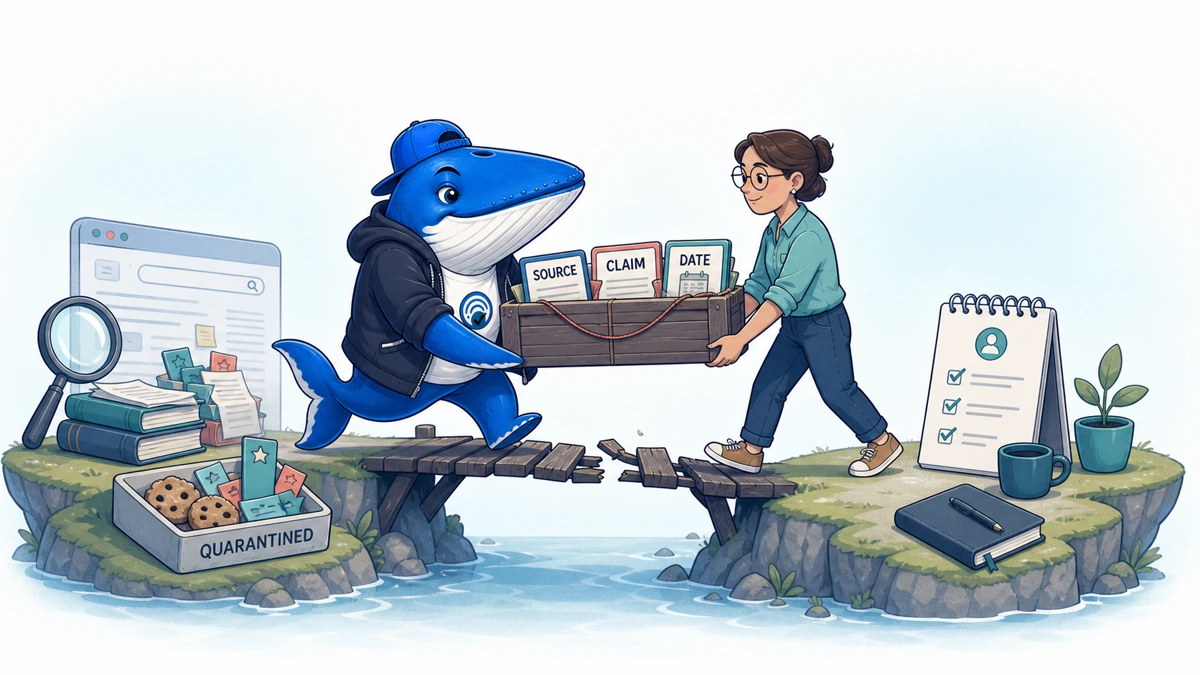
Direct answer: migrate an AI-browser research project as an evidence package, not as a bookmark export. Preserve each source URL, access date, claim role, captured passage, conversation or task context, sensitivity decision, owner and restart test. Then rebuild the smallest viable workflow in the replacement tool and verify that another researcher can resume without relying on browser history.
OpenAI’s Atlas retirement is the worked example, but the method applies to any discontinued browser or research agent. Download the AI-browser research migration ledger (CSV). Delete its marked example row before use.
The Atlas retirement boundary
OpenAI’s Atlas retirement notice says Atlas was scheduled to stop working on August 9, 2026 as browser-based agentic work moved into ChatGPT and Codex. It says bookmarks, open tabs and browser history do not transfer automatically. Where export is available, cookies may be included, but cookies and active sessions cannot be imported into another browser.
OpenAI also says ChatGPT conversation history is separate and depends on account, plan and workspace. Replacement availability varies by plan, region, device, browser and workspace. Those constraints mean “move to ChatGPT” is not a complete migration plan.
Define the research object before choosing a replacement
A research project is a set of claims, sources, decisions and unfinished tasks. The browser is only one container. Inventory the project by reader deliverable: article, evidence pack, audit, monitoring run or decision memo. Then list the minimum evidence needed to reproduce it.
This prevents a common failure: importing hundreds of bookmarks while losing which five supported the core claim, which source contradicted it, and which pages were merely leads.
Preserve five layers separately
| Layer | Examples | Why it matters | Safe destination |
|---|---|---|---|
| Source identity | URL, title, publisher, publication and access dates | Lets another person reopen the evidence | Project source ledger |
| Claim relationship | Supports, contradicts, contextualizes or is only a lead | Prevents bookmark presence being mistaken for support | Claim-source map |
| Captured evidence | Short passage, table cell, screenshot or archived file where permitted | Preserves what was actually reviewed | Approved evidence repository |
| Task context | Prompt, scope, filters, exclusions and unfinished questions | Makes the next run reproducible | Versioned run brief |
| Browser state | Bookmarks, tabs, history, cookies and sessions | May speed recovery but carries privacy and security risk | Only where explicitly needed and approved |
Do not merge these layers into one undifferentiated export. A source ledger can be retained for the project while cookies should usually be excluded or handled under a much shorter security process.
Triage tabs, bookmarks and history
Open tabs are a volatile working set. Classify each as evidence, lead, operational dependency or discard. Bookmarks may be durable references, but their folder structure rarely records claim context. History can reveal unrelated personal, client or account activity and should not be copied wholesale merely because an export exists.
For each retained URL, record why it stays. If there is no reader job, claim, decision or follow-up attached, it is probably not part of the project migration.
Treat cookies and sessions as credentials
Cookies can contain session material and reveal account relationships. OpenAI warns that exported cookies or session files are sensitive, and says active sessions cannot be imported into another browser. Do not place a cookie export in a general project folder, cloud note or AI prompt.
| Data | Default decision | Review question | Verification |
|---|---|---|---|
| Source URLs | Retain for the project | Is the URL necessary and shareable? | Open from a clean session |
| Captured passages | Retain selectively | Are copyright, confidentiality and access respected? | Trace to source and claim |
| Browser history | Exclude by default | Can the project list be reconstructed without unrelated activity? | Owner reviews retained set |
| Cookies/session files | Exclude and securely dispose by default | Is there an approved exceptional need? | Security owner confirms handling |
| Conversation history | Evaluate separately | Which account/workspace owns it and what may be exported? | Open under intended identity |
Reauthenticate through the destination’s normal login flow. Never try to bypass authentication by transplanting a session file.
Separate conversations from sources
An AI conversation may contain a useful query plan, synthesis or task history. It is not a substitute for primary sources. Export or summarize only the task context you are permitted to retain: objective, constraints, search terms, decisions, unresolved questions and links. Mark model-generated claims as unverified until they are joined to evidence.
If the conversation stays in a different account or workspace, add a stable internal reference only when the next researcher can access it. Otherwise produce a bounded handoff note without copying sensitive content into a less-controlled location.
Rebuild the claim-source map
- List each material claim or decision in the deliverable.
- Attach at least one source role: supports, contradicts, contextualizes or lead only.
- Record the exact passage or data location reviewed.
- Note publication date, access date and any version boundary.
- Mark sources that require authentication, payment or workspace permission.
- Flag unsupported claims and unresolved contradictions as open work.
The evidence-led SEO publishing guide explains how to keep claims, sources and uncertainty visible through publication. A migration is successful only when those relationships survive.
Choose the replacement by capability, not brand
OpenAI points to ChatGPT desktop for deeper agentic browser work and to browser experiences such as a Chrome extension or sidebar where available. Codex may fit coding and repository research. None of those descriptions proves parity with every Atlas workflow.
| Capability | Acceptance question | Evidence | Do not infer |
|---|---|---|---|
| Public browsing | Can it open, navigate and cite the required pages? | Recorded task run and URLs | Access to private sites |
| Signed-in work | Can the user authenticate safely where supported? | Clean test account and action log | Universal compatibility |
| Evidence capture | Can the workflow retain source and passage identity? | Completed ledger rows | Automatic factual correctness |
| Long-running task | Can it resume or hand off without hidden state? | Restart test | Unlimited duration or memory |
| Workspace controls | Do plan, region and admin rules allow it? | Admin documentation and observed access | Availability from a marketing screenshot |
For authenticated publisher workflows, the signed-in websites measurement guide explains why a user-authorized browser session is distinct from a crawler or public search referral.
Rebuild the minimum viable workflow
Do not begin by recreating every automation. Select one representative project task: reopen three sources, recover the associated claims, run one bounded follow-up search, preserve the new evidence and produce a handoff. Record where the replacement needs manual work or cannot match the old workflow.
Keep the old and new output side by side. Differences may come from time, account, locale, search state or changed pages—not only the replacement tool.
Run a cold restart test
- Close the original browser and remove access to informal tab state.
- Give a second researcher the ledger, approved evidence folder and run brief.
- Ask them to locate the current claim, supporting passage and next unresolved task.
- Have them resume in the replacement tool under the intended account and workspace.
- Record missing permissions, dead links, inaccessible files and ambiguous instructions.
- Pass only when the researcher can continue without asking what an unlabeled tab meant.
This test measures continuity, not tool quality. It is especially valuable before the person who ran the original research forgets the implicit context.
Migration acceptance criteria
Require every material claim to have a source status, every retained source to have an owner or project role, every sensitive export to have a disposition, every unavailable feature to have a manual fallback, and the cold restart test to pass. Keep the original export until acceptance and the retention deadline, then dispose of it according to policy.
Do not call the migration complete because bookmarks imported. The deliverable is continuity of evidence and decisions.
Operational checklist
- Confirm retirement date and export options from the official notice.
- Inventory projects before browser data.
- Classify sources as evidence, contradiction, context or lead.
- Record captured passage, date, permissions and sensitivity.
- Exclude cookies and unrelated history by default.
- Handle conversation history as a separate account/workspace asset.
- Test replacement capability under the real plan, region and device.
- Run a second-person cold restart.
- Approve retention or secure disposal of old exports.
Sources, method and limits
Source: OpenAI’s Atlas retirement and browser-work transition notice, retrieved August 31, 2026.
Method: We separated project evidence from browser and account state, converted OpenAI’s transfer boundaries into a data-decision matrix, and added a cold restart acceptance test.
Limits: Search Engine Answer has not migrated a live Atlas research workspace for this article. Feature names and availability depend on account, plan, workspace, region, device and browser. Check the current OpenAI documentation and your admin controls before selecting a replacement.
Keep learning
Continue this topic
Next in this topic
WordPress 7.1 SEO and Performance Preparation Checklist
Earlier in this topic
Kagi Search API: Build a 30-Field Reproducibility Record
Tools & Workflows
Ask a question or join the discussion