WebMCP Site Tools: What ChatGPT Can Discover and What It Cannot
WebMCP gives supported ChatGPT browsers a way to discover actions on a live page. This guide maps top-level discovery, iframe limits, security and fallback UI.
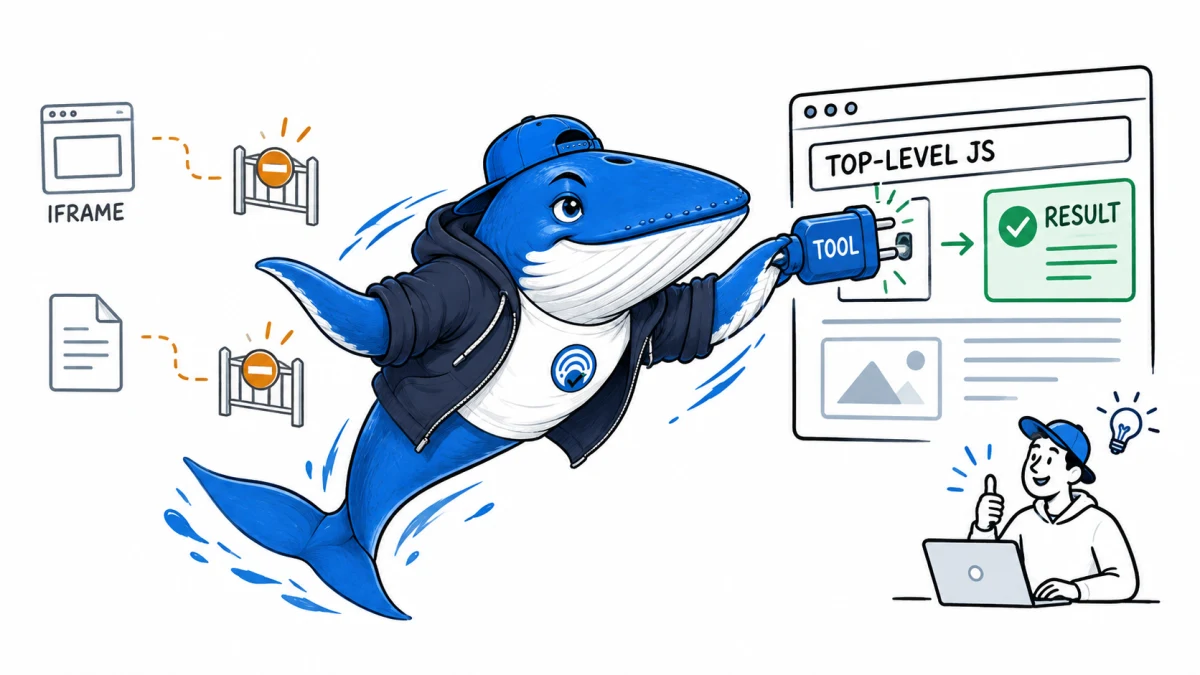
Direct answer: WebMCP site tools let a supported ChatGPT browser discover narrow actions registered by the live top-level page. OpenAI currently says its browser does not discover declarative form tools or tools registered inside iframes. WebMCP is an action interface. It is not an SEO ranking signal, a citation method or a remote MCP server.
The safest first tool is read-only, small and verifiable. It should reuse the site’s existing authentication, authorization and validation, and the page must still work when tool discovery is unavailable.
What WebMCP site tools are
OpenAI describes site tools as its implementation of the proposed WebMCP standard. In supported ChatGPT Work and Codex experiences, the built-in browser can discover tools registered by the page the user is visiting.
The page remains the security boundary. A tool exposes a bounded action that the page can already perform, such as reading a calculator state or preparing an export. It does not make the entire site an agent API.
Current discovery boundaries
| Route | Current documented behavior | Implementation decision |
|---|---|---|
| Top-level JavaScript registration | Supported route in eligible clients | Use for the first test. |
| Declarative form attributes | Not currently available as site tools | Keep the normal form as fallback UI. |
| Tool inside an iframe | Not discovered, including same-origin frames | Register at the top level or do not promise availability. |
| Chrome extension | Site tools are documented for the built-in browser | Do not use extension access as a positive test. |
| Remote MCP server | Separate architecture | Document and secure it separately. |
Register a read-only tool at the top level
OpenAI’s current example checks for browser support before calling document.modelContext.registerTool. A SERP preview could expose only the fields already visible on the page:
if (typeof document.modelContext?.registerTool === "function") {
  await document.modelContext.registerTool({
    name: "read_serp_preview",
    description: "Read the title, description, and preview status shown on this page.",
    inputSchema: {
      type: "object",
      properties: {},
      additionalProperties: false
    },
    execute: async () => ({
      title: titleInput.value,
      description: descriptionInput.value,
      status: computePreviewState()
    })
  });
}
The handler should derive its result from visible page state. Do not include session tokens, unpublished drafts, private analytics or fields that the user cannot inspect.
Return a result the user can verify
A useful result says what happened, which page state it used and whether anything changed. Keep the envelope stable even when the action fails.
{
  "ok": true,
  "action": "read_serp_preview",
  "page_state": "current",
  "changed": false,
  "result": {
    "title": "Example title",
    "description": "Example description",
    "status": "within-guideline"
  }
}
For an error, return a short code such as INVALID_INPUT, AUTH_REQUIRED or STALE_PAGE_STATE and a safe recovery instruction. Do not leak stack traces or internal paths.
The security contract
- Authorize the action: discovery does not grant a new permission.
- Validate every input: use a narrow schema and reject unexpected fields.
- Declare side effects: reading, saving, sending and deleting are different risk levels.
- Return a verifiable result: the user should see what changed or what was read.
- Protect sensitive data: do not expose tokens, drafts, customer records or private analytics.
- Keep the normal UI: the page must still work when WebMCP is absent.
OpenAI says website tool definitions and results are untrusted content. Its browser applies a safety review and existing confirmation rules, but those checks do not make a website or its output trustworthy.
Classify the side effect before writing code
| Tier | Example | Minimum control |
|---|---|---|
| Read-only | Read visible calculator or preview state | Schema validation and bounded output |
| Local reversible | Change an unsaved filter or preview | Show the change and provide undo |
| Account write | Save a report or preference | Authentication, authorization and confirmation |
| External consequence | Send, publish, purchase or invite | Explicit review of target, payload and cost |
| Destructive | Delete content or revoke access | Strong confirmation, recovery path and audit record |
Start at the top of the table. Move to a higher tier only after the lower-risk tool has clean discovery, failure and fallback behavior.
Which website actions belong in a first release?
| Action | Reader value | First-release decision |
|---|---|---|
| Read visible calculator state | Explains the result without a second copy step | Good first tool |
| Generate a local export preview | Turns the current result into a reusable file | Good with size limits |
| Save to an authenticated account | Preserves work | Add after confirmation and authorization tests |
| Send email or publish content | Completes a workflow | Defer until target and payload review are explicit |
| Delete account data | Administrative task | Do not use as the first implementation |
Diagnose failure at the correct layer
| Symptom | First check | Safe conclusion |
|---|---|---|
| No tool appears | Client, workspace, model, top-level registration and feature setting | Discovery failed under these conditions. |
| Tool appears but cannot run | Input schema, page state and safety review | Registration succeeded, invocation did not. |
| Authentication prompt | Session state and existing permissions | The action needs an authorized user. |
| Duplicate result | Idempotency and repeated-call handling | The handler lacks a safe repeat contract. |
| Normal UI also fails | Shared application logic | The defect is not specific to WebMCP. |
A five-environment QA protocol
Test the tool in the eligible built-in browser, a normal desktop browser, a mobile browser, an iframe embedding and a signed-out session. Record discovery, invocation, result, fallback UI and any authentication challenge. A clean failure is part of the product contract.
Then test malformed inputs, repeated calls and stale page state. The tool should reject invalid input, avoid duplicate side effects and make its result traceable to the page the user can see.
Use a reversible release sequence
- Ship the ordinary page action and verify keyboard and mobile use.
- Wrap the same application logic in one read-only site tool.
- Feature-detect the API and register only on the top-level page.
- Test unsupported browsers and signed-out states before an eligible client.
- Add logging for tool name, result class and error code without storing sensitive inputs.
- Define a rollback that disables registration without disabling the page feature.
Keep WebMCP separate from SEO and AEO claims
A site tool can make an action available while a user is on the page. It does not prove that ChatGPT Search will retrieve the page, cite it or rank it. Indexable explanations still serve search users who never invoke an action.
Use WebMCP to improve task completion, not to decorate an SEO pitch. Our SERP snippet preview remains useful through its ordinary interface whether or not a supported agent discovers a tool.
Download the implementation checklist
Download the WebMCP release checklist. All sample rows are labeled EXAMPLE-REMOVE. Replace them with observed client, model and page results before describing a tool as supported.
Official references
Current implementation details come from OpenAI’s site-tools documentation and ChatGPT release notes, checked September 9, 2026.
Keep learning
Continue this topic
Next in this topic
Google Merchant Center’s AI Report Exposes Shopping Terms and Intent
Earlier in this topic
Google Publisher Tag Adds fetchpriority=high: A Publisher Test Guide
Tools & Workflows
Ask a question or join the discussion