

OpenSEO
Research keywords, track rankings, and connect SEO data to agent workflows.

Community support
Upvotes come from SearchEngineAnswer members. GitHub stars and reader reviews are counted separately.
Claim this tool if you maintain it.
- Best for
- Keyword research and rank tracking in one workspace
- Setup required
- Hosted service or self-hosted deployment. Self-hosted data workflows require provider credentials.
- Costs to check
- DataForSEO usage plus hosting; hosted plans are separate
- License in catalog
- MIT
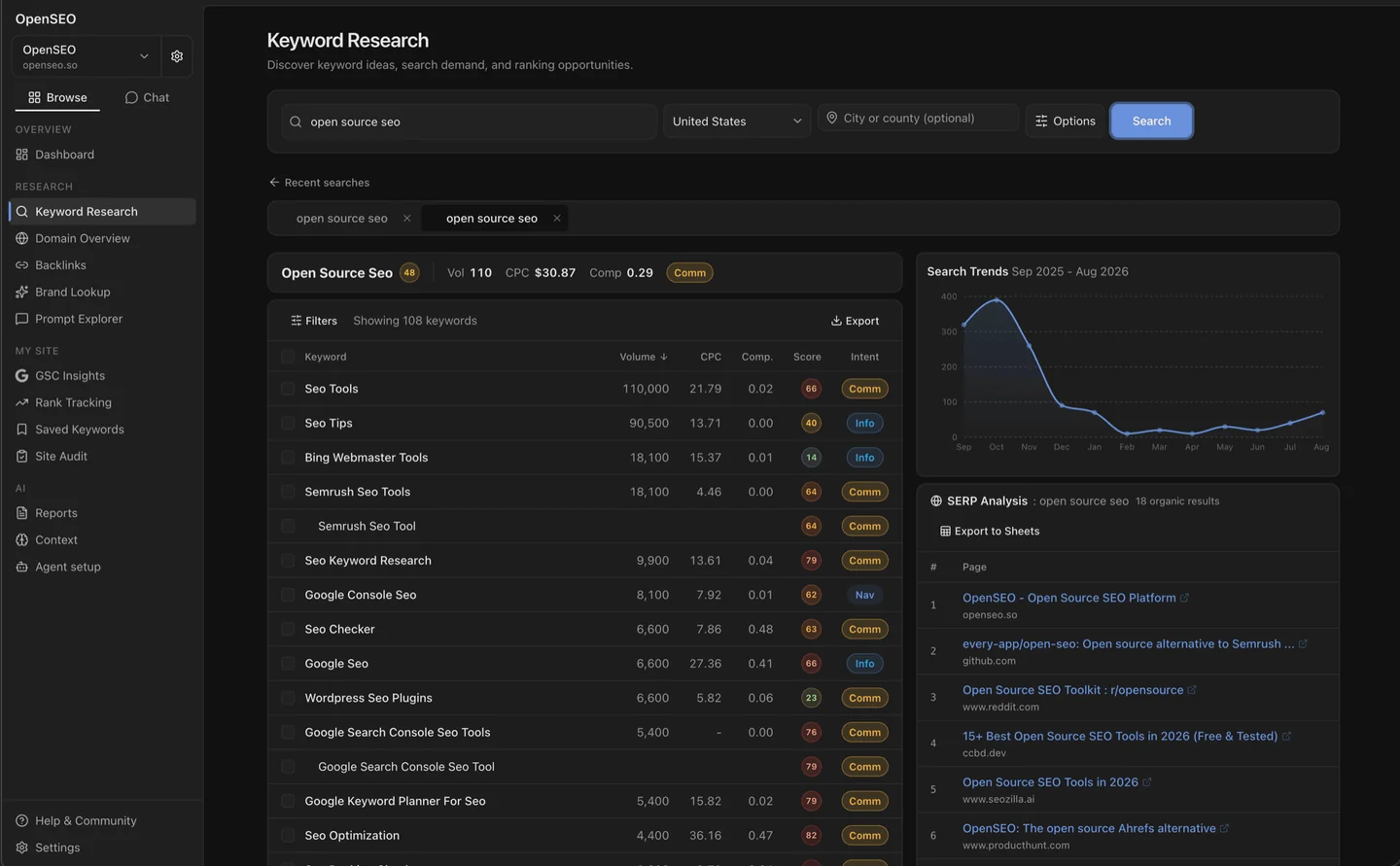
Project screenshot
GitHub repository
- GitHub stars
- 27,019
- Forks
- 3,737
- Last push
- 2026-11-07
- Primary language
- TypeScript
GitHub snapshot from . Stars count GitHub bookmarks. Reader ratings appear separately below.
How to install OpenSEO
- Choose the hosted workspace or follow the official Docker or Cloudflare deployment guide.
- For self-hosting, configure the required data-provider credentials only for the workflows you use. Connect a test Search Console property if you plan to run reporting.
First tutorial for OpenSEO
- Pull clicks and impressions for one completed reporting period and one landing page.
- Match filters and dates in native Search Console. Record which data came from your property and which action would incur a usage charge.
Where OpenSEO fits
Shortlist OpenSEO if you routinely switch between Search Console reporting, keyword research, and rank checks. A useful first trial is to reproduce one recurring report and see how much work the shared workspace saves.
- Investigate your own search traffic
- Start with native Search Console as the reference for your property. Try OpenSEO if you want that data alongside your keyword work or in a compatible assistant.
- Find broken links and crawl issues
- Start with a focused crawler such as SEOnaut. Compare a small set of known issues before deciding whether OpenSEO’s broader workspace adds enough value.
- Research competitors or track ranks
- Check the country, device, and position definition you need. Estimate the cost at your normal reporting frequency before replacing your current tool.
Run a small acceptance test
- Match a Search Console report. Use one property, one completed date range, and the same search type and filters. Compare clicks and impressions for the same pages. Resolve mismatched settings before interpreting a difference.
- Price one recurring lookup. Pick a keyword or rank check. Record the estimated charge, the market and device, and the actual charge if you run it. Multiply by your planned frequency to estimate the workload, then compare it with your allowance.
- Check access before connecting an assistant. Start with a reporting task, confirm the property and project, and review the scopes you approve. Document who can revoke access if the connection is no longer needed.
Download the OpenSEO evaluation worksheet. Fill in the blank fields with your own results.
Reviews and discussion
Reader reviews
Be the first to share your experience with this tool.
Discussion
Ask a question or share a setup tip.
Flag an outdated detail
Include the field that needs updating and a source link. Copy your draft, then use the corrections policy to contact the editorial team.
Write a review or join the discussion