
← Tool directory
Source documentation ↗
TOOL PROFILE

SEOnaut
Run a repeatable technical audit with a self-hosted interface.
Open sourceSelf-hosted
Community support
0 upvotesSign in to upvote
Upvotes come from SearchEngineAnswer members. GitHub stars and reader reviews are counted separately.
Claim this tool if you maintain it.
- Best for
- Site audits
- Setup required
- Docker / Go and MySQL
- Costs to check
- Hardware/hosting, integration and maintenance time; optional services are separate
- License in catalog
- MIT
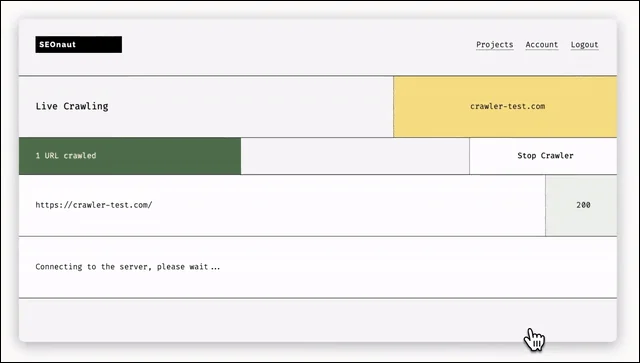
Project screenshot
GitHub repository
- GitHub stars
- 864
- Forks
- 145
- Last push
- 2026-10-08
- Primary language
- Go
GitHub snapshot from . Stars count GitHub bookmarks. Reader ratings appear separately below.
How to install SEOnaut
- Set up Docker and Docker Compose. Copy the service and database configuration from the project’s installation guide.
- Set database credentials and the application URL, then start the services with the command in the guide. Create a project for a site you control.
First tutorial for SEOnaut
- Crawl a staging folder with a redirect and a deliberately broken internal link.
- Find the referring URL, repair the link and recrawl the same scope to verify the finding clears.
Where SEOnaut fits
Run repeatable technical crawls and share the findings with someone who will fix them.
- When to choose another tool
- Choose SiteOne Crawler when you need a command-line run and a portable report. Choose OpenSEO when keyword and ranking research also belong in the same workflow.
- First evaluation
- Crawl a staging folder with a known 404, a redirect and two pages with duplicate titles. Trace each finding to its source URL, fix one issue and confirm that it disappears on the next crawl.
- How to interpret the result
- A crawl can show what the tool reached and how those pages responded. Check scope and exclusions before treating the report as a full inventory.
Reviews and discussion
Reader reviews
Be the first to share your experience with this tool.
Discussion
Ask a question or share a setup tip.
Flag an outdated detail
Include the field that needs updating and a source link. Copy your draft, then use the corrections policy to contact the editorial team.
Write a review or join the discussion