GPT-5.6 Long-Context Pricing: What Changes Above 272K Tokens
Calculate GPT-5.6 Standard and Fast costs across the 272K input-token boundary with a dated 12-row rate matrix, browser calculator, and tier-reconciliation workflow.
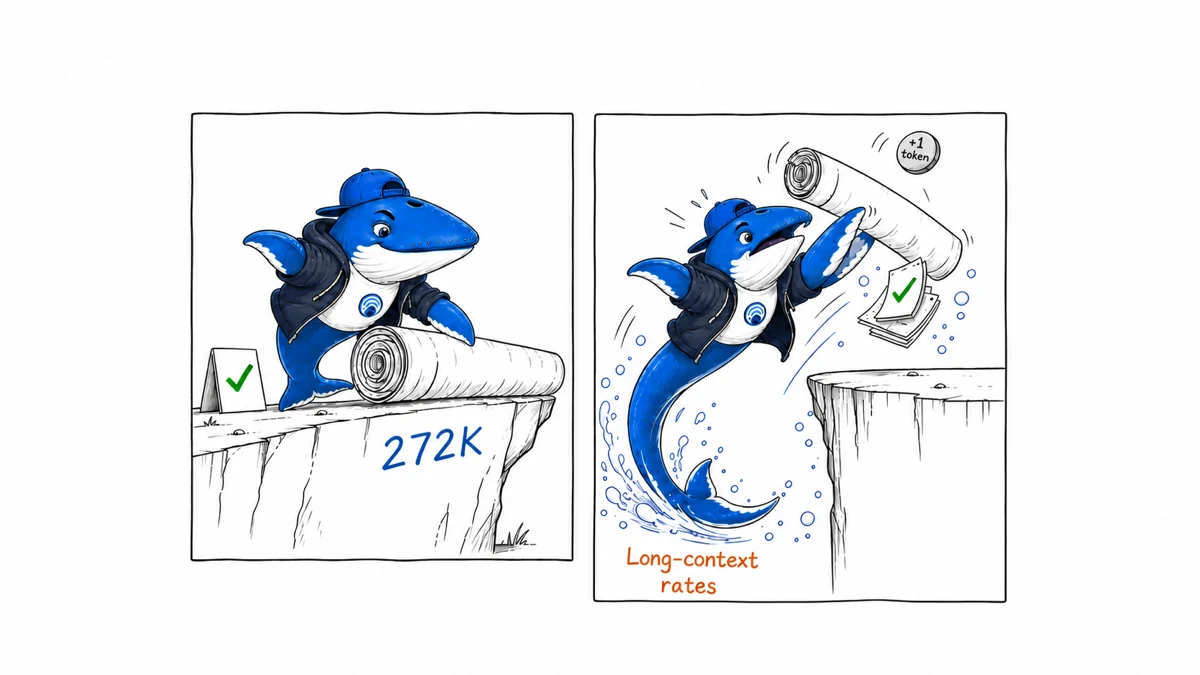
Short answer: GPT-5.6 requests move to a higher price band when the input is greater than 272,000 tokens. The change applies to the full request, including its output rate—not only to the tokens beyond the threshold. Fast processing then adds its own premium. A cost preflight should therefore count the whole input, choose the correct context band, calculate the complete request, and record the service tier that actually processed it.
This guide replaces our earlier unrun Fast-mode latency protocol. We did not execute a six-figure-token benchmark, so we will not publish speculative speed or quality results. Instead, we completed the reproducible reader job that the official documentation supports today: a 12-row pricing matrix, a threshold calculation, and a browser-based cost worksheet you can inspect before sending a large request.
The decision in one minute
| Question | What to do | Why it matters |
|---|---|---|
| Is total input at or below 272,000? | Use the short-context row. | Exactly 272,000 remains in the lower band. |
| Is total input greater than 272,000? | Use the long-context row for the full request. | Input and output rates both change. |
| Do you need faster processing? | Compare Standard with Fast using the same token counts. | Fast has a per-token premium; speed is not free. |
| Did the response use the requested tier? | Store the response’s service_tier. |
The effective tier can differ from the requested tier. |
If you only need a number, open the GPT-5.6 long-context cost calculator. Editors and analysts can also download the underlying 12-row pricing matrix as CSV.
What changes above 272K input tokens?
OpenAI’s model pages list a 1,050,000-token context window for GPT-5.6 Sol, Terra, and Luna. They also state that prompts with more than 272,000 input tokens are charged at twice the normal input rate and 1.5 times the normal output rate for the full request. The boundary is written as “more than,” which makes 272,000 and 272,001 materially different billing cases.
The key mistake is to calculate the first 272,000 tokens at the lower rate and only the remainder at the higher rate. That is not the rule described on the model pages. Once the input crosses the boundary, the long-context input and output prices apply to the entire request.
The one-token boundary, calculated
Hold output at 4,000 tokens and compare adjacent inputs. These are arithmetic examples using the official rates checked on August 31, 2026; they are not invoices or API benchmark results.
| Model | Mode | 272,000 input + 4,000 output | 272,001 input + 4,000 output | Difference |
|---|---|---|---|---|
| GPT-5.6 Sol | Standard | $1.168000 | $2.296008 | +$1.128008 |
| GPT-5.6 Sol | Fast | $2.336000 | $4.592016 | +$2.256016 |
| GPT-5.6 Terra | Standard | $0.592000 | $1.160004 | +$0.568004 |
| GPT-5.6 Terra | Fast | $1.184000 | $2.320008 | +$1.136008 |
| GPT-5.6 Luna | Standard | $0.059200 | $0.116000 | +$0.056800 |
| GPT-5.6 Luna | Fast | $0.118400 | $0.232001 | +$0.113601 |
One extra input token is not itself expensive. It is expensive here because it selects a different rate row for every billed token in the request. This is why trimming a prompt from 272,001 to 272,000 tokens can be a meaningful engineering decision, while trimming a much larger prompt by one token is usually not.
The complete GPT-5.6 rate matrix
The official pricing page separates uncached input, cached input, cache writes, and output. The table below keeps those categories visible instead of collapsing everything into a single blended price. Prices are US dollars per one million tokens.
| Model / processing | Context | Input | Cached input | Cache writes | Output |
|---|---|---|---|---|---|
| Sol / Standard | Short | $4.00 | $0.40 | $5.00 | $20.00 |
| Sol / Standard | Long | $8.00 | $0.80 | $10.00 | $30.00 |
| Sol / Fast | Short | $8.00 | $0.80 | $10.00 | $40.00 |
| Sol / Fast | Long | $16.00 | $1.60 | $20.00 | $60.00 |
| Terra / Standard | Short | $2.00 | $0.20 | $2.50 | $12.00 |
| Terra / Standard | Long | $4.00 | $0.40 | $5.00 | $18.00 |
| Terra / Fast | Short | $4.00 | $0.40 | $5.00 | $24.00 |
| Terra / Fast | Long | $8.00 | $0.80 | $10.00 | $36.00 |
| Luna / Standard | Short | $0.20 | $0.02 | $0.25 | $1.20 |
| Luna / Standard | Long | $0.40 | $0.04 | $0.50 | $1.80 |
| Luna / Fast | Short | $0.40 | $0.04 | $0.50 | $2.40 |
| Luna / Fast | Long | $0.80 | $0.08 | $1.00 | $3.60 |
OpenAI notes that GPT-5.6 Sol’s listed pricing is promotional at least through November 21, 2026. Regional-processing endpoints can also carry an uplift. Treat this matrix as a dated input to your own ledger, not a timeless rate card.
How to calculate one request
Keep billed token categories mutually exclusive. For a chosen model, processing mode, and context band, calculate:
(uncached input × input rate + cached input × cached-input rate + cache-write tokens × cache-write rate + output × output rate) ÷ 1,000,000
Example: a 300,000-input, 4,000-output Sol request with no cached or cache-write tokens uses the long-context row. Standard is (300,000 × $8 + 4,000 × $30) ÷ 1,000,000 = $2.52. Fast is (300,000 × $16 + 4,000 × $60) ÷ 1,000,000 = $5.04.
The downloadable calculator runs this formula locally in your browser. It sends no entered token counts to Search Engine Answer. It does not estimate tool charges, regional uplifts, taxes, negotiated pricing, credits, or future changes.
Fast mode is a processing choice, not a model name
Fast mode is selected with service_tier: "fast" in a Responses API or Chat Completions API request, or through a project setting. OpenAI says service_tier: "priority" provides the same behavior for supported models because Priority processing was renamed Fast mode on July 30, 2026.
The official guide says Fast can make GPT-5.6 Sol up to 2.5 times faster than Standard processing. That is OpenAI’s product claim, not a result from our own benchmark. This article makes no independent latency or answer-quality claim.
Fast and Standard share the same rate limit for a model. Fast supports long context and multimodal requests, but the guide says it does not support fine-tuned models or embeddings. Availability can also depend on jurisdiction.
Record the effective service tier
A request parameter records your intent. The response records what happened. OpenAI’s API reference says the response object’s service_tier identifies the tier used to process the request. For GPT-5.6 and earlier models, a successful Fast request is returned as priority, even if the request specified fast.
| Request | Response value to expect | Interpretation |
|---|---|---|
service_tier: "fast" |
priority |
Fast processing was used for GPT-5.6 or an earlier model. |
service_tier: "priority" |
priority |
The legacy request value selected the same Fast behavior. |
| Fast requested during a qualifying ramp | default |
The request may have been processed at Standard speed and charged at Standard rates. |
Store both fields in a cost ledger: requested_service_tier and effective_service_tier. This prevents a later analyst from treating every requested Fast call as a delivered Fast call.
Account for ramp-rate fallback
OpenAI documents a ramp-rate condition that may apply when traffic reaches at least one million tokens per minute and token throughput increases by more than 50% within 15 minutes. Some Fast requests can then be downgraded to Standard speed and Standard rates; the response reports service_tier: "default".
The operational advice is simple: ramp gradually, move traffic with feature flags over hours rather than instantly, and avoid large ETL or batch workloads in Fast mode. A cost estimate should therefore produce both the intended Fast amount and a reconciliation path using the actual response tier.
A reproducible preflight workflow
- Pin the model. Record
gpt-5.6-sol,gpt-5.6-terra, orgpt-5.6-luna. The genericgpt-5.6alias currently routes to Sol, but aliases can move. - Count the input. Use the API’s token-counting tools or a representative dry preparation step. Do not estimate a 272K boundary from characters or file size.
- Classify the context. At or below 272,000 input tokens is short context; greater than 272,000 is long context.
- Separate token classes. Record uncached input, cached input, cache writes, and planned output separately.
- Calculate both modes. Compare Standard and Fast using identical token counts and the correct context row.
- Set a budget guardrail. Decide the maximum per-request and per-run cost before sending production traffic.
- Send the request. If using Fast, set the tier explicitly unless the project setting already does so.
- Reconcile the response. Store actual usage, actual cost, response model, and effective
service_tier.
For a broader per-key reconciliation process, use our OpenAI API costs by key ledger. If your application uses a moving alias, first apply the pinning method in our reproducible model-alias test guide.
When a smaller model changes the decision
The threshold multiplier is the same pattern across Sol, Terra, and Luna, but their base rates differ substantially. Model selection can therefore matter more than deleting a few thousand tokens. If a task can be completed reliably with Terra or Luna, compare that option before paying Fast Sol long-context rates.
Do not choose a cheaper model from price alone. Run a task-specific evaluation on representative inputs, define the minimum acceptable answer quality, and measure failure costs. This worksheet isolates token pricing; it does not determine whether a model is fit for your workload.
What this guide does not prove
- It does not prove that Fast is 2.5 times faster for your workload.
- It does not compare answer quality between Standard and Fast processing.
- It does not measure time to first token, total latency, throughput, or variance.
- It does not establish that a prompt should be longer merely because the model supports a 1.05-million-token window.
- It does not predict contractual pricing, regional uplifts, tool-call charges, or a future rate-card change.
Those questions require a controlled benchmark with stored prompts, responses, token usage, timestamps, repeated runs, and a declared quality rubric. Until such results exist, the honest deliverable is a bounded cost preflight—not a speed headline.
Frequently asked questions
Does only the portion above 272K receive the higher rate?
No. OpenAI’s model pages say the higher input and output multipliers apply to the full request once the prompt exceeds 272,000 input tokens.
Is 272,000 itself long context?
The documentation says “more than 272K input tokens,” so this worksheet treats exactly 272,000 as short context and 272,001 as long context.
Does Fast change the context window?
No separate Fast context window is listed. GPT-5.6 model pages show a 1,050,000-token context window, and the Fast guide says GPT-5.6 models support long context.
Can cached tokens reduce the estimate?
Yes. The pricing page lists lower cached-input rates, and the Fast guide says cached-input discounts still apply to Fast requests. Use the actual billed categories from usage data rather than assuming every repeated token was cached.
Why can a Fast response say priority?
Priority processing was renamed Fast mode. For GPT-5.6 and earlier models, the response uses priority for Fast processing even when the request uses fast.
Sources and update rule
This page was checked against the official OpenAI API pricing table, Fast mode guide, Responses service-tier reference, GPT-5.6 model-selection guide, and the model pages for Sol, Terra, and Luna.
Pricing is time-sensitive. Before a high-volume run, recheck the official pricing page, save the date and rate row used, and reconcile the invoice or usage dashboard afterward. If the official table changes, the calculator and CSV should be versioned rather than silently overwritten.
Keep learning
Continue this topic
Next in this topic
Claude Web Search HTTP 200 Errors: Parsing and ZDR
Earlier in this topic
ChatGPT Long Pastes: Build a 31-Field Evidence Register
Tools & Workflows
Ask a question or join the discussion