What 3,602 Early ChatGPT Ads Reveal About Delivery
A 91-account audit recorded 3,602 ChatGPT ads. See the delivery rate, count discrepancies, income finding, limits and audit ledger.
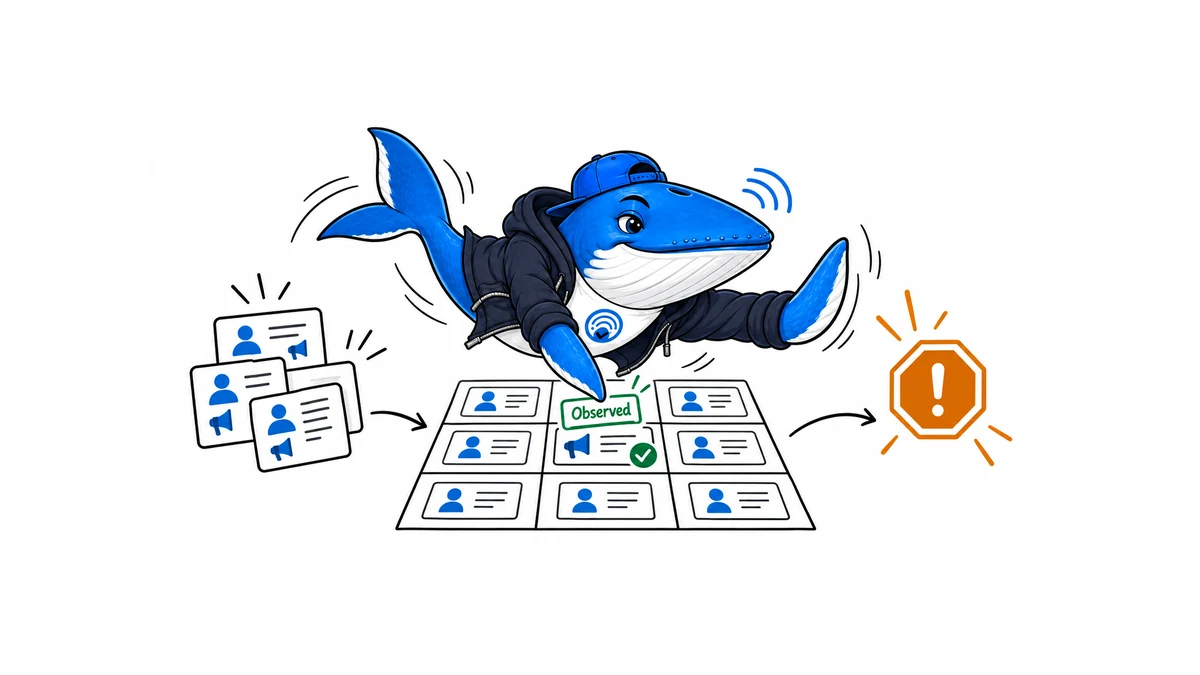
A 91-account audit collected 3,602 visible ChatGPT ads between February 6 and May 20, 2026. During the researchers’ main March 8-31 window, 3,573 of 63,657 conversations produced an ad (5.61%). The study found an association between lower ZIP-code income and whether an account ever received an ad. It does not establish advertiser intent, individual income, or a causal targeting rule.
The useful result is a baseline for auditing conversational ads. It also exposes three denominator traps: the full conversation dataset overrepresents prompts that had produced ads, “ever exposed” differs from the rate after an account’s first ad, and the paper uses several ad totals for different analytical subsets.
The study measured delivery, not advertiser intent
The Beginning of ChatGPT Ads is a sock-puppet audit by Emma Lurie, Ro Encarnación, Sorelle A. Friedler and Danaé Metaxa. The researchers created controlled free ChatGPT accounts, varied location signals associated with race and household-income groups, sent a standardized prompt set, and recorded ads identified by a visible Sponsored label in the page HTML.
That design can detect differences in observed delivery across the simulated accounts. It cannot show which advertiser selected a person, whether ChatGPT knew a real user’s income or race, or which internal signal caused an individual ad. ZIP-code characteristics are group-level proxies, not personal attributes.
What the audit actually ran
| Field | Recorded design | Why it matters |
|---|---|---|
| Accounts | 91 free accounts in a 3×3 design | At least nine accounts represented each race-proxy and income-tercile cell. |
| Location signals | Residential proxies plus 2-3 location-establishing prompts | The audit tested geographically signaled profiles, not verified individual demographics. |
| Prompt corpus | 335 prompts: 146 Reddit-derived, 95 adapted from OpenAI usage research, 89 researcher-curated, and 5 location prompts | Prompt source and topic mix constrain generalization. |
| Daily schedule | 30 randomly drawn prompts plus up to 20 prompts that had previously produced an ad | The full dataset intentionally overrepresents ad-producing prompts. |
| Collection | 127,801 conversations from February 6 to May 20 | The principal pre-drop analysis window was March 8-31. |
| Ad detection | Sponsored label in captured page HTML | The study measured visible delivered ads, not the complete auction or candidate set. |
Completion was imperfect. The paper reports 65% prompt completion and 59% complete account-days. The authors also suspect the sharp drop in collection after March 31 may reflect accounts being flagged as inauthentic. That possibility limits any claim about stable delivery over time.
Why the paper contains three ad counts
The abstract says the team collected more than 3,000 ads from 186 advertisers. The contribution section and findings report 3,602 ads from 191 advertisers. A sector figure refers to 3,303 confirmed impressions. These values should not be treated as interchangeable.
| Number | Context in the paper | Safe use |
|---|---|---|
| 3,573 | Ads among 63,657 conversations in the March 8-31 study window | Use for the 5.61% main-window delivery rate. |
| 29 | Additional ads collected after March 31 | Add to the main-window count for the full total of 3,602. |
| 3,602 | Full-study advertisements across 191 advertisers | Use as the paper’s reported complete collection total. |
| 3,303 | Confirmed impressions included in the 16-sector figure | Use only for that classified sector subset. |
| 186 advertisers | Abstract | Treat as a summary discrepancy; the body reports 191. |
The paper does not provide a single sentence reconciling every difference. SearchEngineAnswer therefore uses 3,602 and 191 for the full-study result, 3,573 and 63,657 for the main-window rate, and 3,303 only when discussing the sector figure.
Ads appeared in 5.61% of the principal-window conversations
The main window contained 63,657 interactions and 3,573 ads. Dividing those values produces 5.61%. After March 31, the researchers collected 29 more ads, bringing the full total to 3,602.
That 5.61% is not a population-wide ChatGPT ad rate. The daily schedule included extra prompts that had previously elicited an ad; the accounts were simulated; only free accounts were included; the study was U.S.-based; and only responses with the detectable sponsored treatment counted as ads.
Among 53 accounts that ever received an ad, the median delay from activation to first exposure was 14 days. No exposed account received an ad in its first seven days. For the 48 accounts exposed during March 8-31, the median rate after first exposure was 24%. “Five-point-six percent of conversations,” “ever exposed,” and “24% after first exposure” answer different questions.
The income result is an association with a ZIP-code proxy
The researchers report an odds ratio of 0.98 for each $1,000 increase in ZIP-code median household income, with a 95% confidence interval of 0.96-1.00 p = 0.0438. In this sample, accounts assigned to lower-income ZIP codes were more likely to receive at least one ad.
The result does not show that advertisers targeted low-income people, that ChatGPT inferred an individual user’s salary, or that income caused the delivery difference. Location, account history, availability, prompt response, advertiser supply, and unobserved rollout rules may all matter. The study did not find a statistically significant race association, but only 16-19 exposed accounts were available per racial group, so the null result is underpowered for small effects.
Product and how-to prompts produced many visible ads
The study reports that retail and information advertisers accounted for 57% of the 3,303 sector-classified impressions. Retail contributed 1,057 and information 843. The result describes this early sample, not the future composition of ChatGPT advertising.
Several high-rate prompts involved an immediate product or service decision. Examples in the paper include replacing a broken headlight, fixing a dishwasher that will not drain, choosing a streaming service and evaluating a new iPhone. Sensitive categories such as politics, mental health and financial services were included in the prompt corpus; their treatment should be audited separately rather than inferred from the aggregate.
OpenAI documents the selection inputs at a higher level
OpenAI’s ads announcement says ads are clearly labeled and separated from answers. It says selection may use the topic of the current conversation, past chats when ad personalization is enabled, and prior ad interactions. OpenAI also says advertisers receive aggregate performance information rather than users’ conversations, memories or personal details.
Those are product-policy statements, not a disclosure of the ranking or auction system used for each impression. They do not explain the study’s income association. The independent audit and OpenAI’s documentation belong in the same record, but one does not validate every claim made by the other.
What publishers and advertisers should test
- Separate ad eligibility, an eligible response, a rendered sponsored unit, a click and a downstream conversion.
- Freeze the prompt panel, account type, plan, geography, interface and observation window before comparing rates.
- Report all responses, then show ad-producing subsets separately so enrichment does not become a hidden denominator.
- Keep sensitive-topic prompts in their own stratum and record zero-ad responses.
- Preserve screenshots or HTML evidence without publishing account credentials, personal data or residential proxy details.
- Record advertiser, landing page, label, placement and answer separation; do not infer targeting intent from delivery alone.
For paid-versus-organic analysis, pair this with the ChatGPT product-feed and organic-shopping distinction. For context-hint testing, use the conversation-matching protocol and keep its fixture results separate from live delivery.
Download the conversational-ad audit ledger
Download the CSV audit ledger. It records the unit of analysis, prompt family, account state, observable ad event, denominator inclusion, evidence path, limitation and review decision. Every included row is marked EXAMPLE-REMOVE; replace or delete those rows before a real study.
The template is a reproducibility aid, not a benchmark and not a copy of the researchers’ dataset. Do not store account passwords, tokens, personal prompts, raw proxy identifiers or user-level demographic data in the public file.
Editor’s interpretation
The delivery pattern matters more than the headline total
A sample of 3,602 ads is large enough to expose recurring delivery patterns, but it is not a census of every market, user or future campaign. The useful question is which decisions the observed distribution can support today.
- Use the sample to identify creative formats and landing-page patterns worth testing.
- Do not convert an observed share into a platform-wide market-share claim.
- Separate what appeared in the collection from what advertisers can actually target or control.
My takeaway: I would use this audit to design an acceptance test for an early campaign, not to forecast reach or spend.
Sponsored Agents add a second measurement surface
OpenAI now describes Sponsored Agents for select US advertisers. After a person clicks an ad, the advertiser can offer a clearly labeled, business-sponsored conversation. OpenAI says this agent is separate from the independent answer and original ChatGPT conversation, and it can send the user to the advertiser’s website.
The distinction changes the measurement funnel. The ad impression and click belong to media delivery. The sponsored conversation is a post-click experience controlled by the advertiser. A useful report should therefore preserve at least six stages: impression, click, agent start, question depth, site click and business conversion.
| Control | Failure to test |
|---|---|
| Catalog freshness | The agent recommends an unavailable or superseded product. |
| Price and availability | The conversation states a price that differs from the destination page. |
| Claims policy | The agent makes an unapproved performance, health or legal claim. |
| Human escalation | A high-risk question has no safe handoff. |
| Conversation logging | The team cannot reproduce the path that produced a complaint or conversion. |
| Destination continuity | The landing page loses the product, answer or context established in the agent. |
OpenAI’s Ad Tools Terms make the advertiser responsible for the sponsored agent’s configuration, content, actions and output. That responsibility is why agent engagement should not be reported as ordinary click-through rate or blended into the 3,602-ad delivery study.
The commerce layer adds more than a campaign button
OpenAI’s September 16 announcement also adds three operating surfaces around the ad: an Ads Manager plugin in ChatGPT Work, AI assistance inside Ads Manager, and partner integrations with HubSpot and Shopify. The plugin can create, update, and analyze campaigns from natural-language prompts. Ads Manager can suggest copy and imagery, while an optional text-customization feature can adapt headlines and descriptions to the conversation and translate them to the user’s preferred language.
| Surface | New action | Evidence to keep |
|---|---|---|
| ChatGPT Work | Create, update, or analyze a campaign through the Ads Manager plugin. | Prompt, proposed change, reviewer, approved change, campaign ID, and before-and-after settings. |
| Ads Manager creative | Suggest copy and imagery, or adapt and translate existing ad text when the advertiser opts in. | Original creative, generated variant, language, destination, approval, and policy review. |
| HubSpot | Connect an ad account, create ads, track performance, and follow up on leads using HubSpot context. | Account mapping, consent state, lead source, attribution window, and CRM outcome. |
| Shopify | Sync the product catalog, build campaigns, set up conversion measurement, and manage performance in Shopify. | Variant ID, feed state, price and stock match, pixel event, server event, and order reconciliation. |
The Shopify listing exposes a real permission and launch-risk audit
The Shopify App Store listing says the free app is developed by OpenAI and launched on September 3. It requests access to customer device and activity data, product listings and collections, marketing events, and web and server pixels. Store owners should review those permissions, their consent implementation, and their event-deduplication plan before installation.
As of September 18, the listing showed a 2.8 rating from eight reviews, including five one-star ratings. Two reviews dated September 16 and 17 described connection or verification failures. That is a very small, self-selected sample. It does not establish a platform-wide defect, but it is enough to justify a connection test before a merchant commits a launch calendar.
- Connect a non-production or tightly scoped store and record the requested permissions.
- Confirm the catalog count, variant identifiers, price, availability, and destination URLs after sync.
- Run one consented test conversion and compare the browser event, server event, ad-platform event, and Shopify order.
- Disconnect and reconnect the app, then verify whether catalog and campaign state remain consistent.
- Do not treat a successful installation as proof that products are eligible, serving, or correctly attributed.
The new integrations make campaign operations easier to reach. They also make permission scope, catalog reconciliation, creative approval, and conversion evidence part of the same release decision.
Ads Manager now documents the auction and account controls
OpenAI’s current Ads Manager account documentation describes self-service setup for eligible advertisers. The advertiser creates the account, completes Persona verification, enters account and billing information, and can then invite an agency. An agency cannot create the client’s account on the client’s behalf.
Country, currency and time zone cannot be changed after account creation. One person is the account owner, and an account will not deliver ads until setup is complete. OpenAI also says a user who already belongs to ten or more ad accounts cannot create another, although that user can still be invited to existing accounts.
The current ads basics page describes views, clicks and conversions as campaign objectives. It says the auction is relevance-weighted and second-price, with billing available for impressions or valid clicks. For click campaigns, OpenAI recommends an initial maximum CPC of $3 to $5. That is platform guidance, not a market benchmark or guaranteed clearing price.
Context hints guide relevance but do not behave like exact-match keywords
OpenAI’s context-hint guidance recommends natural-language descriptions of what the product helps with, who it helps and when it is useful. A hint expresses one relevance idea. It does not guarantee delivery and cannot enforce geography, scheduling or exclusions.
The documented selection inputs include the current conversation’s intent and context, the landing page, ad title and copy, context hints and, when personalization is enabled, broader user-experience signals. Keep the hint, creative and landing-page claim aligned, then measure actual delivery. A configured hint is not evidence that a specific impression used it.
OAI-AdsBot can block delivery before the auction is the problem
OpenAI’s advertiser crawler guidance says landing pages must allow OAI-AdsBot. The crawler validates destinations and may use page content for relevance. OpenAI recommends also allowing OAI-SearchBot, including access to product-feed image URLs.
| Check | Evidence to save | Failure state |
|---|---|---|
| Robots access | Fetched robots rules and matching user-agent decision | OAI-AdsBot is disallowed. |
| HTTP response | Status, redirect chain and final canonical URL | 403, 429, redirect loop or inaccessible regional destination |
| WAF and challenge | Bot request outcome without a browser session | CAPTCHA, JavaScript challenge or authentication wall |
| Page continuity | Final headline, product, price and availability | Creative promise is missing or contradicted. |
| Feed images | Image URL response for OAI-SearchBot | Product image is blocked or expiring. |
OpenAI publishes stable bot-IP lists at adsbot.json and searchbot.json. An allowlist should be maintained from those files rather than copied once into permanent firewall rules.
Conversion campaigns and Sponsored Agents need separate evidence
The conversion-optimization documentation describes oCPC campaigns billed on valid clicks and oCPM campaigns billed on impressions. Both optimize toward a selected standard event. Custom conversion events are not supported, and the objective, billing model and selected event cannot be changed after campaign creation.
Sponsored Agents remain a limited alpha for selected advertisers. OpenAI is not accepting early-access requests. Keep the media impression, ad click, sponsored conversation, site visit and business conversion as separate events. A longer sponsored conversation is not automatically a conversion.
Sources, method and limits
Sources: the August 5, 2026 arXiv paper The Beginning of ChatGPT Ads, its linked public ad library, and OpenAI’s current ads announcement. Links appear beside the claims they support.
SearchEngineAnswer contribution: We reconciled the paper’s 3,573, 3,602 and 3,303 ad counts; separated the main-window, ever-exposed and post-first-exposure denominators; and built a privacy-safe audit ledger that forces each rate to name its eligible observations.
Limits: We reviewed the paper and public archive documentation; we did not create sock-puppet accounts or reproduce delivery. The paper is version 1, has not established causal targeting, and may be revised. Product behavior, eligibility, app reviews and policy can change after September 18, 2026.
Keep learning
Continue this topic
Next in this topic
Google AI Mode Cut Publisher Click-Through by 18.8 Points in a Field Experiment
Earlier in this topic
What 7,473 AI Citations Can and Cannot Tell Us
Research
Ask a question or join the discussion