
Cloudflare open-sources Kitesurf for AI agents
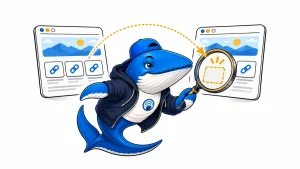
Developers can run Kitesurf locally and compare its rendered links and metadata with Chromium on the same JavaScript page.

The SearchEngineAnswer newsroom
What’s changing in SEO and AI search, and why it matters.
Developers can run Kitesurf locally and compare its rendered links and metadata with Chromium on the same JavaScript page.
By Abdessalam Alaoui
OpenAI’s initial US rollout lets eligible Pro users delegate purchases. A four-step test helps merchants check where an order can fail.
By Abdessalam Alaoui

Google says Hydrogen brings more visual AI answers and broader link discovery. Track exact URLs and where they appear in the answer.
By Abdessalam Alaoui

The agreement covers attributed summaries, excerpts, and links to original articles. Here’s how publishers can check where those links lead.
By Abdessalam Alaoui

Research ·
A recount of 2,309 AI Overview source rows checks how citations changed when B2B software questions included buyer context.
By Abdessalam Alaoui

Google’s new AI Mode option is available to eligible Ultra subscribers. Use a separate baseline when testing its sources.
By Abdessalam Alaoui

SEO ·
Use Google’s new referrer documentation to compare Search Console clicks, landing-page requests, and analytics sessions.
By Abdessalam Alaoui

Reddit Reviews groups existing comments into product summaries. The English-language US rollout covers selected products across four categories.
By Abdessalam Alaoui

Yahoo’s Pivot Search lets readers switch between traditional results and AI answers. Here’s how to check where each view sends readers.
By Abdessalam Alaoui

Practical, evidence-based answers for earning visibility in search engines and AI answers.
Add us as a preferred source on GoogleGet the Chrome extension Read the living case study
Independent publication. Sources, corrections, authorship, and commercial relationships are disclosed openly.
Search the publication
Search reporting, guides, research, checklists, and tool profiles.
SearchEngineAnswer app
Install the site on your home screen for a focused, standalone reading experience. No app-store account is required.
On iPhone or iPad, open the browser Share menu and choose “Add to Home Screen.” On other devices, use your browser’s Install option when available.
Privacy controls
Required for security, saved controls, and remembering this choice.
Analytics and advertising use separate Google consent controls when available. These site preferences do not change Google consent.