Google Agentic Local-Stock Calls: A Retailer Verification Playbook
Verify caller identity, branch, product, inventory timestamp, price boundaries, returned summary, and shopper outcome with a consent-aware local-stock call audit.
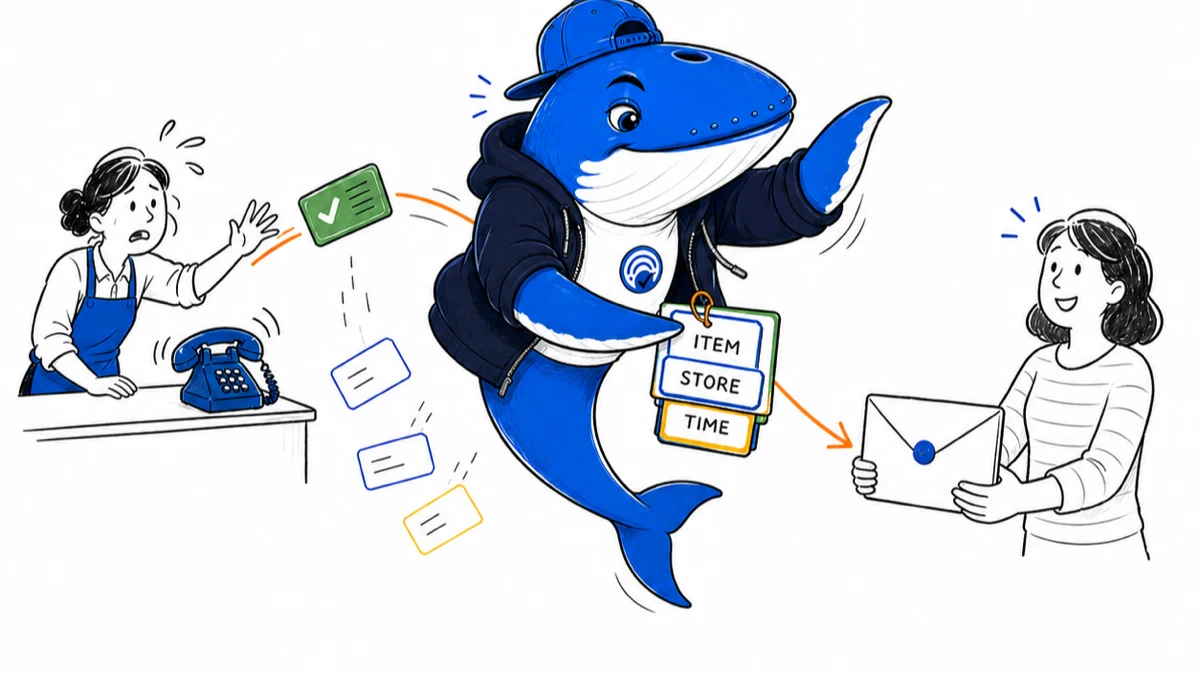
Direct answer: Google can call nearby U.S. businesses on a shopper’s behalf to ask whether a product is available, then send the shopper a summary by text, email, or both. Retailers cannot force selection, but they can make the business identity, inventory answer, price boundary, timestamp, and next step accurate enough to audit.
Google’s July 24, 2026 update confirms the shopper flow for categories such as toys, health and beauty products, and electronics. Google’s Business Profile help also says customer-requested automated calls are monitored and recorded for quality assurance. Neither source publishes a universal rule for which store is called or how a returned summary is ordered.
What Google currently confirms
The documented sequence begins when a user searches in Google Search or AI Mode for an item “near me” or “nearby.” When the feature appears, the user asks Google to confirm stock, supplies product constraints, and chooses a delivery channel for the summary. Google then calls relevant businesses and returns the collected information.
Availability is currently described for the United States. The visible option can depend on query, category, location, account, interface, and rollout state. Treat the absence of the calling option as an observation, not proof that a store was excluded or penalized.
| Stage | Google documents | Retailer can verify | Not published |
|---|---|---|---|
| Request | Near-me product search and user constraints | Exact item, variant, location, time | Every query that triggers the feature |
| Business contact | Google calls relevant nearby businesses | Called number, branch identity, call time | Universal store-selection formula |
| Answer | Business provides availability information | What staff said and its source | Complete speech-to-data transformation |
| Summary | User receives text, email, or both | Message content and shopper outcome | Universal ordering or ranking rule |
Verify the caller before sharing information
Google says it never asks a business for payment, credit-card information, or account passwords during these calls. Train staff to stop when a caller requests credentials, payment, remote access, or an unrelated verification code. Use Google’s current caller-identification guidance and an internal escalation path for suspicious calls.
Customer-requested automated calls are monitored and recorded for quality assurance according to Google’s help page. Staff should hear an appropriate disclosure and follow the organization’s privacy and call-handling policy. Do not place customer details, staff personal data, or sensitive inventory records into the public audit ledger.
Connect four sources of truth
A phone answer can conflict with the Business Profile, Merchant Center, product page, or point-of-sale system. Map those systems before treating one response as authoritative. Google’s Merchant Center documentation links product IDs to local inventory and store codes, then links store codes to Business Profiles for location and hours.
Local inventory fields include item ID, store code, availability, optional quantity, and store-specific price. Google requires availability and price to match the actual store. That data supports local inventory ads and free local listings; the documentation does not say it determines agentic-calling selection. Use it because consistency helps customers and staff, not as an invented ranking tactic.
| Fact | Operational source | Public surface | Audit field |
|---|---|---|---|
| Business identity | Location master | Business Profile | Name, branch, address, phone, store code |
| Product identity | Catalog or POS | Product page and Merchant Center | Item ID, model, variant |
| Availability | Store inventory system | Local inventory data and landing page | Quantity, status, checked-at time |
| Price and conditions | POS or pricing system | Store page or local inventory | Amount, currency, tax, membership, expiry |
| Next step | Store policy | Pickup, hold, order, or call instruction | Action and limitation |
Use a bounded stock answer
Give the exact item and variant, then state the inventory source and time boundary. A useful answer is: “Our system showed two blue model X units at the Downtown store at 2:15 p.m.; availability can change, so call before travelling.” A risky answer is: “Yes, we have it,” when staff checked a similar product, another branch, or an undated shelf memory.
Do not guess. If the system is unavailable, say which fact cannot be confirmed and offer a next step. If an item is display-only, reserved, damaged, refurbished, membership-priced, or subject to a pickup delay, keep that qualifier next to the availability statement.
| Field | Bounded answer | Failure to avoid |
|---|---|---|
| Item | Exact model or product ID | Substitute described as identical |
| Variant | Size, color, capacity, condition | Unspecified stock claim |
| Store | Named branch or store code | Chainwide claim from one location |
| Availability | Quantity or status checked at a stated time | Permanent in-stock promise |
| Price | Amount, currency, and conditions | Expired, pre-tax, or member-only price without qualification |
| Next step | Call, hold, visit, order, or pickup policy | Guarantee the store cannot honor |
Align public data with the store, not the call script
Correct the underlying business and inventory data before changing marketing copy. Business Profile phone numbers, hours, and addresses should identify the actual branch. Merchant Center store codes are case-sensitive and must match the linked Business Profiles. Product IDs should match across product and local inventory data.
Google’s local inventory specification defines in_stock, limited_availability, on_display_to_order, and out_of_stock. If quantity is submitted, Google uses it with availability and classifies the result using the lower state. Product structured data can expose availability on eligible pages, but markup must represent visible, accurate content. A schema value is not a substitute for store operations.
Run a consented call-to-summary audit
When a shopper voluntarily shares the returned message, connect four moments: request, call, summary, and outcome. Record the exact product constraints, requested location, call time, business answer, summary time, and whether the shopper could complete the task. Obtain appropriate consent and follow applicable privacy and recording rules.
Classify mismatches rather than compressing them into one score. Useful categories include wrong branch, wrong item, missing variant, stale availability, changed quantity, price-condition loss, missing time boundary, and unsupported next-step promise. A stock change after the call is different from a summary that misstates what staff said.
Download the local-stock call audit
The CSV below preserves the shopper request, branch identity, caller verification, inventory-system timestamp, staff answer, returned summary, outcome, mismatch class, correction owner, and privacy note. Its sample rows begin with EXAMPLE-REMOVE; delete them before entering a real case.
Download the Google agentic local-stock call audit (CSV)
Use the ledger for incident review and staff training, not to collect unnecessary personal data or estimate a universal error rate from a handful of cases. The Business Profile source-of-truth audit can help repair branch identity, while the product-data mapping guide helps keep visible pages and machine-readable fields aligned.
What not to call an optimization
- Do not promise that answering calls will make Google choose the store more often.
- Do not add unverified inventory language to a page because a caller used similar words.
- Do not mark every item in stock to increase exposure; inaccurate availability harms customers and can conflict with Merchant Center requirements.
- Do not treat one successful call as a ranking experiment.
- Do not publish staff identities, call recordings, shopper contact details, or sensitive operational data without a valid purpose and authorization.
Limits and re-audit triggers
Search Engine Answer has not run a controlled retailer panel for this feature. Google’s public material confirms the user flow, security boundary, recording statement, and local inventory fields; it does not disclose complete call-selection, speech-recognition, or summary-generation logic. A retailer audit observes only the calls and messages it can lawfully preserve.
Recheck the workflow when Google changes eligible countries, categories, interfaces, summary channels, Business Profile call guidance, Merchant Center fields, local-inventory thresholds, or recording disclosures. Reopen documentation before staff training. A correct operational goal is “answer accurately and preserve the boundary,” not “reverse-engineer an undisclosed selection system.”
Primary sources
- Google: Ask Google to call local businesses for you — current shopper flow, U.S. scope, example categories, and summary channels.
- Google Business Profile Help: automated calls and texts — customer-requested calls, recording disclosure, security warning, and business-information calls.
- Google Merchant Center: local inventory data specification — store code, availability, quantity, price, and pickup fields.
- Google Merchant Center: data mapping across feeds and accounts — product-ID and store-code relationships.
- Google Search Central: Product structured data — visible product and availability information boundary.
Source check: August 31, 2026. Product rollout, help wording, and inventory specifications can change.
Keep learning
Continue this topic
Next in this topic
How to Audit ChatGPT Job Listings Before You Apply
Earlier in this topic
Cloudflare Redirects for AI Training: Test Canonicals Before Turning 301s On
AEO & AI Search
Ask a question or join the discussion