A lean SEO tool stack: match each tool to a decision
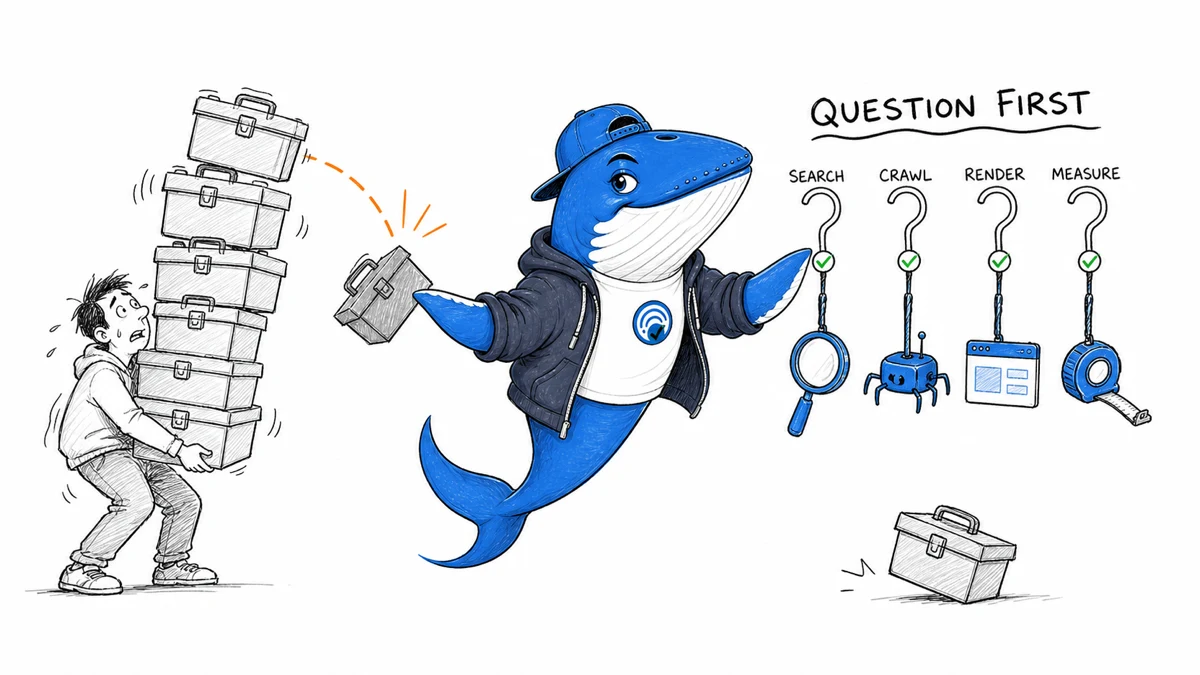
Map Search Console, crawling, browser diagnostics, analytics, and editorial records to the questions they answer. Add a tool only when it closes a documented decision gap.
Updated August 9, 2026: Re-edited around decision ownership, source proximity, and a clearer rule for adding or removing tools.
Build an SEO tool stack by mapping each question to evidence, an owner, and a next action. If two subscriptions produce similar exports but neither changes a decision, the stack is larger—not better.
A lean setup needs five capabilities: observe search demand, inspect the site, diagnose rendered performance, measure on-site behavior, and preserve the editorial record. The specific vendor can change. The decision each capability supports should remain clear.
1. Search Console: how Google Search sees the property
Google Search Console is the first stop for indexing status, sitemap processing, URL inspection, and search-performance observations. It helps answer questions such as:
- Was a representative URL discovered and indexed?
- Which canonical did Google select?
- Which pages and query groups receive impressions or clicks?
- Did performance change near a documented release?
It is not a complete record of every query or a causal experiment platform. Google documents omitted anonymized queries and differences between table and chart totals; performance is also commonly assigned to canonical URLs. Export important comparisons and record those limits in the analysis.
2. A crawler: what the site exposes at scale
A crawler such as Screaming Frog SEO Spider can inventory status codes, redirects, titles, descriptions, headings, canonicals, directives, links, images, and structured data across many URLs. It is particularly useful for template defects and migrations.
A crawler sees what it was configured and allowed to reach. It will not identify an important page that has no link and was absent from the starting data. Combine the crawl with CMS exports, XML sitemaps, analytics landing pages, and the old URL inventory during a migration.
3. Browser diagnostics: what a rendered page actually does
Chrome DevTools and Lighthouse help inspect rendered HTML, network requests, JavaScript work, accessibility signals, and lab performance. They answer questions such as “Which request delayed the main image?” or “What caused this layout shift?”
Lab runs are controlled diagnostics, not field outcomes. Use them to locate a problem and verify a fix. Compare real-user data when the site has enough of it, especially for Core Web Vitals.
4. Analytics: what visitors do after arrival
Google Analytics 4 or another analytics platform helps evaluate landing sessions, acquisition channels, content paths, and defined events. It is the right layer for questions about user behavior on the site, not for confirming whether a URL is indexed.
Define the event before using it. A generic page view rarely proves that a guide solved the reader’s problem. A tool completion, newsletter confirmation, resource download, or meaningful navigation step may be closer to the actual outcome.
5. An editorial workspace: why a page exists
A spreadsheet, database, or repository can hold the evidence tools do not: the page job, audience, source ledger, owner, publication date, update trigger, internal-link intent, and release notes. This is what connects measurement to an editorial decision.
Without a change log, a chart can show movement while leaving the team unable to explain what changed.
The question-to-tool map
| Question | Primary capability | Supporting evidence |
|---|---|---|
| Can search systems access the URL? | URL inspection and direct HTTP checks | Crawl, server logs |
| Is a template producing bad signals? | Site crawler | Rendered browser inspection |
| Why is the page visually slow? | DevTools and Lighthouse | Field performance data |
| How did visitors reach and use it? | Analytics | Search Console, event definitions |
| What did we change and why? | Editorial/change log | Deployment and test records |
How to evaluate an additional tool
Before adding a subscription, write down:
- the decision it will change;
- the evidence unavailable in the current stack;
- the person responsible for acting on it;
- the review date and cancellation condition;
- the export or API path needed to preserve important data.
Run one real workflow from question to decision. Do not judge only the dashboard demo. A capability may be impressive yet irrelevant to the current site.
Common stack failures
- Metric mixing: treating analytics sessions, Search Console clicks, and third-party estimates as interchangeable.
- Duplicate monitoring: paying for several alerts without a response owner.
- Export hoarding: collecting reports without a decision threshold.
- False precision: presenting modeled volumes or scores as measured demand.
- No release record: discovering a change but not knowing what shipped.
Keep a tool only when it closes a documented gap between a question and a decision. Start with first-party sources, add specialized crawling or research capabilities when the gap is real, and remove duplicate evidence layers as the site changes.
Use the small SEO experiment method to connect tools to a test, and the new-site audit to decide which evidence matters first.
Primary product documentation
Keep learning
Continue this topic
Next in this topic
Google Search Console Platform Properties: Measure Instagram, TikTok, X and YouTube
Tools & Workflows
Ask a question or join the discussion