

Turndown
Convert saved HTML to Markdown and inspect the headings and links before sending the document to an AI workflow.
Community support
Upvotes come from SearchEngineAnswer members. GitHub stars and reader reviews are counted separately.
Claim this tool if you maintain it.
- Best for
- Publishing
- Setup required
- Use Node.js and npm. Start with a saved HTML file containing the content you want to convert.
- Costs to check
- This local example uses open-source software and requires no paid service.
- License in catalog
- MIT
Project screenshot
GitHub repository
- GitHub stars
- 11,511
- Forks
- 1,002
- Last push
- 2026-11-04
- Primary language
- JavaScript
GitHub snapshot from . Stars count GitHub bookmarks. Reader ratings appear separately below.
How to install Turndown
-
Create a Node.js project in a working folder and install turndown with npm.
npm install turndown - Save the HTML as article.html and create convert.cjs with the example code.
First tutorial for Turndown
-
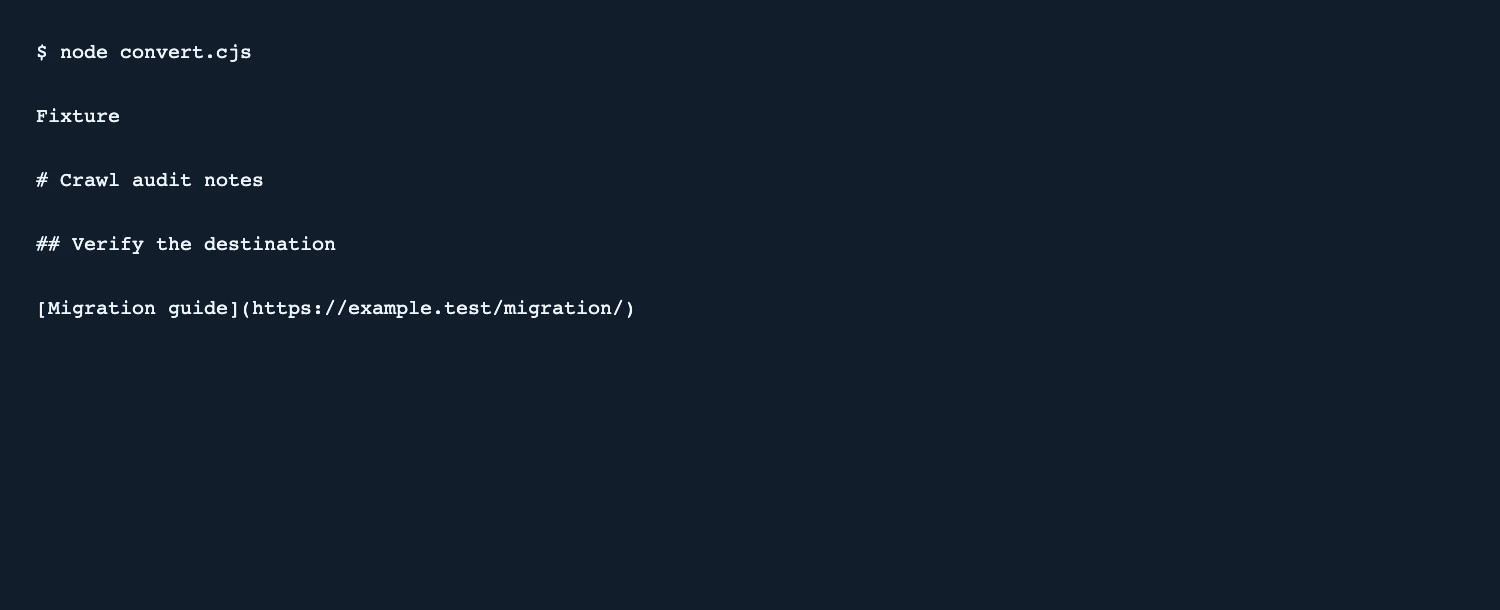
Add two heading levels and one absolute link to article.html. Run node convert.cjs and find both headings and the link in the output.
const fs = require('node:fs'); const TurndownService = require('turndown'); const convert = new TurndownService({headingStyle: 'atx'}); console.log(convert.turndown(fs.readFileSync('article.html', 'utf8'))); - Compare the Markdown link destination with the original href. Check for text from the title or other page areas that should be excluded.
- If you only need article content, extract that HTML before converting. Run the same check again on a second page template.
SearchEngineAnswer verified the Markdown headings and the migration guide URL on a synthetic page. The output also included the fixture’s document title.
Where Turndown fits
Use Turndown when a publishing or AI workflow needs Markdown from a known HTML fragment.
- When to choose another tool
- Use a content extractor or an explicit article selector first when a page includes navigation, banners, or unrelated sections.
- First evaluation
- Convert a sample page with a main heading, a subheading, and a link to a migration guide. Check the Markdown output against the source.
- How to interpret the result
- Verify link destinations and heading levels before ingesting the result. A successful conversion can still carry page titles or other surrounding text.
Reviews and discussion
Reader reviews
Be the first to share your experience with this tool.
Discussion
Ask a question or share a setup tip.
Flag an outdated detail
Include the field that needs updating and a source link. Copy your draft, then use the corrections policy to contact the editorial team.
Write a review or join the discussion