
← Tool directory
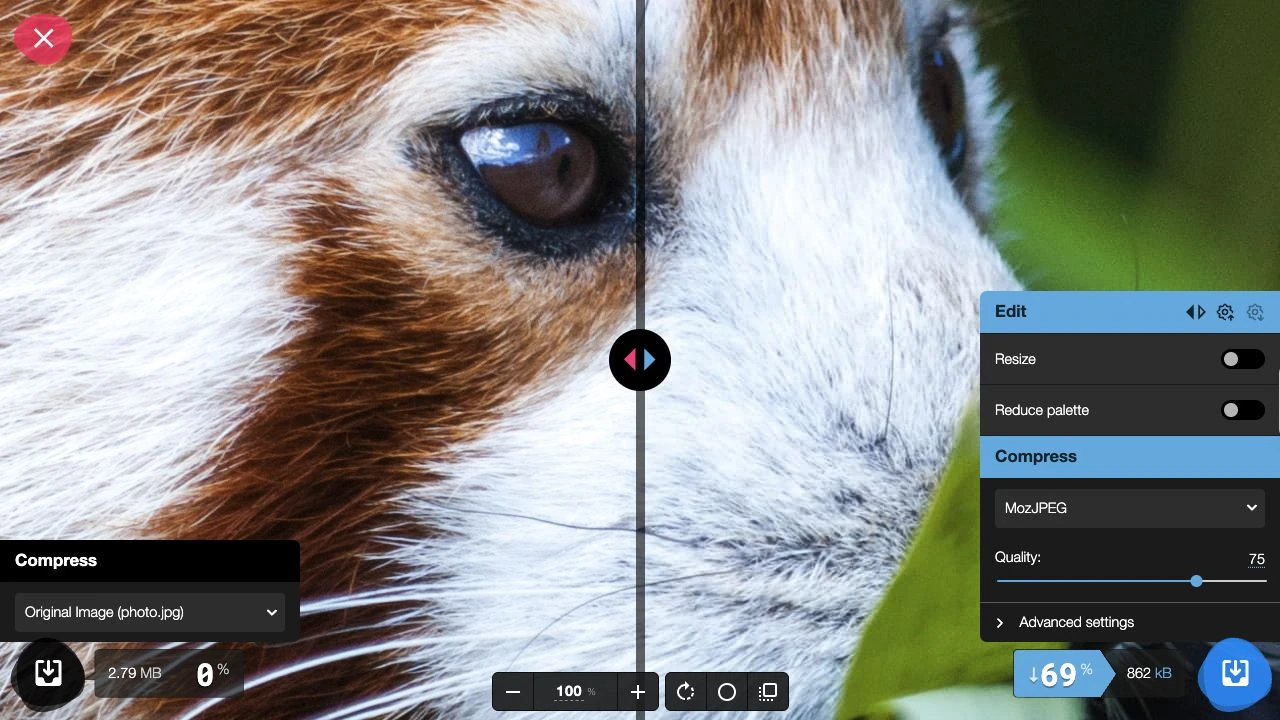
Squoosh demo captured by SearchEngineAnswer ↗
TOOL PROFILE

Squoosh
Compress and resize editorial images in a browser before uploading them to your site.
Open source
Community support
0 upvotesSign in to upvote
Upvotes come from SearchEngineAnswer members. GitHub stars and reader reviews are counted separately.
Claim this tool if you maintain it.
- Best for
- Performance
- Setup required
- Open squoosh.app in a modern browser and use a local copy of the original image.
- Costs to check
- The public web app is free. Image compression runs locally in the browser.
- License in catalog
- Apache-2.0
Project screenshot
GitHub repository
- GitHub stars
- 26,183
- Forks
- 2,213
- Last push
- 2026-10-22
- Primary language
- TypeScript
GitHub snapshot from . Stars count GitHub bookmarks. Reader ratings appear separately below.
How to install Squoosh
- Open https://squoosh.app/ in your browser. The hosted app runs without a local installation.
- Drop an image onto the page and confirm that the original and compressed previews load.
First tutorial for Squoosh
- Choose one hero photo and note its dimensions and file size.
- Select WebP, set your template's output width, and adjust the quality while checking the preview.
- Download the image, upload it to staging, and check the actual image request in the browser's developer tools at desktop and mobile widths.
Where Squoosh fits
Use Squoosh to prepare individual hero images and thumbnails with a visual quality check.
- When to choose another tool
- Use a build pipeline if a large library needs consistent image widths and formats.
- First evaluation
- Compare the original hero image with an exported WebP at the width your template serves.
- How to interpret the result
- Record the saved bytes and inspect the text and edges at the displayed size. Confirm that the CMS serves the intended file.
Reviews and discussion
Reader reviews
Be the first to share your experience with this tool.
Discussion
Ask a question or share a setup tip.
Flag an outdated detail
Include the field that needs updating and a source link. Copy your draft, then use the corrections policy to contact the editorial team.
Write a review or join the discussion