

SEOmator SEO Audit
Compare raw and browser-rendered SEO checks on a release candidate, then export the evidence for review.
Community support
Upvotes come from SearchEngineAnswer members. GitHub stars and reader reviews are counted separately.
Claim this tool if you maintain it.
- Best for
- Site audits
- Setup required
- Install the CLI from npm in a Node.js environment. Add Chromium when you need browser-rendered checks. The command-line audit can export HTML and JSON reports.
- Costs to check
- The repository is MIT-licensed. Local CLI usage needs your own compute and storage. SEOmator’s hosted products are separate.
- License in catalog
- MIT
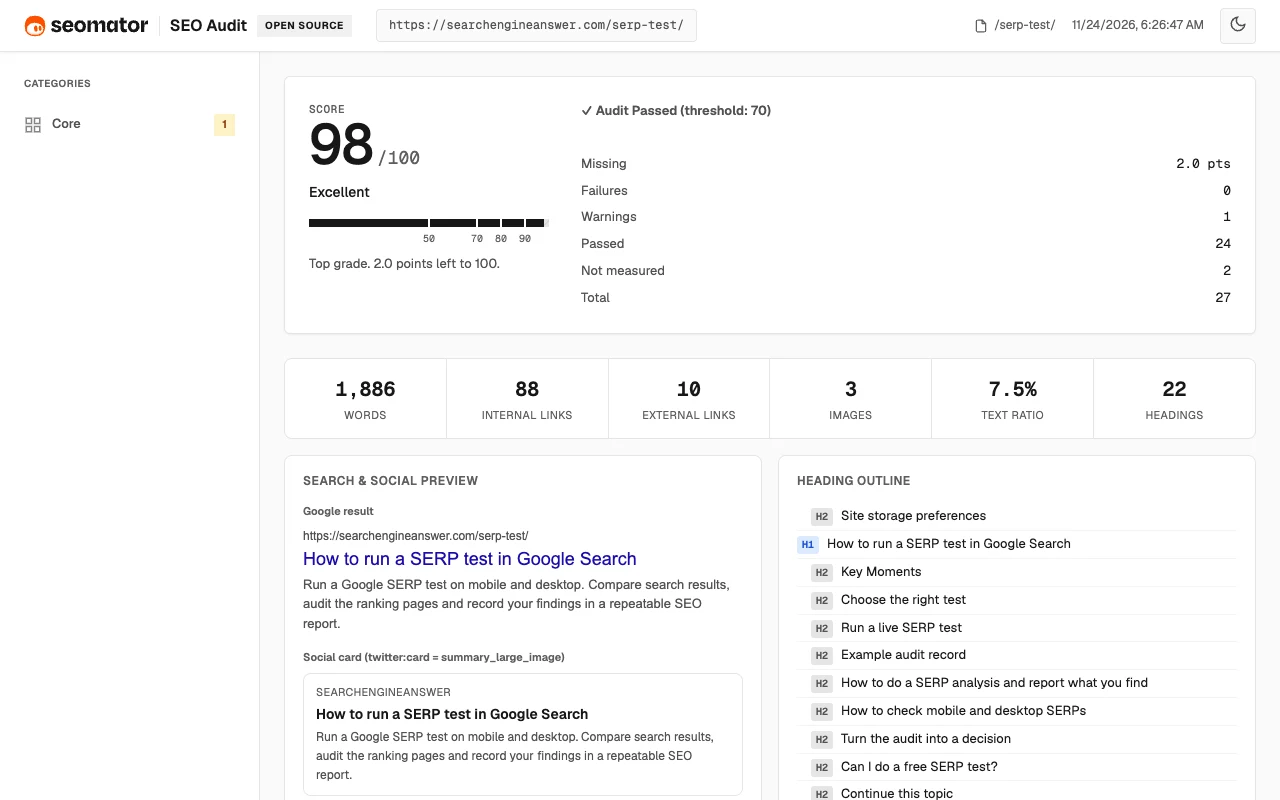
Project screenshot
GitHub repository
- GitHub stars
- 974
- Forks
- 114
- Last push
- 2026-11-19
- Primary language
- TypeScript
GitHub snapshot from . Stars count GitHub bookmarks. Reader ratings appear separately below.
How to install SEOmator SEO Audit
-
Prepare Node.js 20.18.1 or later with npm. Choose a public URL you own or have permission to test.
npm install -g @seomator/seo-audit seomator self doctor npx playwright install chromium - Install the official npm package and run the CLI setup diagnostic. Resolve the missing components it identifies before starting a browser-based audit.
- Install Playwright Chromium for browser-rendered analysis. Confirm that a basic audit can write an HTML report to your working directory.
First tutorial for SEOmator SEO Audit
-
Pick one representative URL. Record the page URL, CLI version and deployment revision so the report can be repeated.
seomator audit https://example.com --no-save --format html -o raw-audit.html seomator audit https://example.com --render --no-save --format html -o rendered-audit.html - Save a default HTML report and a second report with the browser render enabled. Keep the URL, environment and audit categories the same.
- Open the reports and identify one rule whose measured state or evidence differs between modes. Confirm differences in the raw response and rendered document before filing a ticket.
- Repeat after the template fix. A useful result shows the exact changed output and which rule verified it. Save both reports alongside the release record.
Replace example.com with a page you are authorized to test. The browser comparison is a proposed evaluation. The two reports may measure different rules.
Where SEOmator SEO Audit fits
Use SEOmator when engineering and SEO need the same evidence from a small set of release-critical URLs. A saved HTML report lets a teammate review the rule that fired and the detail behind it.
- When to choose another tool
- Choose an inventory crawler when the job is to map a large website or find every instance of a template defect. Use Search Console when you need Google’s observed indexing status or query performance.
- First evaluation
- Run the same article or product page in the default fetch and browser-rendered modes. Compare the rule details for the title, canonical declaration and indexability. Open the source HTML and rendered DOM alongside the reports.
- How to interpret the result
- Check which rules ran and which were unmeasured before comparing scores. One browser run is lab evidence. A successful local audit establishes neither Google indexing nor field Core Web Vitals.
Reviews and discussion
Reader reviews
Be the first to share your experience with this tool.
Discussion
Ask a question or share a setup tip.
Flag an outdated detail
Include the field that needs updating and a source link. Copy your draft, then use the corrections policy to contact the editorial team.
Write a review or join the discussion