

SEO Crawl Audit
Save a technical SEO crawl and check a later deployment for new indexing and metadata issues.
Community support
Upvotes come from SearchEngineAnswer members. GitHub stars and reader reviews are counted separately.
Claim this tool if you maintain it.
- Best for
- Site audits
- Setup required
- Install the npm CLI on Node.js 20.19 or later. Start with HTTP fetching and add the optional Playwright renderer when the pages require scripts.
- Costs to check
- The MIT-licensed CLI runs locally. Browser rendering and large crawls add compute and storage requirements.
- License in catalog
- MIT
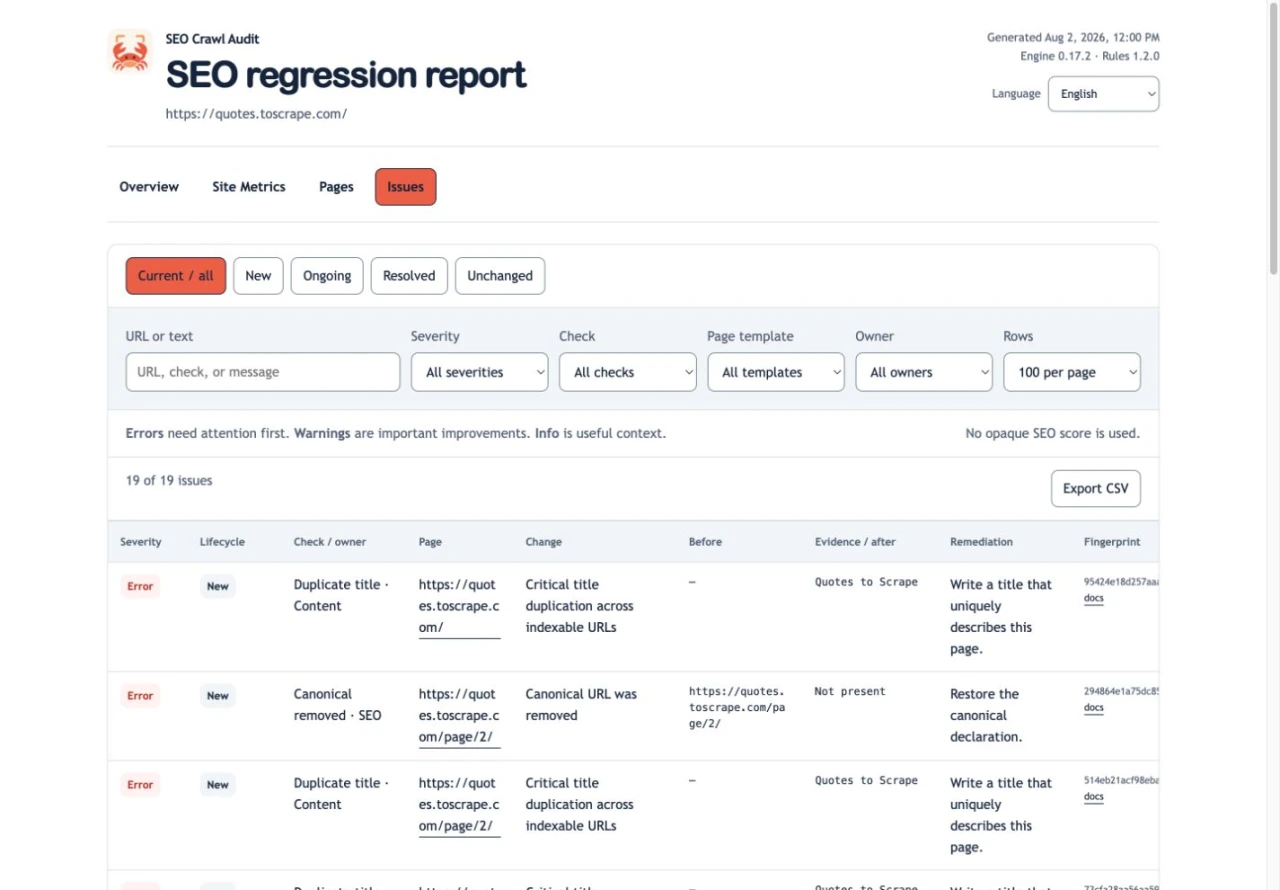
Project screenshot

GitHub repository
- GitHub stars
- 1
- Forks
- 1
- Last push
- 2026-11-15
- Primary language
- JavaScript
GitHub snapshot from . Stars count GitHub bookmarks. Reader ratings appear separately below.
How to install SEO Crawl Audit
-
Install Node.js 20.19 or later with npm. Open a clean working directory for the crawl artifacts.
npm install --global seo-crawl-audit seo-audit --version seo-audit doctor https://staging.example.com/qa/ --offline - Install seo-crawl-audit from npm and confirm the reported version. Run the offline doctor command to check the local setup.
First tutorial for SEO Crawl Audit
-
Replace the illustrative staging address with a directory you control. Put five linked fixture pages in that directory and start from its index page.
seo-audit scan https://staging.example.com/qa/ --no-sitemap --pages 5 --output baseline.json --report baseline.html seo-audit check https://staging.example.com/qa/ --no-sitemap --pages 5 --baseline baseline.json --report changes.html - Scan five pages with sitemap discovery disabled. Save the JSON baseline and keep a copy of the checked URL list before changing any fixture.
- Remove the title from one fixture page. Run a baseline check on the same directory and page limit, and find the affected URL in the changes report. Restore the title and repeat the check.
The npm package and offline setup check were verified locally. The staging comparison is a procedure for your own fixture.
Where SEO Crawl Audit fits
This CLI fits a release engineer who needs a versioned crawl baseline and an HTML report of new findings after a change.
- When to choose another tool
- Choose single-page inspection when you need to show exactly what one crawler sees on one JavaScript-rendered route.
- First evaluation
- Use a controlled five-page staging section. Save a baseline, remove a title from one fixture page, and check the same section again.
- How to interpret the result
- Look for a new finding tied to that URL and verify the returned HTML. Partial scans can miss affected pages, so compare the checked URL lists before acting on the diff.
Reviews and discussion
Reader reviews
Be the first to share your experience with this tool.
Discussion
Ask a question or share a setup tip.
Flag an outdated detail
Include the field that needs updating and a source link. Copy your draft, then use the corrections policy to contact the editorial team.
Write a review or join the discussion