

ripgrep
Find noindex directives in generated HTML before a static site release.
Community support
Upvotes come from SearchEngineAnswer members. GitHub stars and reader reviews are counted separately.
Claim this tool if you maintain it.
- Best for
- Site audits
- Setup required
- Use a terminal and a local build directory. Install ripgrep for your platform and confirm the generated HTML is available.
- Costs to check
- The open-source tool runs locally. This workflow requires no paid service.
- License in catalog
- MIT
Project screenshot
GitHub repository
- GitHub stars
- 69,932
- Forks
- 3,467
- Last push
- 2026-11-09
- Primary language
- Rust
GitHub snapshot from . Stars count GitHub bookmarks. Reader ratings appear separately below.
How to install ripgrep
-
Install ripgrep with Homebrew on macOS or use your platform’s package manager.
brew install ripgrep - Run rg --version. Build your site and identify the output directory, such as dist.
First tutorial for ripgrep
-
Make a two-page sample build. Give article.html a noindex robots directive and guide.html an index directive.
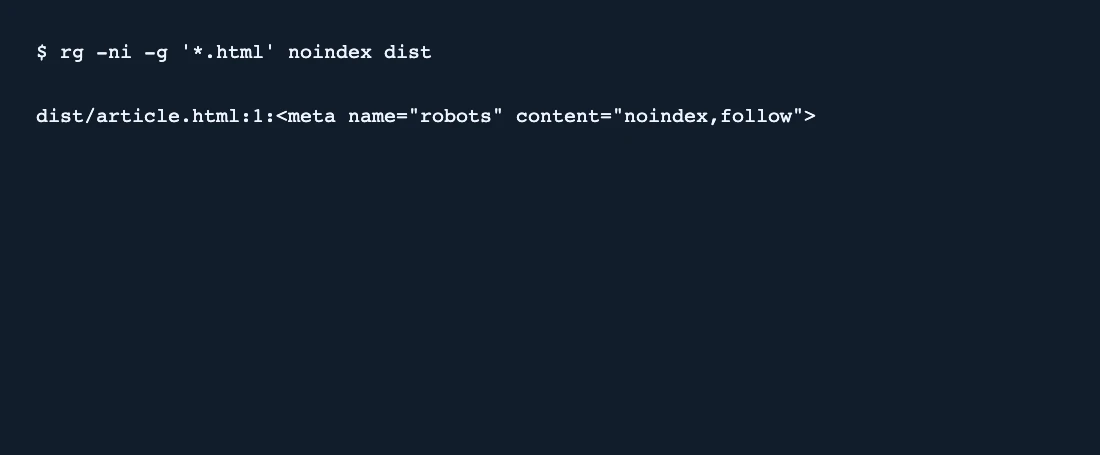
rg -ni -g '*.html' noindex dist - Run the example against the dist folder. Confirm that it identifies article.html and shows the matching line.
- Check the live URL’s rendered robots tag and X-Robots-Tag header after deployment. Run rg --files dist if you need to inspect which files the search can see.
SearchEngineAnswer verified one match in the two-page sample. The project offers MIT and Unlicense terms. Text matching is a quick preflight for built files.
Where ripgrep fits
Use ripgrep to locate literal indexing directives across many generated pages before a release.
- When to choose another tool
- Use an HTTP or browser audit when indexing controls can come from response headers or client-side changes.
- First evaluation
- Put a robots meta tag containing noindex in one generated page and a tag containing index in a second page. Run the scan and confirm the first page is the only match.
- How to interpret the result
- Inspect each matching line in context. A mention in article copy is different from a robots directive, and ignored or hidden files may be skipped by default.
Reviews and discussion
Reader reviews
Be the first to share your experience with this tool.
Discussion
Ask a question or share a setup tip.
Flag an outdated detail
Include the field that needs updating and a source link. Copy your draft, then use the corrections policy to contact the editorial team.
Write a review or join the discussion