
← Tool directory
Source documentation ↗
TOOL PROFILE

RDFLib
Parse RDF and query structured data graphs from Python.
Open source
Community support
0 upvotesSign in to upvote
Upvotes come from SearchEngineAnswer members. GitHub stars and reader reviews are counted separately.
Claim this tool if you maintain it.
- Best for
- Structured data
- Setup required
- A Python environment and a package version compatible with your runtime.
- Costs to check
- Local graph processing is open source. Budget for memory on large datasets.
- License in catalog
- BSD-3-Clause
Project screenshot
GitHub repository
- GitHub stars
- 2,550
- Forks
- 631
- Last push
- 2026-11-09
- Primary language
- Python
GitHub snapshot from . Stars count GitHub bookmarks. Reader ratings appear separately below.
How to install RDFLib
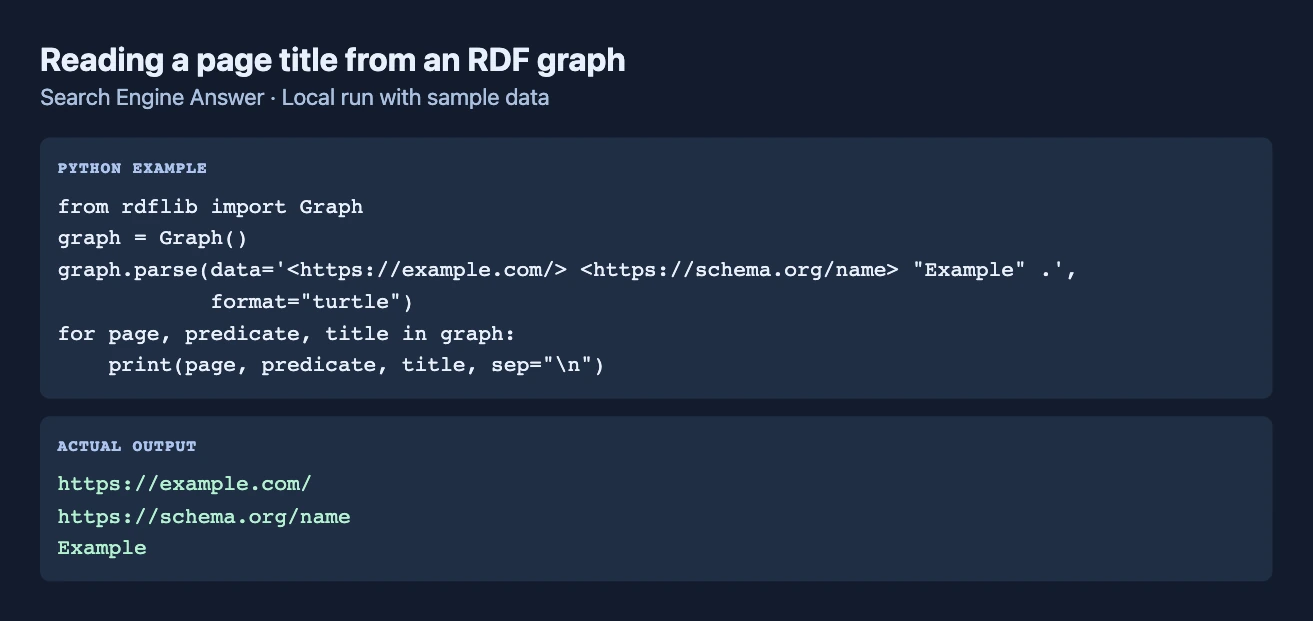
- Create a Python virtual environment and install rdflib with pip.
- Import Graph from rdflib and prepare a JSON-LD fixture with an inline context and one Article node.
First tutorial for RDFLib
- Parse the fixture with the JSON-LD format and query for the article's headline predicate.
- Change the fixture headline and repeat the query to verify that the result reflects the revised graph.
Where RDFLib fits
Use it to write repeatable checks for expected entities and relationships in JSON-LD fixtures.
- When to choose another tool
- Use a search engine's feature validator when checking eligibility for a specific presentation.
- First evaluation
- Load an article graph fixture and query for the expected headline on the article node.
- How to interpret the result
- A matching graph confirms the modeled relationship in the fixture. It does not establish search eligibility.
Reviews and discussion
Reader reviews
Be the first to share your experience with this tool.
Discussion
Ask a question or share a setup tip.
Flag an outdated detail
Include the field that needs updating and a source link. Copy your draft, then use the corrections policy to contact the editorial team.
Write a review or join the discussion