

jq CLI
Extract URLs with missing canonical values from a saved JSON crawl export.
Community support
Upvotes come from SearchEngineAnswer members. GitHub stars and reader reviews are counted separately.
Claim this tool if you maintain it.
- Best for
- Reporting
- Setup required
- Use a shell and a JSON export containing an array of URL records. The sample uses a canonical field that contains a URL, null, or an empty string.
- Costs to check
- jq is MIT-licensed and runs locally. Its bundled decimal arithmetic code has separate ICU license terms.
- License in catalog
- MIT
Project screenshot
GitHub repository
- GitHub stars
- 36,132
- Forks
- 2,342
- Last push
- 2026-11-02
- Primary language
- C
GitHub snapshot from . Stars count GitHub bookmarks. Reader ratings appear separately below.
How to install jq CLI
-
Install jq through your operating system’s package manager or download the matching binary from the project.
brew install jq - Run jq --version, then save the JSON export as crawl.json in the current directory.
First tutorial for jq CLI
-
Create records for https://example.test/a, /b, and /c using full URLs. Give each record url and canonical fields. Use a self-referencing canonical for /a, null for /b, and an empty string for /c.
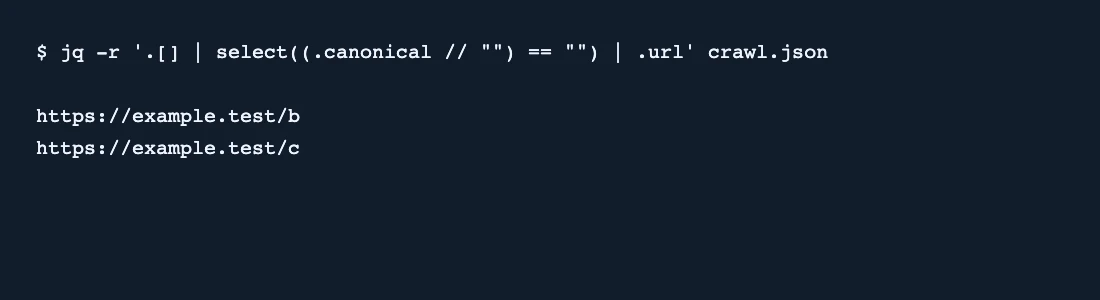
jq -r '.[] | select((.canonical // "") == "") | .url' crawl.json - Run the example. The output should contain the full URLs for /b and /c, one per line.
- Check whether your crawler uses the same field names. Adjust the filter for your export format and verify flagged URLs against the rendered HTML.
SearchEngineAnswer verified the two expected URLs with jq 1.8.1 on a synthetic crawl. The filter treats absent or null canonical values as empty. It does not check whether a nonempty canonical points to the correct page.
Where jq CLI fits
Choose jq for a repeatable JSON filter that you can reuse on exports from crawlers or custom scripts.
- When to choose another tool
- Use a crawler to collect current canonical tags, or a database to join several large exports by URL.
- First evaluation
- Run the filter on three sample records. Give one a canonical URL, set the second to null, and leave the third as an empty string.
- How to interpret the result
- Two output URLs confirm that the filter catches both empty forms in the sample. Check the crawler’s extraction settings and inspect the rendered page before classifying an issue.
Reviews and discussion
Reader reviews
Be the first to share your experience with this tool.
Discussion
Ask a question or share a setup tip.
Flag an outdated detail
Include the field that needs updating and a source link. Copy your draft, then use the corrections policy to contact the editorial team.
Write a review or join the discussion