
← Tool directory
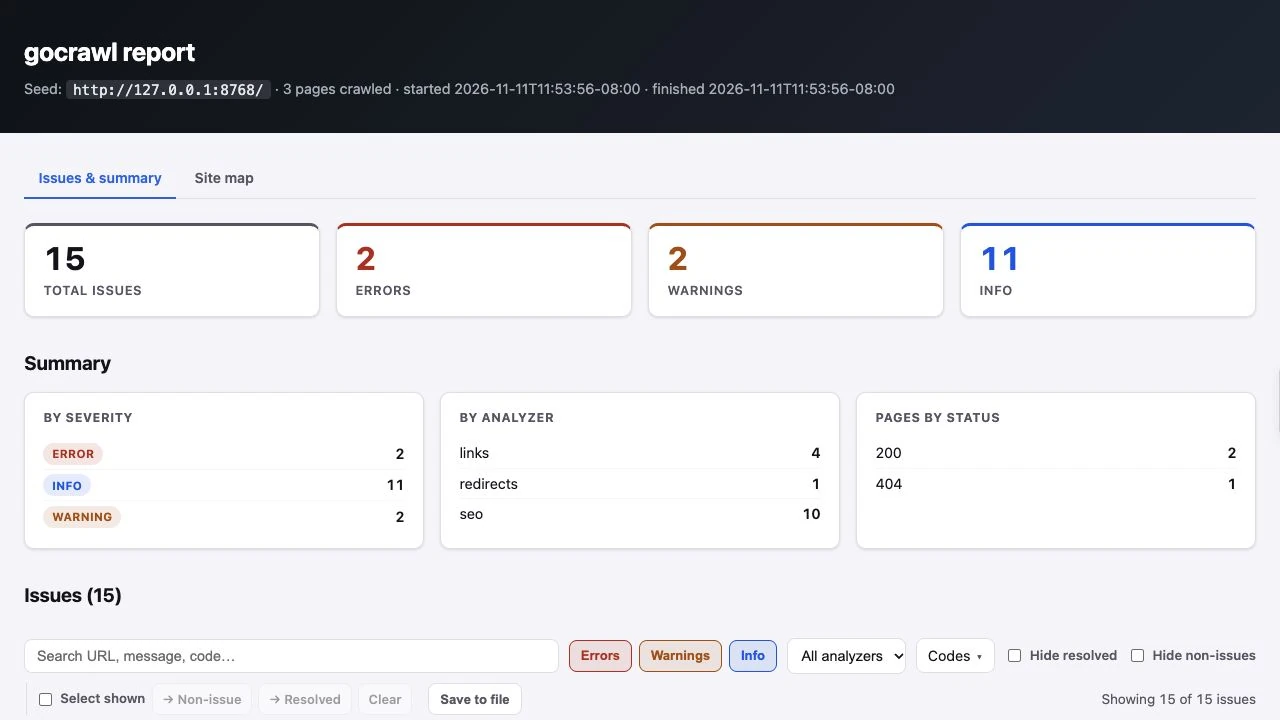
gocrawl report from a local test site ↗
TOOL PROFILE
gocrawl
Run bounded technical SEO crawls and export findings as JSON, CSV, or HTML.
Open source
Community support
0 upvotesSign in to upvote
Upvotes come from SearchEngineAnswer members. GitHub stars and reader reviews are counted separately.
Claim this tool if you maintain it.
- Best for
- Crawling
- Setup required
- Install Go 1.27 or newer for the documented source install. Headless rendering also requires a supported Chromium browser.
- Costs to check
- MIT-licensed code. Larger or rendered crawls consume compute and network resources.
- License in catalog
- MIT
Project screenshot
GitHub repository
- GitHub stars
- 3
- Forks
- 0
- Last push
- 2026-11-10
- Primary language
- Go
GitHub snapshot from . Stars count GitHub bookmarks. Reader ratings appear separately below.
How to install gocrawl
-
Install Go 1.27 or newer on Windows, macOS, or Linux.
go install github.com/Patience-dot-devl/gocrawl/cmd/gocrawl@latest - Run the installation command and put the Go binary directory on PATH. Run gocrawl in an interactive terminal to confirm the menu opens.
First tutorial for gocrawl
-
Choose a staging site you manage. Add a broken link and a redirecting link to a page reachable from the crawl seed.
gocrawl crawl https://example.com --depth 1 --max-pages 20 --concurrency 2 --rate 1 --respect-robots --analyzers seo,links,redirects --format html --out report.html - Replace the example URL with your staging URL. Run the example command with its crawl cap, rate limit, and robots handling.
- Open the HTML report, find the two test destinations, and confirm the status of each independently. Fix the broken link and repeat the same crawl.
Where gocrawl fits
Use gocrawl when a technical SEO audit needs a repeatable command and an export that teammates can inspect.
- When to choose another tool
- Choose a desktop crawler if teammates need to configure and investigate crawls without a command line.
- First evaluation
- Create a staging page with one broken internal link and one link that redirects to a working page. Crawl it with the links and redirects analyzers.
- How to interpret the result
- Check both destinations directly and compare their HTTP responses with the report. A capped crawl describes only the URLs it reached.
Reviews and discussion
Reader reviews
Be the first to share your experience with this tool.
Discussion
Ask a question or share a setup tip.
Flag an outdated detail
Include the field that needs updating and a source link. Copy your draft, then use the corrections policy to contact the editorial team.
Write a review or join the discussion