
← Tool directory
Source documentation ↗
TOOL PROFILE
GEO Doctor
Organize AI visibility checks and prepare source-backed fact cards before drafting content.
Open source
Community support
0 upvotesSign in to upvote
Upvotes come from SearchEngineAnswer members. GitHub stars and reader reviews are counted separately.
Claim this tool if you maintain it.
- Best for
- Agent skills
- Setup required
- A supported skill-capable client. Optional command-line or sampling features have separate dependencies.
- Costs to check
- Check assistant or API costs if you choose external sampling. A local fact review requires no paid sampling.
- License in catalog
- MIT
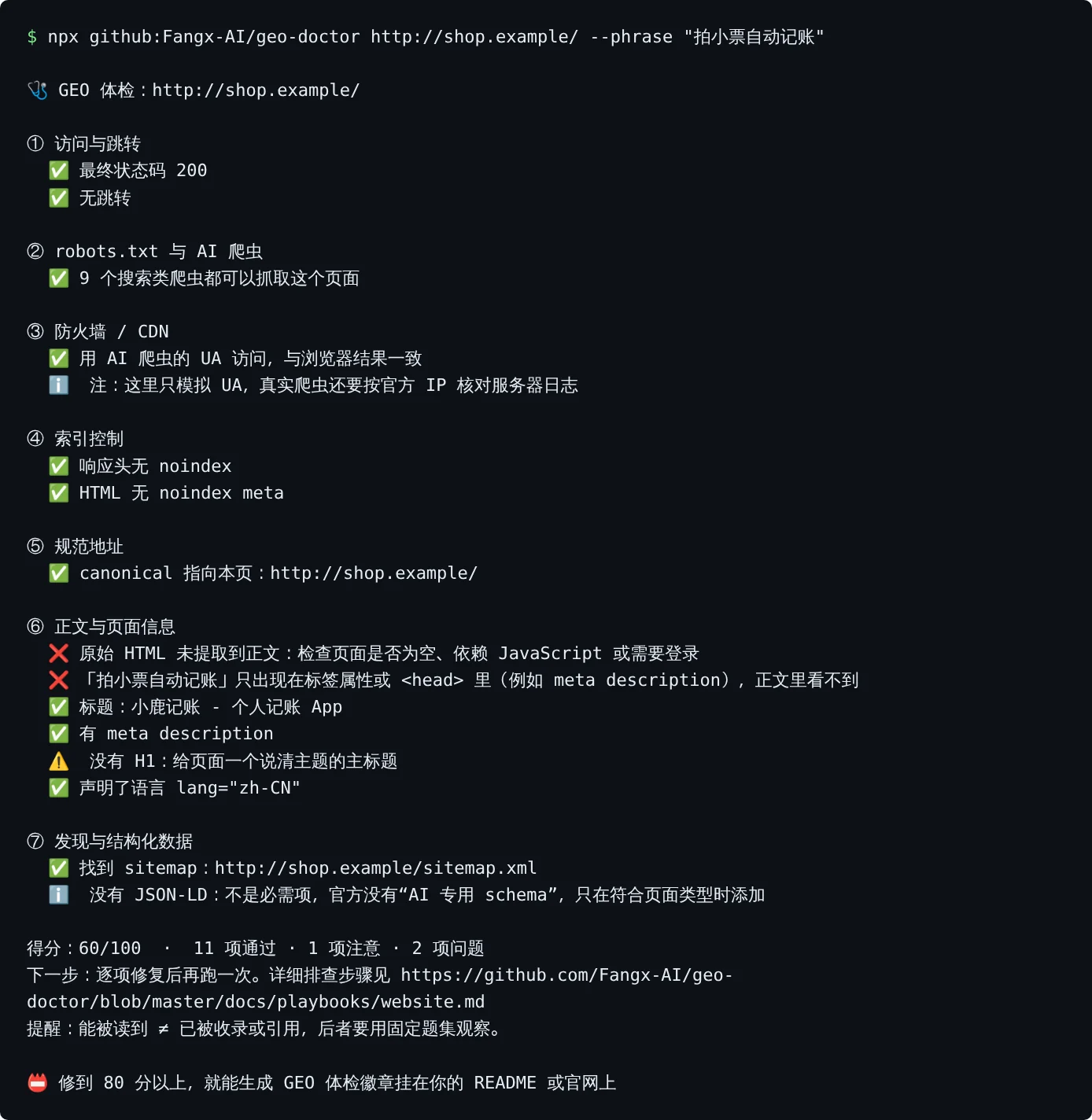
Project screenshot

GitHub repository
- GitHub stars
- 563
- Forks
- 119
- Last push
- 2026-11-09
- Primary language
- JavaScript
GitHub snapshot from . Stars count GitHub bookmarks. Reader ratings appear separately below.
How to install GEO Doctor
- In Claude Code add the Fangx-AI/geo-doctor marketplace using the documented plugin command.
- Install geo-doctor@geo-doctor and start with public source material you can verify.
First tutorial for GEO Doctor
- Ask the skill for a fact card for one product using two official public pages and no publishing actions.
- Open the cited pages and reject any fact you cannot trace to the supplied text.
Where GEO Doctor fits
Use it when an AI visibility project needs a fact inventory tied to original sources before drafting.
- When to choose another tool
- Use direct traffic reports when your question is whether a channel produced actual site visits.
- First evaluation
- Give the skill two public source pages and ask it to trace a short list of facts to those pages.
- How to interpret the result
- Treat a sourced fact card as editorial evidence. A small set of AI responses cannot establish population-wide visibility.
Reviews and discussion
Reader reviews
Be the first to share your experience with this tool.
Discussion
Ask a question or share a setup tip.
Flag an outdated detail
Include the field that needs updating and a source link. Copy your draft, then use the corrections policy to contact the editorial team.
Write a review or join the discussion