
← Tool directory
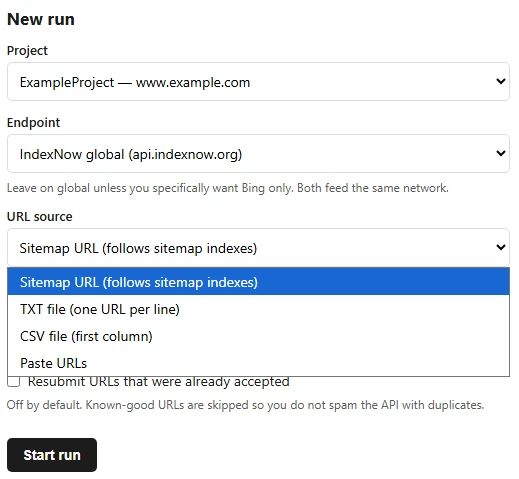
New run screen from the project documentation ↗
TOOL PROFILE
IndexNow Tool by dawid.ai
Submit changed URLs through IndexNow and keep a local record of accepted and failed requests.
Open source
Community support
0 upvotesSign in to upvote
Upvotes come from SearchEngineAnswer members. GitHub stars and reader reviews are counted separately.
Claim this tool if you maintain it.
- Best for
- Publishing
- Setup required
- Use Python 3.10 or newer with pipx, or use the project’s Docker Compose setup. You need control of the site where the key file will be published.
- Costs to check
- MIT-licensed software. Self-hosting and maintaining submission records may require operating resources.
- License in catalog
- MIT
Project screenshot
GitHub repository
- GitHub stars
- 0
- Forks
- 0
- Last push
- 2026-09-29
- Primary language
- Python
GitHub snapshot from . Stars count GitHub bookmarks. Reader ratings appear separately below.
How to install IndexNow Tool by dawid.ai
-
Install Python 3.10 or newer and pipx, then install the package with the documented command.
pipx install indexnow-tool - Run indexnow and open the local address it prints. Add a project with your site’s host and an IndexNow key.
First tutorial for IndexNow Tool by dawid.ai
- Publish the matching key file at the site root and use Verify key in the project.
- Open Submit, select the project, and paste one changed URL from that host. Run the submission and record its result.
- Review the run history and confirm that the URL and status are recorded. Investigate a failed verification or submission before sending additional URLs.
The test sends a real change notification. Use a URL you manage that has actually changed.
Where IndexNow Tool by dawid.ai fits
Use this tool when you manage several sites and need a submission history for changed URLs.
- When to choose another tool
- Use your CMS integration if it already sends accurate change notifications and provides the logs you need.
- First evaluation
- Verify the key on a site you own, submit one genuinely changed URL, and inspect the recorded response before adding bulk automation.
- How to interpret the result
- An accepted request records delivery to the endpoint. Verify crawling and indexing separately using the participating search engine’s tools.
Reviews and discussion
Reader reviews
Be the first to share your experience with this tool.
Discussion
Ask a question or share a setup tip.
Flag an outdated detail
Include the field that needs updating and a source link. Copy your draft, then use the corrections policy to contact the editorial team.
Write a review or join the discussion