
← Tool directory
Source documentation ↗
TOOL PROFILE

CrawlObserver
Run technical site crawls and inspect metadata, links, and indexability in a local interface.
Open source
Community support
0 upvotesSign in to upvote
Upvotes come from SearchEngineAnswer members. GitHub stars and reader reviews are counted separately.
Claim this tool if you maintain it.
- Best for
- Crawling
- Setup required
- A supported desktop release or a source build. Windows setup uses Docker for ClickHouse.
- Costs to check
- The crawler is open source. Budget for local storage and compute on larger sites.
- License in catalog
- AGPL-3.0
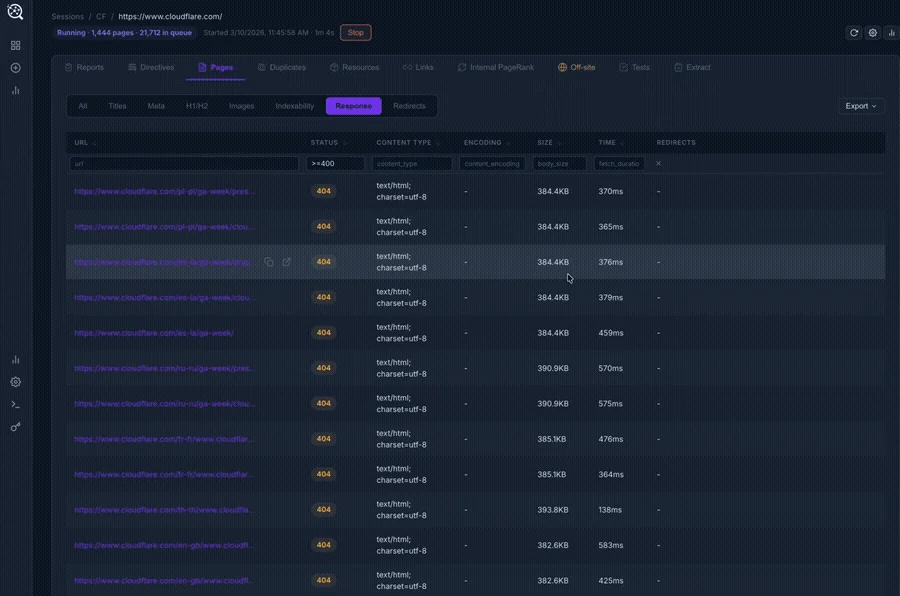
Project screenshot

GitHub repository
- GitHub stars
- 21
- Forks
- 11
- Last push
- 2026-09-17
- Primary language
- Go
GitHub snapshot from . Stars count GitHub bookmarks. Reader ratings appear separately below.
How to install CrawlObserver
- Download the macOS DMG from the upstream release page or follow the setup instructions for your operating system.
- Launch CrawlObserver and finish its local setup wizard before creating a crawl.
First tutorial for CrawlObserver
- Crawl a small staging section and locate a URL with an intentional redirect.
- Compare the redirect and canonical targets with the server response and the served HTML.
Where CrawlObserver fits
Use it when you want a desktop crawl report and need to inspect more than one technical signal per page.
- When to choose another tool
- Use a small raw HTTP script when your entire task is to verify status codes for a known URL list.
- First evaluation
- Crawl a staging section with a known redirect and a page with a canonical pointing elsewhere.
- How to interpret the result
- Compare the reported targets with raw responses and HTML. Crawl findings depend on the selected scope.
Reviews and discussion
Reader reviews
Be the first to share your experience with this tool.
Discussion
Ask a question or share a setup tip.
Flag an outdated detail
Include the field that needs updating and a source link. Copy your draft, then use the corrections policy to contact the editorial team.
Write a review or join the discussion