
← Tool directory
Source documentation ↗
TOOL PROFILE

Crawl4AI
Extract browser-rendered page content for repeatable inspection in Python.
Open source
Community support
0 upvotesSign in to upvote
Upvotes come from SearchEngineAnswer members. GitHub stars and reader reviews are counted separately.
Claim this tool if you maintain it.
- Best for
- Crawling
- Setup required
- Python, a virtual environment, and the browser dependencies installed by the setup command.
- Costs to check
- Budget for browser runtime. Optional model-driven features may have separate costs.
- License in catalog
- Apache-2.0
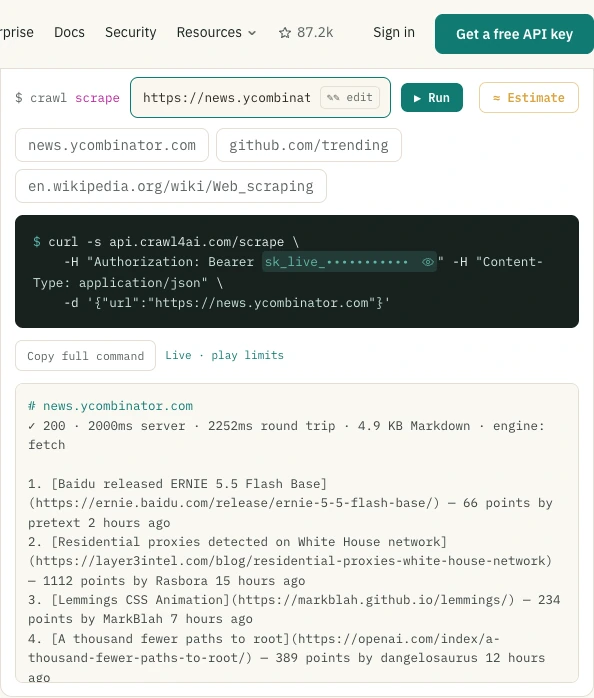
Project screenshot
GitHub repository
- GitHub stars
- 87,148
- Forks
- 9,081
- Last push
- 2026-11-09
- Primary language
- Python
GitHub snapshot from . Stars count GitHub bookmarks. Reader ratings appear separately below.
How to install Crawl4AI
- Create a Python virtual environment and install crawl4ai with pip install -U crawl4ai.
- Run crawl4ai-setup to install the browser, then use the upstream AsyncWebCrawler example in a test script.
First tutorial for Crawl4AI
- Run the crawler against one staging article with a distinctive heading and a known body sentence.
- Inspect the Markdown output and verify that both appear. Record missing text and the conditions used to render the page.
Where Crawl4AI fits
Use it to audit the text visible after rendering across a small group of article templates.
- When to choose another tool
- Use raw HTTP tools when the question is the exact response status, headers or original source markup.
- First evaluation
- Crawl one public staging page and compare its extracted Markdown with the article in a browser.
- How to interpret the result
- Text extraction depends on rendering and extraction settings. Confirm absences in the browser before reporting a site issue.
Reviews and discussion
Reader reviews
Be the first to share your experience with this tool.
Discussion
Ask a question or share a setup tip.
Flag an outdated detail
Include the field that needs updating and a source link. Copy your draft, then use the corrections policy to contact the editorial team.
Write a review or join the discussion