
← Tool directory
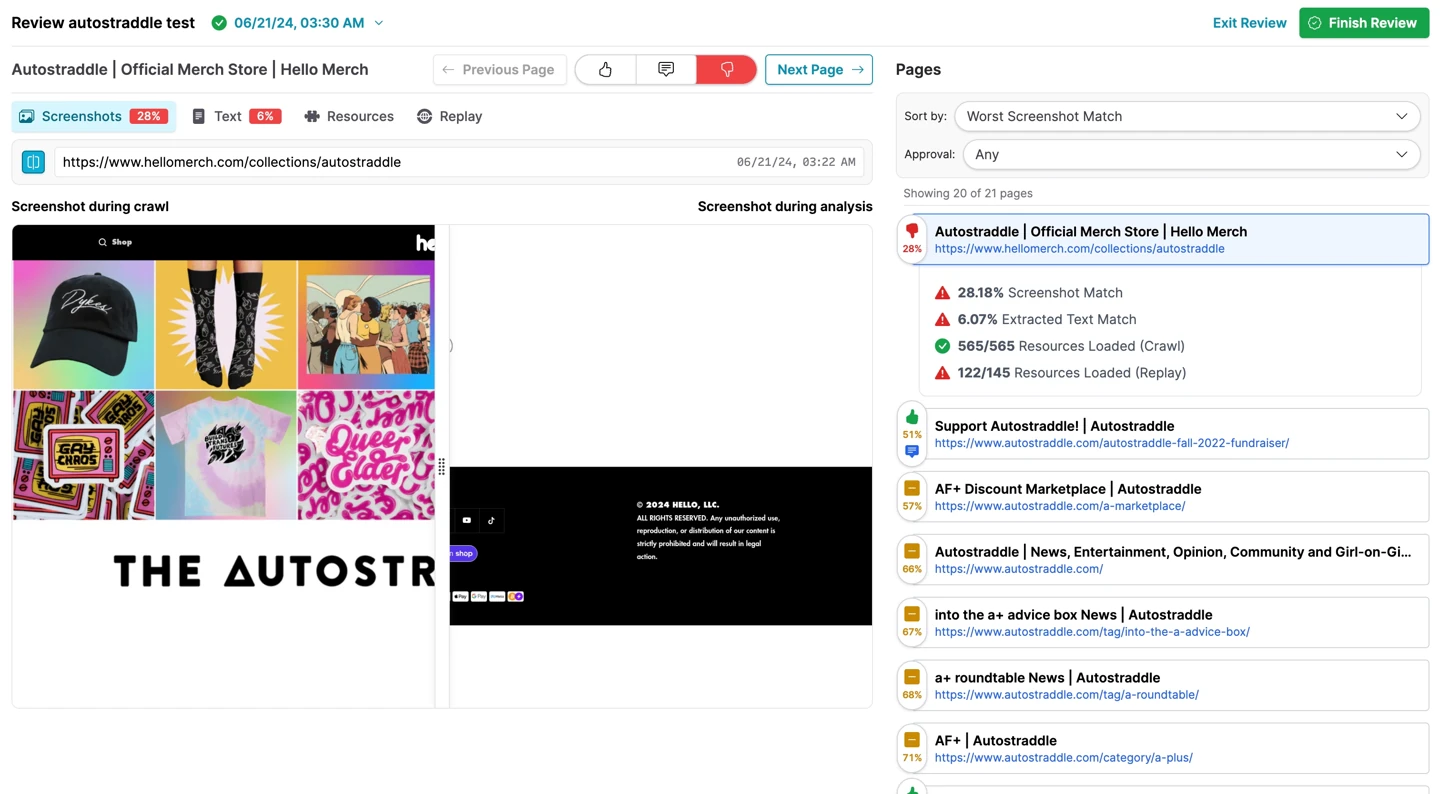
Webrecorder’s hosted Browsertrix crawl review ↗
TOOL PROFILE

Browsertrix Crawler
Capture browser-rendered pages in a replayable archive before a website migration.
Open source
Community support
0 upvotesSign in to upvote
Upvotes come from SearchEngineAnswer members. GitHub stars and reader reviews are counted separately.
Claim this tool if you maintain it.
- Best for
- Crawling
- Setup required
- Install Docker and reserve a local directory for archive output.
- Costs to check
- The crawler is open source. Archives consume storage and browser crawls use CPU and memory.
- License in catalog
- AGPL-3.0
Project screenshot
GitHub repository
- GitHub stars
- 1,192
- Forks
- 156
- Last push
- 2026-11-11
- Primary language
- TypeScript
GitHub snapshot from . Stars count GitHub bookmarks. Reader ratings appear separately below.
How to install Browsertrix Crawler
-
Install and start Docker, then pull the upstream Browsertrix Crawler image.
docker pull webrecorder/browsertrix-crawler - Run the example from a writable directory. For repeatable runs, use the same published image tag.
First tutorial for Browsertrix Crawler
-
Replace the example URL with an authorized crawl seed. Keep the page limit and choose a fresh collection name for each capture.
docker run --rm -it -v "$(pwd)/crawls:/crawls/" webrecorder/browsertrix-crawler crawl --url https://example.com/ --limit 10 --generateWACZ --collection migration-baseline - Open the generated WACZ file in ReplayWeb.page and inspect the seed and other captured pages.
- Record which URLs and elements replay correctly, then capture the same section again after the migration.
Where Browsertrix Crawler fits
Use Browsertrix Crawler to preserve what selected pages displayed before a migration.
- When to choose another tool
- Use a technical SEO crawler when you need a sitewide inventory of status codes, canonicals, and indexability.
- First evaluation
- Capture a small public section of a staging site with a ten-page limit and replay the resulting archive.
- How to interpret the result
- Confirm that important text, navigation, and images replay as expected. Log any gaps before treating the archive as a baseline.
Reviews and discussion
Reader reviews
Be the first to share your experience with this tool.
Discussion
Ask a question or share a setup tip.
Flag an outdated detail
Include the field that needs updating and a source link. Copy your draft, then use the corrections policy to contact the editorial team.
Write a review or join the discussion