

ast-grep
Find TypeScript metadata objects that set index to false before reviewing a release.
Community support
Upvotes come from SearchEngineAnswer members. GitHub stars and reader reviews are counted separately.
Claim this tool if you maintain it.
- Best for
- Site audits
- Setup required
- Use a local source checkout and a shell. This example targets TypeScript files in an app directory. The Homebrew command is for macOS.
- Costs to check
- The tool is open source and runs locally. The sample requires no account or hosted service.
- License in catalog
- MIT
Project screenshot
GitHub repository
- GitHub stars
- 16,589
- Forks
- 500
- Last push
- 2026-11-13
- Primary language
- Rust
GitHub snapshot from . Stars count GitHub bookmarks. Reader ratings appear separately below.
How to install ast-grep
-
Install ast-grep with Homebrew on macOS or choose a documented package for your platform.
brew install ast-grep - Run ast-grep --version and open a local checkout that contains TypeScript route files.
First tutorial for ast-grep
-
Create app/article.ts with an exported metadata object containing robots: { index: false, follow: true }. Add app/guide.ts with the same structure and index set to true.
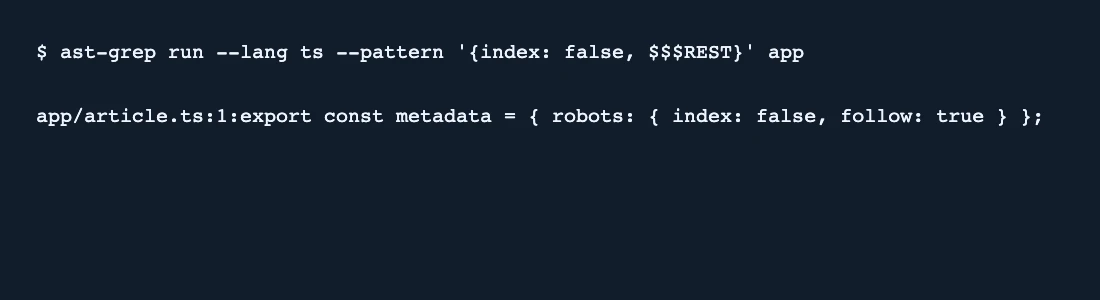
ast-grep run --lang ts --pattern '{index: false, $$$REST}' app - Run the example command. It should print app/article.ts and omit app/guide.ts.
- Review the matching object in context. Load the affected route and inspect its rendered robots meta tag and X-Robots-Tag header before changing an indexing rule.
SearchEngineAnswer tested the example with ast-grep 0.51.2 and got one matching file. The search is read-only. It can miss flags that are computed, imported, or configured outside the files being searched.
Where ast-grep fits
Use ast-grep when indexability flags are set in source and you need a structured search across TypeScript route files.
- When to choose another tool
- Use a browser or crawler to verify deployed robots tags and response headers. Runtime logic, route overrides, and proxy rules can change the result.
- First evaluation
- Create two files with robots metadata. Set index to false in one and true in the other, then run the object pattern against both files.
- How to interpret the result
- A single matching file confirms the sample. Inspect other matches in context because an unrelated object can use the same property and the query does not resolve dynamic metadata.
Reviews and discussion
Reader reviews
Be the first to share your experience with this tool.
Discussion
Ask a question or share a setup tip.
Flag an outdated detail
Include the field that needs updating and a source link. Copy your draft, then use the corrections policy to contact the editorial team.
Write a review or join the discussion