Discovered—Currently Not Indexed: New-Page Guide
Diagnose discovered currently not indexed with crawl logs, canonical checks, cohort evidence and a six-artifact case file that separates normal Googlebot from inspection fetches.
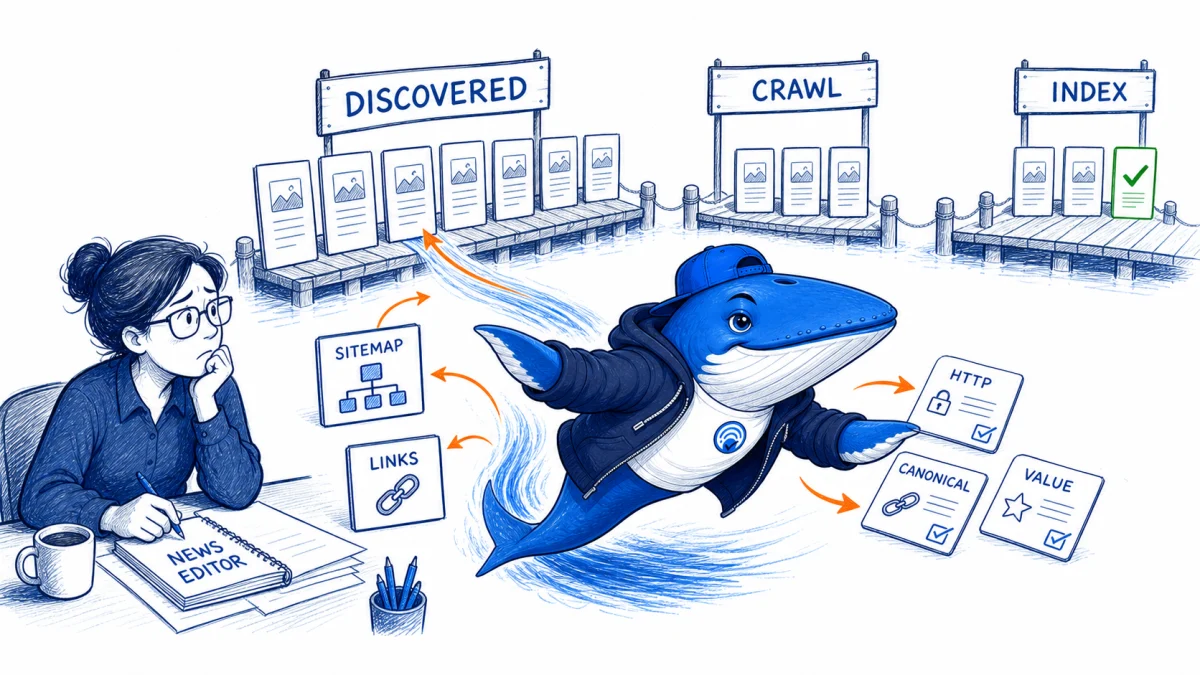
Direct answer: “Discovered—currently not indexed” means Google knows the URL, but the status does not prove that the current page was crawled and rejected. Diagnose how the URL was discovered, whether it is crawlable, how it differs from neighboring pages, and whether the pattern affects a cohort before repeatedly requesting indexing.
Google says crawling can take from days to weeks, a request does not guarantee inclusion, and submitting the same URL repeatedly will not make it crawl faster. Treat a manual request as a bounded diagnostic event, not a scalable indexing strategy.
Separate discovery, crawl and selection
| Layer | Useful evidence | Common mistake |
|---|---|---|
| Discovery | Sitemap entry, internal link, feed, redirect or external link | Assuming discovery means a recent fetch |
| Crawl readiness | HTTP status, robots, DNS, TLS, server logs and render | Reading only the browser response |
| Canonical cluster | Declared canonical, duplicates, parameters and redirects | Auditing one URL in isolation |
| Selection | Useful unique content, internal importance and consistency | Treating a submission button as a quality signal |
Do not merge this status with “Crawled—currently not indexed.” The large-ecommerce workflow starts after crawling evidence exists; this guide starts earlier.
Build a new-page cohort
Select a fixed sample across the affected template and record URL, publish time, last-modified time, sitemap first seen, internal-link source, click depth, HTTP status, canonical, index directive, rendered word count, meaningful unique elements, server-log Googlebot evidence and current Search Console status.
Include successful new pages from the same period. A comparison group helps distinguish a site-wide discovery delay from a particular template, navigation path or content pattern.
| Dimension | Question | Action if inconsistent |
|---|---|---|
| Sitemap | Is the canonical 200 URL present with a truthful lastmod? | Repair generation and resubmit the sitemap |
| Internal links | Can a crawler reach it from a maintained hub? | Add contextual crawlable links |
| Template | Does the rendered page expose the main content? | Fix rendering or blocked assets |
| Value | What decision or task is distinct on this URL? | Improve, consolidate or delay publication |
| Time | How old is the status and last verified observation? | Use a declared waiting and recheck window |
Check scalable discovery signals
- Serve a current XML sitemap containing only canonical URLs intended for indexing.
- Use accurate
lastmodvalues when the primary content materially changes. - Link new pages from relevant hubs, categories or related content with ordinary crawlable links.
- Avoid orphan pages that exist only in a sitemap.
- Remove redirecting, error, duplicate and parameter variants from the intended index set.
- Verify Googlebot can receive the same primary content and resources needed to render it.
If the problem began after a URL-pattern change, compare the old and new discovery paths. The URL-prefix migration matrix provides the redirect and canonical checks for that case.
Use manual indexing as a bounded test
Choose a small representative set, save the live inspection result, request indexing once, and record the time. Do not change the page during the first observation window. Compare it with matched pages that were not submitted.
If submitted pages are crawled sooner, the result shows an association inside that sample; it does not establish that submission fixed the underlying site pattern. If the page remains excluded after crawling, move the diagnosis to canonical clustering, content usefulness and selection. If neither group changes, review discovery, crawl capacity and time.
Stop rule: do not keep resubmitting the same URLs. Escalate only after technical access is verified, the cohort has aged beyond the declared window, and the page set has a clear reader job that is not duplicated elsewhere.
Separate never requested from fetched but not indexed
Update, September 9, 2026: A practitioner in r/TechSEO reported a new URL with no Googlebot request after seven days while older pages continued to be recrawled. The public thread describes server-log evidence but supplies no public URL or export, so it is a C1 attributed self-report, not evidence of a broad Google incident.
Google’s Search Status Dashboard showed no crawling incident when checked on September 9. The useful lesson is diagnostic: a “discovered” status and a live URL Inspection fetch do not prove that the normal Googlebot crawl path requested the page.
| State | Required evidence | Next check |
|---|---|---|
| Known, never requested | Search Console shows discovery; verified server logs contain no Googlebot request for the canonical URL | Confirm sitemap discovery, crawlable links, hostname, exact path, redirects and crawl controls. |
| Requested, delivery failed | Verified Googlebot request with DNS, TLS, timeout, 4xx, 5xx, challenge or incomplete-body evidence | Repair origin, CDN or WAF delivery and verify the full response. |
| Fetched, not selected | Verified crawl with a complete 200 response; URL remains excluded | Inspect canonical clustering, rendered content, duplication, usefulness and template cohorts. |
| Indexed, no impressions | URL Inspection or site query supports indexing; Search Console has no query impressions | Move from crawling to demand, relevance, internal importance and competition. |
An SEO or AI audit score cannot diagnose Google’s indexing decision
A plugin, crawler or AI reviewer can flag thin sections, missing links or technical errors. Its score is not a Google signal and cannot reveal whether Google has scheduled a crawl, selected another canonical or decided that a URL adds enough value to index.
Use the score to create a hypothesis, then cross-check independent evidence. For example, a low “content” score may suggest a page needs first-hand evidence. It does not prove that content quality caused the current indexing state.
| Tool observation | Google or server evidence | Responsible action |
|---|---|---|
| Low content score | Rendered page, competing pages, original contribution | Improve only if the reader value is genuinely weak |
| Indexability warning | Status, robots, noindex, canonical, URL Inspection | Correct the specific contradiction |
| No traffic | Crawl logs, index status, impressions and demand | Identify which layer is actually absent |
| Repeated submission advised | Google’s recrawl guidance | Do not resubmit as a substitute for diagnosis |
Google’s recrawl guidance says crawling can take days to weeks, an indexing request does not guarantee inclusion, and repeated requests do not make crawling faster. Preserve a cohort of similar URLs and compare time to first Googlebot request, first indexable render and first impression before deciding the change worked.
Download the score-to-evidence crosswalk
Download the indexability evidence CSV. It keeps a third-party score beside Google status, crawl logs, rendered directives, canonical target, sitemap state and the actual decision.
The EXAMPLE-REMOVE row is a template, not a Google observation.
A URL Inspection live test is a separate fetch path
Google documents Google-InspectionTool as the user agent used by Search testing tools. A successful live test shows that the testing fetcher could access the URL at that moment. It does not show that the normal crawl scheduler requested the page, that the page entered the index, or that the URL is eligible to rank.
In server logs, record timestamp, hostname, exact request URI, status, bytes, response time, user agent, verified source identity, redirect chain, cache or challenge state and response-content hash when available. Check the canonical URL exactly as rendered; a trailing slash, alternate host, query string or redirect can hide the relevant request in a loose search.
Download the first-crawl evidence ledger. The example rows are marked EXAMPLE-REMOVE and must be replaced before use. Do not publish raw IP addresses, cookies, tokens or private URLs.
Ask for six artifacts before diagnosing a forum case
A report such as “Googlebot has not crawled this page after seven days” is useful as a lead, but the diagnosis changes when one missing artifact appears. Before recommending more internal links, a content rewrite, or another indexing request, ask for this compact evidence pack:
- The exact canonical URL and its public HTTP response, including redirects.
- The URL Inspection indexing status and the timestamp of the live test.
- A verified server-log search for the canonical host and path, separated by Googlebot and Google-InspectionTool.
- The sitemap URL, first-seen time, and current
lastmod. - At least two crawlable internal links and their rendered HTML.
- A matched page from the same template that was crawled or indexed successfully.
This pack turns a vague delay into one of three testable states: Google never requested the canonical URL, Google requested it but delivery failed, or Google fetched it and did not select it. Each state has a different owner and next action.
Do not use a successful live inspection as a substitute for crawl evidence. Google-InspectionTool is a testing fetcher. The server log still needs to show whether the normal Googlebot path requested the page.
The September community report cited above remains a single attributed self-report with no public URL or log export. It supports this diagnostic branch, not a claim that Google had a platform-wide crawling incident.
Primary documentation
Keep learning
Continue this topic
Next in this topic
Incentivized Review Markup: Google and FTC Audit
Earlier in this topic
Which Schema Markup Actually Matters in Google Search?
SEO
Ask a question or join the discussion