Googlebot’s 2 MB Fetch Limit: Audit What Appears Before the Cutoff
Googlebot fetches only the first 2 MB of supported non-PDF files. Audit the byte order of titles, canonicals, main content, links, and structured data.
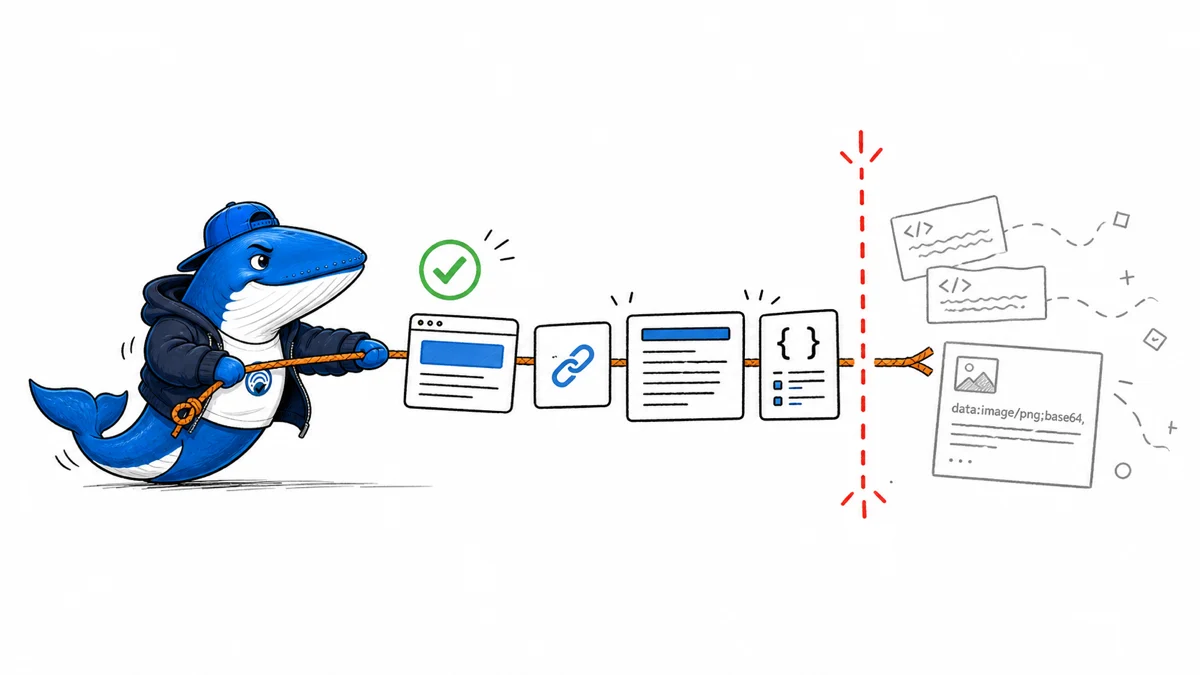
Published August 9, 2026: Googlebot currently fetches only the first 2 MB of a supported non-PDF URL for Google Search. If important HTML appears after that cutoff, Google says those bytes are not fetched, rendered, or considered for indexing. PDFs have a separate 64 MB limit.
This guide turns that documented behavior into a repeatable byte-order audit. It does not claim that SearchEngineAnswer reproduced a ranking or indexing loss. The useful question is narrower: does the response place its title, canonical, robots controls, main answer, internal links, and essential structured data inside the portion Googlebot can retrieve?
What the 2 MB limit covers
Google’s current Googlebot documentation describes a per-URL fetch limit: 2 MB for supported file types and 64 MB for PDFs. The limit is applied to uncompressed data. Google’s crawler explainer adds that the count includes HTTP headers, and that the downloaded portion is passed to indexing systems and the Web Rendering Service as though it were the complete file.
Referenced CSS and JavaScript resources are fetched separately and receive their own per-URL counters. That distinction matters. Moving a large inline script or base64 image out of the HTML can reduce the parent document without eliminating the resource from rendering. It does not make size irrelevant; it moves the resource to a separate fetch with its own constraints.
| Resource | Current limit | Audit implication |
|---|---|---|
| HTML and supported non-PDF files | First 2 MB | Critical markup must appear before the cutoff |
| First 64 MB | Large files can still be partially fetched | |
| Referenced CSS or JavaScript | Separate per-URL counter | Externalization changes which response carries the bytes |
| Compressed transfer | Limit applies after decompression | A small wire size can expand past the boundary |
Measure the response Googlebot receives
Start with the exact canonical URL, not a saved browser DOM. Request the response with a verified mobile Googlebot user-agent only in a controlled diagnostic environment; do not assume a user-agent string proves that an incoming request is Google. Save the response headers and decompressed body, then record the byte offsets of critical elements.
- Confirm the final status code and redirect destination.
- Measure the uncompressed response headers and HTML.
- Locate the
<title>, canonical, robots directives, main heading, primary answer, important internal links, and essential structured data. - Inspect the first 2 MB as a standalone document.
- Repeat for meaningful template states such as consent, localization, personalization, and logged-out rendering.
A browser’s Elements panel shows the post-render DOM, not necessarily the bytes the crawler initially received. Use the raw response for the cutoff audit and a rendered inspection for the second stage. The two views answer different questions.
Build a critical-byte ledger
Record each required element, its first byte offset, and the template component that emits it. This makes the audit actionable when a theme update, tag manager, consent platform, or personalization layer changes the order of markup.
| Element | Target | Failure to investigate |
|---|---|---|
| Title, canonical, robots | Early document head | Injected after bulky inline code |
| Main answer and H1 | Well before 2 MB | Mega-menu or state payload arrives first |
| Essential internal links | Inside fetched HTML | Links exist only after an unseen script |
| Required structured data | Before cutoff and matches page | Large state objects push JSON-LD late |
Do not treat “under 2 MB” as a performance score. A 1.8 MB HTML response can still be slow, expensive to parse, and difficult to maintain. The ledger is a crawl-safety check inside a broader performance review.
Reduce the bytes that arrive first
Remove unused server-rendered state, repeated navigation markup, inline base64 media, duplicated CSS, oversized SVG paths, and serialized data that the first view does not need. Externalize appropriate CSS and JavaScript, but verify that the external resources remain crawlable and render correctly. Avoid moving the main answer into a client-only request merely to shrink HTML.
Order matters as much as total size. A page can exceed 2 MB and still expose its critical content inside the fetched portion, while a poorly ordered response can hide essential data earlier. The safer design is both lean and deliberately ordered.
Add the byte ledger to the technical SEO launch checklist for templates that carry large navigation systems, application state, product variants, or embedded data. Re-run it after theme, consent, tag-management, and personalization releases.
What this audit can and cannot prove
Finding content beyond the documented cutoff is a technical exposure, not proof of a ranking loss. Moving content earlier is a defensible repair, but any subsequent search change may also reflect recrawling, reprocessing, competing pages, or unrelated system changes. Preserve before-and-after responses and record the release date instead of claiming causation from a single observation.
Google notes that limits can change. Treat the current figures as time-sensitive product facts and check the documentation again when running the audit.
Byte-budget example
Move decisive HTML before the cutoff instead of trying to predict a crawler exception
Two megabytes is 2,097,152 bytes. A page can cross that boundary through inline data, duplicated navigation, large script blocks or server-rendered payloads before the main article appears.
- Save the raw HTML response, not only a rendered screenshot.
- Measure the byte position of the title, canonical, robots directives and main content.
- Inspect the first 2,097,152 bytes as a separate artifact.
- Reduce or move nonessential early markup, then fetch again.
My takeaway: The fix is structural: make critical metadata and useful content available early. Compression on the wire does not change the decoded HTML boundary Google documents.
Primary documentation
Keep learning
Continue this topic
Next in this topic
Google Spam Reports Can Lead to Manual Actions: Read the Current Policy Carefully
Earlier in this topic
Search and AI Changes: August 3–9, 2026
SEO
Ask a question or join the discussion