Turn Cloudflare Worker Previews Into an SEO Release Gate
Use isolated Worker branch previews to catch canonical, robots, redirect, schema and rendered-content failures before production.
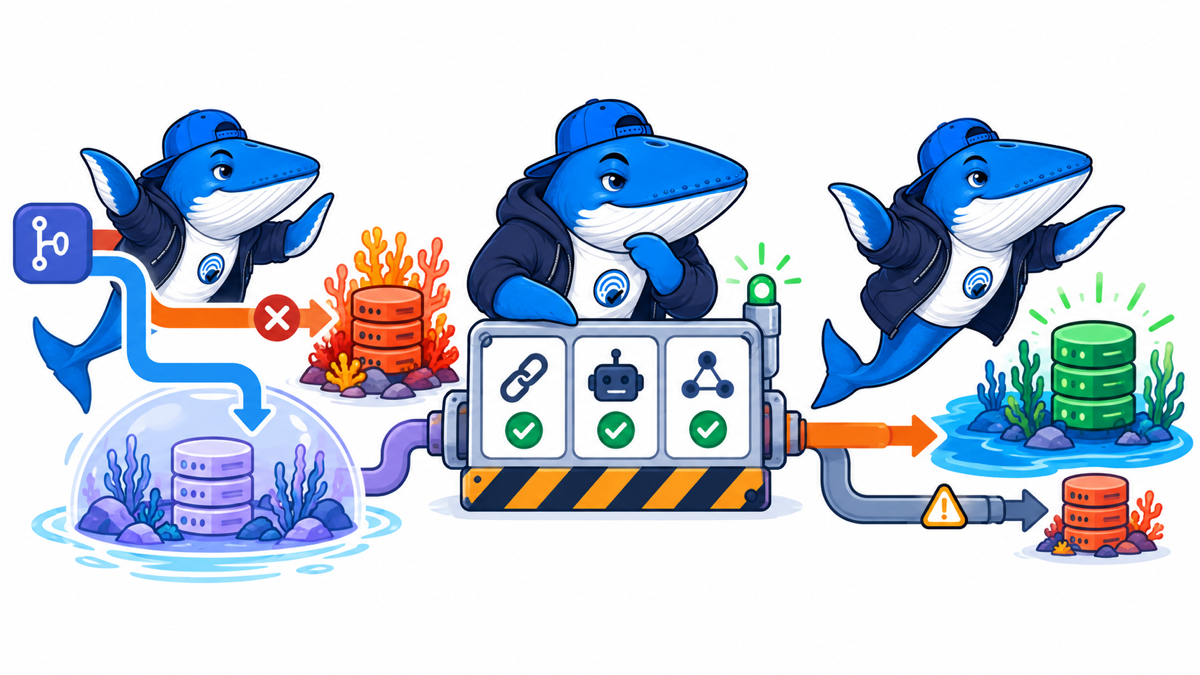
A staging URL is not an SEO release process. Cloudflare Worker Previews can become one because each branch gets an isolated, shareable environment with its own bindings, logs and stable URL. The difference is what the team checks before traffic reaches production.
This guide turns the preview into a release gate for edge-rendered sites. It focuses on the failure modes that ordinary unit tests miss: canonical drift, accidental noindex, redirect chains, broken structured data and HTML that changes only after a Worker executes.
The release that looks safe in a code review
Imagine a Worker rewrite intended to add language routing. The code passes tests, but the preview reveals three production risks: the French response keeps the English canonical, an error path inherits noindex, and a redirect drops the query parameter used by a campaign. None of those issues requires the Worker to crash.
Cloudflare now supports a branch preview with npx wrangler preview. A preview can have its own variables, secrets and bindings, plus isolated Durable Objects and Containers. A stable branch URL lets a crawler or reviewer test the same environment across commits instead of chasing temporary links.
Build the gate in five passes
1. Crawl the routes that can change
Start with a small URL set tied to the branch: the homepage, one article, one archive, one redirect, one error and each template the Worker transforms. Capture the status, final URL, content type, canonical, robots directives, language, title and first heading. Compare the preview with production, but classify intentional differences before failing the build.
2. Test indexability as a combination
An indexable response needs more than HTTP 200. Check the HTML meta robots value, X-Robots-Tag, canonical destination, redirect history and whether the rendered body contains the expected primary content. A clean canonical cannot rescue a response blocked by a header.
3. Validate structured data against the rendered page
Parse JSON-LD after the Worker runs. Confirm that the main entity URL matches the canonical, dates match visible article metadata and referenced images resolve. This catches the kind of escaping and deployment issues discussed in our JSON-LD inspection workflow.
4. Exercise a real browser flow
Cloudflare’s Browser Run can execute headless interactions, capture screenshots and record replayable DOM events. Use it for navigation, consent layers, lazy-loaded article content and client-side redirects. The screenshot is supporting evidence. The DOM and response headers remain the source of truth for SEO checks.
5. Require an explicit release decision
Publish a compact branch report: changed routes, passed checks, accepted differences, blockers and the commit tested. A reviewer should be able to approve the exact preview state, not a vague promise that staging looked fine.
A practical preview matrix
| Surface | Check | Fail when |
|---|---|---|
| Response | Status, content type, redirect chain | A public route errors, loops or changes format unexpectedly |
| Discovery | Links, robots.txt, sitemap reference | The branch introduces orphaned or blocked production paths |
| Indexing | Canonical, meta robots, X-Robots-Tag | Signals conflict or point to the preview hostname |
| Meaning | Title, H1, language, primary body | The rendered document loses or duplicates the main topic |
| Entities | JSON-LD URLs, dates and images | Markup disagrees with visible content |
| Experience | Browser navigation and screenshots | Users cannot reach or read the primary content |
Do not mistake isolation for zero production contact
The most important documented limitation is service bindings. A request from a Preview can still call the bound Worker’s production deployment. That means a harmless-looking branch test may touch a live dependency. Use a separate binding or a guarded test route when the downstream action can mutate data, send a message or trigger billing.
Cloudflare also says Queues can send messages in a preview but cannot consume them, while Workflows require separate configuration. A release gate must mark those paths as untested or route them to dedicated resources. “Preview passed” should never imply coverage that the environment cannot provide.
Use a custom preview domain carefully
A custom preview domain makes stakeholder review easier, but it also creates discoverable URLs. Protect it, keep it out of public sitemaps and do not let preview canonicals leak into production templates. If authentication changes the rendered HTML, run both authenticated functional checks and unauthenticated crawler checks.
The preview hostname itself is not the artifact to preserve. Save the branch, commit, report and representative response captures. Preview infrastructure changes; evidence should remain reviewable.
Ship the smallest useful gate
Begin with six routes and seven fields: status, final URL, canonical, robots, title, H1 and schema validity. Add Browser Run for the one interaction most likely to hide content. Make the check blocking only after the team has reviewed expected differences and eliminated false alarms.
Cloudflare’s Worker Previews announcement documents the current preview, observability and Browser Run capabilities. Pair it with our pre-launch technical checks so the preview verifies search signals as well as application behavior.
Keep learning
Continue this topic
Next in this topic
WordPress 7.1.2 Fixes a Critical Page-Template Vulnerability
Earlier in this topic
GPT-6 Prompt Caching: The Real Cost Math for AI Search Audits
Tools & Workflows
Ask a question or join the discussion