Perplexity MCP: Hosted Server, OAuth and Custom Connectors
Compare the two Perplexity MCP directions, where credentials live, which system calls the tools, and what a private connector cannot prove about public visibility.
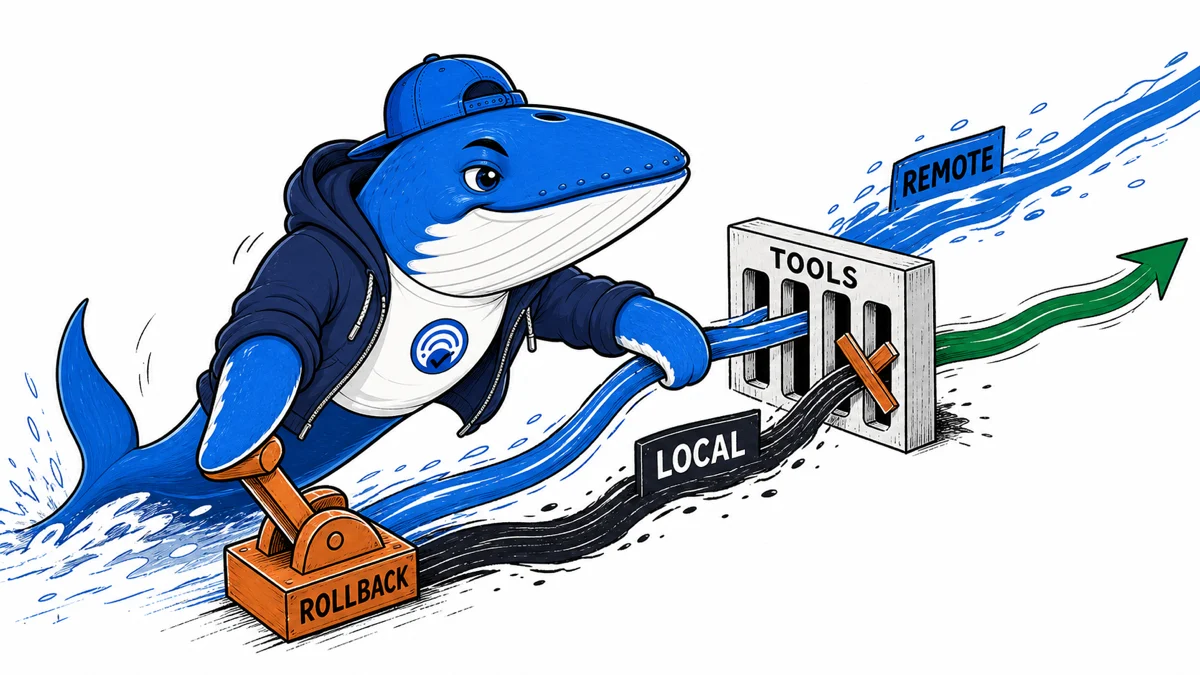
Perplexity now documents two opposite MCP directions. A desktop or coding client can call Perplexity’s hosted MCP server through OAuth or an API key. Separately, a Perplexity Agent API project can call a remote MCP server that you register as a custom connector.
The difference decides who initiates the connection, where the credential lives, and which system’s tools can run. Neither path proves source quality, safe tool behavior, public indexing, or AI-search visibility. Keep authentication, invocation, evidence, billing, and revocation as separate release checks.
Retire the “1.0 migration” premise
The old title assumed that version 1.0 was the durable migration target. Perplexity’s current documentation no longer frames the work that way. It recommends a hosted endpoint at https://api.perplexity.ai/mcp for clients that support remote MCP servers and documents the local @perplexity-ai/mcp-server package for stdio-only clients or operators who need to pin a version.
A release record should therefore name the exact package version or remote endpoint, client version, connection mode and test date. “Uses Perplexity MCP” is too broad to reproduce. The hosted service can change without a local package update; the local package can remain pinned while the upstream APIs, models or client behavior change.
Choose remote or local intentionally
| Mode | Current documented contract | Release evidence |
|---|---|---|
| Remote | Perplexity-hosted endpoint over Streamable HTTP with OAuth in capable clients or an API key in clients that support static credentials. | Endpoint, client support, credential path, billing organization, tool list, HTTP/SSE behavior and observed errors. |
| Local | Open-source package launched locally over stdio. | Package version, command, environment, process lifecycle, proxy, timeout and logs. |
| Client connector | Configuration differs across Claude Code, Cursor, VS Code, Codex and other clients. | Exact client version, configuration wrapper, allowlist and permission prompt. |
| Application API | Perplexity directs application-code integrations to its API quickstart instead. | Do not call an SDK integration an MCP result. |
Perplexity says the remote and local modes expose the same tools and behave identically. That is the published contract, not a substitute for your client test. Record a fixture result in each mode before claiming parity in the environment you ship.
OAuth changes the credential flow, not the tool contract
Perplexity’s September changelog says an OAuth-capable client can add https://api.perplexity.ai/mcp, sign in with a Perplexity account, and choose which API organization will be billed. The documentation names claude.ai, Claude Code, Cursor, and VS Code as examples. API keys remain supported where the client does not implement OAuth.
| Checkpoint | OAuth path | API-key path |
|---|---|---|
| Client support | Client starts the authorization flow. | Client can store and send a bearer credential securely. |
| Billing owner | Selected API organization is recorded without exposing account details. | Key owner and organization are recorded by a safe internal label. |
| Revocation | Disconnect or revoke, then confirm later calls fail as expected. | Rotate or revoke the key, then confirm the old value fails. |
| Reconnection | Repeat sign-in and verify the intended organization is selected. | Install the replacement key through the client’s secret mechanism. |
| Tool contract | Repeat discovery, fixtures, citations, error, cancellation, and billing checks. Authentication success does not prove tool success. | |
SearchEngineAnswer has not captured a complete OAuth client session for this update. Treat the named clients and sign-in sequence as Perplexity’s documented contract until you reproduce the flow in the client and account you will ship.
Two MCP directions create different trust boundaries
| Route | Caller | Remote system | Credential location | What it does not establish |
|---|---|---|---|---|
| Perplexity hosted MCP server | Your MCP client | https://api.perplexity.ai/mcp | OAuth connection or API key in the client path | That a publisher’s private source is connected or publicly visible |
| Agent API custom connector | Perplexity Agent API | Your registered remote MCP server | Stored by Perplexity for the Project | That the source is indexed, ranked, or cited in consumer Perplexity answers |
Perplexity’s September changelog says custom connectors are available to all Projects. A Project administrator registers a remote MCP server once, chooses API-key or no authentication, selects Streamable HTTP or SSE, and receives a connector ID used with type: "connector" in Agent API requests. The changelog groups this release under September and does not provide an exact day.
The operational risk also reverses. With the hosted server, your client grants Perplexity-backed tools access to the client workflow. With a custom connector, a Perplexity agent can call tools exposed by your server. Review the tool allowlist, input scope, side effects, returned data, credential revocation, audit trail, and Project membership before enabling the second route.
Freeze the client and server contract
Save the client name and version, connection mode, endpoint or package version, transport, timeout, proxy state and allowed tools. Hash the tool schemas after discovery so a later name or argument change becomes visible. Keep the configuration file path, but never copy the API key into the ledger.
For the hosted path, record whether the client used OAuth or a static API key. An OAuth success in one client does not prove another client implements the same reconnect, revocation, organization-selection, or error behavior. Preserve the exact client version and credential path beside every fixture.
Inventory the four tools before testing
The current guide lists perplexity_search, perplexity_ask, perplexity_research and perplexity_reason. Search returns ranked web results through the Search API. The other tools are backed by different Agent API presets and reader jobs. A successful call to one tool does not validate the remaining three.
Record the tool name, schema hash and expected evidence surface for every fixture. If the client allows tool restrictions, start disabled and enable only the tool required for the task. This reduces accidental cost and makes an unexpected tool invocation easier to detect. Repeat discovery after an upgrade before sending a production prompt.
Build a fixture set that tests the contract
| Fixture | Expected evidence | Failure to detect |
|---|---|---|
| Current fact search | Result titles, URLs, snippets and metadata | Answer-like text substituted for search records. |
| Conversational answer | Answer plus inspectable sources under the selected tool contract | Unsupported claim or inaccessible citation. |
| Long research task | Bounded completion, citations and stable terminal state | Timeout, duplicated output or an orphaned operation. |
| No-result query | Explicit empty or qualified result | Invented source or silent fallback. |
| Denied tool | Clear permission or configuration error | Unexpected invocation outside the allowlist. |
Use synthetic, non-sensitive prompts. A five-fixture set is a smoke test, not a measure of answer quality across topics. Version the fixtures and expected evidence before reviewing output.
Test Streamable HTTP and stdio separately
The remote server uses Streamable HTTP. The local package uses stdio. Capture the observable lifecycle that each client exposes: connection, tool discovery, call start, progress or stream events, final result, error and disconnect. Do not force the two transports into one transcript shape when their evidence differs.
For HTTP, record the response content type, status and whether the client consumes JSON or an SSE stream correctly. For stdio, confirm that diagnostic logging cannot corrupt the protocol channel, the child process closes, and a restart does not leave a duplicate server. Run two concurrent fixtures and make sure events do not cross.
Test cancellation without assuming the result
Start a bounded long-running fixture, request cancellation through the client and record the request time, last observed event, final state and any later output. The current MCP specification defines transport-specific cancellation behavior, but a client, server or intermediary may implement a different protocol version. Record the negotiated or observed contract instead of asserting that a stopped interface means upstream work stopped.
Check that the client does not silently retry the cancelled call under a new identifier. Review billing or usage evidence when available, but do not infer cost from the absence of a visible answer. Cancellation is a release gate because background work, stale results and retries can affect both user trust and spend.
Audit sources and rendered evidence
A source link is not proof that it supports the nearby claim. Open each returned URL, follow redirects and classify the support as direct, qualified, conflicting or absent. Keep the raw tool result separate from the model’s summary and from the client’s rendered chat.
The MCP retrieval provenance guide explains how to preserve tool output before model interpretation. The citation-ready passage test helps review the final claim-source relationship. Neither check turns one cited result into a stable search rank or endorsement.
Record authentication without recording the secret
For OAuth, store the client and version, authorization timestamp, selected API-organization label, granted connection state, revocation test, and reconnection result. Do not copy browser cookies, authorization codes, access tokens, refresh tokens, account identifiers, or billing details into the release gate.
For an API key, keep only a safe key label, owner, environment, rotation date, and revocation result. In both paths, connect authentication evidence to the tool-discovery and billing records without placing the credential itself in screenshots, repositories, shared traces, or downloadable examples.
Preserve errors, rate limits and cost evidence
Perplexity states that calls are billed to the connected API key and that its existing rate limits apply. Record the tool, start time, terminal status, error code and a private usage or cost reference. A timeout, rate limit, permission error and empty search result need different release decisions.
Do not discard failed rows. Excluding them can make a canary look more reliable than the actual workflow. If a preset or underlying API changes, record the requested and observed surface where the response exposes it. Product and model availability can change independently of the MCP server package.
Make rollback executable
| Observed condition | Decision | Rollback evidence |
|---|---|---|
| Tool schema changed | Hold and update fixtures | Prior schema hash and pinned package or configuration. |
| Sources lost or misrendered | Block user-facing release | Raw tool result and previous renderer. |
| Cancellation or timeout unsafe | Limit or disable long tasks | Previous timeout and client policy. |
| Authentication exposure | Stop, rotate and investigate | Secret owner and affected trace range. |
| All gates pass | Canary with declared window | Prior configuration retained until the window closes. |
Download the 31-field release gate
Download the Perplexity MCP release gate. Use one row per fixture execution. Replace both rows marked EXAMPLE-REMOVE, keep raw traces private and preserve the exact client, server mode, tool schema and decision.
The artifact makes a migration inspectable without pretending that an unexecuted fixture is a benchmark. It also preserves a rollback owner and the evidence needed to explain why a release was accepted, held or reversed.
Register once, then call the connector by ID
Perplexity’s September changelog clarifies the custom-connector sequence. A Project administrator registers a remote MCP server once, selects API-key or no authentication and chooses Streamable HTTP or SSE. Perplexity stores the credential and returns a connector ID. Agent API requests then use that identifier with type: "connector".
This makes credential custody part of the architecture. Record who can create and revoke the connection, which Project owns it, the safe credential label, allowed tools and the server’s audit trail. Never place the secret in the prompt, fixture or downloadable release gate.
The hosted Perplexity MCP server remains a different path. It supports OAuth in compatible clients, while API-key authentication remains available. A successful hosted-server connection does not prove that a private custom connector is indexed, ranked or cited in Perplexity’s public answers.
What remains unverified
The Perplexity API changelog, MCP Server guide, official repository, and current MCP transport specification were checked September 14, 2026.
The OAuth path and Agent API custom-connector path are documented but not reproduced here. Client support, Project access, authorization details, tools, transport behavior, source rendering, billing attribution, and failures can change. Run the gate in the exact client, Project, server, and organization you intend to use.
Keep learning
Continue this topic
Next in this topic
Gemini Business Profile Changes: An Approval and Audit Workflow
Earlier in this topic
Kagi Search API Migration: Test Related Searches and Preserved Links
Tools & Workflows
Ask a question or join the discussion