Organic Traffic Dropped While GA4 Filled With Ghost Spam: A Two-System Diagnosis
Separate a real Google Search decline from GA4 referral noise with one incident card, Search Console segmentation, analytics classification, and independent recovery rules.
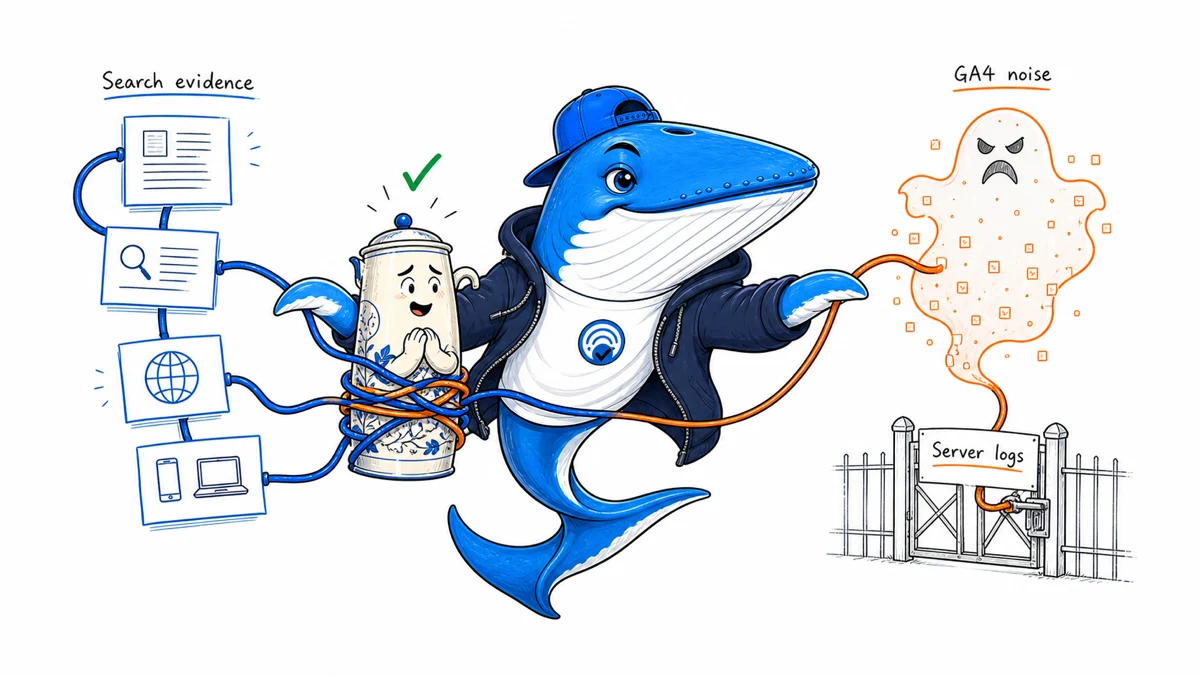
Direct answer: an organic-search decline and a surge of suspicious GA4 traffic are two incidents until evidence connects them. Diagnose Google visibility in Search Console, analytics contamination in GA4, and real requests in server or CDN logs. Cleaning one report does not restore rankings, and a search decline does not prove that ghost spam caused it.
A recent r/SEO discussion illustrates the confusion: the publisher reported a sharp Search Console impression decline while GA4 received a separate burst of suspicious traffic attributed largely to Singapore. Those figures are a self-report, not evidence of a widespread Google change. The useful contribution is the diagnostic split.
Build one incident card before changing anything
Record the first known change, the last normal period, affected hostname, countries, devices, page groups, query groups, analytics property, tag version, consent state, releases, outages, CDN or WAF changes, and the person who owns the investigation. Use the same time zone and comparison window in every system.
Preserve screenshots or exports before adding filters. GA4 data filters affect future incoming data, and exclusion is permanent once a filter is active. A cleaner chart is useful, but it cannot reconstruct already contaminated rows.
| System | What it can establish | What it cannot establish alone |
|---|---|---|
| Search Console | Google impressions, clicks, queries, pages, countries, devices and search appearance | Whether suspicious GA4 events reached the site |
| GA4 | Measured sessions, events, sources and on-site behavior under the property configuration | Google rankings or complete server traffic |
| Server, CDN or WAF logs | Requests that reached infrastructure, with status, path, IP or network context and user agent | Events injected directly into an analytics endpoint |
Diagnose the search loss in Search Console
Compare clicks and impressions separately. Segment by page, query, country, device and search appearance, then ask whether the change is broad or concentrated. A site-wide impression loss has a different investigation path from a decline limited to a few URLs, one market or one device class.
- Compare seven complete days with the preceding matched weekdays.
- Find the page and query groups that explain most of the absolute loss.
- Check URL Inspection for representative URLs from the largest declining and stable groups.
- Review releases, robots controls, canonicals, response status, internal links and crawl statistics around the first change.
- Record competing explanations such as seasonality, demand, news cycles, SERP changes and measurement boundaries.
Do not refresh every article because one chart fell. The one-page SEO reporting template shows how to continue from visibility into landing-page and commercial outcomes without treating two charts as a causal model.
Classify the GA4 noise before filtering it
First determine whether the suspicious events touched the site. Match the GA4 spike to request volume, hostnames, landing paths, countries, network data available at the edge, status codes and timestamps. If GA4 reports events that have no corresponding site request, the likely problem is measurement contamination rather than a visitor overwhelming the origin. If requests exist, investigate bot behavior, performance and abuse controls separately.
Google documents unwanted-referral controls that set ignore_referrer for matching events. That changes attribution; it does not delete events. Google also documents property-level data filters for internal, developer and unwanted hostname traffic. Test a filter before activating it and preserve the exact rule, owner and activation time.
Avoid blocking an entire country because a report looks suspicious. A geography rule can remove legitimate readers, customers and monitoring traffic while leaving spoofed analytics events untouched. Prefer a verified hostname filter, a narrow WAF rule based on real requests, or an attribution correction that matches the failure mechanism.
Run the two-system workflow
- Freeze evidence. Export Search Console pages and queries, GA4 acquisition and landing data, and representative infrastructure logs.
- Verify the search decline. Identify the smallest page/query/device/country set that explains it.
- Verify the analytics anomaly. Decide whether it represents real requests, misattribution, testing traffic or events without matching site visits.
- Repair the right layer. Fix search blockers, measurement rules or abuse controls independently.
- Define recovery. Use separate success criteria for search visibility, report cleanliness and server health.
Keep the release date and decision rule in the same record. The decision-led reporting template is a useful structure, and the technical launch checklist covers the crawl and response checks that can be re-run after an incident.
Keep learning
Continue this topic
Next in this topic
Crawled Isn’t Indexed: A Large-Ecommerce Indexation Workflow
Earlier in this topic
Organic Clicks Up, Sales Down: Diagnose the Gap
SEO
Ask a question or join the discussion