Cloudflare AI Crawler Controls and Googlebot 403s: What to Verify
A TechSEO report links Cloudflare AI-training controls to Googlebot and Bingbot 403s. Here is the evidence needed to verify the crawler, rule, and recovery.
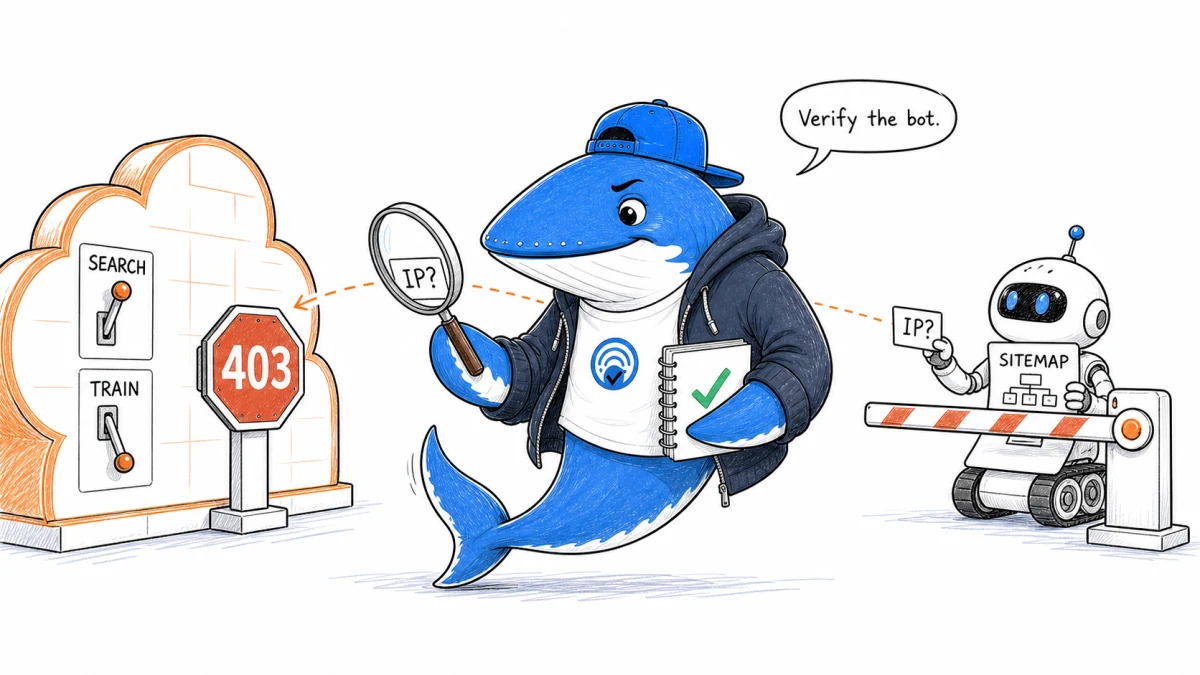
Published August 9, 2026: A TechSEO community report describes Googlebot and Bingbot requests receiving HTTP 403 responses after a Cloudflare AI-training block was enabled. The report is credible enough to investigate, but it is not yet proof of a Cloudflare product defect.
The safest conclusion is narrower: Cloudflare’s current bot controls can act on crawler behavior, one crawler can carry more than one behavior, and a training policy can affect mixed-purpose crawlers. If a search crawler is denied, the publisher must verify the client, the rule, and the response before changing a broad allowlist.
That evidence trail matters because Google documents that persistent 4xx responses keep new URLs out of Search and can remove already indexed URLs over time. A 403 incident deserves fast attention, but not a guess.
What the Reddit thread reported
In the r/TechSEO discussion, the site owner reported an incident from August 2 at 16:00 UTC to August 3 at 13:00 UTC. Google Search Console showed 4xx errors on pages and an XML sitemap, while the Cloudflare dashboard appeared to show Googlebot and Bingbot requests being blocked. Access reportedly returned after the AI-training control was disabled.
Those observations establish a useful incident window and a reversible configuration change. They do not yet establish that every blocked request was a genuine search crawler, that the AI policy was the rule that returned the 403, or that Googlebot and Bingbot were classified identically. The thread contains several plausible explanations and no final technical resolution.
| Observation | What it supports | What remains open |
|---|---|---|
| Search Console reports HTTP 403 | A Google fetch did not receive the public resource | Which edge or origin rule produced the response |
| Cloudflare labels a request Googlebot | The request matched a crawler identity or user-agent classification | Whether the source passed verified-bot or IP validation |
| Disabling the control restores 200 | A strong temporal association worth reproducing | Whether another rule, cache state, or deployment changed at the same time |
| Search Console flags a robots line | Google did not recognize that extension | Whether an independent edge rule enforced a block |
Why the Cloudflare setting needs a precise name
Cloudflare changed its bot taxonomy on July 1, 2026. Its current documentation classifies verified bots by behavior—Search, Agent, Training, and other jobs—and states that one bot can have more than one behavior. The new AI policy presets can block verified bots assigned to a behavior, plus additional unverified traffic that Cloudflare places in the same class.
The detail most likely to cause confusion is mixed-purpose handling. Cloudflare says the newer Training policy includes crawlers used for both Training and Search. The legacy Block AI bots option currently excludes mixed-purpose crawlers, but Cloudflare plans to change that behavior for new defaults on September 15, 2026. A screenshot that says only “AI crawlers blocked” is therefore not enough to reproduce the result.
Cloudflare’s public bot reference lists Googlebot and Bingbot as search-engine crawlers. That does not tell us which behavioral labels, detection IDs, custom rules, or account-specific controls acted on the requests in the Reddit case. The account event needs to provide that missing row.
Rule order matters too. Cloudflare documents that AI Crawl Control blocking uses WAF custom rules before its bot solutions run. A publisher should check AI Crawl Control, Security Settings, WAF custom rules, managed rules, rate limits, and origin restrictions rather than treating “Cloudflare” as one switch.
A seven-step verification runbook
- Freeze the incident window. Save the UTC start and end time, affected hostnames, sitemap URL, representative page URLs, and the first recovery time. Export Cloudflare security events before retention or filters hide them.
- Capture the blocking event. Record the Cloudflare Ray ID, source IP, user agent, verified-bot status, crawler or detection ID, service, rule ID, action, path, and returned status. A dashboard crawler name without the acting rule is incomplete evidence.
- Verify the crawler. Google warns that Googlebot user agents are often spoofed. Match the source IP to Google’s published crawler ranges or use reverse and forward DNS. For Bingbot, Microsoft documents the same reverse/forward check and provides a verification tool. Do not allow an entire ASN merely because one comment suggested it.
- Locate the control that acted. Check the exact AI behavior preset, the legacy Block AI bots setting, per-crawler AI Crawl Control actions, WAF custom rules, Bot Fight Mode or Bot Management, and origin security. Disable only the narrow suspect rule during a controlled test.
- Separate robots policy from enforcement. Cloudflare’s managed robots file may add a
Content-signalline. Cloudflare notes that Search Console can report “Syntax not understood” for newer directives and says it has observed no crawling-rate or SEO impact from that warning. A robots parser warning does not itself explain an HTTP 403; find the rule that enforced the denial. - Run a controlled recovery test. Compare the same sitemap and public page before and after one rule change. Preserve the response code, headers, Ray ID, timestamp, and server/CDN logs. A curl request that merely copies the Googlebot user agent is not a valid Googlebot test.
- Validate with the platforms. Resubmit or retest the sitemap and representative URLs in Search Console after public 200 responses are stable. Check Bing Webmaster Tools separately. If verified search crawlers were blocked, send Cloudflare support the exact rule, detection ID, Ray IDs, and incident window.
What to change before the next crawl
Start with the business policy: Search should normally remain allowed when organic discovery matters; Training and user-directed Agent access should be separate decisions. Then express those choices through the narrowest current controls, with an owner and review date.
Add a monitoring check for the XML sitemap and one canonical article using a known external probe. Alert on sustained 403 responses, but do not label the probe “Googlebot.” The purpose is to catch edge access failures quickly, while crawler identity still comes from verified request evidence.
Finally, keep a change ledger. Record the Cloudflare setting name, previous and new values, rule ID, deployment time, expected crawler behavior, and rollback condition. This turns the next incident from a dashboard mystery into a bounded comparison.
The broader Search, Agent and Training bot policy provides the durable access model. Use the technical SEO launch checklist when a CDN, WAF, or crawler rule changes across the whole site.
The current verdict
The Reddit report identifies a serious failure pattern: search-platform fetches returned 403 while an AI-training control was active, then recovered after the control changed. Cloudflare’s current mixed-purpose taxonomy makes overlapping behavior a configuration risk worth testing.
But the public record does not yet show the verified source IP, acting Cloudflare rule, behavior labels, or a controlled reproduction. Until those fields are available, the responsible headline is “verify the incident,” not “Cloudflare blocks Googlebot.”
Primary documentation and incident source
- Cloudflare: AI bot policy behaviors and mixed-purpose handling
- Cloudflare: verified-bot classification and validation
- Cloudflare: AI Crawl Control order of precedence
- Cloudflare: managed robots.txt and Content Signals
- Google: Googlebot behavior and verification
- Google: how crawlers handle HTTP status codes
- Microsoft Bing: verifying Bingbot
- r/TechSEO: community incident report and discussion
Keep learning
Continue this topic
Next in this topic
Google canonical recovery: compare crawl and country-page evidence
Earlier in this topic
Article Comments vs Discussion Forum Schema: Choose Correctly
SEO
Ask a question or join the discussion