AI SEO for WordPress: A Plugin-Neutral Setup and Audit
Configure crawling, canonicals, titles, schema, performance and editorial controls with one owner per output—without depending on an AI magic plugin.
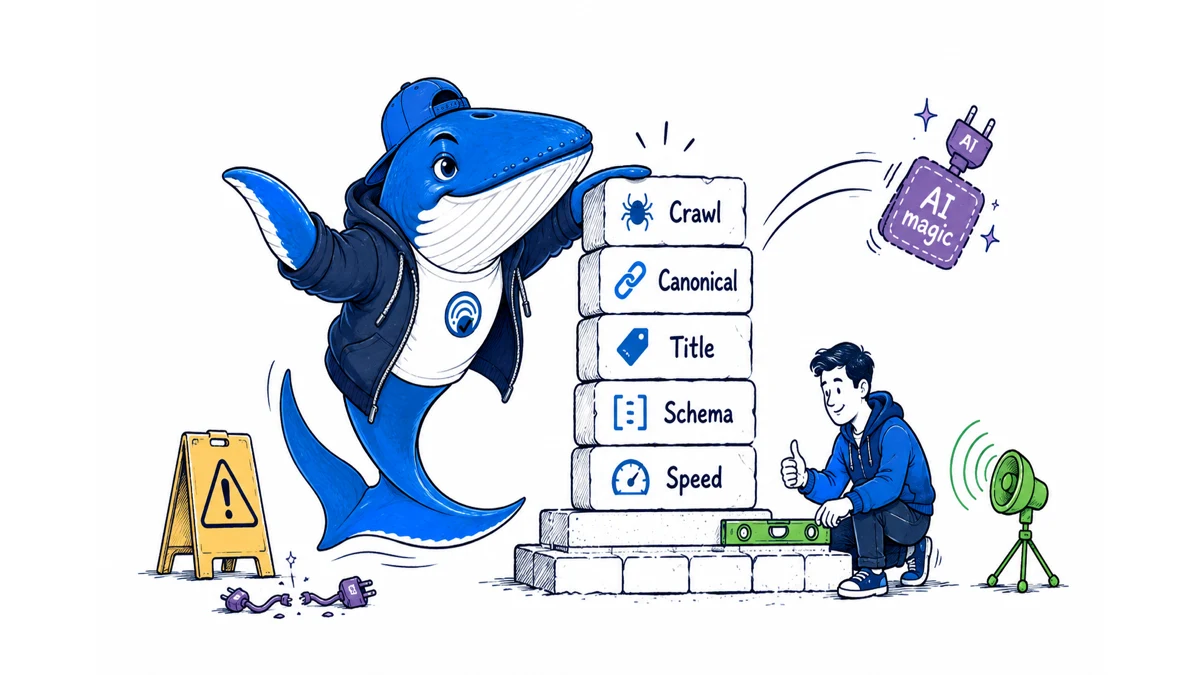
AI SEO for WordPress is a plugin-neutral setup: reliable crawling, consistent canonicals and titles, accurate structured data, fast usable pages, evidence-led content and measurable outcomes. No “AI SEO” plugin can compensate for contradictory templates, blocked resources or low-value pages.
Audit the WordPress foundation first
Check Settings → Reading, public status, HTTPS, preferred host, permalink rules, sitemap, robots.txt and canonical output. Test a post, category, pagination, media attachment and any faceted archive. Confirm the main content appears in rendered HTML and unauthenticated visitors receive the same intended page.
Use the broader sequence in our new-site SEO audit before adding AI-specific monitoring.
Choose one owner for each output
Only one component should control canonical tags, XML sitemaps, title templates and each schema graph. Duplicate SEO plugins can emit conflicting metadata. Document whether the theme, SEO plugin, custom code or host controls each layer. Remove a component only after backing up settings and validating the replacement.
| Output | Owner | Validation |
|---|---|---|
| Canonical | One SEO layer | Rendered head and selected canonical |
| Title | Template plus editorial override | SERP-safe promise |
| Schema | One compatible graph | Matches visible content |
| Sitemap | One generator | Only canonical indexable URLs |
Apply crawler controls deliberately
Keep search discovery, user-triggered retrieval and model training as distinct choices where vendors document distinct bots. OpenAI’s publisher FAQ distinguishes OAI-SearchBot from GPTBot. CDN controls can override or complicate robots.txt, so record both layers and test representative URLs through server logs.
Do not install a plugin solely because it adds llms.txt. Google says no special AI text file is required for its AI features.
Keep structured data accurate and visible
Use types appropriate to the page and supported by the platform you target. Mark up the actual author, date, organization, breadcrumb, article or product facts visible to readers. Do not create review, FAQ or expert signals that the page does not substantiate.
Google’s AI features documentation says no special AI markup is needed. Structured data remains a consistency tool, not a citation switch.
Build editorial controls into WordPress
Require a direct answer, primary source, internal links, update date, reviewer, image provenance and declared limitation for high-risk topics. Use draft and revision workflows. If automation creates posts, restrict it to drafts until a human approves evidence, intent overlap and public rendering.
Review our human-reviewed automation workflow before connecting an orchestration tool to live publishing.
Optimize performance around real templates
Measure the actual single-post, archive and homepage templates on representative devices. Compress images, reserve dimensions, reduce duplicate scripts and cache carefully. Confirm optimizations do not hide content from unauthenticated requests or serve stale canonicals. A fast error page is still an error.
Validate every release publicly
- Check 200 status, canonical, title and meta description.
- Confirm featured image dimensions, alt text and social image.
- Verify structured data against visible facts.
- Test internal and external links plus downloads.
- Inspect mobile layout and an uncached request.
- Save the previous post and metadata for rollback.
Download the plugin-neutral WordPress AI SEO audit. Replace the examples and assign one owner and one validation method to every output before changing plugins.
Run a three-URL ownership test
Choose one current article, one category archive, and page two of that archive. Fetch each as a logged-out visitor and record the HTTP status, final URL, canonical, title, description, robots directive, schema types, internal links, and sitemap membership. Then identify the component that emitted each value. The article tests singular output, the category tests taxonomy templates, and pagination exposes duplicate-title and canonical mistakes that a homepage-only audit misses.
Repeat the same three requests after any SEO-plugin, cache, CDN, or theme change. A release passes only when the intended owner remains singular and the public output stays consistent. If two schema graphs coexist, compare their entity IDs and facts rather than assuming that two valid JSON documents are compatible. If a cache serves an old canonical or title after WordPress is correct, fix the cache path instead of rewriting the post.
This test is intentionally plugin-neutral: it verifies outcomes rather than rewarding a settings screen. Use the AI SEO guide and task hub to connect this WordPress audit to content, surface-specific measurement, and reporting.
Keep learning
Continue this topic
Next in this topic
Learn AI SEO: A Free 30-Day Evidence-First Practice Plan
Earlier in this topic
Content Optimization for AI Search: A Page-Level Rewrite Workflow
SEO
Ask a question or join the discussion