Cloudflare MCP Detection vs Crawler Control: A 24-Request Test
Separate Cloudflare Gateway MCP policy from public crawler controls with a 24-request fixture and a 145,325-request origin-log field audit.
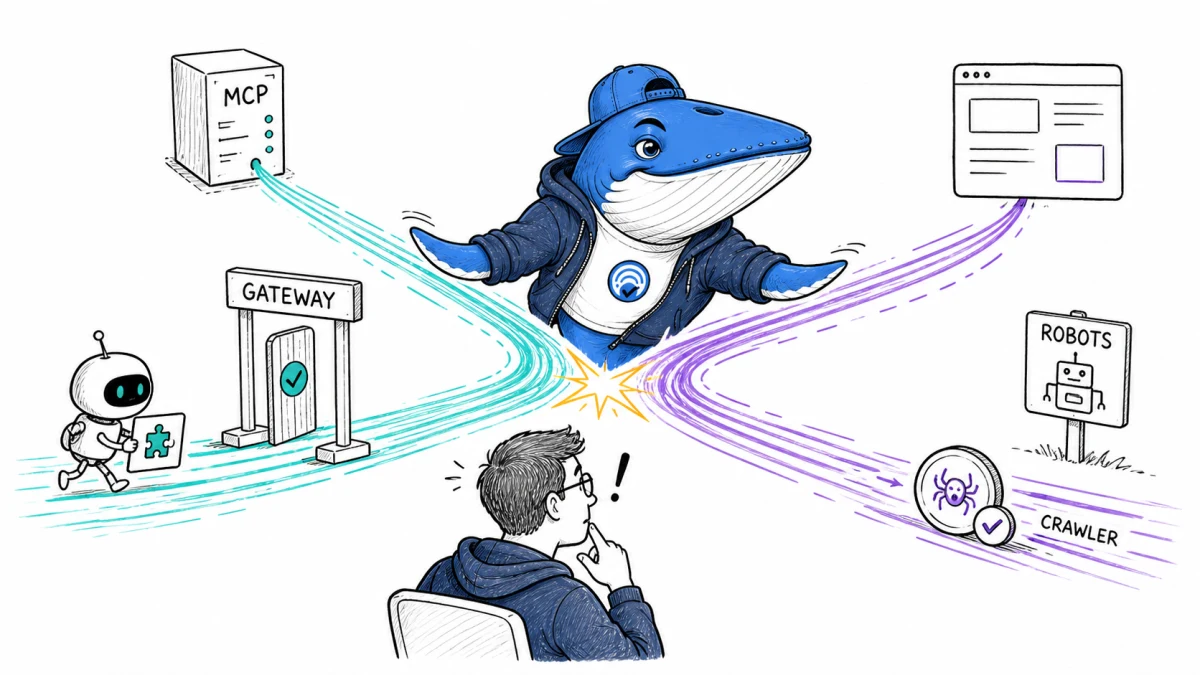
Updated August 29, 2026: Cloudflare Gateway can identify Model Context Protocol traffic crossing a managed network and expose a beta experimental.is_mcp selector in HTTP policies. That signal can help allow, block or isolate agent-to-tool connections. It is not a public-web crawler classification and does not replace robots.txt, AI Crawl Control, bot verification, WAF rules or origin authorization.
Direct answer: write the policy from the traffic path, not from the word “AI.” MCP governance protects a user or agent connecting to tools and data. Crawler governance protects a public website from automated retrieval. They may share vendors and HTTP, but they have different directions, identities, evidence and enforcement points.
What Cloudflare actually released
Cloudflare’s August 12 changelog says Gateway detects MCP requests by inspecting protocol-specific headers and payload characteristics. The new Is MCP selector is available in HTTP policies as experimental.is_mcp. Cloudflare marks the selector beta and says it may change before general availability.
The same release added an AI security report under Insights & Logs with MCP request volume, unique users, unique MCP servers and policies targeting MCP traffic. A separate Traffic Source selector identifies how traffic reached Gateway, including mcp_portal, device client, mesh, WAN and proxy endpoint. These are observations inside a configured Cloudflare One traffic path—not a census of every agent or bot on the Internet.
| Documented capability | What it supports | What it does not establish |
|---|---|---|
experimental.is_mcp | Gateway classified the request as MCP | That the user was authorized for the tool or data |
| Traffic Source | How traffic entered Cloudflare, such as an MCP portal | That the destination approved the action |
| AI security dashboard | Observed MCP usage in the governed environment | Off-network use or public crawler activity |
| Allow, block or isolate rule | Network policy outcome | Application-level scope, consent or data safety |
Separate four control planes
| Traffic class | Typical direction | Useful controls | Decisive evidence |
|---|---|---|---|
| MCP agent-to-tool | User or agent network → MCP server | Gateway policy, portal, identity, server authorization, tool scopes | Gateway event plus authenticated server decision |
| Public search or answer crawler | Operator infrastructure → public site | robots.txt, AI Crawl Control, WAF, verified-bot rules, origin controls | Verified bot identity and edge/origin request |
| Training crawler | Model operator → public site | Robots preference, behavior policy, WAF or crawl-control enforcement | Documented identity, behavior category and request outcome |
| Authenticated application call | Approved client → private service | Authentication, authorization, rate limits, audit trail | Principal, scope, resource and allow/deny result |
A Gateway rule can block MCP traffic that bypasses an approved portal, but it does not tell Googlebot whether it may crawl an article. A robots.txt rule expresses a site owner’s crawl preference, but it does not decide whether an employee’s agent may call a payroll tool. Keep both policies when both paths exist.
Original field audit: why an origin log cannot prove MCP
Search Engine Answer inspected an archived production HTTPS access log before publishing this revision. The log covered 145,325 requests from July 31, 2026 at 12:37 UTC through August 29 at 12:04 UTC. We retained only aggregate counts and the log-field shape; no raw IP address, URL token or user identifier was copied into this article’s evidence package.
The ordinary Apache-style record exposed the request line, HTTP outcome, referrer and user agent. It did not include Cloudflare Gateway’s experimental.is_mcp result, Traffic Source, authenticated Gateway user, MCP server identity or tool-call authorization. Therefore this log can show that a URL was requested, but it cannot establish that the request was an MCP session, which portal carried it, what tool was called or whether an internal user was allowed to receive the result.
Build an MCP policy without removing server authorization
- Inventory the route. Record approved clients, portals, users, groups, servers, tools, data classes and environments.
- Choose the objective. Decide whether the rule should report, block unknown MCP, require an approved portal or isolate risky destinations.
- Scope narrowly. Combine
experimental.is_mcpwith Traffic Source, identity group, destination and environment where the product supports it. - Observe first. Capture a representative period and identify legitimate automation, emergency access and non-MCP HTTP sharing the same destinations.
- Test fixtures. Exercise known MCP and ordinary HTTP requests before broad enforcement.
- Keep application authorization. The MCP server must still decide whether the authenticated principal may call the specific tool and access the requested record.
- Publish exception and rollback rules. Assign an owner, expiry, approval trail and a clear condition for reverting the policy.
Network admission and tool authorization answer different questions. “This looks like MCP from an approved portal” is not equivalent to “this user may invoke delete_customer against this tenant.” Log both decisions without placing secrets or sensitive payloads in the policy record.
Download the 24-request control fixture
The MCP traffic control fixture (CSV) contains 12 known-MCP cases and 12 non-MCP controls. It varies client approval, request shape, destination, portal use and authentication. The ordinary controls include browser traffic, APIs, webhooks, public crawlers, a non-MCP event stream and long polling so a broad detector does not win by matching every unusual HTTP request.
The file is a preflight template, not a Cloudflare accuracy benchmark. Replace generic clients and destinations with your own authorized fixtures, leave secrets out, and fill observed_is_mcp, action and evidence fields from a controlled run.
| Outcome | Denominator | Release interpretation |
|---|---|---|
| Known MCP detected | 12 MCP fixtures | Recall for the tested clients and shapes only |
| Known MCP missed | 12 MCP fixtures | Critical-client misses block enforcement |
| Ordinary HTTP marked MCP | 12 non-MCP controls | False positives must be explained and reduced |
| Ordinary HTTP ignored | 12 non-MCP controls | Confirms separation within this fixture set |
Twenty-four requests can expose a configuration error; they cannot estimate population-wide accuracy. Expand the matrix for every production client, protocol version, transport, proxy, on-ramp and failure mode before organization-wide enforcement.
Build the public-crawler policy separately
Cloudflare’s current bot taxonomy distinguishes behavior such as Search, Agent and Training, and also labels operation as Direct or Intermediary. Its Verified bot process uses identity mechanisms such as Web Bot Auth signatures, published IP lists with stable user agents or reverse DNS. That evidence belongs to public-site bot policy—not to the Gateway MCP selector.
For crawler preferences, publish robots.txt and verify that it returns the intended content. Cloudflare notes that robots compliance is voluntary; use AI Crawl Control, bot solutions, WAF or origin controls when the business requirement is technical enforcement. Decide separately whether to allow search discovery, user-directed agent access and model training. A single “block AI” label is too coarse for those different jobs.
The AI crawler guide covers robots and operator identities. The signed-agent verification guide explains why a claimed user agent alone is not identity.
Preserve a joinable evidence model
| Evidence source | Can establish | Cannot establish alone |
|---|---|---|
| Gateway event | MCP classification, traffic source and network action when recorded | Tool-level permission or final data use |
| MCP server audit | Principal, tool, resource, authorization and application result | Off-path traffic not reaching that server |
| Edge bot record | Verified identity or behavior classification and edge action | Human intent behind an intermediary agent |
| Origin access log | Request, status, bytes, referrer and user agent when configured | Gateway-only detector fields or payload meaning |
robots.txt snapshot | Published crawler preference at a point in time | Compliance or enforcement outcome |
Use a correlation identifier that is safe to retain across Gateway and server logs. Keep raw payloads out of the editorial worksheet; store only the minimum evidence needed to reproduce the decision, under the organization’s access and retention policy.
Release gates and rollback signals
- Known production MCP clients are detected across every supported request shape and on-ramp.
- Comparable non-MCP HTTP is not swept into the rule.
- Approved users and portals continue to reach allowed servers.
- Unapproved direct routes are blocked or isolated as designed.
- The MCP server independently enforces tool and data authorization.
- Public crawler controls are tested through their own robots, bot and origin evidence.
- An operator can explain every alert and exception without exposing sensitive payloads.
- A critical workflow block, classification regression or authorization bypass triggers rollback.
Limit: Cloudflare documents the beta capability, not an accuracy rate for every MCP implementation. Test your own clients, transports, encrypted paths and server controls. Recheck the selector name and availability before each release while it remains beta.
Primary documentation
Keep learning
Continue this topic
Next in this topic
AI Visibility Tools in 2026: A Buyer’s Measurement Matrix
Earlier in this topic
Microsoft Clarity AI Visibility: Query Topics and Brand Terms Workflow
Tools & Workflows
Ask a question or join the discussion