Cloudflare AI Bot Defaults: Search, Agent and Training Audit
Audit Cloudflare account controls across the dashboard, API, robots.txt and edge requests, with the migration map, Accountable crawler contract and Bing limitation.
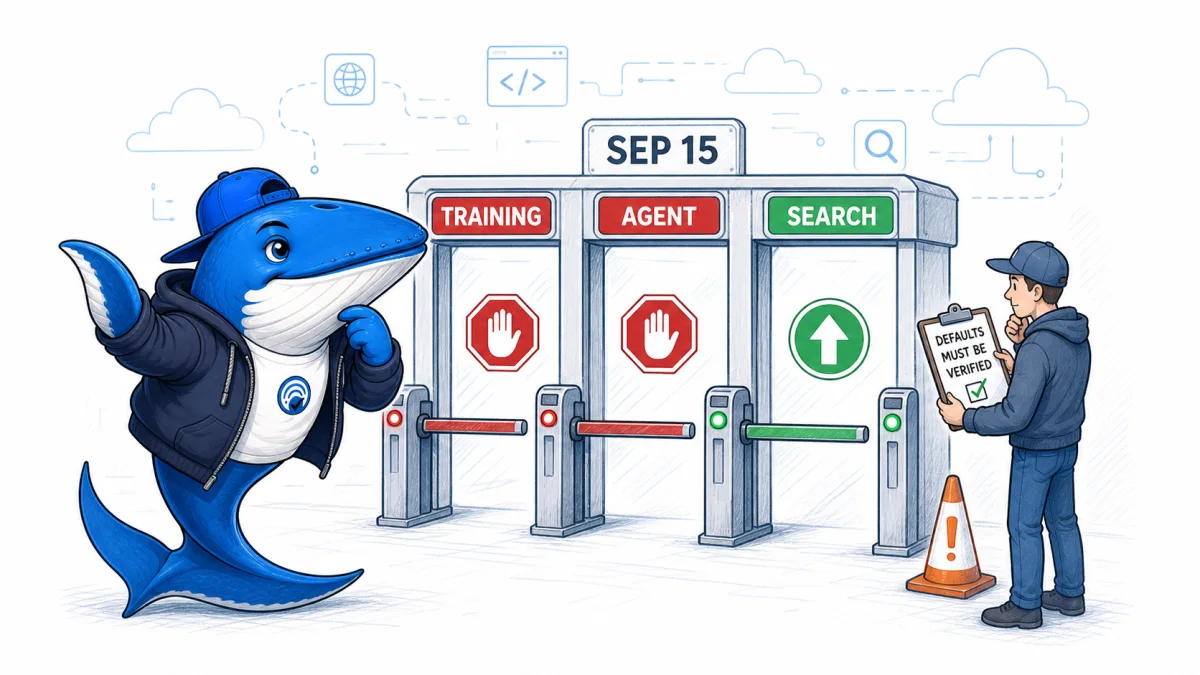
Cloudflare’s September 15 account controls separate a publisher’s training preference from a hard crawler block. Disallow AI Training publishes a no-training preference through Bot Preference Sync while keeping Cloudflare-designated Accountable mixed-use crawlers available for Search. Block and Block on pages with ads can stop the Search use of Applebot, Bingbot, and Googlebot as well.
Existing zones do not receive one universal preset. Cloudflare migrates them according to the previous legacy or granular setting. A reliable audit therefore needs four kinds of evidence: the dashboard choice, the Bot Management API values, the public robots.txt output, and the requests Cloudflare actually handled.
What shipped on September 15
Cloudflare now offers four outcomes for Training traffic: Allow, Disallow AI Training, Block on pages with ads, and Block. Disallow AI Training publishes the relevant no-training preference through Bot Preference Sync while allowing accountable mixed-use crawlers to continue search crawling. It is available for Training, not for Search or Agent.
| Setting | Site without ads | Ad-supported site |
|---|---|---|
| Preference Sync | Enabled | Enabled |
| Search | Allow | Allow |
| Training | Allow | Disallow AI Training |
| Agent | Allow | Block on pages with ads |
These are onboarding presets, not proof of the state on an existing domain. A publisher can change them during onboarding or later.
Existing domains follow a migration, not a preset
The onboarding table applies to a new domain. Existing zones are different: Cloudflare maps the old Block AI Bots state or the previous granular controls into the new Search, Training, and Agent settings. Two established domains can therefore show different current values even when both were active before September 15.
Record the old control, the current three values, Preference Sync status, capture time, and whether a person or API last changed the policy. A screenshot is useful evidence of what the dashboard displayed, but it does not prove what robots.txt published or how an edge request was handled.
Cloudflare’s /crawl Content Signals describe preferences for content use. The Bot Management controls described here govern crawler access and preference publication. Keep the two surfaces as separate rows in the audit.
Use the migration map, not the old switch name
For domains that never configured the granular controls, Cloudflare maps the legacy Block AI Bots choice into the new three-control system. This is the baseline an audit should compare with the current account.
| Legacy setting | Search | Training | Agent |
|---|---|---|---|
| Disabled | Allow | Allow | Allow |
| Block | Allow | Disallow AI Training | Block on pages with ads |
| Block on pages with ads | Allow | Disallow AI Training | Block on pages with ads |
Domains that already used the granular controls keep the practical effect of their choices. Previous Training selections of Block or Block on pages with ads migrate to Disallow AI Training. Search and Agent selections retain their corresponding outcome.
High-risk configuration: selecting Block for a mixed-use crawler stops search crawling as well as training. Cloudflare specifically names Applebot, Bingbot, and Googlebot in this warning.
Bing needs a page-level decision for now
Cloudflare says Microsoft is targeting early 2027 for domain-level robots support for a no-training preference. Until then, Disallow AI Training does not automatically communicate that preference to Bing through robots.txt.
Microsoft’s current page-level controls are not interchangeable. NOARCHIVE excludes the page’s content from Bing Chat answers and model training while leaving ordinary Bing Search eligibility in place. NOCACHE still permits the URL, title, or snippet in Bing Chat and limits training to that smaller set. Record the chosen outcome instead of marking Bing as covered by Cloudflare alone.
Accountable is a contract, not proof of compliance
Cloudflare uses Accountable for mixed-use crawler operators that provide, or commit to provide, controls and reporting that separate Search from AI uses. The designation is useful for policy, but it is not a measured compliance score and does not prove what happened to one request.
Cloudflare’s published criteria cover four commitments:
- a mechanism for publishers to express a no-training preference;
- an opt-out for AI-generated summaries;
- URL-level visibility into training use plus Search metrics; and
- assurance that choosing the AI controls will not reduce traditional Search treatment.
Some items describe current controls and others are time-bound commitments. Treat the Accountable label as the reason Cloudflare may preserve Search while publishing a training preference, then verify the operator’s current documentation. Apple, Google, and Microsoft are the mixed-use examples named by Cloudflare. Amazon, Anthropic, Meta, and OpenAI also operate crawler identities that may be separated by purpose, so test the exact bot identity rather than applying one rule to a company name.
Test mixed-purpose bots as their own case
Cloudflare says bots classified as both Search and Training are blocked under configurations that block AI training, including the legacy Block AI Bots control. This mixed-purpose rule is important because “Search is allowed” does not necessarily override a Training restriction.
Do not generalize the classification from a vendor name. Record the specific bot, Cloudflare’s observed category, request path, page ad state, rule matched, and action. If the purpose is unknown or classification changes, mark the row inconclusive until evidence is available.
The broader AI crawler decision guide helps align access choices with business goals, while the ChatGPT robots controls guide covers a product-specific layer outside Cloudflare’s classification.
A policy tree for each automated request
- Identify the purpose. Is Cloudflare classifying the bot as Search, Agent, Training, or more than one?
- Check the page state. The announced new-domain defaults distinguish pages that display ads from pages that do not.
- Apply every relevant rule. Cloudflare says the most restrictive applicable rule governs mixed-purpose crawlers.
- Separate access from content use. Allowing a request does not grant unlimited reuse. Cloudflare’s announced
usesignal distinguishes immediate interaction, reference use, and full reproduction. - Preserve the observed action. Record the classification, matched rule, page state, and response before diagnosing a search-visibility change.
This makes the main risk easier to see. A crawler can be useful for Search and also classified for Training. If Training is blocked, the Search label does not necessarily rescue the request.
Purpose and use are different controls
The Cloudflare announcement defines Search, Agent, and Training as reasons a bot visits. It separately describes use=immediate, use=reference, and use=full as preferences for what may happen after access. Record both layers instead of treating an allowed request as a blanket permission.
Prove the control at four surfaces
A single screenshot cannot carry the conclusion. Use a different verb for each surface so a configured preference is not reported as an observed block.
Configured: the account state
Capture Search, Training, Agent, and Preference Sync in the dashboard. Then query the zone’s Bot Management settings and preserve the fields ai_search, ai_training, ai_user, bot_preference_sync_enabled, ai_bots_protection, ai_bots_migration_opt_out, and is_robots_txt_managed. The API record makes a later dashboard change easier to detect.
Published: the public preference
Fetch the public /robots.txt without a logged-in browser session and save the response body, status, headers, and time. Bot Preference Sync can publish a preference, but the account toggle alone does not show the exact public file a crawler received.
Enforced: the edge decision
Use Cloudflare event evidence to identify the bot, classification, page ad state, matched rule, and action. If a custom WAF rule, rate limit, or challenge decided the request, do not attribute the result to the AI crawler setting.
Observed: the origin and search effect
Confirm the delivered status and main content from the request path, then watch crawl logs and search-platform diagnostics separately. A successful request proves access at that moment. It does not prove indexing, ranking, citation, referral traffic, or compliance with a content-use preference.
Claim discipline: say configured when you read the account, published when you fetch robots.txt, enforced when an edge event names the deciding rule, and observed when the final request or search evidence records the outcome.
Run the configuration and request audit
Download the Cloudflare AI bot pre/post audit (CSV). Its rows are marked EXAMPLE-REMOVE. The September 16 rows are test fixtures, not observations.
- Save the domain creation date, the capture time and each purpose setting currently shown.
- Record whether representative pages contain ads and how ad presence is detected.
- Preserve the legacy-control state and any custom WAF or bot rules that can affect the same request.
- If account policy allows it, compare a newly onboarded test domain with an existing domain without changing production settings.
- Observe Search, Agent, Training, mixed-purpose, and unknown classifications separately.
- Save request time, bot identity, classification, matched rule, action, and response evidence.
- Compare expected defaults with observed configuration before testing network behavior.
A failed request does not by itself prove the AI bot policy caused the failure. DNS, origin availability, authentication, robots rules, rate limits, WAF rules, and custom firewall logic can produce similar symptoms.
Choose policy by purpose, not by fear
Search retrieval may create discovery or citation opportunities. Agent access may serve a user who asks a tool to fetch your page. Training may create a different value exchange. A single “AI bot” toggle hides those distinctions.
Assign an owner and written intention to each purpose. If ad-funded pages require a different policy, define how the site labels those pages and test the label. If training is never authorized, use the explicit block-all control instead of relying on the ads condition.
Do not promise that allowing Search will cause indexing, citation, ranking, or referral traffic. Access is only the first state in the chain.
What can be published after September 15
Publish the documented defaults and the settings actually observed as separate records. An observed result needs the domain cohort, capture time, configuration, request evidence and confounding rules. If no account or request evidence was collected, keep the statement at the documented-policy level.
If observed behavior differs from the documentation, report the mismatch and conditions rather than declaring the documentation wrong. Account rollout timing, domain age, configuration inheritance, or classification can explain a difference.
Primary documentation
Checked September 16, 2026: Cloudflare’s account-level AI crawler update, Bot Preference Sync explanation, AI bot controls documentation, and Bot Management API reference; plus the current Applebot, Google crawler, and Bing content-control documentation.
SearchEngineAnswer did not inspect a reader’s Cloudflare account and reports no live block rate. The verification model above shows how to establish the state on a specific zone without treating documentation as request evidence.
Keep learning
Ask a question or join the discussion