Perplexity Image Search Needs a Source and Rights Audit Before Reuse
Perplexity’s Agent API now returns typed image results with image and source-page URLs. This guide maps the documented response to a four-gate provenance and rights review.
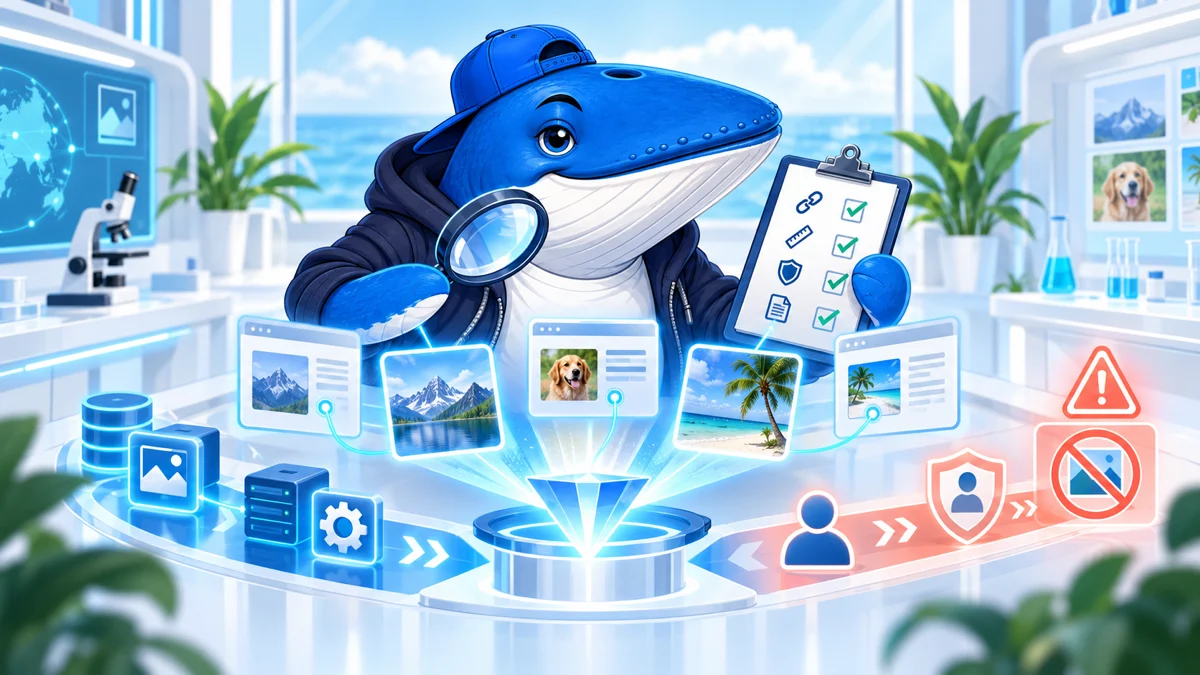
Perplexity’s Agent API can now return structured web-image results separately from the assistant’s text. Each result can include the image URL, the page where it was found, dimensions, and an optional title. That makes image discovery easier to automate. It does not make the returned image safe to republish.
This guide reads the October 2026 API contract as an implementation boundary. SearchEngineAnswer did not make a paid API call for this article, so it does not claim result quality, coverage, latency, or rights accuracy. The original contribution is a source-and-rights audit that turns the documented response into a safer editorial workflow.
Start with the contract, not the demo
Perplexity’s October changelog introduces an image_search tool for the Agent API. The detailed image-search documentation describes a typed image_search_results item that appears before the final assistant message.
| Control | Documented behavior | Editorial meaning |
|---|---|---|
max_results | 1 to 30 results; default 5 | Set an explicit limit so cost and review volume are predictable. |
domain_filter | Allow or exclude up to 10 domains; do not mix modes | Use an allowlist for trusted collections when provenance matters. |
format_filter | bmp, gif, jpeg, png, webp, or svg; up to 10 values | Format narrows retrieval, not usage rights. |
safe_search | Boolean; defaults to true | Keep it explicit in reproducible tests and child-safe workflows. |
| Price | $2.50 per 1,000 successful tool invocations | Tool cost is separate from the human review that should follow. |
| Failed call | Empty results, image_search_failed, and no tool charge | Store failure as a result instead of silently retrying forever. |
A bounded request is easier to audit
The following request mirrors the documented filter shape but uses a generic editorial task. It is an implementation example, not the output of a live test.
{
  "model": "openai/gpt-6-luna",
  "input": "Find current diagrams of a solar eclipse path.",
  "tools": [
    {
      "type": "image_search",
      "max_results": 8,
      "filters": {
        "domain_filter": ["nasa.gov", "noaa.gov"],
        "format_filter": ["jpeg", "png", "svg"],
        "safe_search": true
      }
    }
  ]
}
An allowlist can reduce an open-web search to publishers with known provenance practices. It still does not say which license applies to a particular file. A government domain can contain third-party images, and an accessible image can still carry conditions, attribution requirements, or restrictions.
The response gives you a lead, not a license
The documented result can contain image_url, origin_url, width, heightand an optional title. Preserve all of them. The image URL is the asset location. The origin URL is the page where Perplexity found it. Neither field, by itself, identifies the creator, copyright holder, license, required credit, permitted modification, or geographic restriction.
| API or review field | Automated | Human decision |
|---|---|---|
| Image and origin URLs | Preserve exactly as returned | Confirm the origin page actually displays the same image. |
| Dimensions and format | Record from response and file inspection | Decide whether the asset is technically usable without misleading crops. |
| Creator and owner | Unknown unless separately extracted | Identify the credited creator and rights holder from the source. |
| License | Unknown from the documented result | Locate the explicit license or written permission and save evidence. |
| Attribution | Unknown from the documented result | Copy the required credit, link, and modification notice exactly. |
| Editorial relevance | A model can suggest | Confirm the image represents the claim, place, date, and subject. |
| Final status | Do not infer | Approve, reject, seek permission, or replace with original artwork. |
A rejected result can still be the right audit outcome
Consider an illustrative review: the image opens, its dimensions suit the article, and the origin page shows the same file. The page credits a photographer but supplies no reuse license. The technical and identity checks pass; publication stays on hold. Record “permission required” rather than guessing that an image-search result includes commercial rights.
Now change one fact: the creator supplies written permission for this article only. That can authorize the article image without authorizing social crops, advertising or redistribution in a template. Store the permission beside the intended use. My release decision would be to publish only the authorized version, with the required credit, and commission separate artwork for other channels.
Use a four-gate decision before download or publication
- Identity gate: does the origin page identify the image, creator, date, and context? Reject pages that merely scrape or hotlink the same asset.
- Rights gate: is there an explicit license or permission that covers the intended commercial, editorial, and derivative use? Search visibility is not permission.
- Truth gate: does the image actually show the person, product, place, event, or data claimed by the article? Verify captions against the source.
- Release gate: can the team preserve the source URL, license evidence, credit line, modifications, alternative text, and approval owner with the asset?
If any gate fails, keep the result as a research lead and do not import the image. Create original artwork, commission a licensed asset, or use a verified public-domain collection instead. This is a workflow safeguard, not legal advice.
A useful test needs adversarial cases.
A future hands-on evaluation should not ask only whether attractive images appear. Freeze the model, input, tool settings, market, time, and result count, then test cases that expose different failure modes.
- Same image, different hosts: check whether the origin URL points to the creator, a licensed distributor, or a scraper.
- Old product photo: see whether freshness and current-model identity survive image similarity.
- Misleading caption: test whether an incorrect surrounding page title contaminates the optional result title.
- Transparent SVG: verify format filters, dimensions, and whether the source page gives a reusable vector license.
- No-result allowlist: confirm that an empty successful search and a failed search remain distinct in logs and billing.
Measure source-page validity, duplicate rate, creator identification, explicit-license rate, caption accuracy, dead links, and reviewer time. A high relevance score is not enough if the workflow sends editors to unlicensed or unattributed assets.
Production checklist
- Set
max_resultsinstead of accepting an unexamined default. - Record allowlist or denylist mode and never mix the two in one request.
- Store the typed result item before the assistant summarizes it.
- Preserve image URL, origin URL, dimensions, title, generated queries, call ID, usage, and error state.
- Do not equate safe search with copyright, consent, or factual accuracy.
- Require an explicit human rights decision before download, transformation, or publication.
- Use the 30-point AI content release checklist for metadata, alternative text, disclosure, and final-page QA.
What changed, and what remains unknown
The material change is the typed tool contract. Developers can request filtered image search and receive structured result objects outside the prose answer. The October changelog does not expose a day-level release date, so this article records the month without inventing a rollout day.
The documentation does not establish result-set completeness, geographic consistency, ranking criteria, duplicate handling, license detection, or publisher opt-out behavior for this tool. Those questions require a reproducible paid test or additional Perplexity documentation. Until then, the safest architecture treats image search as discovery and human review as authorization.
Primary documentation
Keep learning
Continue this topic
Next in this topic
Shopify’s Weekly Translation Sync Leaves an Urgent-Update Gap
Earlier in this topic
SEOPress 10.3 Gives AI Assistants 27 SEO Tools, but Exposure Is Off by Default
Tools & Workflows
Ask a question or join the discussion