Gemini API Key Migration: Build a 30-Field Cutover Register
Migrate Gemini API Standard keys with a 30-field register, a current September cutover decision, production-path testing, telemetry and rollback.
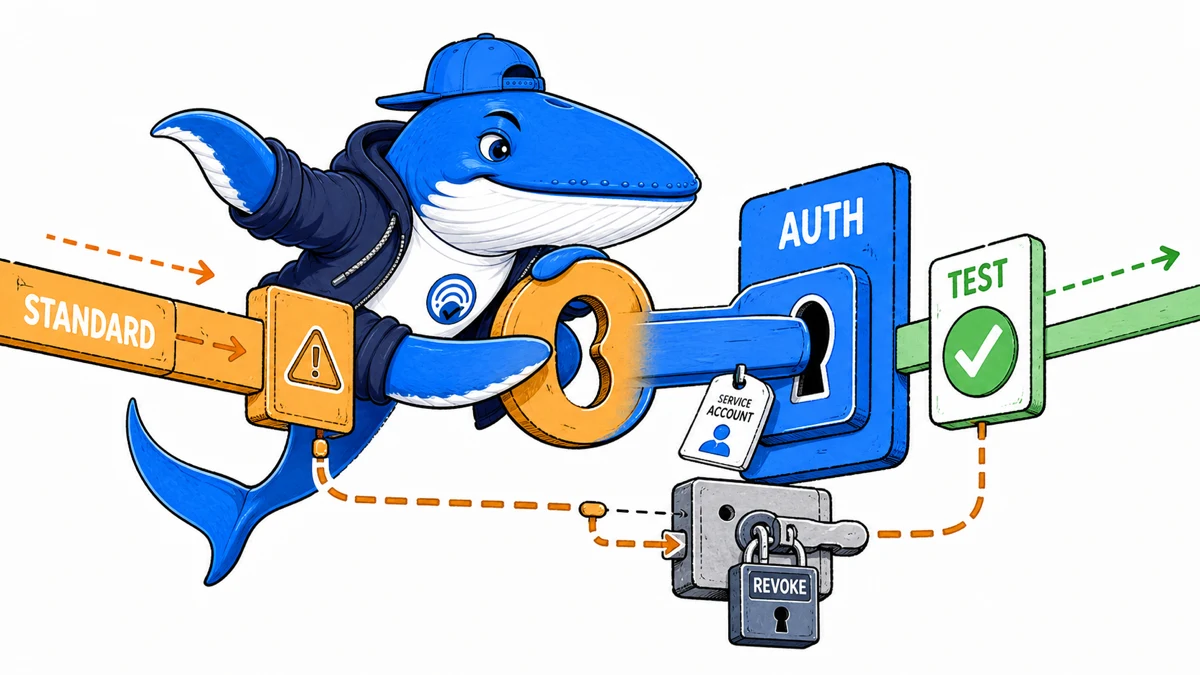
Direct answer: inventory every Gemini API credential by key type and request path, move active integrations to authorization keys, test the production path, then revoke each Standard key only after its rollback window closes. Google’s current documentation says unrestricted Standard keys are already rejected and all Standard keys will be rejected in September 2026. It does not name a day.
The downloadable 30-field Gemini API key migration register keeps ownership, deployment, verification, observability and revocation in one row. Its two rows are marked EXAMPLE-REMOVE; they are not migration results and contain no credential values.
Read the current key contract first
Google documents two Gemini API key types. A Standard key associates requests with a Google Cloud project for billing and quota, but does not identify the caller. An authorization key is bound to a service account and processes requests under that identity. New keys created in Google AI Studio now default to authorization keys.
| State | Current behavior | Required action |
|---|---|---|
| Authorization key | Default for new AI Studio keys; bound to a service account | Verify identity, restrictions, monitoring and production use. |
| Restricted Standard key | Interim requests may still work | Migrate before the September 2026 rejection boundary. |
| Unrestricted Standard key | Gemini API rejects requests | Do not treat adding a temporary restriction as the final migration. |
| Unknown key type | Operational state is unverified | Stop the release until the key is classified. |
That distinction matters during incident triage. “The old key still works” can describe a restricted Standard key before the cutoff; it does not show that the migration is complete.
Treat September as an active cutover window
Google’s documentation still says Standard keys will be rejected in September 2026, but it does not publish a day or hour. On September 15, the safe operating assumption is that a restricted Standard key can stop working without a more precise public countdown.
Release decision: do not wait for a failed production request to discover the deadline. Move the real workload to an authorization key, verify the application path and replacement telemetry, then revoke the Standard key after the written rollback window.
- If the Standard key is unrestricted
- Google documents that Gemini API requests are rejected. Treat this as an incident, not a future migration task.
- If it is restricted and still works
- That is temporary compatibility, not proof that the September migration is optional.
- If the authorization key works only in AI Studio
- The production path is not verified. Repeat the request through the actual runtime, proxy, SDK, endpoint and model.
- If service-account usage looks empty
- Google says authorization-key requests are not recorded in service-account usage metrics. Validate the application telemetry selected for the cutover.
The useful evidence is a pair of timestamped production-path tests with the same low-risk input: one baseline before the switch and one after it. Record status, model, latency, application outcome, quota or billing observation, and rollback decision. Never place the raw credential in the register.
Inventory integrations, not secret strings
Create one row for each application and environment that sends Gemini API requests. Record a stable internal key alias, never the raw key. A single credential reused across production, staging and local development should become separate records because its blast radius and cutover sequence are different.
| Layer | Record | Keep out of the ledger |
|---|---|---|
| Ownership | Application, environment, owner, Cloud project | Personal account details unrelated to the release |
| Credential | Alias, type, restriction and service-account identity | Raw API key |
| Runtime | Server, job, plugin, browser or local client | User prompts and private payloads |
| Request | SDK, endpoint, model identifier and origin | Authorization headers |
| Release | Baseline, deployment, rollback, revocation and decision | An unverified success statement |
Search code repositories, deployment secrets, CI variables, plugin settings, server environments and operational runbooks. Google AI Studio shows projects and keys that have been imported into its interface; it is not necessarily a complete map of where each key is used.
Trace the real request path
Write down the route from user action or scheduled job to the Gemini endpoint. Include browser, proxy, runtime, secret store, SDK, endpoint, model and billing project. A successful request in AI Studio validates a different environment from a WordPress plugin, Node service or edge worker.
Freeze the current SDK and model identifier for the migration test. Changing authentication, client library and model in one release makes an error harder to isolate. Move one control at a time unless an urgent security incident makes staged work unsafe.
Choose the service-account owner
An authorization key runs under the identity of its bound service account. Before creating it, name the team that owns that service account, the project that pays for requests, the people allowed to rotate it and the environments allowed to use it. Record the service-account identity, not a downloaded private-key file.
Google lists permissions needed to create and bind authorization keys, including project lookup, API key creation, service activation, service-account creation and service-account API-key binding. If AI Studio reports that key creation is unavailable, solve the IAM ownership problem rather than moving the workload into an unmanaged personal project.
Keep publisher-owned keys off the client
Google says not to hardcode API keys in production web or mobile applications because users can extract them. A publisher-owned key belongs behind a server-side proxy and in a managed secret store. Environment variables are safer than committed configuration files, while a production secret manager adds access control and rotation history.
A bring-your-own-key tool has a different contract: the visitor supplies the credential and the browser sends requests under the visitor’s project. Explain storage duration, network destination, removal and whether the application relays or logs the key. Do not call a publisher-owned key exposed in JavaScript “BYOK.”
Save a baseline before cutover
Run a low-risk request through the existing production path and record the time, HTTP status, endpoint, model, application response, quota behavior and billing observation. Exclude sensitive prompt content. The baseline is useful only if the new-key test repeats the same path and expected result.
If the existing key is unrestricted and already rejected, record that failure rather than inventing a passing baseline. The migration goal then becomes restoration through an authorization key, with the outage window visible.
Test four layers before revocation
| Layer | Evidence | Failure it catches |
|---|---|---|
| Authentication | Expected request receives the expected HTTP outcome | Invalid, disabled or incorrectly bound credential |
| Application | Real code path parses and handles the response | SDK, endpoint, proxy or error-handling drift |
| Control | Quota, origin and service restrictions match policy | Overbroad or blocked use |
| Operations | Billing, alerts and application telemetry remain visible | Silent loss of monitoring after cutover |
Use a staging environment first, then a small production slice where the architecture supports it. Record failures and zero-output cases; deleting them from the migration record makes the release appear safer than it was.
Replace the service-account metric you will lose
Google notes that requests authenticated by authorization keys are not recorded in Google Cloud service-account usage metrics. A new service-account-bound identity therefore does not guarantee a useful service-account usage graph. Preserve application request counts, success and error rates, latency, quota evidence and billing alerts through other supported telemetry.
Write service_account_metric_expected=no in the register rather than treating the missing metric as an outage. Then verify the monitoring source you actually intend to use.
Set a short, explicit rollback window
- Create the authorization key in the intended project.
- Store it in the approved secret location.
- Deploy to the controlled environment.
- Run the production-path verification.
- Watch the declared operational metrics.
- Keep the old key only until the rollback deadline.
- Disable or delete it and record the revocation time.
Google’s leak-response guidance follows the same safe order: generate a replacement, deploy it, verify it, then disable or delete the compromised key. An indefinite overlap is not a rollback plan; it leaves two active credentials and an unclear owner.
Classify errors by control point
An authentication failure, permission failure, quota error, model error and application parse error require different owners. Save the HTTP status and a privacy-safe error class. Do not paste full responses into a shared spreadsheet when they may contain prompts or account data.
If a key works from one location and fails from another, compare request-origin restrictions, proxy egress, project, endpoint and runtime before regenerating credentials. Rotation without diagnosis can multiply unmanaged keys.
Use the register as a release gate
A row is complete when it names an owner, project, key type, request path, successful production-path test, operational observation, rollback deadline and old-key disposition. “Created new key” is not a release decision. The register forces the team to connect a credential to a working application and a revocation record.
Run the surrounding deployment through the technical launch checklist when the integration affects a public tool. The tool-stack decision framework helps decide whether a dormant integration should be migrated or retired.
Deadline and evidence boundaries
Google’s page says Standard keys will be rejected “on September 2026” and advises migration before September. Because it does not provide a day, treat September as a boundary, not a final-week maintenance window. Reopen the documentation immediately before release.
This guide does not test your account, inspect your credentials or prove that a particular key will fail at a particular minute. It translates Google’s documented contract into a reversible operating record.
Primary documentation
Sources rechecked September 15, 2026: Google AI for Developers’ Gemini API key documentation and Gemini API release notes. Keep Gemini API authentication separate from the Gemini app, Vertex AI credentials and Google Search behavior. More repeatable implementation resources are collected in Tools & Workflows.
Keep learning
Continue this topic
Next in this topic
Claude Inference Hooks: A Shadow-to-Enforce Release Gate
Earlier in this topic
Gemini Grounding: Trace Citations and Missing Source Evidence
Tools & Workflows
Ask a question or join the discussion