SEOPress 10.3 Gives AI Assistants 27 SEO Tools, but Exposure Is Off by Default
SEOPress 10.3 adds a built-in MCP server with 18 read-only and nine write-capable tools. A live upgrade check confirms that installing the release does not expose a site until its owner enables the endpoint.
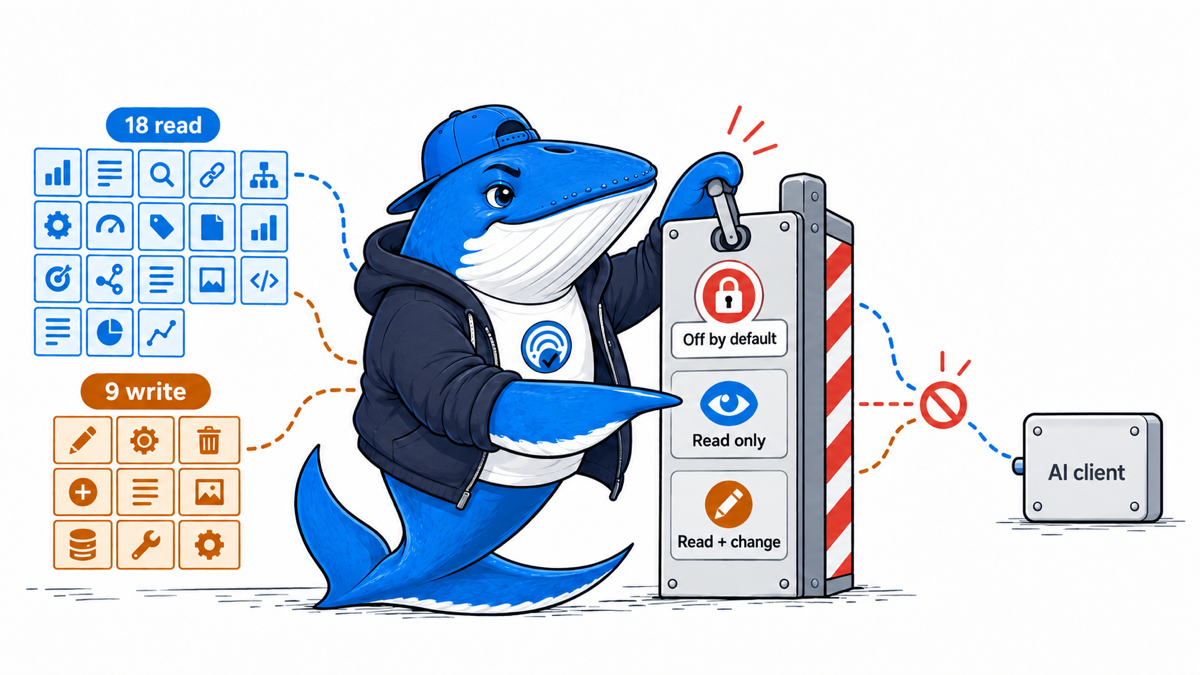
SEOPress 10.3 turns WordPress SEO functions into a permissioned toolset that an AI client can call. The October 1 release adds a built-in Model Context Protocol server with 27 tools: 14 in SEOPress Free and 13 in Pro. The more useful number for site owners is the permission split. Our review of the 10.3 tool registrations found 18 read-only tools and nine that can change site data.
We also checked the live SearchEngineAnswer installation after updating both SEOPress plugins to 10.3. WordPress had the required Abilities API, but the MCP endpoint was still disabled, and no tools were exposed to an external client. That is the right default. Installing the update did not silently open an AI control surface.
The central change is a permission boundary.
This is not simply another AI-writing feature. SEOPress built its tools on the WordPress Abilities API, which gives plugins a standard way to register functions with descriptions, input rules, and permission checks. SEOPress then exposes selected abilities through its own MCP endpoint so a compatible client can discover and call them.
The distinction matters because the client acts with the permissions of the WordPress account that approved the connection. SEOPress documents two OAuth choices: read-only access, or read-and-change access. It also lets administrators turn off individual tools, keep other plugins’ abilities out of scope, and revoke a connection later.
The result is less like installing an autonomous SEO agent and more like creating a controlled service account. The site owner decides whether the endpoint exists, which account authorizes it, and which operations remain available.
Eighteen tools read; nine can change the site
The release announcement gives the package totals. We inspected the 10.3 ability registrations and classified each tool by its effect on WordPress data.
| Package | Read-only | Write-capable | Total |
|---|---|---|---|
| SEOPress Free | 11 | 3 | 14 |
| SEOPress Pro | 7 | 6 | 13 |
| Total | 18 | 9 | 27 |
The read-only side can retrieve metadata, robots settings, social settings, sitemap configuration, and site-level settings. It can also find posts that lack metadata, list noindexed posts, run content analysis, and return a technical audit. Pro adds read operations for redirects and structured data, plus generators for proposed titles, descriptions and image alt text.
The nine write-capable tools deserve a separate approval decision. Free can update a post’s SEO title and description, robots directives, and social metadata. Pro can create, update, or delete redirects, update structured data, change target keywords, and upload an image to the Media Library.
Those are not equal risks. A draft meta description is easy to review. A robots change can remove a page from search. A redirect can alter routing for users and crawlers. An image upload consumes storage and creates a new media record. A safe setup should therefore grant tools by consequence, not by how convenient they sound in a chat prompt.
What happened on SearchEngineAnswer after the update
On October 3, we ran a read-only inspection on this site. WordPress was at version 7.1.2. SEOPress Free and Pro were both at 10.3. The Abilities API was available, but the SEOPress MCP exposure option was off. The configured namespace remained limited to SEOPress; abilities from other plugins were not included, and the inspection found zero externally registered SEOPress tools in that state.
Observed result: updating the plugins did not expose the site. An administrator still has to enable the MCP server and approve a connection.
This check did not connect an AI client or execute a tool. It verifies the default boundary, not the quality of every tool response. That next stage should happen first on staging or with a tightly scoped account.
A safer rollout starts read-only.
- Back up before enabling access. Record the plugin versions and the current SEO settings that a tool could change.
- Inventory the available tools while the endpoint is off. Decide which tasks have a real owner and review step. Disable tools that have no approved use case.
- Create a dedicated WordPress account. Give it only the capabilities required for the first test. Do not authorize an administrator account merely because it is convenient.
- Connect with read-only access first. Request inventories, missing metadata reports, and technical observations before allowing any changes.
- Keep foreign plugin namespaces off. SEOPress limits its MCP surface to its own namespace by default. Expanding that scope can expose abilities registered by other plugins.
- Approve one reversible write operation. A single draft-page metadata change is safer than a batch redirect edit. Compare the before and after values, then inspect the public page.
- Revoke the connection when the test ends. Keep a short record of the account, scope, client, tools used, changed objects, and rollback result.
This is the same principle we recommend when teams evaluate an SEO or GEO tool: treat the output as evidence to inspect, not authority to accept. Before enabling the connection on a production site, include it in the site’s technical release checks.
The rest of 10.3 matters even if MCP stays off
The MCP server is the headline feature, but the release also changes several parts of everyday SEO work.
- Consent and caching: SEOPress changed its consent system so cache and optimization layers can serve the right state without page-specific fragments undermining performance.
- Schema relationships: The release adds stable IDs and links the WebSite graph to the Organization publisher. That can make separately generated schema nodes easier to connect and audit.
- Search Console views: Pro adds a 12-month chart, post-level metrics, and the last synchronized indexing status. Opening the screens does not consume the indexing-status quota, according to SEOPress.
- Redirect safeguards: the plugin warns about collisions, adds dedicated theme output for 410 and 451 responses, and includes batching and regular-expression fixes.
- Analytics and Preferred Sources: new GA4 options remain off by default. SEOPress also adds a Google Preferred Sources popup, which should be configured with the same care as the button and deep-link implementation.
- Editor experience: the SEO metabox was rebuilt with native WordPress components. That is a maintenance change rather than a ranking feature, but it can reduce friction for teams that edit metadata in the block editor.
What still needs testing
SEOPress documents the server requirements, authentication flow, and available tools. Our site check confirms the update’s disabled-by-default state. We have not yet measured tool response accuracy, timeout behavior, audit completeness, changes made through each write operation, or the behavior of multiple clients connected to the same account.
The non-MCP changes also need separate tests before broad claims are justified. Compare a schema graph before and after the update. Redirect collision warnings need known conflict cases. Consent behavior needs cached and uncached requests. Search Console data needs comparison with the source property.
For now, the practical conclusion is narrower and useful: SEOPress 10.3 gives AI clients a substantial WordPress SEO toolset without exposing it on upgrade. Site owners control whether the endpoint exists. The next decision is not whether AI can manage SEO. It is which of the 27 operations a specific account should be allowed to perform, and how each change will be reviewed and reversed.
Keep learning
Continue this topic
Earlier in this topic
How to Test Tavily’s Language Boosting and Strict Filtering
Tools & Workflows
Ask a question or join the discussion