Robots.txt Is 200 but Unreachable to Google: A Network Diagnostic
Diagnose a crawler-facing robots.txt failure across DNS, IPv4 and IPv6, TLS, CDN, WAF, redirects, and origin logs instead of trusting one browser request.
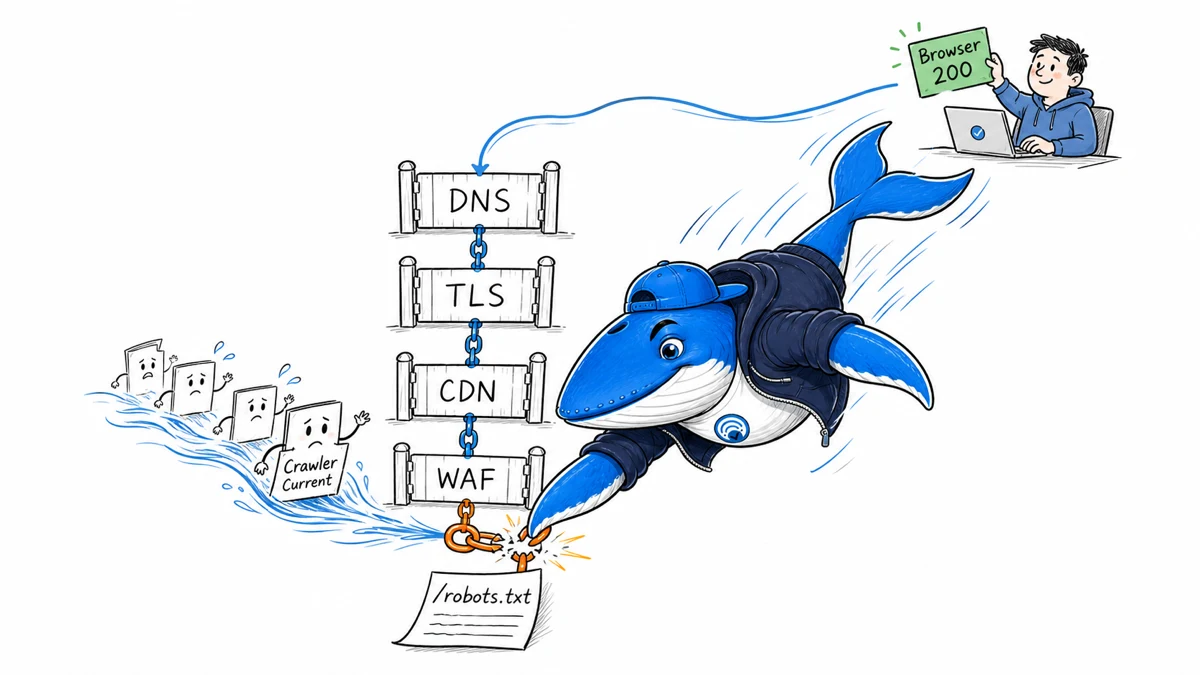
A robots.txt file returning HTTP 200 in your browser does not prove that Google can retrieve it. Your browser tests one network path, resolver, address family, region, TLS handshake, CDN edge, and security policy. Diagnose the incident layer by layer and preserve evidence from the crawler-facing path.
Google documents DNS, connection, timeout, reset, and other network failures as server errors. Its robots handling depends on the response Google actually receives. Search Console can expose a fetch problem, but the message alone does not identify whether DNS, IPv6, TLS, CDN, WAF, redirects, or the origin caused it.
First, reproduce more than the happy path
Record the exact URL, timestamp, Search Console property, reported status, and when the failure first appeared. Fetch the file without cookies or a logged-in session. Save final status, redirect chain, response headers, body, remote IP, protocol, TLS details, elapsed time, and resolver result.
Test from at least two independent networks or regions. Test IPv4 and IPv6 separately when both are published. A successful request from your laptop may hit a healthy nearby CDN edge while a different route reaches a broken origin, incomplete TLS chain, stale DNS answer, or security rule.
Follow the failure through six layers
| Layer | Evidence to save | Typical mismatch |
|---|---|---|
| Authoritative DNS | NS, A, AAAA, CNAME, TTL, DNSSEC state | One address family or name server returns stale or wrong data. |
| Network path | Remote IP, route, latency, timeout/reset | An edge, firewall, or origin is unreachable from part of the internet. |
| TLS | SNI, certificate chain, expiry, supported protocol | The browser repairs or caches a chain that another client cannot validate. |
| CDN | PoP/edge headers, cache state, origin status | One region has a different rule, stale object, or origin route. |
| WAF and rate limits | Matched rule, action, verified IP, request ID | User-agent matching or bot controls block a legitimate crawler path. |
| Application | Redirects, status, content type, body, server logs | The robots route depends on a plugin, cookie, host, or deployment state. |
Check DNS and dual-stack parity
Query the authoritative name servers and more than one public resolver. Compare A and AAAA records with the intended CDN or origin. If an AAAA record exists, do not assume IPv6 works because IPv4 works. Test the same host and path over each family, including TLS and the final body.
Inspect recent DNS changes, low or long TTLs, split-horizon configurations, DNSSEC validation, and inconsistent name-server answers. Google’s DNS and network error guidance recommends checking authoritative responses and availability rather than relying on one cached lookup.
Inspect TLS from the failing hostname
Validate the full chain for the exact hostname with SNI. Check certificate expiry, intermediate certificates, protocol negotiation, and whether IPv4 and IPv6 terminate on the same configuration. A web browser may have cached intermediates or present a friendly error path that hides what a clean client encounters.
If the CDN uses multiple certificate deployments, compare regions and edge addresses. Do not disable TLS verification as a “fix”; that removes the test instead of repairing the public endpoint.
Separate crawler verification from user-agent strings
A request claiming to be Googlebot is not necessarily Google. Google’s verification guidance describes reverse and forward DNS checks and published IP ranges. Use those methods before allowlisting or investigating a specific request.
At the same time, avoid security logic that depends only on exact user-agent text. Audit managed bot controls, custom firewall rules, country restrictions, rate limits, JavaScript challenges, browser-integrity checks, and emergency blocks. Save the rule ID and request ID for every denied or challenged request.
Verify robots-specific behavior
The file should be available at /robots.txt for the relevant host, return a plain and bounded response, and avoid avoidable redirects. Confirm the content type, encoding, size, and line endings. Compare www, apex, HTTP-to-HTTPS, and any international hosts separately; robots rules are scoped to the host and protocol where they are served.
Google’s robots.txt documentation explains how different status and network errors are handled. Do not block the robots file itself with authentication, a consent interstitial, a bot challenge, or a rule that requires browser JavaScript.
Correlate Search Console with origin and edge logs
- Define a narrow incident window in UTC.
- Export CDN, WAF, load balancer, and origin events for
/robots.txtand the sitemap. - Verify crawler identities before grouping them.
- Match request IDs across layers and retain failures, not only 200 responses.
- Look for address-family, edge, status, latency, and rule differences.
- Change one layer at a time, record the deployment, and repeat the same tests.
If no corresponding request reaches the edge, investigate DNS and routing. If it reaches the edge but not the origin, inspect CDN and WAF policy. If the origin returns 200 but the edge fails, compare cache, body, header, and connection behavior. A related SEA investigation, A URL Can Return HTTP 200 and Still Fail Before the Client Reads HTML, shows why status alone is not sufficient evidence.
Use a retest window, not repeated random changes
After a verified repair, test the public endpoint from independent locations, request validation in the relevant Google interface when available, and monitor crawl and server observations. Record the change, baseline, time window, and any confounders. A later successful fetch supports recovery; it does not prove which earlier change caused it unless the incident evidence isolates the layer.
Ask a question or join the discussion