Cloudflare Redirects for AI Training: Test Canonicals Before Turning 301s On
Cloudflare can redirect verified AI training crawlers to a same-origin canonical URL. Test the first 256 KB, redirect order, logs, and rollback before enabling it.
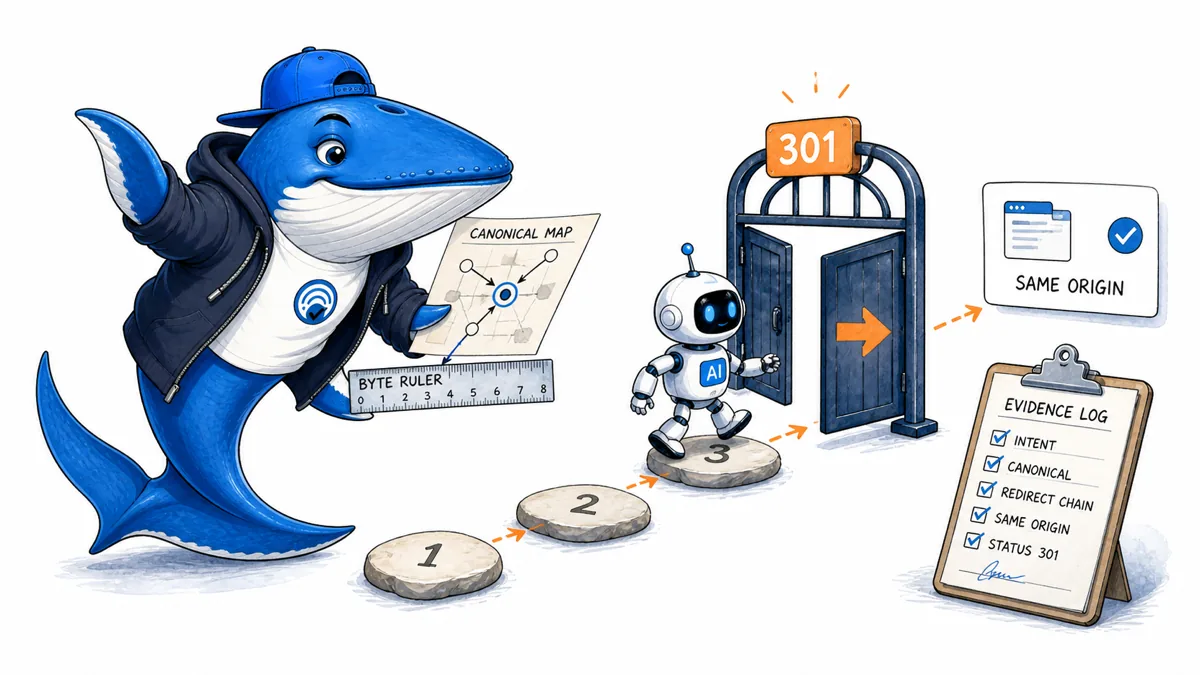
Direct answer: Cloudflare’s Redirects for AI Training feature can return a 301 from an original HTML page to a different same-origin canonical URL, but only for verified crawlers that Cloudflare classifies as AI training bots. Cloudflare says normal browsers, search crawlers, and AI assistants continue to receive the original page.
That narrow scope does not remove migration risk. A missing, late, self-referencing, cross-origin, or unintended canonical can make the rule do nothing or send training crawlers somewhere the publisher did not mean to designate. Treat activation as a technical release with a baseline, canary, logs, and rollback.
What Cloudflare redirects
Cloudflare documents the feature for HTML responses on Pro, Business, and Enterprise zones. An eligible request is redirected only when Cloudflare verifies the crawler and classifies its purpose as AI training. The destination must be a different URL on the same origin. Self-referencing and cross-origin canonicals are ignored.
| Condition | Documented behavior | Release check |
|---|---|---|
| Requester | Verified AI training crawler | Preserve bot identity and classification |
| Content | HTML response | Test actual origin response type |
| Canonical | Different same-origin URL | Resolve and fetch the target |
| Result | HTTP 301 | Trace every redirect hop |
A redirect is an access-routing decision. It is not proof that the crawler will fetch the destination, that the destination will enter training, or that an AI product will cite either URL.
Audit the first 256 KB of uncompressed HTML
Cloudflare says it searches the first 256 KB of the uncompressed HTML document for the canonical link. Do not assume that a canonical visible in a browser DOM is available inside that window. Client-side injection, oversized inline data, tag-manager payloads, and late template output can place it outside the scanner’s reach.
- Fetch the origin response without browser rendering and save the decompressed bytes.
- Locate the canonical tag and record its byte offset.
- Confirm there is one canonical and that its URL resolves against the page URL as expected.
- Fetch the target without credentials and verify its status, content, robots controls, and canonical.
- Repeat on representative templates, localized pages, pagination, and large documents.
Use the canonical implementation guide for the ordinary indexing layer. The Cloudflare feature should not become a workaround for a broken canonical system.
Test redirect precedence and loops
Cloudflare states that other redirects are evaluated earlier. A request may therefore move through hostname normalization, HTTPS enforcement, locale routing, legacy URL migration, or application redirects before the AI-training rule is considered. Test the chain from the public URL, not from an assumed final page.
Create fixtures for an ordinary browser, a search crawler, an AI assistant crawler, an eligible training crawler, an unknown bot, and a spoofed user-agent. Confirm that only the verified eligible class receives the added 301. Trace the response at the edge and origin, record each hop, and stop the release if a loop, cross-environment hop, or unexpected canonical appears.
Do not authenticate a crawler from its user-agent string alone. Cloudflare’s verified classification and your raw edge evidence serve different purposes; retain both where the plan and privacy policy allow it.
Release with observability and rollback
Cloudflare exposes a redirects_for_ai_training_target field for the target selected by the feature. Save that field with timestamp, source URL, status, crawler identity, action, and request identifier. Compare the canary against the baseline before enabling the rule sitewide.
- Canary one low-risk template or hostname first.
- Monitor 301 volume, target distribution, errors, and loops.
- Retain the previous setting and a documented disable path.
- Review target content when canonicals or templates change.
- Do not interpret crawl changes as evidence of training or citation.
Pair the release with the technical SEO launch checklist and the search and AI bot access policy framework.
Ask a question or join the discussion