Product.category and Sale Dates: Feed-to-Schema Map
Map Merchant Center product type and Google product category values to Product.category, then align sale price dates with Offer and PriceSpecification fields.
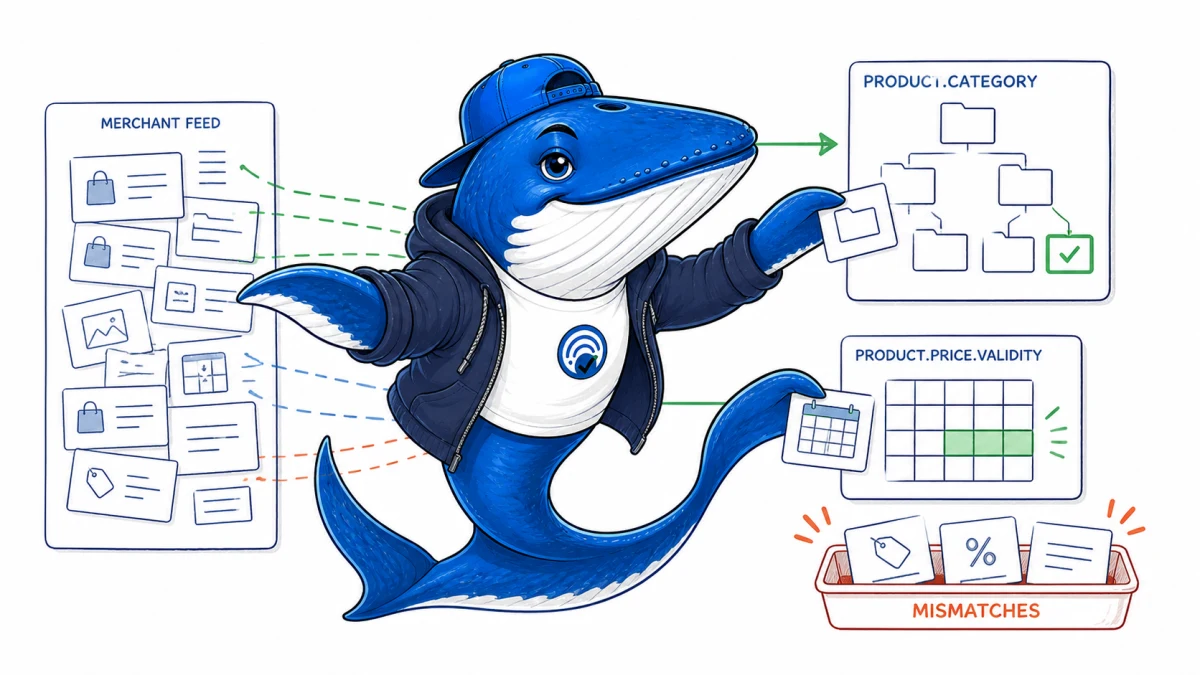
Updated August 16, 2026: Google’s July 2026 documentation explains how Product.category can align with Merchant Center’s product_type and google_product_category. It also clarifies the schema fields that can describe a real sale or price-validity window.
The goal is not to copy every feed column into JSON-LD. Build an explicit mapping from one canonical product and offer record so the visible page, schema, Merchant Center feed and checkout agree.
Map category fields by owner
| Source field | Owner and value | Schema mapping |
|---|---|---|
product_type | Merchant-defined category path | Product.category as text |
google_product_category | Google taxonomy identifier or path | Product.category as text or CategoryCode |
| Private navigation label | Internal merchandising system | Use only if it accurately describes the visible product |
Do not merge two taxonomies into a synthetic category string that neither system owns. Preserve the source field and version so a taxonomy update can be traced.
Map sale dates to the price object they qualify
| Field | Use | Failure to catch |
|---|---|---|
validFrom | Beginning of a time-bounded Offer or PriceSpecification | Markup advertises the sale before purchase is possible |
validThrough | End of the applicable Offer or PriceSpecification | End-of-day and timezone assumptions diverge |
priceValidUntil | Date through which an Offer price remains valid | Expired price remains in markup or feed |
Use ISO 8601 values and include timezone information when the boundary is time-sensitive. A price scheduler should update the page, structured data, feed and checkout from the same promotion record.
Use a field-lineage table
For product ID, variant ID, URL, title, image, category, brand, availability, base price, sale price, currency and sale dates, record the owning system, transformation rule, page selector, schema path, feed column, refresh cadence and failure owner.
This makes mismatches inspectable. A valid JSON-LD document can still describe a different variant from the landing page. A valid feed can still advertise an expired price. Syntax is only one release gate.
The ChatGPT product-feed guide applies the same lineage model to OpenAI commerce and ads paths. The schema guide separates machine-readable accuracy from rich-result eligibility.
Test before, during and after the sale
- Before: confirm the normal price is visible and sale objects are inactive or correctly future-dated.
- At start: verify the sale price is purchasable and all surfaces switch within the declared propagation window.
- During: sample variants, countries, currencies and cached pages.
- At end: verify the checkout and visible page revert, expired sale fields disappear, and feeds refresh.
- After: inspect rendered HTML and Search Console or Merchant Center warnings without treating absence of a warning as proof of display.
Limit: correct fields can support Google’s understanding and feature eligibility. They do not guarantee a rich result, Shopping placement, ranking or sale.
Primary documentation
Reconcile one sale window across every surface
Start with a single variant and a concrete promotion record: SKU, canonical URL, regular price, sale price, currency, start timestamp, end timestamp, and timezone. At the opening boundary, compare the visible product page, rendered Offer or PriceSpecification, Merchant Center item, cart, and checkout. Record the value and retrieval time from each surface rather than marking the row “correct” from memory.
If the page shows $79, JSON-LD shows $99, and checkout charges $79, the schema is stale even though purchase succeeds. If the feed switches at midnight UTC while the store promotion begins at midnight Pacific, the mismatch belongs to scheduling and timezone ownership, not copywriting. Assign one system of record, define its propagation window, and recheck the same variant before, during, and after the sale.
Use warnings from validators, Search Console, and Merchant Center as diagnostic evidence, not proof that Google displayed a feature or that every variant agrees. Save the raw values and rollback rule so an expired promotion cannot remain in machine-readable output after the visible offer ends.
Keep learning
Continue this topic
Next in this topic
Google Site-Reputation Enforcement in the EEA
Earlier in this topic
Incentivized Review Markup: Google and FTC Audit
SEO
Ask a question or join the discussion