X Search Is Switching From Per-Call to Per-Result Pricing
A result-count calculator shows why one X Search call can keep the same listed price or cost twenty times more after the billing unit changes.
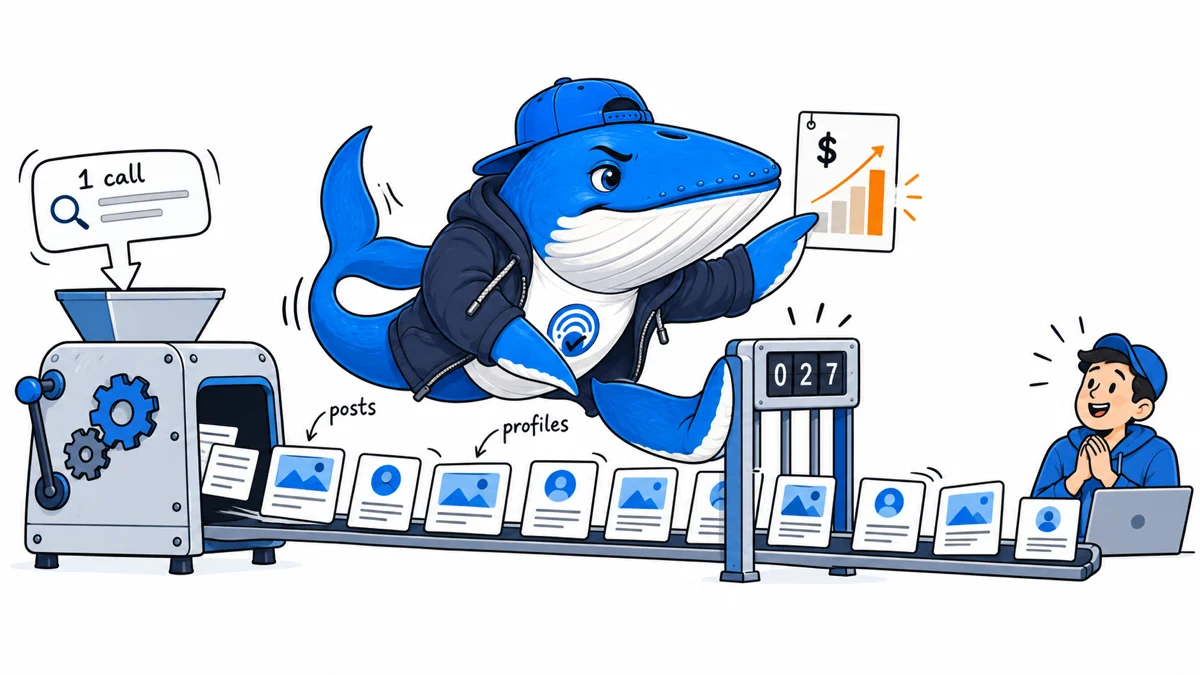
One X Search call can keep the same listed price or cost twenty times more after September 21. The difference is not the prompt. It is the number and type of objects the tool returns.
xAI is replacing its current $5 per 1,000 calls rate with $5 per 1,000 fetched posts and $10 per 1,000 fetched user profiles at 12:00 p.m. Pacific on September 21, 2026. Parent and quoted posts returned by a search or thread fetch count too.
The billing unit is the change
The current X Search documentation lists the old and new schedules on the same page. Until the change, one billable call costs $0.005 regardless of whether the call returns one post or several. Under the announced schedule, each returned post costs $0.005 and each returned profile costs $0.01.
| Schedule | Billable unit | Listed rate | Unit cost |
|---|---|---|---|
| Before September 21 | Tool call | $5 per 1,000 calls | $0.005 per call |
| From September 21 | Fetched post | $5 per 1,000 posts | $0.005 per post |
| From September 21 | Fetched user profile | $10 per 1,000 profiles | $0.01 per profile |
The listed post price looks identical to the old call price. That comparison is misleading because the denominator changed. A call is an action. A fetched post or profile is an output.
Four worked cost comparisons
The cleanest estimate separates posts from profiles:
announced result cost = (posts × $0.005) + (profiles × $0.01)This table isolates post results and compares one old billable call with one call under the announced result-based schedule. It is a calculation from xAI’s listed rates, not an invoice or a claim about typical result counts.
| Posts returned | Old listed cost | Announced post cost | Multiple of old cost |
|---|---|---|---|
| 1 | $0.005 | $0.005 | 1x |
| 5 | $0.005 | $0.025 | 5x |
| 10 | $0.005 | $0.050 | 10x |
| 20 | $0.005 | $0.100 | 20x |
A separate user search that returns three profiles would add $0.03 under the new schedule. A thread fetch can also expand its billable post count when parent or quoted posts are returned. The documentation does not provide a universal result count, so production logs are the only honest way to estimate a particular workflow.
A monitoring job can change without more prompts
Consider a daily monitoring job that makes 100 X Search calls. Under the current schedule, the listed tool cost is $0.50. If those calls return an average of ten posts and no profiles, the same 100 calls would fetch 1,000 billable posts and cost $5 under the announced schedule.
If 5% of attempts are retried and the retry returns the same average number of results, the result count rises from 1,000 to 1,050. The estimated tool cost becomes $5.25. The retry did not add a user-visible report, but it still added fetched objects.
Log the objects that create the cost
Add these fields before the effective date, while old invoices and new estimates can still be compared:
- Workflow and request ID: connect each tool call to the user job that caused it.
- Tool operation: distinguish keyword search, semantic search, user search, and thread fetch.
- Returned posts: count every returned post, including parent and quoted posts when present.
- Returned profiles: keep the profile count separate because it has a different listed price.
- Retry number: distinguish a deliberate second query from an automatic retry.
- Useful output: record how many returned objects were retained in the final report or decision.
- Estimated and invoiced cost: keep the calculation separate from the provider’s final billing record.
The useful-output field reveals the hidden efficiency problem. A workflow that fetches twenty posts and uses two has a 10% retained-result rate. That does not prove the other eighteen were unnecessary, but it gives an operator a concrete place to inspect prompt scope, date filters, handle filters, and thread expansion.
Download the result-cost estimator
Download the X Search result-cost estimator (CSV). The example rows show the old listed cost, the announced post and profile costs, and the effect of a retry rate. Replace the examples with counts from your own authorized logs.
The CSV deliberately reports an estimate. SDK behavior, tool selection, returned objects, retries, future documentation changes, taxes, credits, and the provider’s billing implementation can change the final charge.
September 20 status: the new schedule is still future-dated
X’s official pricing page currently lists the per-result schedule as taking effect September 21 at 12:00 p.m. Pacific Time. It lists $5 per 1,000 posts fetched and $10 per 1,000 profiles fetched, and says parent and quoted posts count toward fetched posts.
That is a scheduled documentation state, not an observed invoice. SearchEngineAnswer will not label the pricing active until the effective time has passed and a provider usage record can be compared with an authorized log.
For the first live reconciliation, save the tool-call timestamp, returned post count, returned profile count, parents, quoted posts, retries and provider-reported charge. If the invoice does not match the estimator, preserve both records before changing the calculation. Check the official pricing page.
What to change before September 21
- Capture a seven-day baseline of calls, returned posts, returned profiles, retries, and retained results.
- Calculate cost at both schedules without changing the production workflow.
- Set separate alert thresholds for post results and profile results.
- Test whether narrower date and handle filters reduce unused results without harming the answer.
- Recheck the official documentation on the effective date and compare the first provider usage record with your estimate.
This change does not automatically make X Search expensive. It makes result volume the cost driver. The right response is to measure returned objects before changing the workflow, then optimize the searches that fetch more than the reader or application actually uses.
For the same separation between estimated and provider-reported spend, use the API usage reconciliation ledger. For current tool changes and tests, browse Tools & Workflows.
Keep learning
Continue this topic
Next in this topic
Cloudflare Browser Run Guardrails: Build a Safe Hostname Allowlist
Earlier in this topic
You.com Answer API: Audit Citations, Excerpts, and Uncited Claims
Tools & Workflows
Ask a question or join the discussion